Dani Palou
Lead maintainer
With this plugin you can choose if some content should be visible only in web (browser) or only in a WebService client like the Moodle apps (mobile and desktop). The main purpose of this plugin is to be able to display/hide some content only for the Moodle app.
There is another plugin to be able to apply this filter using an Atto button and another one using a Tiny MCE button.
Enclose the content you want to filter between {fws} tags:
    {fws web}content only for web{fws}
    {fws ws}content only for ws{fws}
    {fws any}content for any request{fws}
Test it in a browser and in the Moodle app.
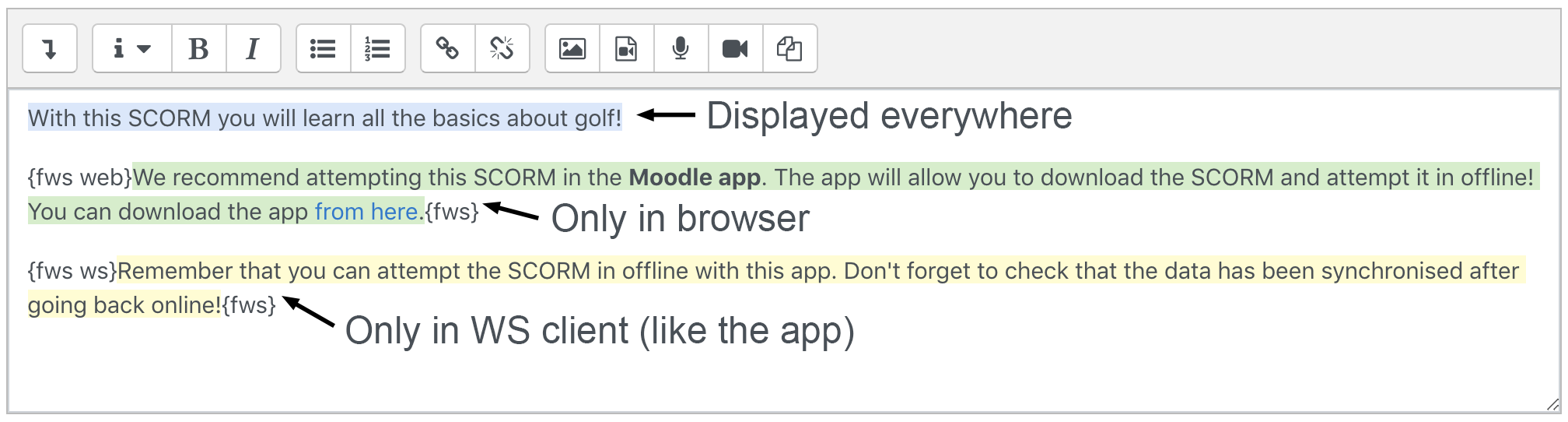
Example: We edit a SCORM description and put the content in the following screenshot:
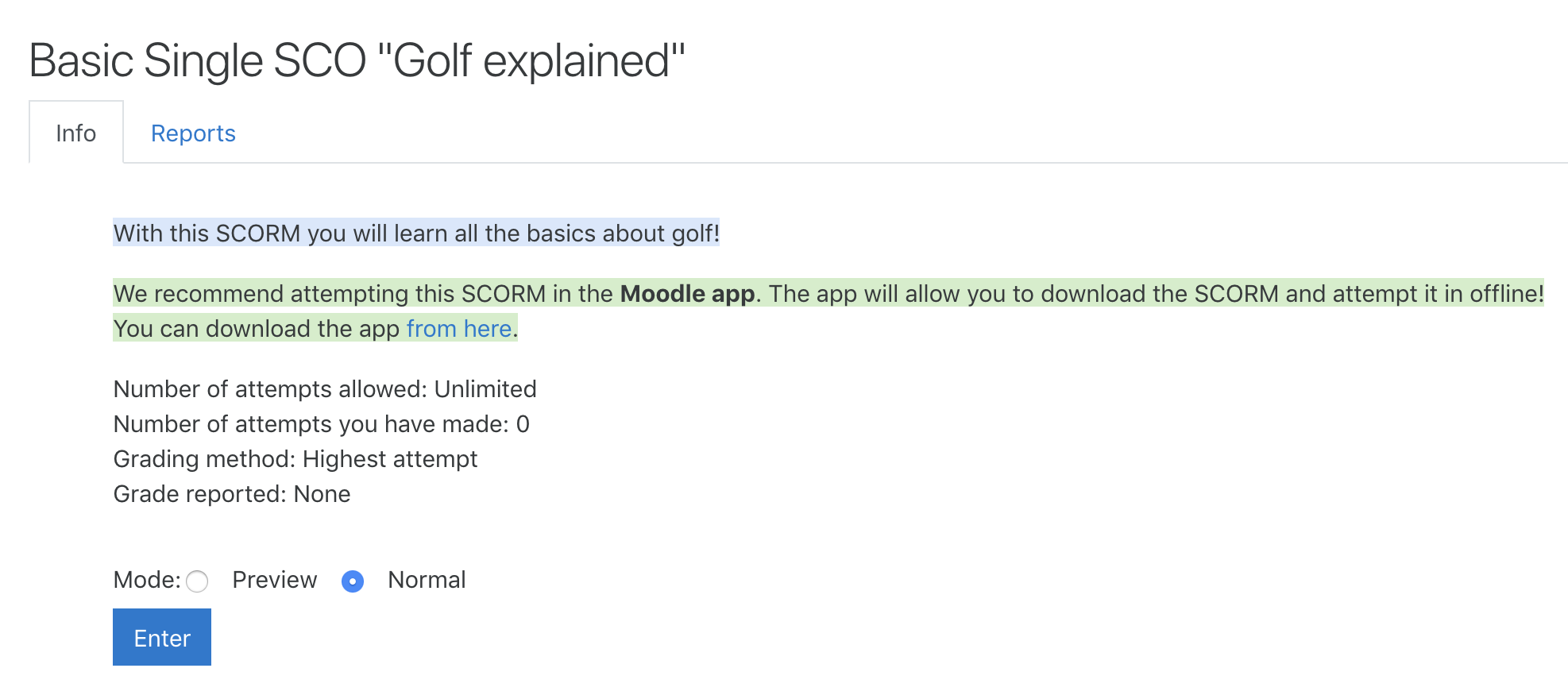
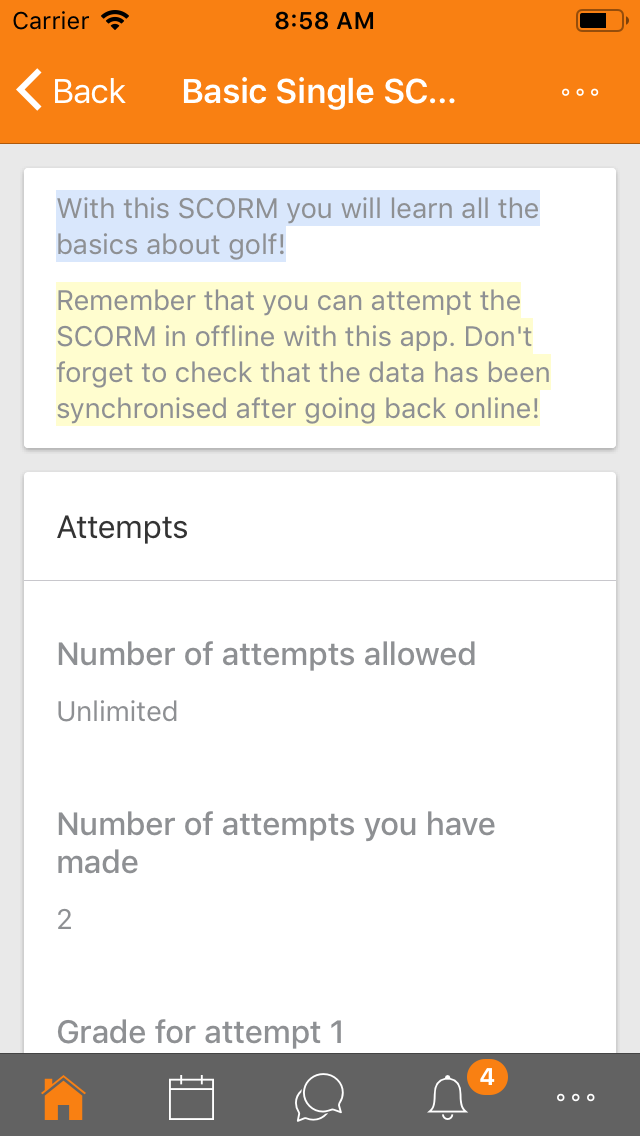
You can see we have 3 pieces of content. The first one doesn't have any special tag, so it will be displayed everywhere. The second block has the "web" keyword, so it will only be displayed if the user is using a browser. Finally, the last block will only be displayed in a WS client (in our case, the Moodle app). You can see the result in the following screenshots:
You can also specify a regular expression to filter the requests by user agent. To do so, you need to add a ua="MY_REGEXP" attribute to the {fws} tag, where MY_REGEXP is the regular expression you want to check (without starting and ending slashes). Example:
    {fws ws ua="MoodleMobile\s?$" }content only for the official Moodle app{fws}
    {fws any ua="iPhone|iPad|iPod"}content only for iOS devices{fws}


