Klaus Steitz
Maintainer
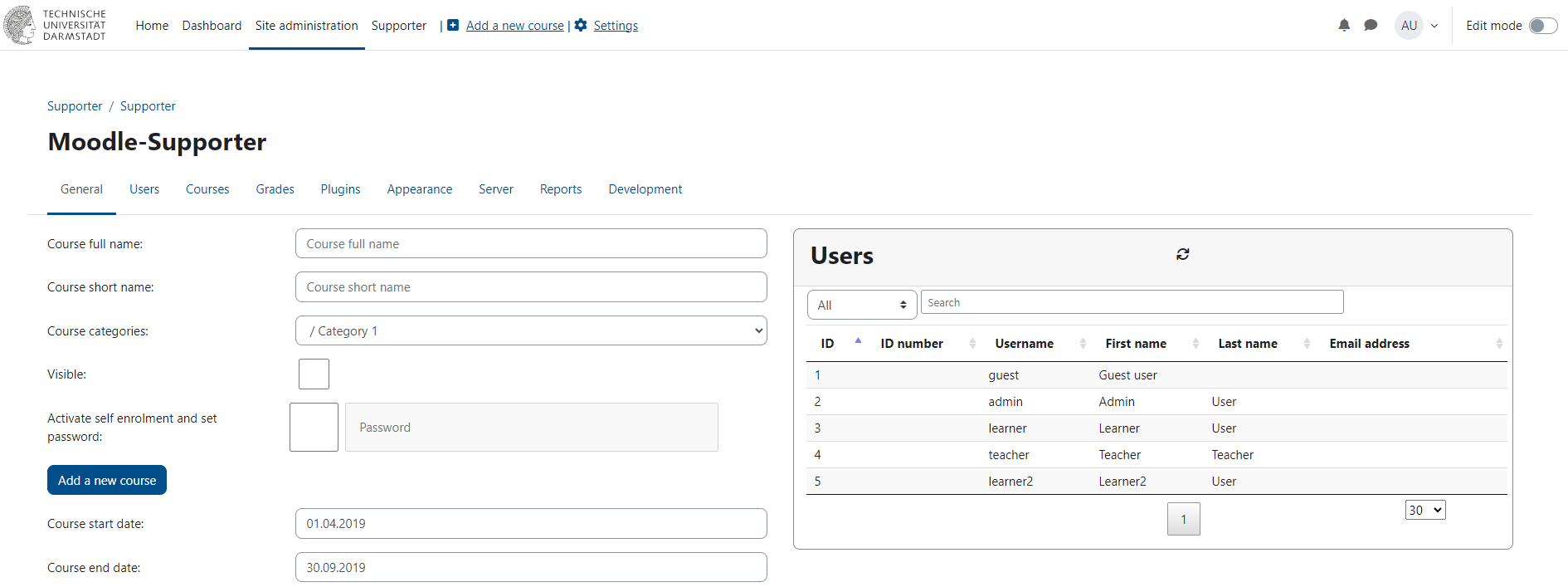
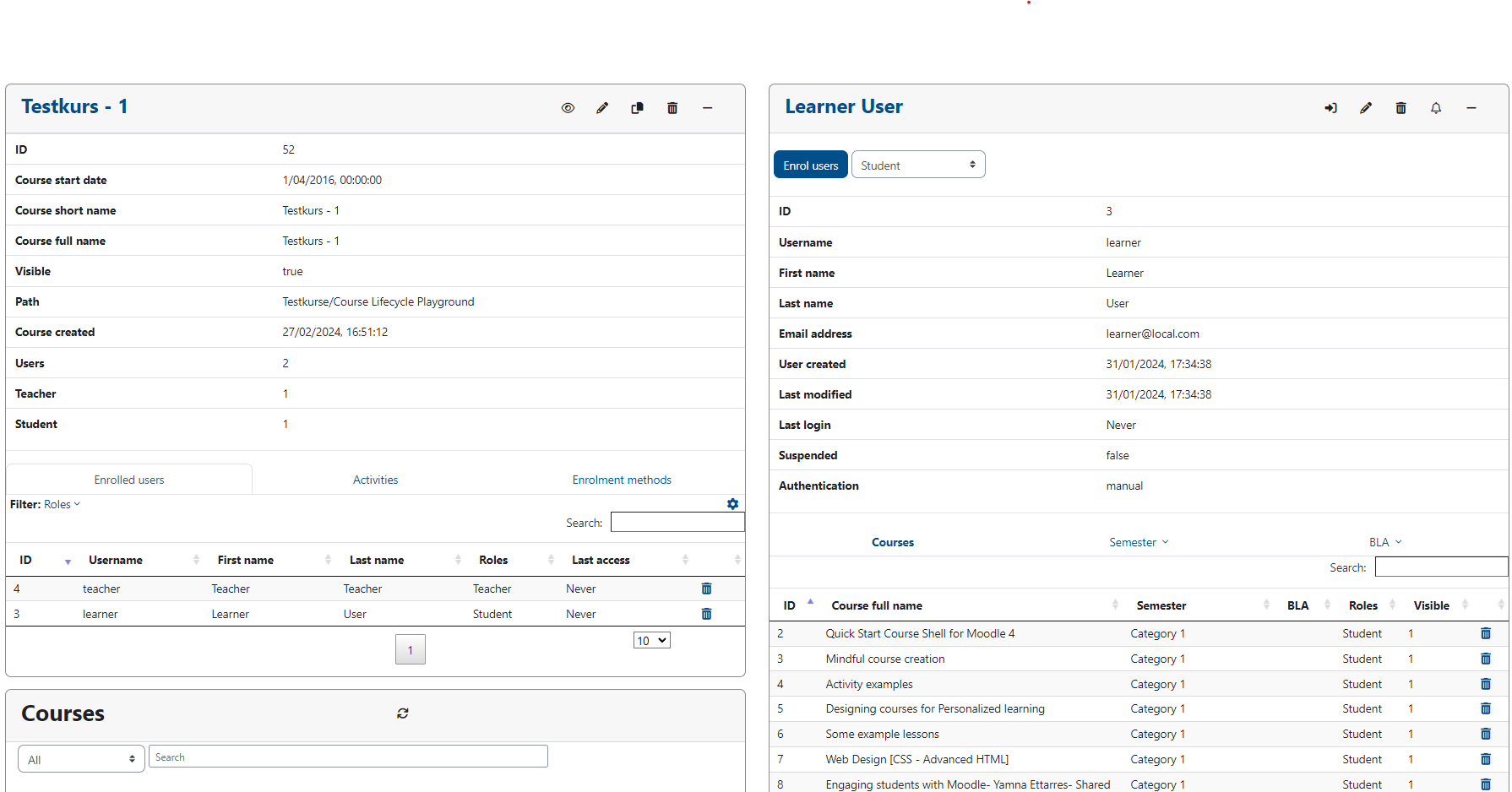
With the Supporter you can simply find & manage your students and courses - all in one, intuitive window.
It is the successor to the Moodle Analyst which was also created at the TU Darmstadt (Technical University of Darmstadt).
The Supporter is developed with asynchronous calls and thus only retrieves the information from the database which are needed, not requiring reloading of the whole page; bringing a whole new user experience to Moodle admins.
It has the standard Moodle capability-checks built-in so there are no extra capabilities needed and multiple levels of support can be accomplished (see chapter "Capabilities").
https://YOURSITE/admin/tool/ directory
git clone https://github.com/eLearning-TUDarmstadt/moodle-tool_supporter admin/tool/supporter in your Moodle roothttps://YOURSITE/public/admin/tool/ directorygit clone https://github.com/eLearning-TUDarmstadt/moodle-tool_supporter public/admin/tool/supporter in your Moodle roothttps://YOURSITE/admin/tool/supporter or Site Administration->General->SupporterWith this plugin, we strove to implement all necessary Moodle-capabilities. As such, there is no need to give users additional caps. If there is a need to divide different levels of support, these caps need to be set in a system-context:
Level 1 Support (read-only):
level 2 Support (also write):
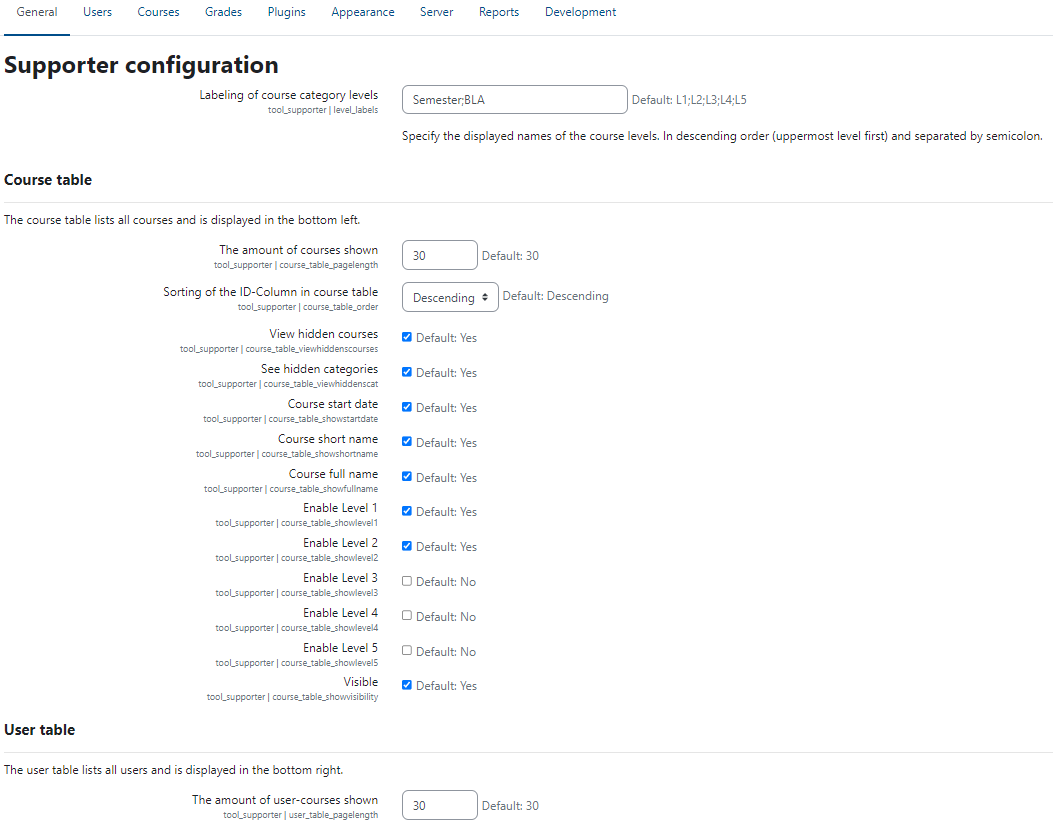
/admin/settings.php?section=tool_supporterSince v4-r1 admins can choose from 0 to 5 layers of course categories to be represented (from 0 to 2 layers in v1.07 for Moodle 3.x), however, user detail table always shows 2.

