
Group self-selection
Maintained by
Roger Barras
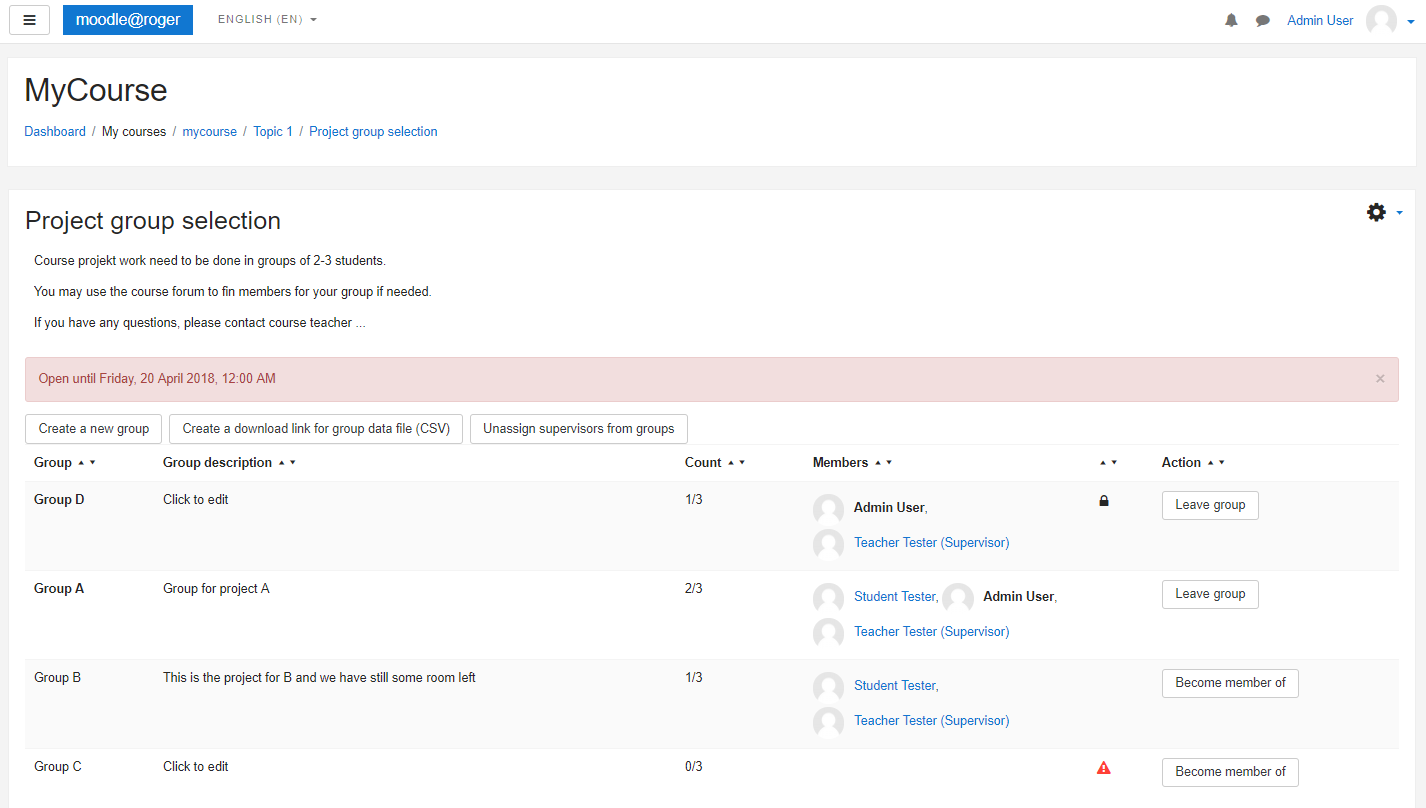
Lets students create and select groups.

Comments
Product ratings and reviews are coming to Moodle Marketplace. Until then, existing comments remain available to read, but new posts have been disabled.
Thank you
https://github.com/marinaglancy/moodle-mod_groupselect/issues/3
We've started to use plugin this semester and using last version. In course section I added 2 different group self-selection. One is for groups of two other is for groups of three. I limited their number of members, for example, min 2 and max 2 member for groups of two. However, 3 student joined a 2-member groups. How is this possible? It says maximum number reached but actually it exceeded. Under the count header it says "3/2". It is supposed to hide full groups from the main view. Why it's not hidden? Am I doing something wrong?
Best regards,
Emrullah
I'm not quite sure what you mean saying "missing" here, can you write more details please? Maybe create a screenshot - you can submit an issue on https://github.com/marinaglancy/moodle-mod_groupselect/issues
thanks a lot for your work. Just one thing: I'm missing the "action" field in the table of groupselections. Was it intented?
Greetings,
Michael
I have uploaded a new plugin version for Moodle 2.9, 3.0 and 3.1 that fixes version incompatibility, and also implements backup/restore, export from current grouping only, corrected CSS styles to prevent conflicts with other modules.
Many thanks to Rog (HTWChur) who has sent a pull request with fixes and improvements https://github.com/birrel/moodle-mod_groupselect/pull/15
Please use the git repository https://github.com/marinaglancy/moodle-mod_groupselect for checking out code, reporting issues and submitting pull requests.
We've lost contact with Pirkka and this plugin has not been actively maintained for a while. I am happy to announce that Marina Glancy volunteered to take over the maintenance of this plugin and becomes a new lead maintainer of it. She is going to provide updates here soon. Thanks Marina, and good luck with the maintenance of this plugin!
Are you actually maintaining this plugin anymore please? As this: https://github.com/birrel/moodle-mod_groupselect/pull/7 is nearly a year old.
Kind regards,
Gareth