
Event Reminders
Maintained by
Isuru Madushanka Weerarathna
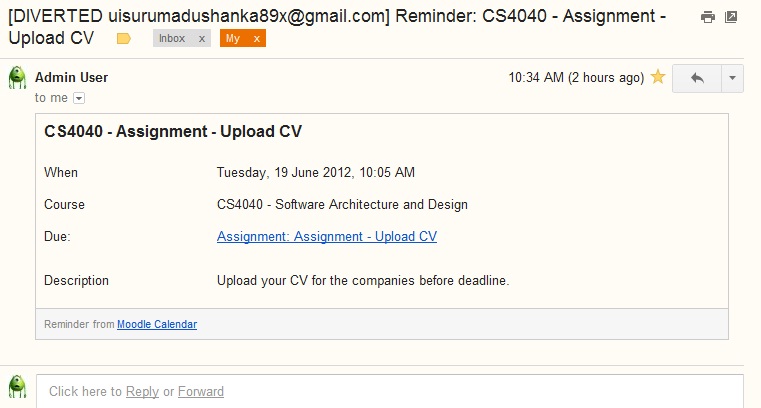
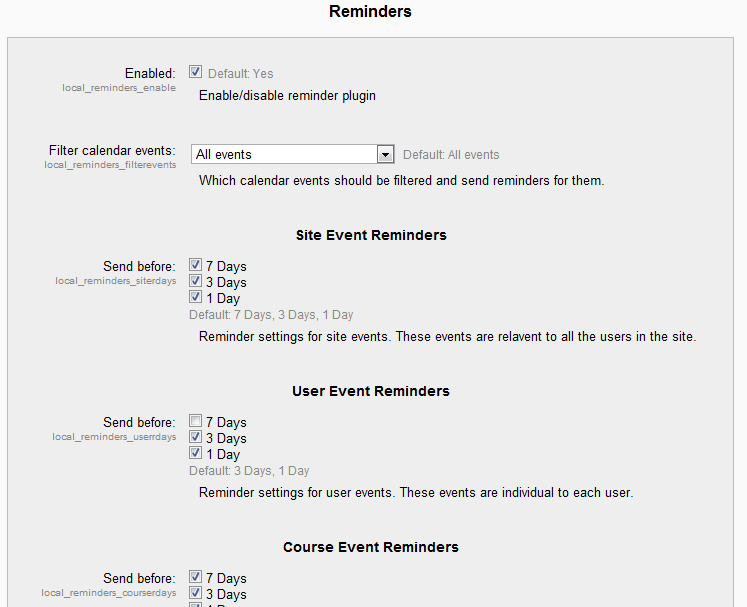
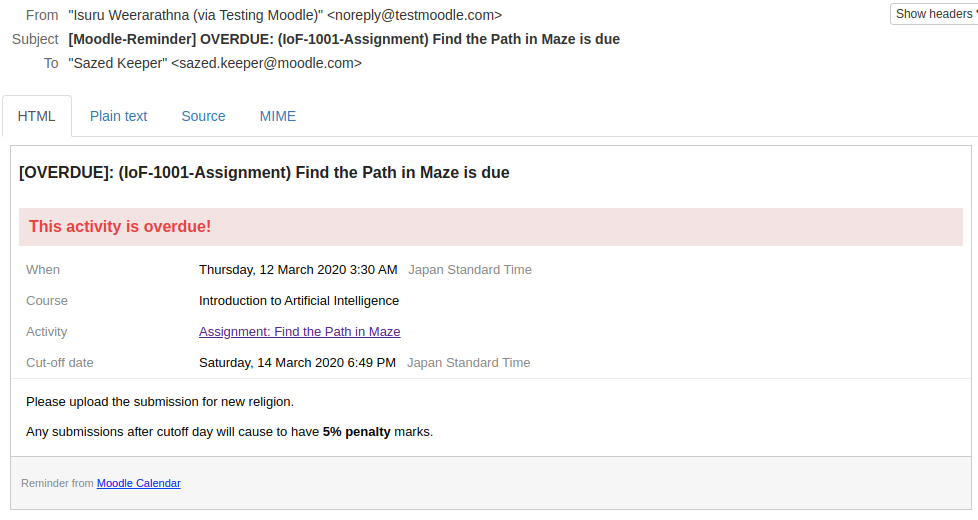
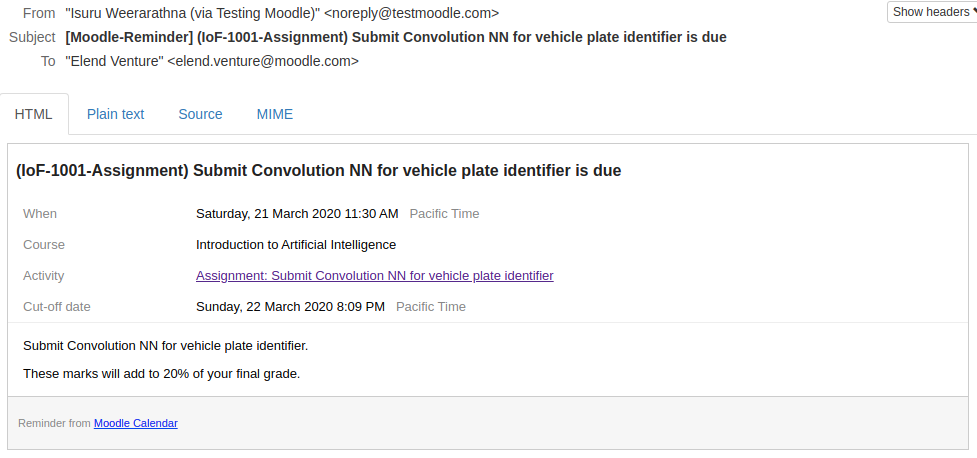
This plugin will automate sending reminders for calendar events.
Comments
Comments are no longer open for new posts. Existing comments remain available to read.
Thank you for your valuable feedback.
I am not actually familiar with those 3rd party modules, such as 'BigBlue Button', however, if an activity is shown as a 'course' event then all enrolled users of that course will receive reminders.
I wonder why Big Blue Button adds it as a 'course' event rather than as a 'user' event. Individual events should have targetted with 'user' type events.
The option you mention here has nothing to do with the above functionality, it is about like some events can mark temporarily as hidden (indicated by an eye icon), so that reminders could disable for all.
Another issue I have spotted...
I have created a series of Big Blue Button Activities, within my course - these are to be used for 1:1 tutorials with students, so I have actually created 1 activity for each learner, and used restrictions, so each learner only sees their own activity. When a Big Blue Button meeting is planned, this adds an entry into the calendar but this is only visible in the calendar of the student connected to that activity. The item appears in the calendar as a 'course event'.
Within the settings for Reminders, the 'Filter calendar events' is set to 'Only visible events in the calendar' - therefore I would expect only the single learner to get a notification - however the emails are going out to every single learner in the course which it shouldn't. Is this a bug, or am I misunderstanding something somewhere with the settings. We have version 2020041200 and Moodle 3.6.6+ (Build: 20191022)
Thanks in advance.
Thank you.
I have released a fix in 2.1.1 after testing on Moodle 3.5+. Please verify and let me know if there is anything.
Thanks for the info. I could reproduce it using your activity settings. Found out the issue, that reminders are still going when *custom* completion status has been assigned.
I have added this in my repo as a bug and will be fixed soon. https://github.com/isuru89/moodle-reminders-for-calendar-events/issues/62
Thanks for reporting.
The settings that I have applied to the assignment are as follows:
Due date is enabled.
Grade is set to 'scale' with the scale being a 2 option scale of 'Not yet competence, Competent'
Grade to pass is set to 2 (e.g. if Competent is selected as the grade item'
Activity completion is set to 'Student must receive a grade to complete this activity'
The item shows up in the student's calendar as a 'course item'.
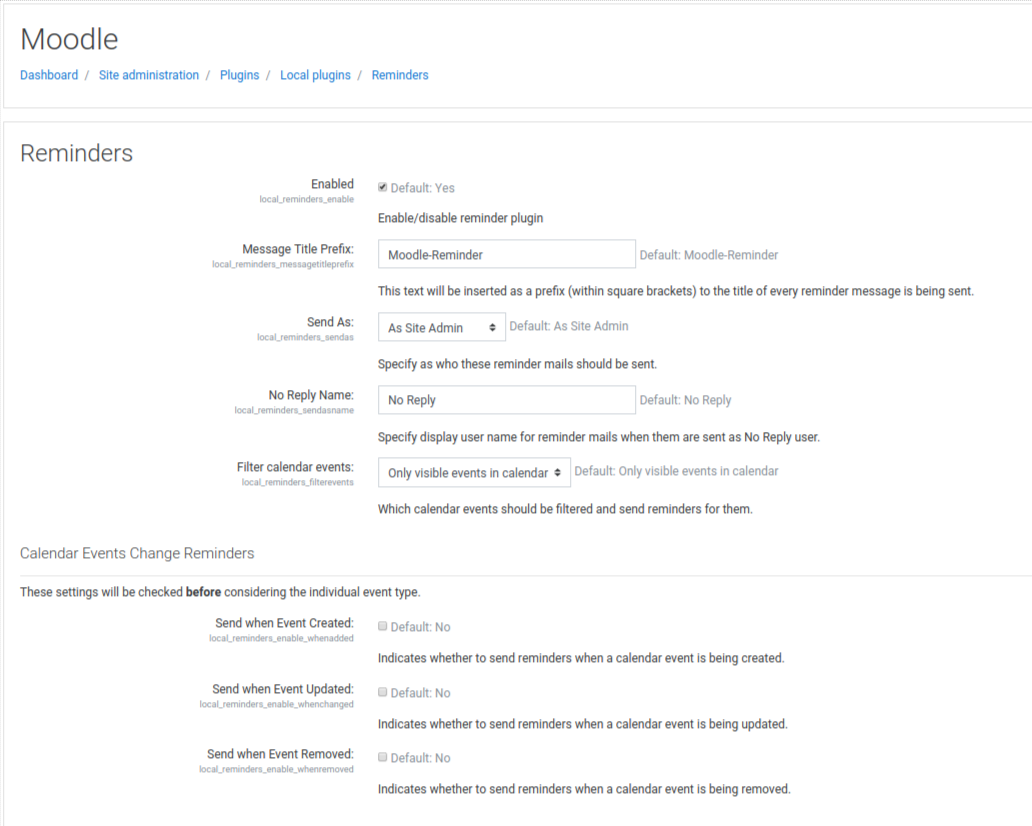
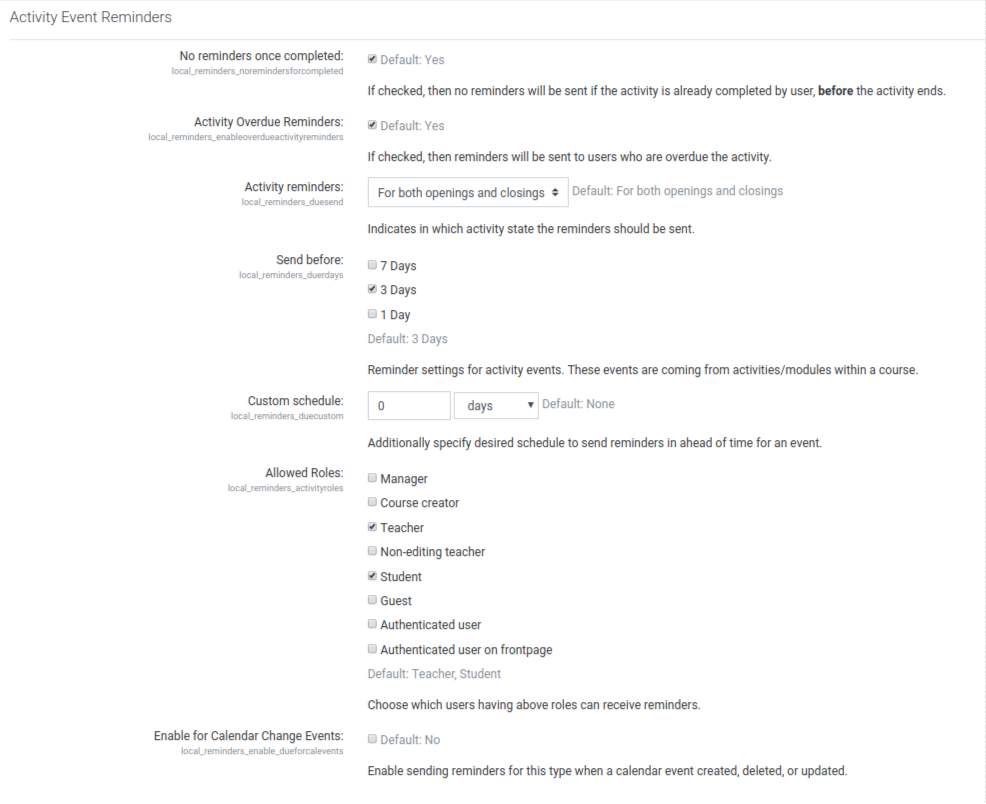
Within the general settings for the Activity Events Reminders.
'No reminders once completed' is ticked
'Activity Overdue Reminders' is ticked
'Activity Reminders' is set to 'Only for activity closing'
Send before is set to '3 days'
'Allowed roles' is set to 'Student'
'Enable for Calendar Change Events' is unticked.
Thanks in advance.
Thank you for using the plugin.
Yes, ticking that option should not send reminders once a user has already submitted a file for grading. You can verify those users by viewing all submission for that assignment and see how has `submitted for grading` in light green color. After you said I double-checked with my local (testing) moodle setup and I can confirm its working. I am using same function as it is used by moodle assign plugin which used to render 'view all submissions' page.
Can you be more specific about the kind of assignment settings you have, and also confirming does this happen for all assignments or just this particular assignment.
If you think this is a bug in a special scenario, please be kind enough to raise an issue on the Github page with applied settings and reproducible steps.
The reason I postponed this enhancement is purely based on performance, where there can be a huge perf hit if somebody creates an event in the root category. And also needs special handling of not sending same reminder twice for a user who has enrolled in multiple roles.
Not is v2.0 =, but sooner. I was already tracking it here https://github.com/isuru89/moodle-reminders-for-calendar-events/issues