
Collaborative Folders
Maintained by
Learnweb – University of Münster, Thomas Niedermaier
Enhance collaboration by providing shared folders to your students automatically. No need to collect Dropbox or ownCloud e-mail addresses anymore: Just add it to a course and select the groups that should collaborate. ownCloud/Nextcloud will privately share one folder per group to its members!
Comments
Comments are no longer open for new posts. Existing comments remain available to read.
following the instructions in: https://tracker.moodle.org/browse/MDL-58943
When I reach point C.:
C. Connect a Nextcloud system account.
1. Go to Site administration > Server > OAuth 2 services.
2. Click "Connect to a system account". Confirm at Moodle and at Nextcloud. If prompted in Nextcloud, enter admin as username and password.
3. After you are redirected back to Moodle, check that the username admin appears in the system account column.
Is in point C.3, when I'm redirected back to Moodle, the error: error/Could not upgrade oauth token appears.
Regards,
Ramón
while trying to configure "Colaborative folders" pluggin, I'm stuck at this point:
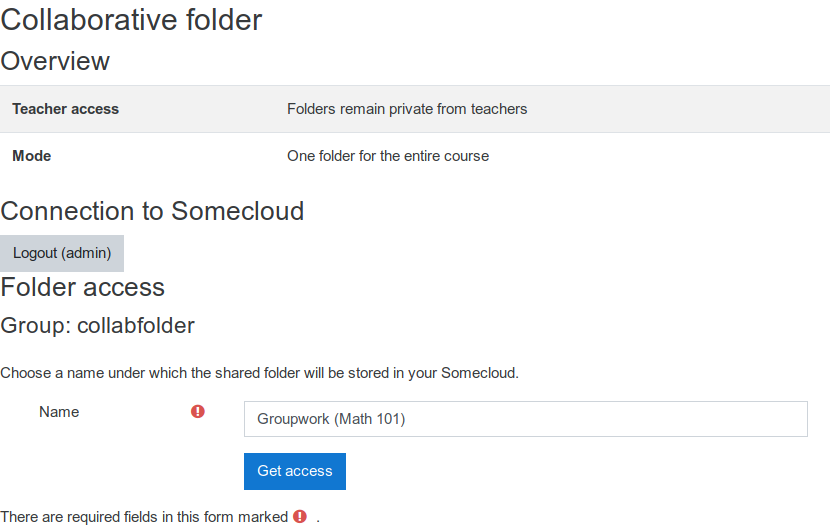
OAuth 2 services configuration
The following issuers implement the required endpoints: ownCloud
Currently the valid ownCloud issuer is active, but no system account is connected. The plugin will not work. Please connect a system account.
And when I try to connect a system account from ownCloud I get the error message.
Regards.
Ramón
thanks for your reply.
I think that I'm not able to explain myself.
The issue is that I can not finishr the set up of Colaborative Folders in Moodle, because the OAuth2 service is asking to "connect to a system account" in ownCloud.
When I click it opens ownCloud, then ask for an user and password, once introduced, is shows a button "Authorise", I click it and returns to Moodle, then the error message appears.
ownCloud is working fine, moodle is working fine. It is not a problem that I cannot enter ownCloud from moodle, the problem is that I cannor finnish the setup of Colaborative Folders, because the OAuth2 service doesn't allow me to connect to a system account, somwthing required by Colaborative Folders plugging.
I don't know if there's any way to post some pictures, this will make easier the explanations.
Thanks and regards,
Ramón
you have to use a separate account in Moodle. Here is the reason why :
When you connect the system account, the logged-in (Moodle) account is linked to the owncloud/nextcloud account. As soon as you log in with the same Moodle user to another owncloud/nextcloud account Moodle cannot longer connect to the system account.
Best regards,
Nina
I can connect any account. I'm the administrator.
But I don't understand what do you mean by other account. I always log in moodle with an administrator user.
Everything went ok setting the 0auth2 connection till the last step, while authorising the Sistem Account in ownCloud. ownCloud seems to do it well but when calling back to Moodle I get this error.
Thanks and regards.
are you able to connect other account than the system account?
Best regards,
Nina
I’m just trying to setup Colaborative Folders in Moodle.
Moodle version: 3.9.3+ (Build: 20201113)
ownCloud version: 10.6.0
Just at the end of the process, after authorising the Sistem Account conection, I get the error: error/Could not upgrade oauth token from Moodle.
I’m stuck, can’t find any information to solve this issue.
Thanks a lot.
You are welcome! I am always happy to help and to improve the plugin! If you have any additional feedback let me know!
Best wishes,
Nina
Next, in the course I create two groups, Group A and Group B. I put a student in each. The students can now login and create their groups in Repository, login to the repository and create documents in there which the teacher can also access, and edit.
Nina, you are a genious, and thank you for clarifying that for me: brilliant.
Great to talk again.
A) the neutral admin account as you call it
B) the teacher account
C) the student accounts
I actually have two different File repositories that I can use to try this out:
1) Switch, which is the university wide system, but through which it is difficult to create the neutral account
2) My own NextCloud repository where I can set up the three accounts
I shall return to you if there are any further questions.
By the way, I note that Moodle say that the NextCloud plugin replaces the OwnCloud plugin your university created whereby files updated on OwnCloud were automatically updated in Moodle. This is not true. The NextCloud plugin is way inferior to your plugin.
thank you for your feedback!
During the creation of the plugin we thought who should be the owner of the created folders. We thought it is important to have a neutral account since otherwise the available space for the teacher or the students is limited due to the files that are uploaded. Therefore, the admin account does not require to be the admin of the platform, but should be a technical neutral account which has enough space available.
Where did you try to log in as a teacher?
Best regards,
Nina