moodle-local_catdup
Moodle plugin for duplicating category and all its sub categories and courses to a new empty category.
Introduction
This plugin can be usefull in cases that a category of courses has to be duplicated each year or in any other frequency.
You simply cretae a new category for the new year, choose the source and target categories - and the mechanism simply copy
all courses and categories from the source to the destination.
The whole work is done asynchronously, So you are not waitng in front of the system - it happens in the background.
Install
- cd to your [moodle]/local/ directory
- git clone https://github.com/yedidiaklein/moodle-local_catdup.git catdup
- Or Download from moodle plugin and unzip in your moodle local directory.
- Go to your Moodle notification page and install it.
- You can access the plugin at https://[moodle]/local/catdup/ and choose source and destination categories.
How to use
- In "Site Administration" click on Courses tab.
- Click on "Category Duplicate" in courses section.
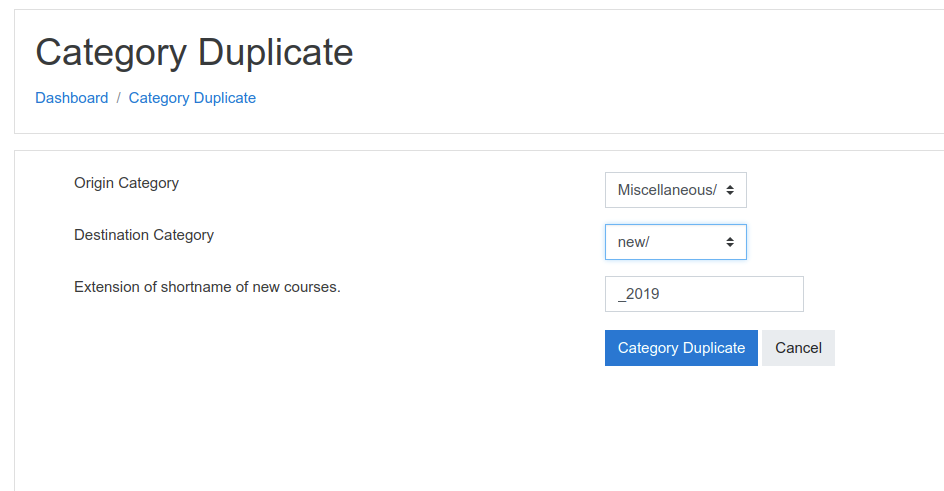
- Then in the screen that appear, choose source and destination categories
- You can also choose the string in shortnames of old courses that will be changed in new course, i.e. all old courses that ends with _2019 will end with _2020 in new courses.
Enjoy and create issues in github for any bug or request...
--Yedidia