Tomoya Saito
Lead maintainer

"YU Kaltura Media Package" is a third-party's Kaltura plugin package (a series of plugins) for Moodle 4.3 or later.
This package is developed by the Center for Information Infrastructure, Yamaguchi University.
By using this package, users can upload media to the Kaltura server, and easily embed the media in Moodle courses.
Moreover, this package provides some useful functions.
Since this package does not require Kaltura Application Framework (KAF), can work with Kaltura Community Edition (CE) and other editions.
In order to use this package, administrators must install "YU Kaltura Media Local Libraries" and "YU Kaltura Media Gallery".
These plugins provide functions such as uploading, playing back and deleting media files to users.
In addition, the administrators can install "YU Kaltura Media Assignment", "YU Kaltura Media Resource", and "YU Kaltura Media for Atto".
These plugins provide teachers ability of creating resource and activity modules which use kaltura media in their Moodle courses. And, user can embed his/her media into text area (introduction or page content) through the Atto HTML editor.
Please note that there is a chance this module will not work on some Moodle environment.
Also, this package is only available in English and Japanese. Stay tuned to future versions for other language supports.
Original plugin package ("Kaltura Video Package") has better functions than ours and is easy to use. So that, for customers of the "Kaltura SaaS Edition", use the original plugin package is the better.
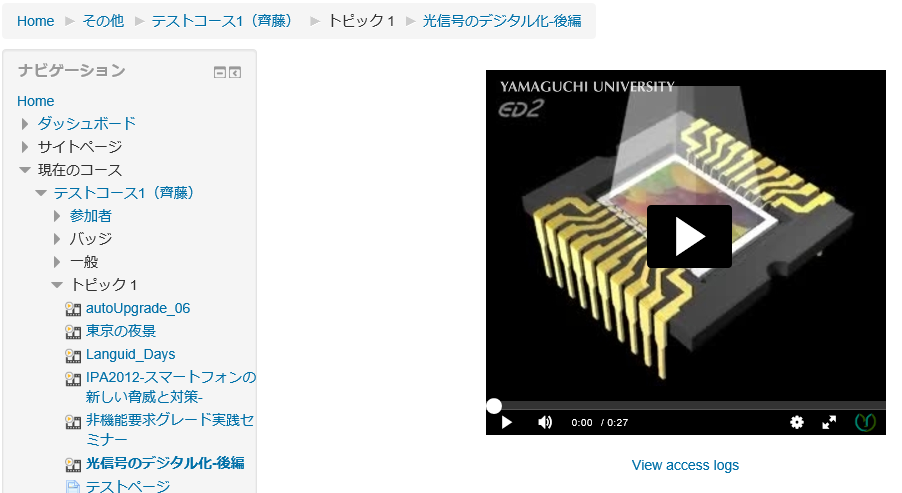
This is a resource module.
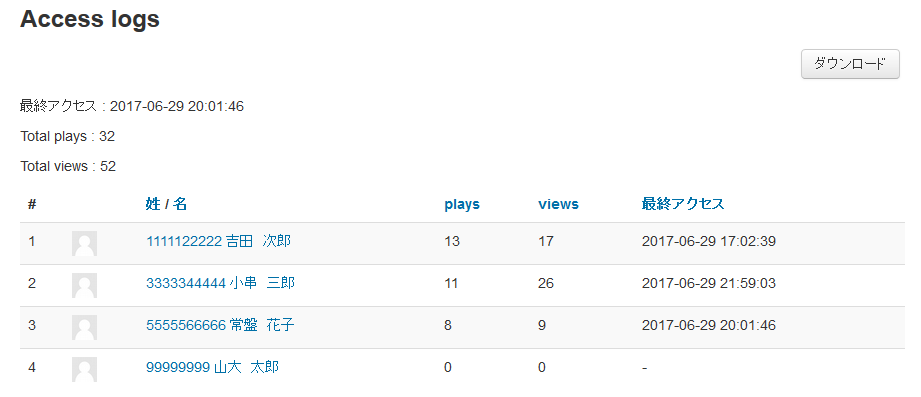
Teachers can create media play page (embed media) in their courses, and can view students' play/view status.
Teachers can choose a media player from Kaltura players, and can set player's size (dimension).
Aditionally, the teacher can upload and record new media in resource editing page.
Students can play the embedded media.
This plugin is updated with stable releases. To follow active development on GitHub, click here.
Unzip the plugin into /mod/kalmediares within your Moodle install.
Installation will be completed after you log in as an administrator and access the notification menu.
After upgrading the plugin from version 1.1.x/1.2.x to 1.3.x (or later version), the administrators must execute the following command:
php /path/to/moodle/mod/kalmediares/cli/log_migration_1.2to1.3.php
This script reads the access logs of students from the Moodle standard log, and inserts records to new database table. The verison 1.3.0 and laters use this table in order to display an access status list of students.
Moodle 4.3, 4.4, 4.5
First clone the repository with "git clone", then "git checkout MOODLE_403_STABLE(branch name)" to switch branches.

