
Dash

Versions
Current version
2.6 (2026032400)
2.6
Plugin type: Blocks
Frankenstyle component name: block_dash
Version build number: 2026032400
Version release name: 2.6
Maturity: Stable
Supported Moodle versions: 4.5, 5.0, 5.1
Repository URL (Git): https://github.com/bdecentgmbh/moodle-block_dash
Repository branch:
Repository tag: v2.6-r1
Issue/bug tracker URL: https://github.com/bdecentgmbh/moodle-block_dash/issues
ALL
- DASH-1137 Disable addons of local_dash via global config.php (only relevant for paid plans)
PLUS
- DASH-1169 Improved pagination in grid layout
PRO
- DASH-1096 Bugfix: Course completions: "course completed" field always reports "yes"
- DASH-1094 Bugfix: Improve performance for large datasets
- DASH-1095 Bugfix: Export should include all data, not only visible first page
PREMIUM
- DASH-1107 Learning Path: Custom paths
- DASH-1104 Learning Path: Course appearance
- DASH-1103 Learning Path: Timetable assignments integration
- DASH-1106 Learning Path: Enhanced details area
- DASH-1105 Learning Path: Enhanced info area
- DASH-1102 Learning Path: Zones (Experimental)
Moodle compatibility: 4.5 & 5.1
2.5 (2025103101)
2.5
Plugin type: Blocks
Frankenstyle component name: block_dash
Version build number: 2025103101
Version release name: 2.5
Maturity: Stable
Supported Moodle versions: 4.1, 4.2, 4.3, 4.4, 4.5
Repository URL (Git): https://github.com/bdecentgmbh/moodle-block_dash
Repository branch:
Repository tag: v2.5-r1
Issue/bug tracker URL: https://github.com/bdecentgmbh/moodle-block_dash/issues
ALL
- DASH-1058 Implement config.php parameters for dash addons
- DASH-1125 Bugfix: Invalid user upgrade issue
PRO
- DASH-1096 Bugfix: Course completions: "course completed" field always reports "yes"
- DASH-1094 Bugfix: Improve performance for large datasets
- DASH-1095 Bugfix: Export should include all data, not only visible first page
PREMIUM
- DASH-1041 New widget: Activity completion graph
- DASH-1092 Learning Path: replace hard coded strings
Moodle compatibility: tested on 4.4 & 4.5
(We're currently working on 5.0 and 5.1 compatibility)
2.4 (2025031900)
2.4
Plugin type: Blocks
Frankenstyle component name: block_dash
Version build number: 2025031900
Version release name: 2.4
Maturity: Stable
Supported Moodle versions: 4.1, 4.2, 4.3, 4.4, 4.5
Repository URL (Git): https://github.com/bdecentgmbh/moodle-block_dash
Repository branch:
Repository tag: v2.4-r2
Issue/bug tracker URL: https://github.com/bdecentgmbh/moodle-block_dash/issues
All tiers
- DASH-969 New feature: Block restrictions
Pro
- DASH-1067 Bugfix: The activities data source relied on the activity completion (fixes #104)
Premium
- DASH-1045 Bugfix: Learning Path course tooltip displays special charactors now
- DASH-1068 Improvement: Custom layouts field support
- DASH-1022 Bugfix: Role assignments data source missing context fixed
Moodle compatibility: 4.1 – 4.5
2.0 (2024050802)
2.0
Plugin type: Blocks
Frankenstyle component name: block_dash
Version build number: 2024050802
Version release name: 2.0
Maturity: Stable
Supported Moodle versions: 4.1, 4.2, 4.3
Repository URL (Git): https://github.com/bdecentgmbh/moodle-block_dash
Repository branch:
Repository tag: v2.0-r1
Issue/bug tracker URL: https://github.com/bdecentgmbh/moodle-block_dash/issues
Free
- DASH-787 Add global default for "hide when empty" setting
- DASH-827 New block setting: "Show header"
- DASH-797 Improve settings in Dash
- DASH-665 Load default fields after selecting the data source
- DASH-597 Make all data sources a sub plugin
- DASH-222 Cohort condition for users data source
Plus
- DASH-356 New data source: Categories
- DASH-712 Dashboard restrict by role
- DASH-330 Dashboard improvements
- DASH-3 /my in dashboards data source
Pro
- DASH-785 New data source: Activities
- DASH-811 New data source: Certificates
- DASH-222 Cohort condition for users and completions data source
- DASH-783 Add bar chart option to skill graph
Premium
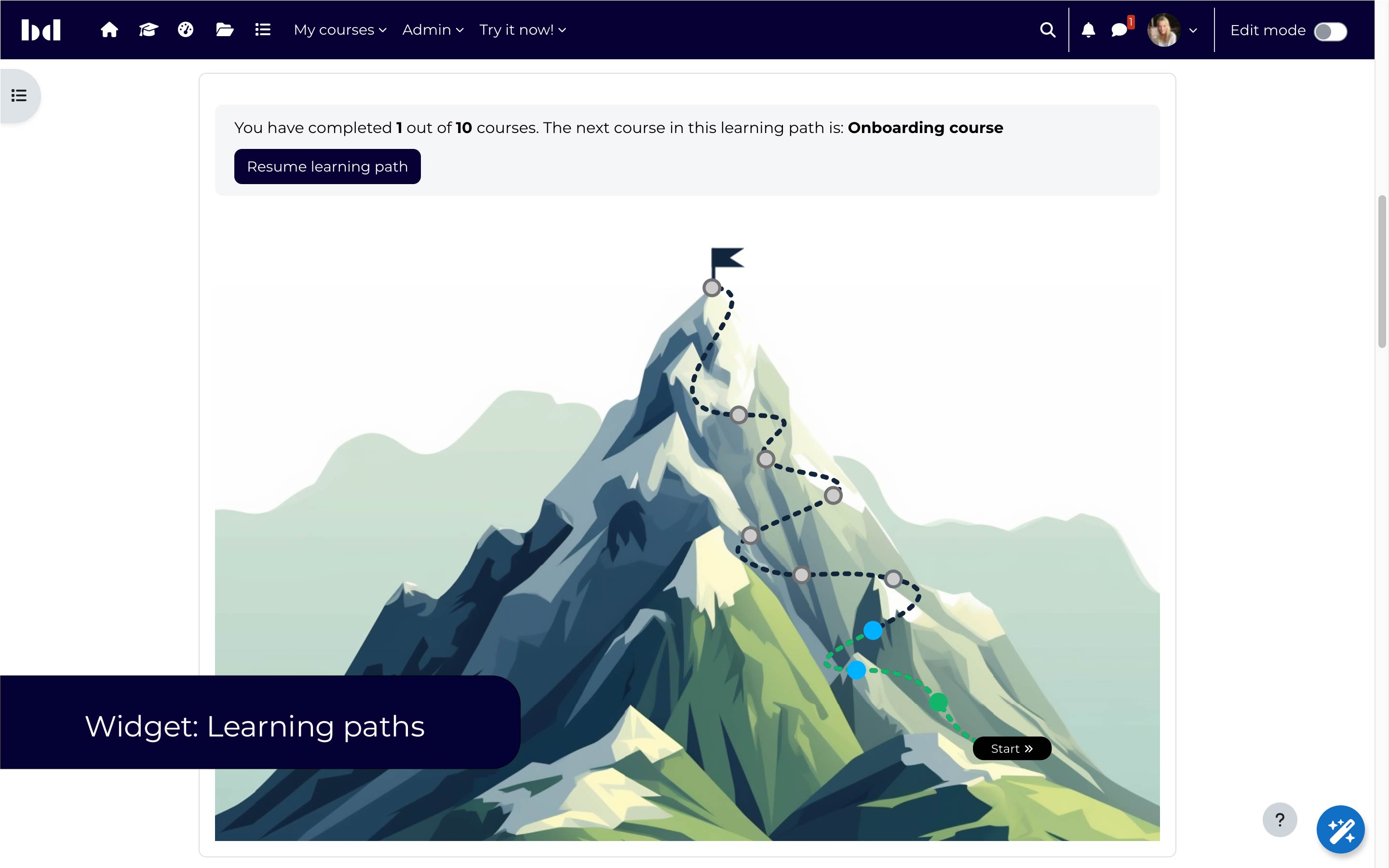
- DASH-704 New widget: Learning paths
- DASH-812 Add "current category" condition to learning path widget
- DASH-639 Addon: Developer (1.8)
Compatible with Moodle 4.1 – 4.3 (4.4 not yet fully tested, we will release a 4.4 version soon)
ATTENTION
Dash 2.0 is a significant update and some post-upgrade work might be required, depending on your usage of Dash. This affects the following areas:
- The appearance options of the block (e.g. the background gradient or the border).
- The path to dashboards has changed, i.e. you'll need to update your menu items if you have linked to them.
- Also using Video Time? Please wait for a compatible version of Video Time or apply the following changes manually to the files in videotime_sessions_data_source.php and videotime_sessions_data_source.php, both at line 46:
- use local_dash\local\dash_framework\structure\course_table;

+ use dashaddon_courses\local\dash_framework\structure\course_table;
- A new tier has been introduced called "Plus" for customers that specifically want to use Dash to create course catalogs.
- A new tier has been introduced called "Premium" which currently includes the new learning path widget and the developer addon.
1.8 (2024011700)
1.8
Plugin type: Blocks
Frankenstyle component name: block_dash
Version build number: 2024011700
Version release name: 1.8
Maturity: Stable
Supported Moodle versions: 4.1, 4.2, 4.3
Repository URL (Git): https://github.com/bdecentgmbh/moodle-block_dash
Repository branch:
Repository tag: v1.8-r1
Issue/bug tracker URL: https://github.com/bdecentgmbh/moodle-block_dash/issues
Free
- DASH-643: Configuration flow improvement
Pro
- DASH-641: Content
- DASH-657: Course section condition for content addon
- DASH-661: Condition to hide hidden courses
Premium (Beta test)
contact us if you would like to become a beta tester
- DASH-639: Custom data sources
- DASH-639: Custom layouts
Compatible with Moodle 4.1 – 4.3
1.7 (2023090800)
1.7
Plugin type: Blocks
Frankenstyle component name: block_dash
Version build number: 2023090800
Version release name: 1.7
Maturity: Release Candidate
Supported Moodle versions: 3.11, 4.0, 4.1
Repository URL (Git): https://github.com/bdecentgmbh/moodle-block_dash
Repository branch:
Repository tag: v1.7-r1
Issue/bug tracker URL: https://github.com/bdecentgmbh/moodle-block_dash/issues
Version 1.7
FREE
- [DASH-633] Improve filter support
PRO
- [DASH-626] Support latest Video Time version
- [DASH-627] New feature: Export data
- [DASH-628] Extend Video Time data source (time watched, time left, activity completion)
Compatibility: Moodle 3.11, Moodle 4.0, Moodle 4.1, Totara TXP (13+)
Version 1.6
PRO
- [DASH-555] Slick.js support (slider/caroussel)
- [DASH-556] Details area
- [DASH-557] Enhance grid layout (masonry)
Compatibility: Moodle 3.11, Moodle 4.0, Moodle 4.1, Totara TXP (13+)
Version 1.5
FREE
- My learning: Improved styling
PRO
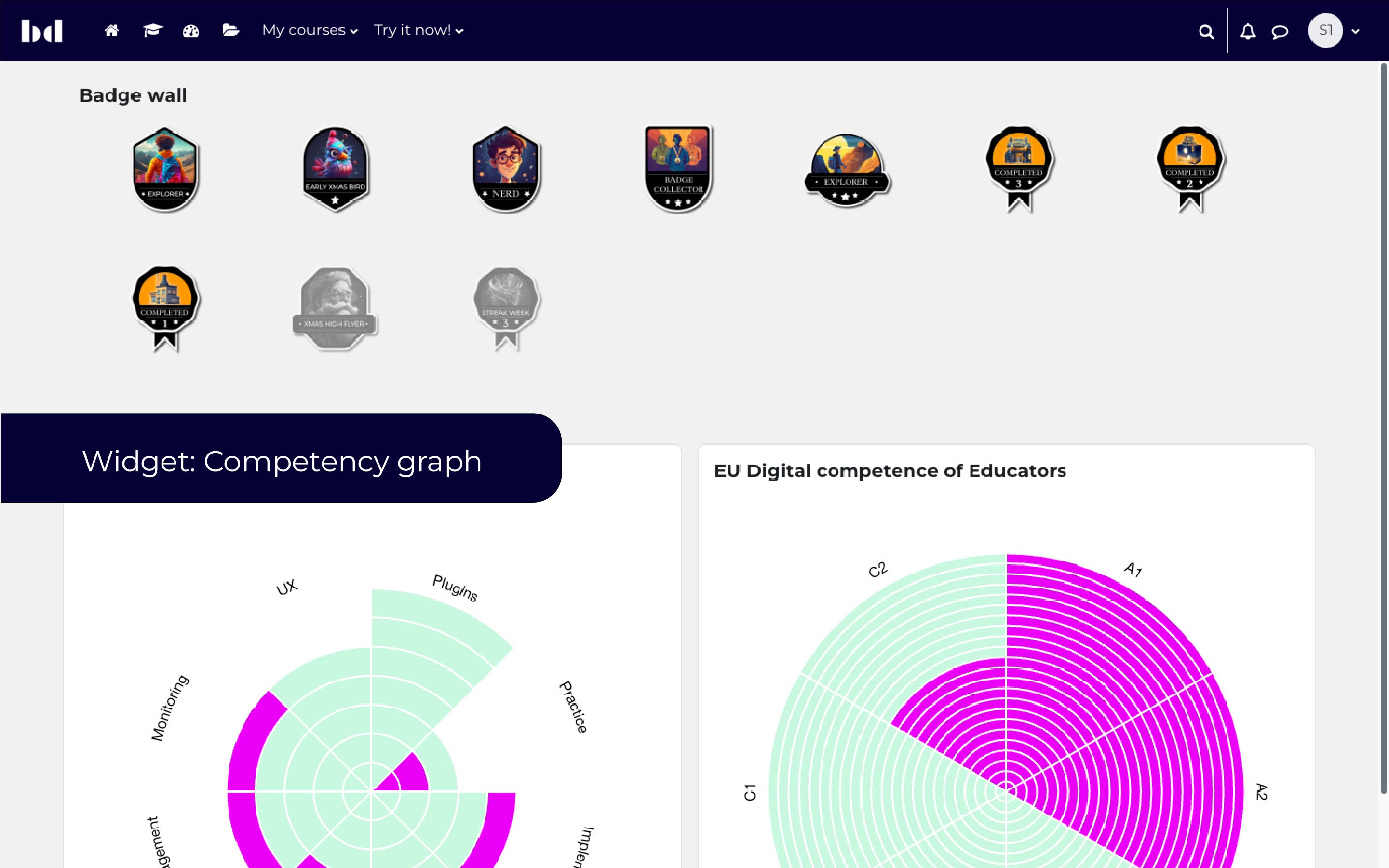
- New widget: Skill graph — display the user's competencies in a competency radar
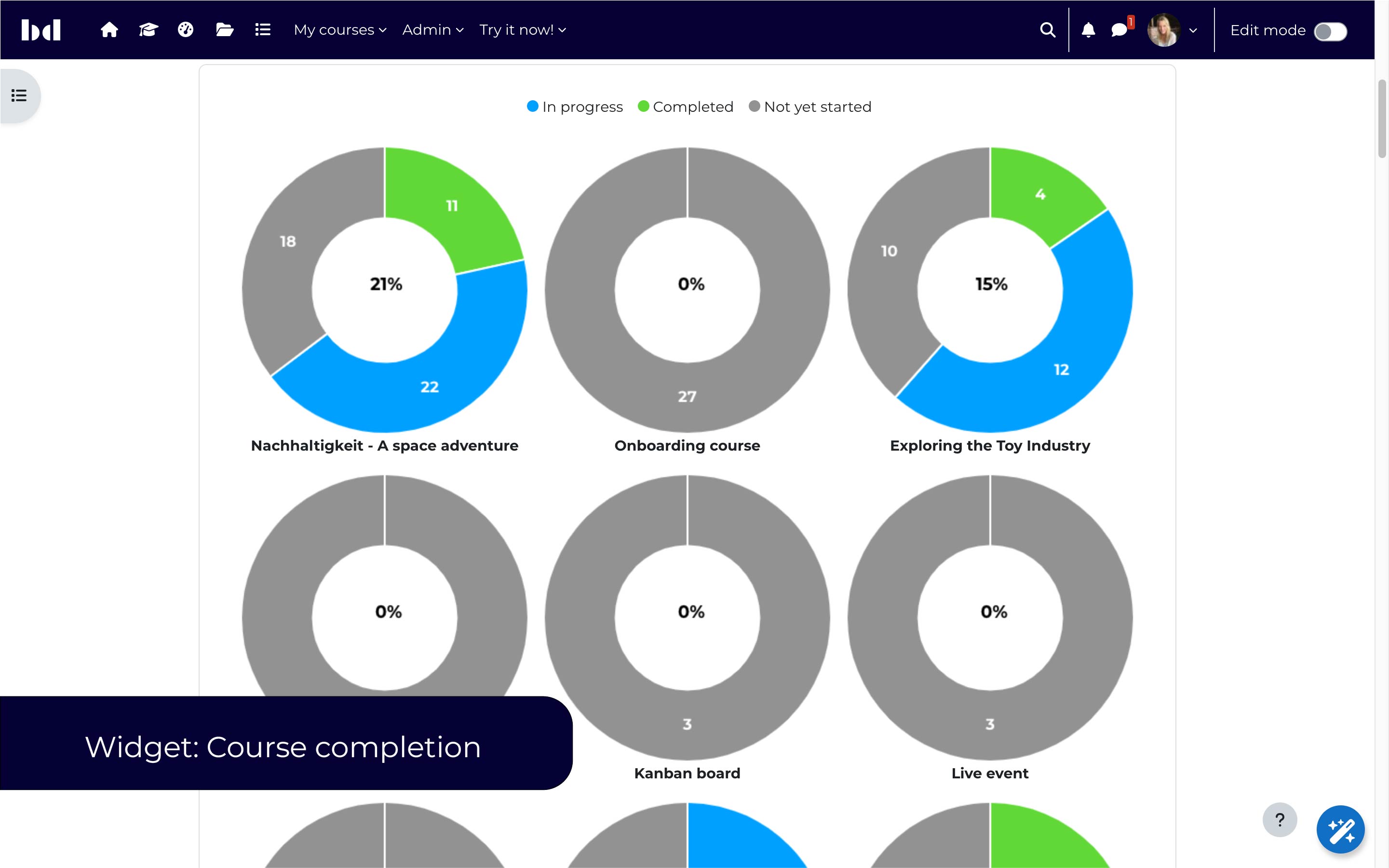
- New widget: Course completions — display the aggregated course completion progress as donuts
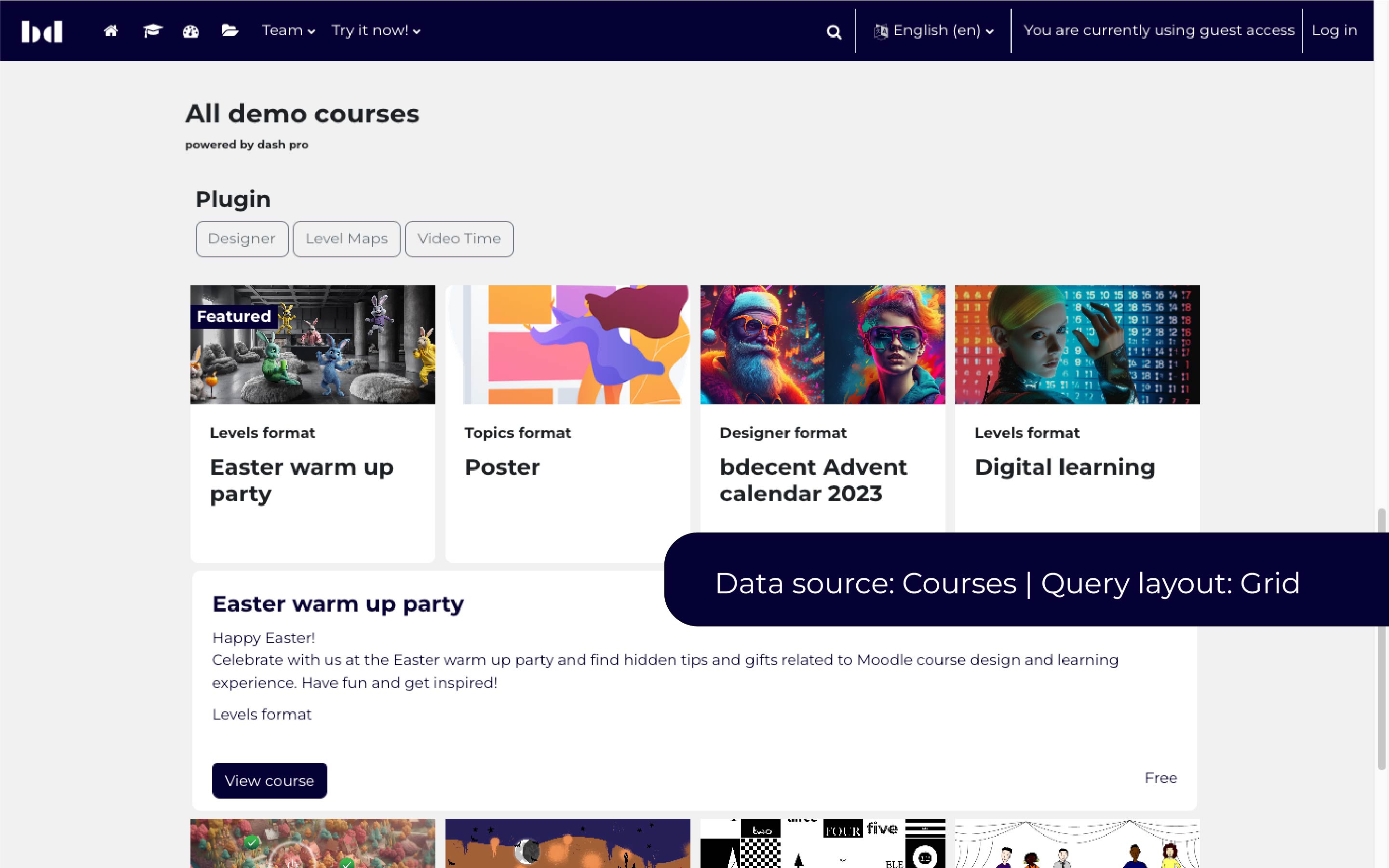
- New field: Smart course button — displays appropriate actions depending on enrolment options
- New field: Enrolment options — displays information about possible enrolment options
- New condition: Enrolment options (with support for self enrolment, auto enrolment, course credit enrolment, enrolment upon payment)
- New condition: Hide my courses — can be used to hide courses that the current user is already enrolled into.
Compatibility: Moodle 3.11, Moodle 4.0, Moodle 4.1, Totara TXP (13+)
Version 1.4
FREE
- Improvement: Query debug display only debugging
- New feature: Empty state
- Improvement: Suggest contacts
PRO
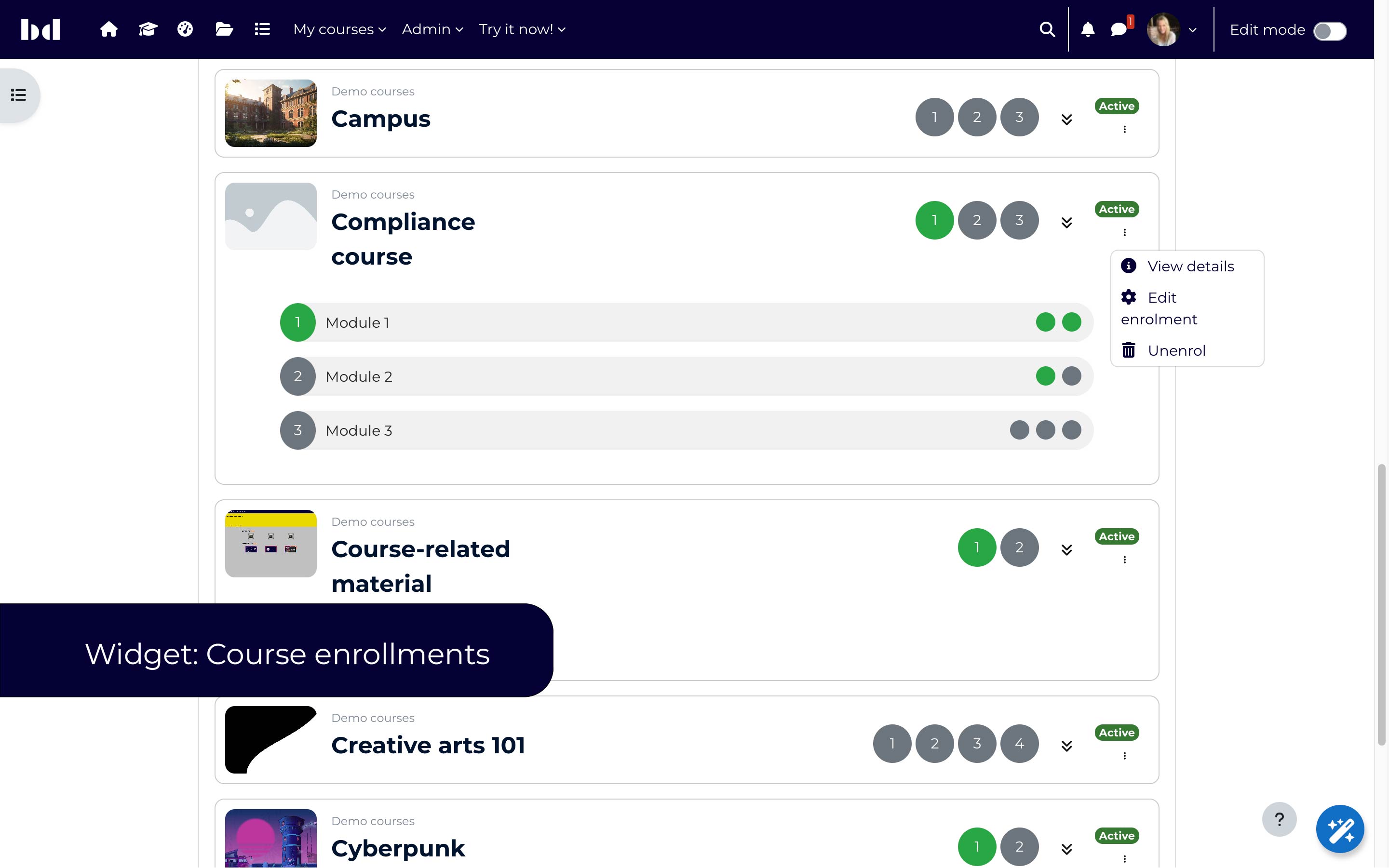
- New widget: Course enrolments
Compatibility: Moodle 3.11, Moodle 4.0, Moodle 4.1, Totara TXP (13+)
Version 1.3
FREE
- Improved/simplified block configuration
- Introduction of widgets
- New widget: My learning
- New widget: My contacts
- New widget: My groups
PRO
- Accessibility improvements for images
- Course dashboads can be added to secondary navigation (Moodle 4.0 only)
- Completion status field, filter and condition added to course completions data source
- More options for grid layout (columns)
Compatibility: Moodle 3.11, Moodle 4.0, Totara TXP (13+)
Version 1.2
FREE
- Improved/simplified block configuration
- Introduction of widgets
- New widget: My learning
- New widget: My contacts
- New widget: My groups
PRO
- Badges data source
- Link course image to course
- Grid layout: background image
- Condition: "Course that I can self enrol"
- Add default course image
- Redirect to url when accessing course/index.php
Compatibility: Moodle 3.9, Moodle 4.0, Totara TXP (13+)
Version 1.1
FREE
- Improved preferences modal
- Video Time Stats data source
- Video Time Sessions data source
- Disable dash output global setting
PRO
- Choose course condition
- My enrolled courses condition
- Specific category condition
- Site logs data source
- Visual progress bar
- Enhanced grid layout
- Accordion layout
- Current user condition
Compatibility: Moodle 3.7, Moodle 3.8, Totara (12)
Version 1.0 — First Public Release
FREE
- Users data source
- Dash Framework
PRO
- Course data source
- Completions data source
- Dashboards
- Dashboards data source
Compatibility: Moodle 3.7, Moodle 3.8, Totara (12)
1.6 (2023052400)
1.6
Plugin type: Blocks
Frankenstyle component name: block_dash
Version build number: 2023052400
Version release name: 1.6
Maturity: Stable
Supported Moodle versions: 3.11, 4.0, 4.1
Repository URL (Git): https://github.com/bdecentgmbh/moodle-block_dash
Repository branch:
Repository tag: v1.6-r1
Issue/bug tracker URL: https://github.com/bdecentgmbh/moodle-block_dash/issues
Changes
1.6
PRO
- [DASH-555] Slick.js support (slider/caroussel)
- [DASH-556] Details area
- [DASH-557] Enhance grid layout (masonry)
Compatibility: Moodle 3.11, Moodle 4.0, Moodle 4.1, Totara TXP (13+)
1.5
FREE
- My learning: Improved styling
PRO
- New widget: Skill graph — display the user's competencies in a competency radar
- New widget: Course completions — display the aggregated course completion progress as donuts
- New field: Smart course button — displays appropriate actions depending on enrolment options
- New field: Enrolment options — displays information about possible enrolment options
- New condition: Enrolment options (with support for self enrolment, auto enrolment, course credit enrolment, enrolment upon payment)
- New condition: Hide my courses — can be used to hide courses that the current user is already enrolled into.
Compatibility: Moodle 3.11, Moodle 4.0, Moodle 4.1, Totara TXP (13+)
1.4
FREE
- Improvement: Query debug display only debugging
- New feature: Empty state
- Improvement: Suggest contacts
PRO
- New widget: Course enrolments
Compatibility: Moodle 3.11, Moodle 4.0, Moodle 4.1, Totara TXP (13+)
1.3
FREE
- Improved/simplified block configuration
- Introduction of widgets
- New widget: My learning
- New widget: My contacts
- New widget: My groups
PRO
- Accessibility improvements for images
- Course dashboads can be added to secondary navigation (Moodle 4.0 only)
- Completion status field, filter and condition added to course completions data source
- More options for grid layout (columns)
Compatibility: Moodle 3.11, Moodle 4.0, Totara TXP (13+)
1.2
FREE
- Improved/simplified block configuration
- Introduction of widgets
- New widget: My learning
- New widget: My contacts
- New widget: My groups
PRO
- Badges data source
- Link course image to course
- Grid layout: background image
- Condition: "Course that I can self enrol"
- Add default course image
- Redirect to url when accessing course/index.php
Compatibility: Moodle 3.9, Moodle 4.0, Totara TXP (13+)
1.1
FREE
- Improved preferences modal
- Video Time Stats data source
- Video Time Sessions data source
- Disable dash output global setting
PRO
- Choose course condition
- My enrolled courses condition
- Specific category condition
- Site logs data source
- Visual progress bar
- Enhanced grid layout
- Accordion layout
- Current user condition
Compatibility: Moodle 3.7, Moodle 3.8, Totara (12)
1.0 — First Public Release
FREE
- Users data source
- Dash Framework
PRO
- Course data source
- Completions data source
- Dashboards
- Dashboards data source
Compatibility: Moodle 3.7, Moodle 3.8, Totara (12)
1.5 (2023032000)
1.5
Plugin type: Blocks
Frankenstyle component name: block_dash
Version build number: 2023032000
Version release name: 1.5
Maturity: Stable
Supported Moodle versions: 3.11, 4.0, 4.1
Repository URL (Git): https://github.com/bdecentgmbh/moodle-block_dash
Repository branch:
Repository tag: v1.5-r1
Issue/bug tracker URL: https://github.com/bdecentgmbh/moodle-block_dash/issues
moodle-block_dash
Changes
1.5
FREE
- My learning: Improved styling
PRO
- New widget: Skill graph — display the user's competencies in a competency radar
- New widget: Course completions — display the aggregated course completion progress as donuts
- New field: Smart course button — displays appropriate actions depending on enrolment options
- New field: Enrolment options — displays information about possible enrolment options
- New condition: Enrolment options (with support for self enrolment, auto enrolment, course credit enrolment, enrolment upon payment)
- New condition: Hide my courses — can be used to hide courses that the current user is already enrolled into.
Compatibility: Moodle 3.11, Moodle 4.0, Moodle 4.1, Totara TXP (13+)
1.4
FREE
- Improvement: Query debug display only debugging
- New feature: Empty state
- Improvement: Suggest contacts
PRO
- New widget: Course enrolments
Compatibility: Moodle 3.11, Moodle 4.0, Moodle 4.1, Totara TXP (13+)
1.3
FREE
- Improved/simplified block configuration
- Introduction of widgets
- New widget: My learning
- New widget: My contacts
- New widget: My groups
PRO
- Accessibility improvements for images
- Course dashboads can be added to secondary navigation (Moodle 4.0 only)
- Completion status field, filter and condition added to course completions data source
- More options for grid layout (columns)
Compatibility: Moodle 3.11, Moodle 4.0, Totara TXP (13+)
1.2
FREE
- Improved/simplified block configuration
- Introduction of widgets
- New widget: My learning
- New widget: My contacts
- New widget: My groups
PRO
- Badges data source
- Link course image to course
- Grid layout: background image
- Condition: "Course that I can self enrol"
- Add default course image
- Redirect to url when accessing course/index.php
Compatibility: Moodle 3.9, Moodle 4.0, Totara TXP (13+)
1.1
FREE
- Improved preferences modal
- Video Time Stats data source
- Video Time Sessions data source
- Disable dash output global setting
PRO
- Choose course condition
- My enrolled courses condition
- Specific category condition
- Site logs data source
- Visual progress bar
- Enhanced grid layout
- Accordion layout
- Current user condition
Compatibility: Moodle 3.7, Moodle 3.8, Totara (12)
1.0 — First Public Release
FREE
- Users data source
- Dash Framework
PRO
- Course data source
- Completions data source
- Dashboards
- Dashboards data source
Compatibility: Moodle 3.7, Moodle 3.8, Totara (12)
1.4 (2023011900)
1.4
Plugin type: Blocks
Frankenstyle component name: block_dash
Version build number: 2023011900
Version release name: 1.4
Maturity: Stable
Supported Moodle versions: 3.11, 4.0, 4.1
Repository URL (Git): https://github.com/bdecentgmbh/moodle-block_dash
Repository branch:
Repository tag: v1.4-r1
Issue/bug tracker URL: https://github.com/bdecentgmbh/moodle-block_dash/issues
FREE
- Improvement: Query debug display only debugging
- New feature: Empty state
- Improvement: Suggest contacts
PRO
- New widget: Course enrolments
Compatibility: Moodle 3.11, Moodle 4.0, Moodle 4.1, Totara TXP (13+)
1.3 — Release Candidate (2022092800)
1.3 — Release Candidate
Plugin type: Blocks
Frankenstyle component name: block_dash
Version build number: 2022092800
Version release name: 1.3 — Release Candidate
Maturity: Release Candidate
Supported Moodle versions: 3.11, 4.0
Repository URL (Git): https://github.com/bdecentgmbh/moodle-block_dash
Repository branch:
Repository tag: 1.3_RC
Issue/bug tracker URL: https://github.com/bdecentgmbh/moodle-block_dash/issues
FREE
- Improved/simplified block configuration
- Introduction of widgets
- New widget: My learning
- New widget: My contacts
- New widget: My groups
PRO
- Accessibility improvements for images
- Course dashboads can be added to secondary navigation (Moodle 4.0 only)
- Completion status field, filter and condition added to course completions data source
- More options for grid layout (columns)
Compatibility: Moodle 3.11, Moodle 4.0, Totara TXP (13+)
Maturiy: Release candidate — please report any issues in the bug tracker on Github
1.2 (2022011900)
1.2
Plugin type: Blocks
Frankenstyle component name: block_dash
Version build number: 2022011900
Version release name: 1.2
Maturity: Stable
Supported Moodle versions: 3.10, 3.11, 3.9, 4.0
Repository URL (Git): https://github.com/bdecentgmbh/moodle-block_dash
Repository branch:
Repository tag: 1.2.0
Issue/bug tracker URL: https://github.com/bdecentgmbh/moodle-block_dash/issues
- Moodle Plugin CI compliance improvements
- 3.11 compatibility
- 4.0 compatibility
1.1 (2021022300)
1.1
Plugin type: Blocks
Frankenstyle component name: block_dash
Version build number: 2021022300
Version release name: 1.1
Maturity: Beta
Supported Moodle versions: 3.10, 3.9
Repository URL (Git): https://github.com/stefanscholz/moodle-block_dash
Repository branch:
Repository tag:
Issue/bug tracker URL: https://github.com/bdecentgmbh/moodle-block_dash/issues
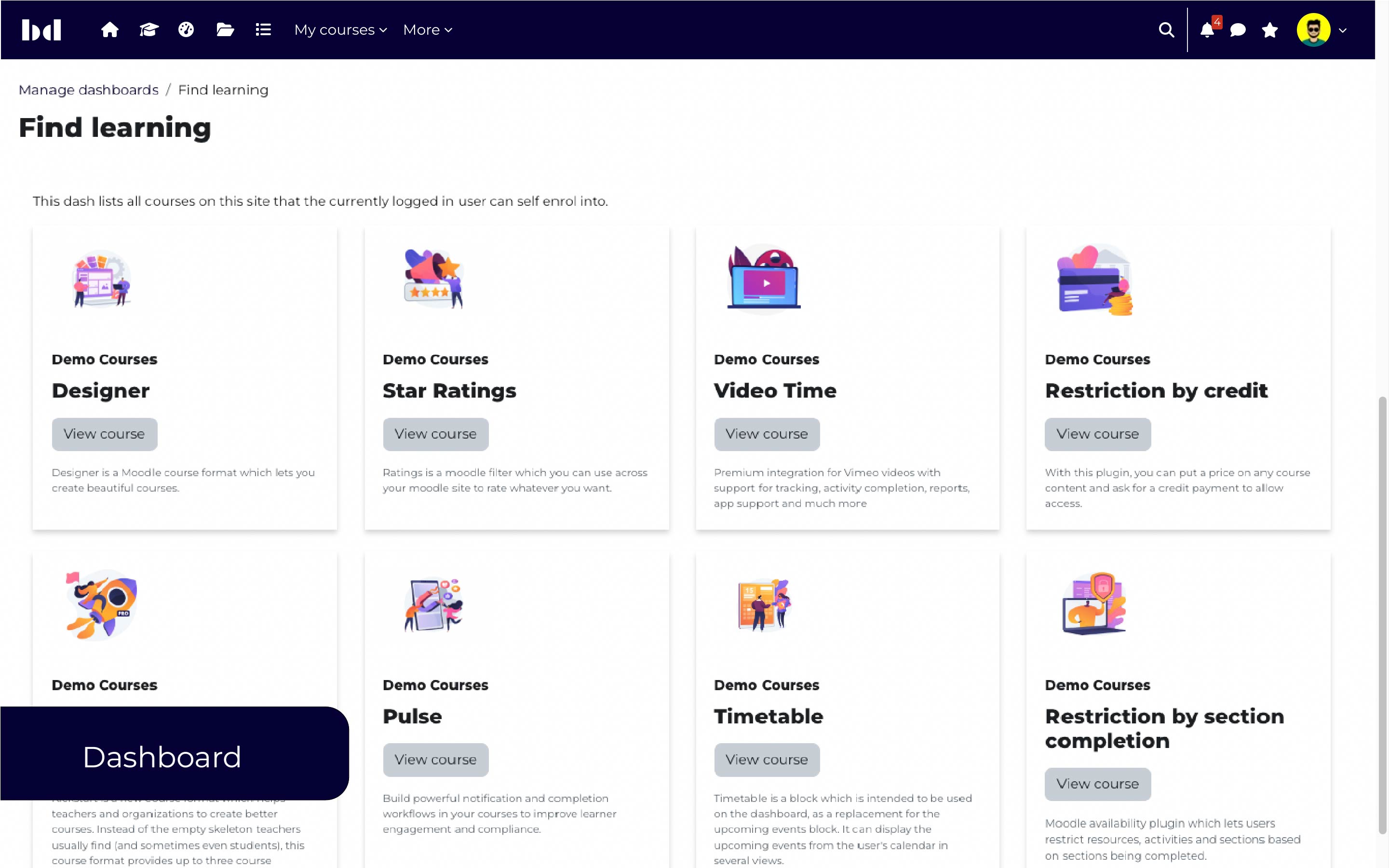
Dash is a block which can be added anywhere on your moodle site to display various information, e.g. the current user’s profile information or a list of users in the current course. It is built on a powerful engine which supports various data sources and templates.
The free version of dash comes with the users’ data source and a table layout.
It provides the following fields:
- First name
- Surname
- Full name
- Full name (linked to profile)
- Email address
- Username
- ID number
- City/town
- Country
- Last login
- Department
- Institution
- Address
- Alternate name
- First access
- Description
- User picture URL
- User picture
- User picture (linked to profile)
- User profile URL
- User profile link
- Message URL
- Message
- Group name
The following filters are available:
- Group
- Department
- Institution
- Last login
- First access
And the following conditions are available:
- Logged in user
- My participants / students
- My groups
- Current course
- Current course groups
Typical use cases:
*Display the participants of the current course
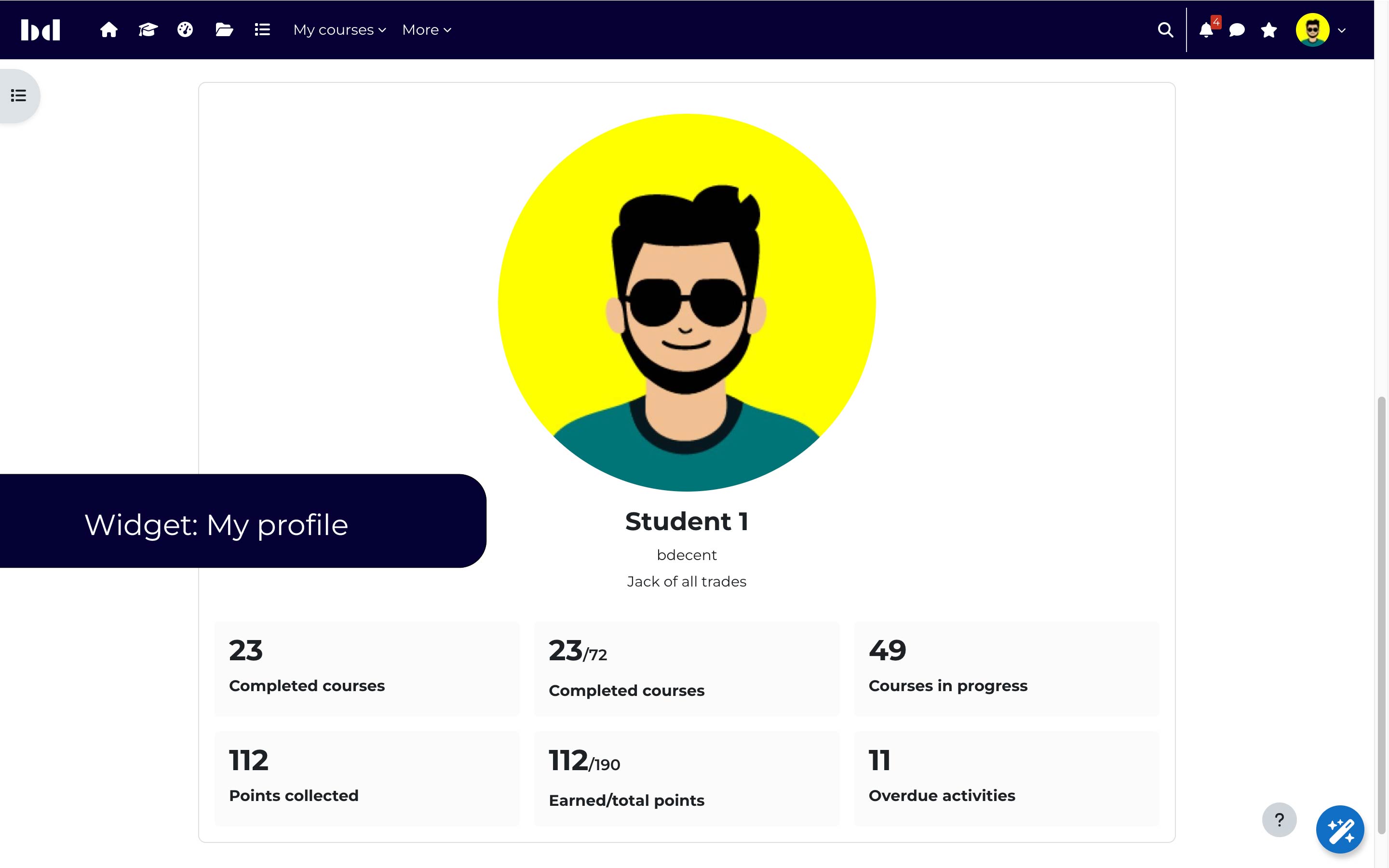
*Display the current user’s profile information, with support for custom profile fields
*List my classmates (everybody who is in the same group)
*List all students of a teacher (all participants of all courses where the current user has a teacher role)
*List all participants including their picture and group
Troubleshooting
If your site is not loading properly you may wish to temporarily disable Dash from outputting block content. There are two ways to do this:
- Go to Site administration / Plugins / Blocks / Dash. Enable Disable all Dash output OR
- Edit your
config.phpand add$CFG->block_dash_disableall = true;
Timeline
Core and custom event strings
Standard Moodle event descriptions are vague and ugly. Dash allows strings to be used instead. Here's an example for the \core\event\course_completed event:
lang/en/block_dash.php
$string['event_desc_core_event_user_enrolment_created'] = '{$a->relateduserfullname} was enrolled in <a href="{$a->eventurl}" title="View {$a->contextname}">{$a->contextname}</a>';
The string identifier is simply event_desc_ combined with the event class name, with backslashes \\ replaced with underscores _
The variables available in the string are:
userid: 123

userfullname: John Doe

relateduserid: 456

relateduserfullname: Mr. Affected User

eventname: Course completed

eventurl: https://example.com/course/view.php?id=100

contextname: Course: Test course

action: created
By adding this string, it will be used for all events of type \core\event\course_completed in the timeline data source.
Helpful command to load new strings:
$ php /path/to/moodle/admin/cli/purge_caches.php --lang
Development
Key terms
- Data source: A data source defines which query, fields, and filters are used to retrieve data.
- Field definition: Represents a predefined field that can be added to a data source.
- Field attribute: An attribute changes how field definition output is formatted.
- Query template: Query templates are written by developers to define which data to include. These are typically joins,
because selects, wheres, ordering, etc is handled elsewhere (and is often dynamic).
Styling (CSS)
Use specific scoping when targeting elements or Dashes. Here's some tips on writing CSS that won't conflict with other plugins.
Style a specific layout
When configured, each Dash block will have a class representing the chosen layout:
.block_dash.block_dash-local-layout-grid_layout a {

    text-decoration: underline;

}
Style on dashboards only
To apply styling only on custom dashboards:
body.path-local-dash-dashboard:not .block_dash p {

    color: red;

}
Styles when editing (or not)
/* User is not editing */

body:not(.editing) .block_dash {

    border-color: green;

}


/* User IS editing */

body.editing .block_dash {

    border-color: orange;

}
Custom data source
A developer can create a custom data source in code. Here's the general outline:
- Create a Moodle plugin (any type)
- Define a new class that extends
\block_dash\local\data_source\abstract_data_sourcein your plugin'slocal\block_dashnamespace - Add a language string to your plugin
$string['datasource:my_data_source'] = 'My data source';
local/myplugin/classes/local/block_dash/my_data_source.php
namespace local_myplugin\local\block_dash;


use block_dash\local\dash_framework\query_builder\builder;

use block_dash\local\data_grid\field\field_definition_interface;

use block_dash\local\data_grid\filter\filter_collection_interface;

use block_dash\local\data_source\abstract_data_source;


class my_data_source extends abstract_data_source {


    /**

     * Get query builder with basis of query.

     *

     * @return builder

     */

    public function get_query_template() : builder {}


    /**

     * Build available field definitions for this data source.

     *

     * @return field_definition_interface[]

     */

    public function build_available_field_definitions() {}


    /**

     * Build filter collection.

     *

     * @return filter_collection_interface

     */public function build_filter_collection() {}

}
lang/en/local_myplugin.php
$string['datasource:my_data_source'] = 'My data source';
Field definitions
Define custom fields
lib.php
/**

 * Register field definitions.

 *

 * @return array

 */

function pluginname_register_field_definitions() {

    global $CFG;


    return require("$CFG->dirroot/plugintype/pluginname/field_definitions.php");

}
field_definitions.php
return [

    [ // Field definition.

        'name' => 'u_id',

        'select' => 'u.id',

        'title' => get_string('user') . ' ID',

        'attributes' => [

            [

                'type' => \block_dash\local\data_grid\field\attribute\identifier_attribute::class

            ]

        ],

        'tables' => ['u']

    ],

];
Supporting multiple DB types
If your field definition requires something DB specific, use select_<dbtype>.
[ // Field definition.

    'name' => 'subquery',

    'select_mysqli' => '(SELECT GROUP_CONCAT())', // Used when Moodle is running MySQL/MariaDB

    'select_pgsql' => '(SELECT STRING_AGG())' // or PostgreSQL

]
Field attributes
Rename object ID to object field
If a field value is an ID, you can add the rename_ids_attribute attribute and define how to map IDs to object fields.
This is useful when transforming multiple objects.
The following field definition transforms 1,5,123 into Group 1, Group 5, Group 123
[

    'name' => 'u_group_names',

    'select' => "(SELECT string_agg(g200.id::text, ',') FROM {groups} g200 JOIN {groups_members} gm200 ON gm200.groupid = g200.id AND gm200.userid = u.id)",

    'title' => get_string('group'),

    'tables' => ['u'],

    'attributes' => [

        [

            'type' => \block_dash\local\data_grid\field\attribute\rename_ids_attribute::class,

            'options' => [

                'table' => 'groups',

                'field' => 'name',

                'delimiter' => ',' // Separator between each ID in SQL select.

            ]

        ]

    ]

]
Dash Framework
Dash comprises smaller components that live inside the Dash Framework. These components generic, decoupled, and extendable APIs. A Dash Framework API must be unit tested and well documented.
Dash Framework APIs live in the <component>\local\dash_framework namespace of a plugin.
List of standard Dash Framework APIs
Query builder
Generate SQL queries to be run by Moodle's Data API
Filtering
Create generic filters.
Creating a new Dash Framework API
Step 1 - Determine if your code should be an API
Any reusable chunk of functionality can be used as an API. Think of the Moodle File API or Custom Field API. These APIs provide generic functionality to be utilized in specific ways.
Unit testing will also reveal how portable your API code is. If you cannot test without tightly coupled dependencies, then perhaps the code should be business logic inside of a plugin, rather than a reusable API.
Step 2 - Create a new folder for your framework API classes
Add a new folder in <pluginfolder>/classes/local/dash_framework
As an example: blocks/dash/classes/local/dash_framework/result_cache
Step 3 - Create unit tests
Prefix your unit test class with dash_framework_ and try to keep all tests within a single class. Follow this convention:
<pluginfolder>/tests/dash_framework_result_cache_test.php
Strive for full code coverage on your API and make changes that are backwards compatible.
Step 4 - Write the API code
"API" is used loosely in this documentation. Create friendly and easy to use PHP classes within your framework namespace. Here's a simple example:
namespace block_dash\local\dash_framework\result_cache;


interface cacher {


    public function set(string $cache_identifier, array $datatocache): void; // Use typehints and "SOLID" practices.


    public function get(string $cache_identifier): array; // Public functions should be easy to use methods of consuming.

}
Query builder
Under the hood Dash builds queries using a strict API for constructing queries. This API is decoupled from the rest of a dash's lifecycle.
Simple example:
use block_dash\local\dash_framework\query_builder\builder;


$builder = new builder();

$results = $builder->select('c.id', 'c_id') // Column aliasing.

    ->from('course', 'c') // Table aliasing.

    ->query();
WHERE clauses
Filter results by adding where clauses.
Results caching (TODO)
Results caching works by taking a snapshot of a query result. And storing the following info:
- md5 hash of the raw query
- Raw database results
- When the query results were cached
- When to invalidate the cache and query database
Filtering
Change log
1.0.2
- Fix column sorting bug where pagination would unintentionally toggle sort direction
- Add Select2 library for autocomplete dropdowns
1.0.1
- Add support for PostgreSQL
- Improve filtering
- Add renaming field attribute to map objects to IDs returned by query
- Moved custom classes to
localnamespace - Improved CSS selectors
1.0.4 (2020112400)
1.0.4
Plugin type: Blocks
Frankenstyle component name: block_dash
Version build number: 2020112400
Version release name: 1.0.4
Maturity: Beta
Supported Moodle versions: 3.7, 3.8
Repository URL (Git): https://github.com/stefanscholz/moodle-block_dash
Repository branch:
Repository tag:
Issue/bug tracker URL: https://github.com/bdecentgmbh/moodle-block_dash/issues
Dash is a block which can be added anywhere on your moodle site to display various information, e.g. the current user’s profile information or a list of users in the current course. It is built on a powerful engine which supports various data sources and templates.
The free version of dash comes with the users’ data source and a table layout.
It provides the following fields:
- First name
- Surname
- Full name
- Full name (linked to profile)
- Email address
- Username
- ID number
- City/town
- Country
- Last login
- Department
- Institution
- Address
- Alternate name
- First access
- Description
- User picture URL
- User picture
- User picture (linked to profile)
- User profile URL
- User profile link
- Message URL
- Message
- Group name
The following filters are available:
- Group
- Department
- Institution
- Last login
- First access
And the following conditions are available:
- Logged in user
- My participants / students
- My groups
- Current course
- Current course groups
Typical use cases:
*Display the participants of the current course
*Display the current user’s profile information, with support for custom profile fields
*List my classmates (everybody who is in the same group)
*List all students of a teacher (all participants of all courses where the current user has a teacher role)
*List all participants including their picture and group
Development
Key terms
- Data source: A data source defines which query, fields, and filters are used to retrieve data from a data grid.
- Field definition: Represents a predefined field that can be added to a data grid.
- Field attribute: An attribute changes how field definition output is formatted.
- Data grid: Get data to be displayed in a grid or downloaded as a formatted file.
Field attributes
Rename object ID to object field
If a field value is an ID, you can add the rename_ids_attribute attribute and define how to map IDs to object fields.
This is useful when transforming multiple objects.
The following field definition transforms 1,5,123 into Group 1, Group 5, Group 123
[

    'name' => 'u_group_names',

    'select' => "(SELECT string_agg(g200.id::text, ',') FROM {groups} g200 JOIN {groups_members} gm200 ON gm200.groupid = g200.id AND gm200.userid = u.id)",

    'title' => get_string('group'),

    'tables' => ['u'],

    'attributes' => [

        [

            'type' => \block_dash\local\data_grid\field\attribute\rename_ids_attribute::class,

            'options' => [

                'table' => 'groups',

                'field' => 'name',

                'delimiter' => ',' // Separator between each ID in SQL select.

            ]

        ]

    ]

]
Change log
1.0.1
- Add support for PostgreSQL
- Improve filtering
- Add renaming field attribute to map objects to IDs returned by query
- Moved custom classes to
localnamespace - Improved CSS selectors
1.0.2 (2020070202)
1.0.2
Plugin type: Blocks
Frankenstyle component name: block_dash
Version build number: 2020070202
Version release name: 1.0.2
Maturity: Beta
Supported Moodle versions: 3.7, 3.8, 3.9
Repository URL (Git): https://github.com/stefanscholz/moodle-block_dash
Repository branch:
Repository tag:
Issue/bug tracker URL: https://github.com/bdecentgmbh/moodle-block_dash/issues
Dash is a block which can be added anywhere on your moodle site to display various information, e.g. the current user’s profile information or a list of users in the current course. It is built on a powerful engine which supports various data sources and templates.
The free version of dash comes with the users’ data source and a table layout.
It provides the following fields:
- First name
- Surname
- Full name
- Full name (linked to profile)
- Email address
- Username
- ID number
- City/town
- Country
- Last login
- Department
- Institution
- Address
- Alternate name
- First access
- Description
- User picture URL
- User picture
- User picture (linked to profile)
- User profile URL
- User profile link
- Message URL
- Message
- Group name
The following filters are available:
- Group
- Department
- Institution
- Last login
- First access
And the following conditions are available:
- Logged in user
- My participants / students
- My groups
- Current course
- Current course groups
Typical use cases:
*Display the participants of the current course
*Display the current user’s profile information, with support for custom profile fields
*List my classmates (everybody who is in the same group)
*List all students of a teacher (all participants of all courses where the current user has a teacher role)
*List all participants including their picture and group
Development
Key terms
- Data source: A data source defines which query, fields, and filters are used to retrieve data from a data grid.
- Field definition: Represents a predefined field that can be added to a data grid.
- Field attribute: An attribute changes how field definition output is formatted.
- Data grid: Get data to be displayed in a grid or downloaded as a formatted file.
Field attributes
Rename object ID to object field
If a field value is an ID, you can add the rename_ids_attribute attribute and define how to map IDs to object fields.
This is useful when transforming multiple objects.
The following field definition transforms 1,5,123 into Group 1, Group 5, Group 123
[

    'name' => 'u_group_names',

    'select' => "(SELECT string_agg(g200.id::text, ',') FROM {groups} g200 JOIN {groups_members} gm200 ON gm200.groupid = g200.id AND gm200.userid = u.id)",

    'title' => get_string('group'),

    'tables' => ['u'],

    'attributes' => [

        [

            'type' => \block_dash\local\data_grid\field\attribute\rename_ids_attribute::class,

            'options' => [

                'table' => 'groups',

                'field' => 'name',

                'delimiter' => ',' // Separator between each ID in SQL select.

            ]

        ]

    ]

]
Change log
1.0.1
- Add support for PostgreSQL
- Improve filtering
- Add renaming field attribute to map objects to IDs returned by query
- Moved custom classes to
localnamespace - Improved CSS selectors
1.0.1 (2020063000)
1.0.1
Plugin type: Blocks
Frankenstyle component name: block_dash
Version build number: 2020063000
Version release name: 1.0.1
Maturity: Beta
Supported Moodle versions: 3.7, 3.8, 3.9
Repository URL (Git): https://github.com/stefanscholz/moodle-block_dash
Repository branch:
Repository tag:
Issue/bug tracker URL: https://github.com/bdecentgmbh/moodle-block_dash/issues
Dash is a block which can be added anywhere on your moodle site to display various information, e.g. the current user’s profile information or a list of users in the current course. It is built on a powerful engine which supports various data sources and templates.
The free version of dash comes with the users’ data source and a table layout.
It provides the following fields:
- First name
- Surname
- Full name
- Full name (linked to profile)
- Email address
- Username
- ID number
- City/town
- Country
- Last login
- Department
- Institution
- Address
- Alternate name
- First access
- Description
- User picture URL
- User picture
- User picture (linked to profile)
- User profile URL
- User profile link
- Message URL
- Message
- Group name
The following filters are available:
- Group
- Department
- Institution
- Last login
- First access
And the following conditions are available:
- Logged in user
- My participants / students
- My groups
- Current course
- Current course groups
Typical use cases:
*Display the participants of the current course
*Display the current user’s profile information, with support for custom profile fields
*List my classmates (everybody who is in the same group)
*List all students of a teacher (all participants of all courses where the current user has a teacher role)
*List all participants including their picture and group
Development
Key terms
- Data source: A data source defines which query, fields, and filters are used to retrieve data from a data grid.
- Field definition: Represents a predefined field that can be added to a data grid.
- Field attribute: An attribute changes how field definition output is formatted.
- Data grid: Get data to be displayed in a grid or downloaded as a formatted file.
Field attributes
Rename object ID to object field
If a field value is an ID, you can add the rename_ids_attribute attribute and define how to map IDs to object fields.
This is useful when transforming multiple objects.
The following field definition transforms 1,5,123 into Group 1, Group 5, Group 123
[

    'name' => 'u_group_names',

    'select' => "(SELECT string_agg(g200.id::text, ',') FROM {groups} g200 JOIN {groups_members} gm200 ON gm200.groupid = g200.id AND gm200.userid = u.id)",

    'title' => get_string('group'),

    'tables' => ['u'],

    'attributes' => [

        [

            'type' => \block_dash\data_grid\field\attribute\rename_ids_attribute::class,

            'options' => [

                'table' => 'groups',

                'field' => 'name',

                'delimiter' => ',' // Separator between each ID in SQL select.

            ]

        ]

    ]

]
Change log
1.0.1
- Add support for PostgreSQL
- Improve filtering
- Add renaming field attribute to map objects to IDs returned by query
(2020013002)
Plugin type: Blocks
Frankenstyle component name: block_dash
Version build number: 2020013002
Version release name:
Maturity: Alpha
Supported Moodle versions: 3.7, 3.8
Repository URL (Git): https://github.com/stefanscholz/moodle-block_dash
Repository branch:
Repository tag:
Issue/bug tracker URL: https://github.com/bdecentgmbh/moodle-block_dash/issues