Clear Backup Files (tool_clearbackupfiles)
A Moodle admin tool that helps administrators remove old course backup files (.mbz) from the server and reclaim storage space.
Particularly useful for development, testing, and staging environments where backup files accumulate over time.
Features
- Manual cleanup — Remove backup files directly from the plugin interface.
- Cleanup by age — Delete only files older than a configured number of days.
- Scheduled cleanup (CRON) — Automate cleanup via Moodle scheduled tasks.
- Cleanup statistics — Reports total files deleted and disk space recovered.
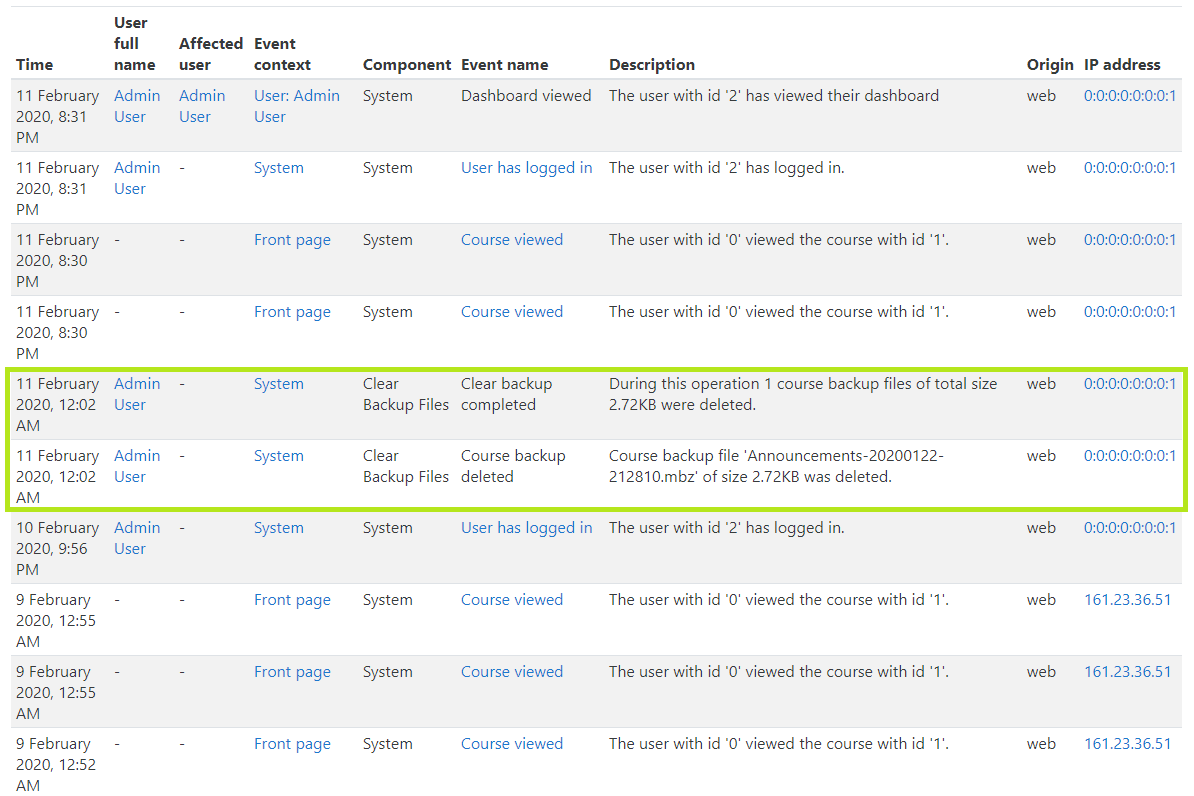
- Event logging — Uses Moodle's standard event system to record all cleanup activity.
Compatibility
| Moodle Version | Supported |
|----------------|-----------|
| Moodle 4.5.x | Yes |
| Moodle 5.0.x | Yes |
| Moodle 5.2.x | Yes |
Installation
Via Moodle Plugin Installer
- Download the plugin ZIP package.
- Log in as a Moodle administrator.
- Navigate to Site administration ' Plugins ' Install plugins.
- Upload the ZIP file and follow the on-screen steps.
- Complete the upgrade process and save settings.
Manual Installation
- Download and extract the plugin source code.
- Copy the folder into:
/admin/tool/clearbackupfiles
- Navigate to Site administration ' Notifications and complete the installation.
Configuration
After installation, navigate to:
Site administration ' Plugins ' Admin tools ' Clear backup files
| Setting | Description | Default |
|---------------|------------------------------------------------------------------------|---------|
| Days | Age threshold in days — files older than this value will be deleted. | 5 |
| Enable CRON | When enabled, Moodle scheduled tasks run cleanup automatically. | Off |
Usage
- Go to Site administration ' Plugins ' Admin tools ' Clear backup files.
- Set the number of days and optionally enable CRON.
- Click Continue to clear backup.
- Confirm the warning — this operation is irreversible.
After cleanup, the plugin displays:
- A list of all deleted backup files with their sizes.
- Total number of files deleted.
- Total disk space recovered.
Logs
Cleanup activity is recorded through Moodle's standard event system and can be reviewed at:
Site administration ' Reports ' Logs
Two events are logged:
| Event | Description |
|-------|-------------|
| coursebackup_removed | Fired for each individual backup file deleted. |
| clearbackup_completed | Fired once at the end of a cleanup run with totals. |
Use Cases
- Development servers refreshed from production dumps.
- Testing and staging environments with accumulated backups.
- Servers with limited storage that need routine maintenance.
- Automated scheduled maintenance via Moodle CRON.
License
GNU General Public License v3 or later — see LICENSE.
Copyright 2026 Shubhendra Doiphode (doiphode.sunny@gmail.com).