
YU Kaltura Media Local Libraries
Maintained by
Tomoya Saito
Local libraries plugin for third-party's non-KAF "YU Kaltura Media Package"
Comments
Comments are no longer open for new posts. Existing comments remain available to read.
Probably, it is impossible.
Kaltura server's APIs create JavaScript codes directly, when each task is processed.
The JavaScript codes contain "service URL" which is set in server configuration.
Sot that, it is difficult that the Kaltura server uses HTTP and HTTPS ports at the same time.
Moreover, for some applications (the Moodle, etc.) , all the connections must use same protocol.
Regards
But is it possible separately connect to Kaltura CE Server with a different port from Moodle?
No wonder. My Moodle uses HTTPS, but Kaltura uses HTTP. Thanks. I will try later.
When your Moodle server and web browser connect to your Kaltura server, they connect to the HTTP port (80)?
Also, the Moodle server and web browser communicate by using HTTP port (80)?
According to the specification of Kaltura system, you should use same protocol on all communication route.
And, it is better to use HTTPS (443) as the communication protocol.
Regards
From my PC, I can ping and telnet 80 port of my Kaltura CE server. So, I don't know why.
This message means that client PC cannot connect to your Kaltura server.
When an upload form is displayed, your Moodle server connect to your Kaltura server and create session key string.
Then, uploading media data is transmitted from the client PC to your Kaltura server directly.
So that, there may exist an issue around configurations of networks or HTTP server.
Thanks again! Now When I upload a recorded video with webcam or a local mp4 file on the "My media" page, it shows error as below:
Uploading
Uploading a media file ...
Progress: %
Cannot upload the file !
(Cannot connect to contents server.)
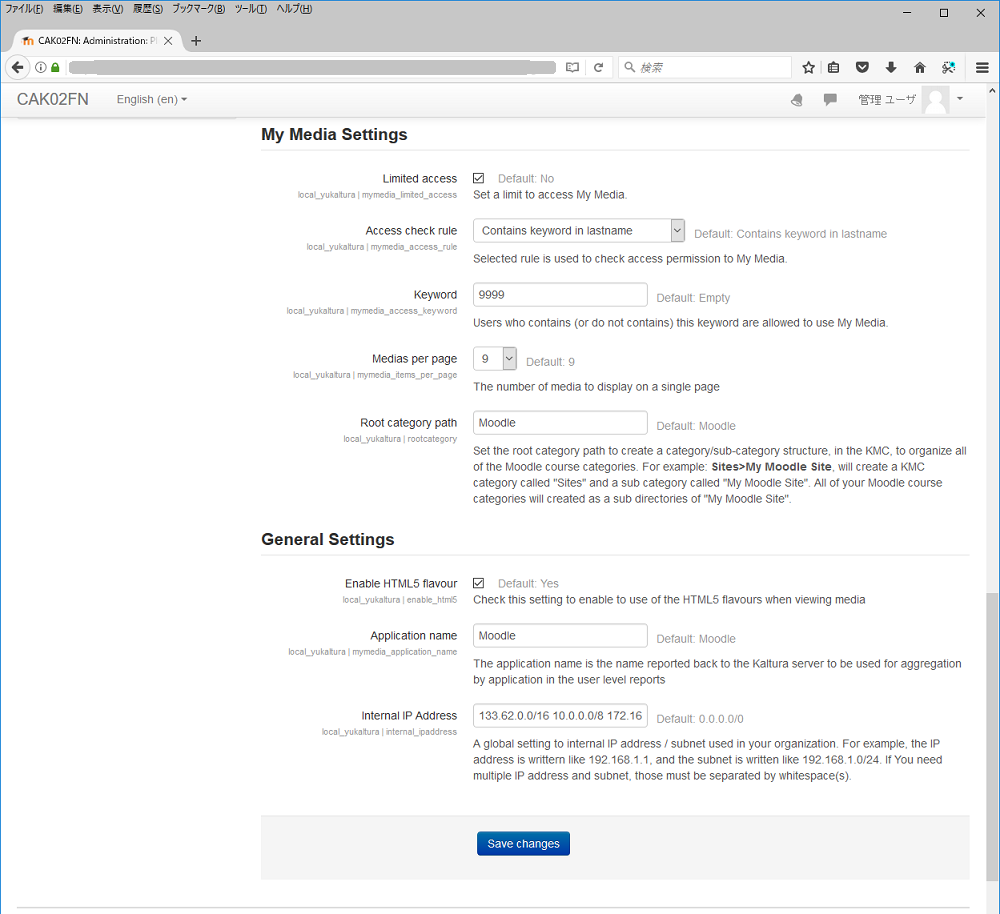
Link to the "My Media" is displayed in the "Navigation" block in the Moodle.
And, the "My Media" is displayed as a sub-node of "Dashboard".
In the recently version of Moodle, default theme is "Boost, and this theme don't display the "Navigation" block in the "Site home" page.
So that, the administrator of Moodle must choose other theme for default, or each user must add the "Navigation" block to "Dashboard" page.
Thanks
Thank you for telling me the right username! Now it works. But I found nowhere to access the "My media", what's the exact path?
In the latest version of our plugins (version 1.1.0) , we have added non-Flash webcam recording function.
In the "My Media", each user can record a movie by using PC's web-camera, and can upload the movie to your Kaltura server.
This function uses the JavaScript and WebRTC API.
Now, the Mozilla Firefox, Google Chrome, Opera and Safari support this function.
The Internet Explorer don't support the WebRTC API.
Although the Microsoft Edge supports the WebRTC functions, it has a different API from other browsers.
So that, the Internet Explorer and Microsoft Edge cannot execute our webcam recording function.
Regards
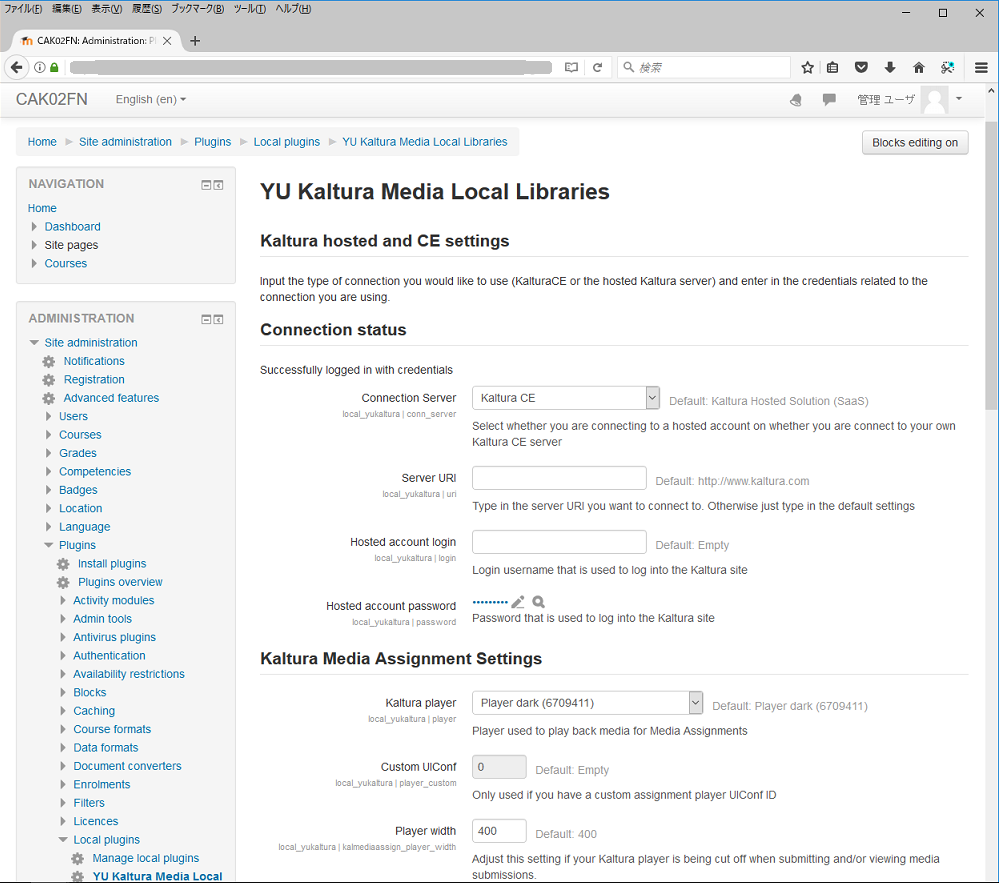
This plugin uses same information the Kaltura publisher uses to log-in to the KMC.
In the plugin's setting page, "Hosted account login" and "Hosted account password" respectively mean the e-mail address and password which are used to log-in to the KMC.
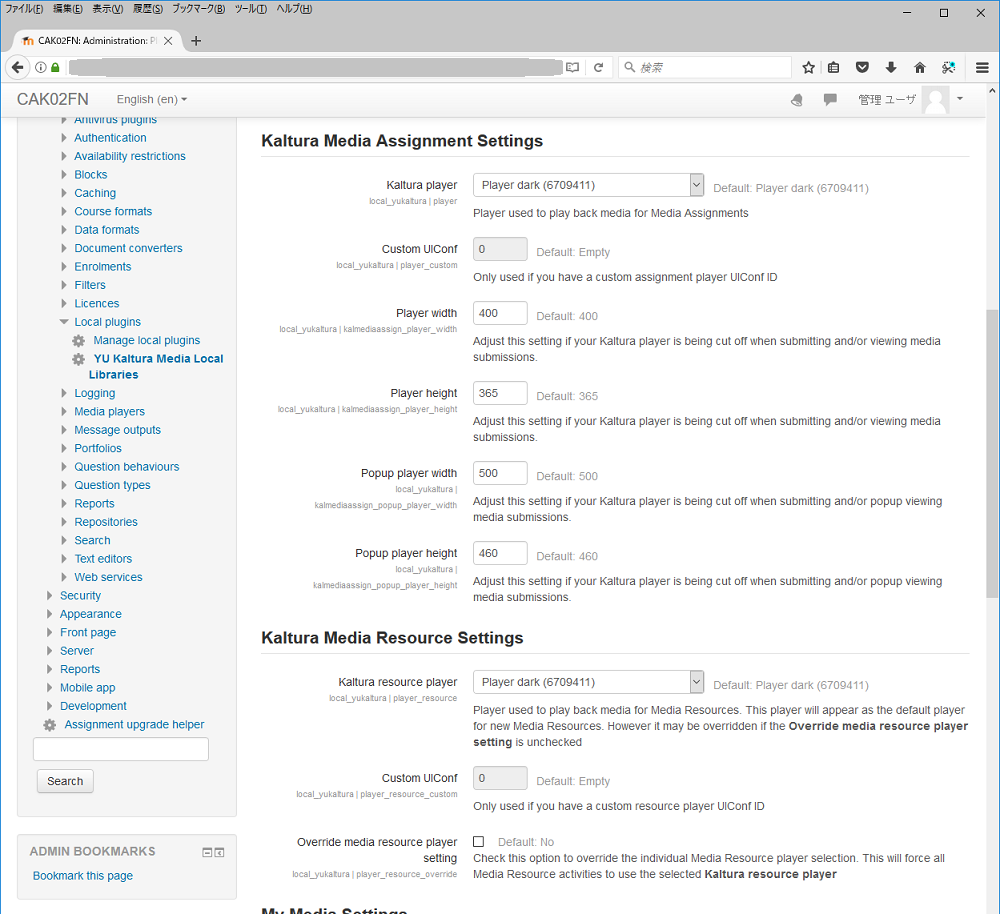
If this plugin successfully connects to Kaltura server, all the players in Kaltura server be enumerated in "Kaltura player" and "Kaltura resource player".
Regards.
In Kaltura CE KMC, there are Partner ID, Sub Partner ID, Administrator Secret and User Secret Under the "integrating settings" tab, and there are also User Name, User ID, Email Address under the "My user settings" tab.
Which one should I choose to set this plugin in Moodle?
Thank you!
This error means that "time out error" occurred while getting an access control list from your Kaltura server.
Can you upload and preview your media through "My Media"?
And, there exists "Default" access control in your Kaltura server?
And the installation failed. What's more, this error sometimes occurred in other pages.