Moodle Benchmark
Maintained by
Nicolas Martignoni, Mickaël PANNEQUIN
Performs various tests to determine the quality of the Moodle platform
Comments
Comments are no longer open for new posts. Existing comments remain available to read.
cURL request for "https://xxx.xxx.xxx.xx/login/index.php" failed, HTTP response code: HTTP/1.1 303 See Other
line 1682 of /lib/filelib.php: call to debugging()
line 331 of /report/benchmark/testlib.php: call to download_file_content()
line 95 of /report/benchmark/locallib.php: call to report_benchmark_test::loginuser()
line 61 of /report/benchmark/locallib.php: call to report_benchmark->start_test()
line 74 of /report/benchmark/renderer.php: call to report_benchmark->__construct()
line 55 of /report/benchmark/index.php: call to report_benchmark_renderer->display()
Please advise, thank you
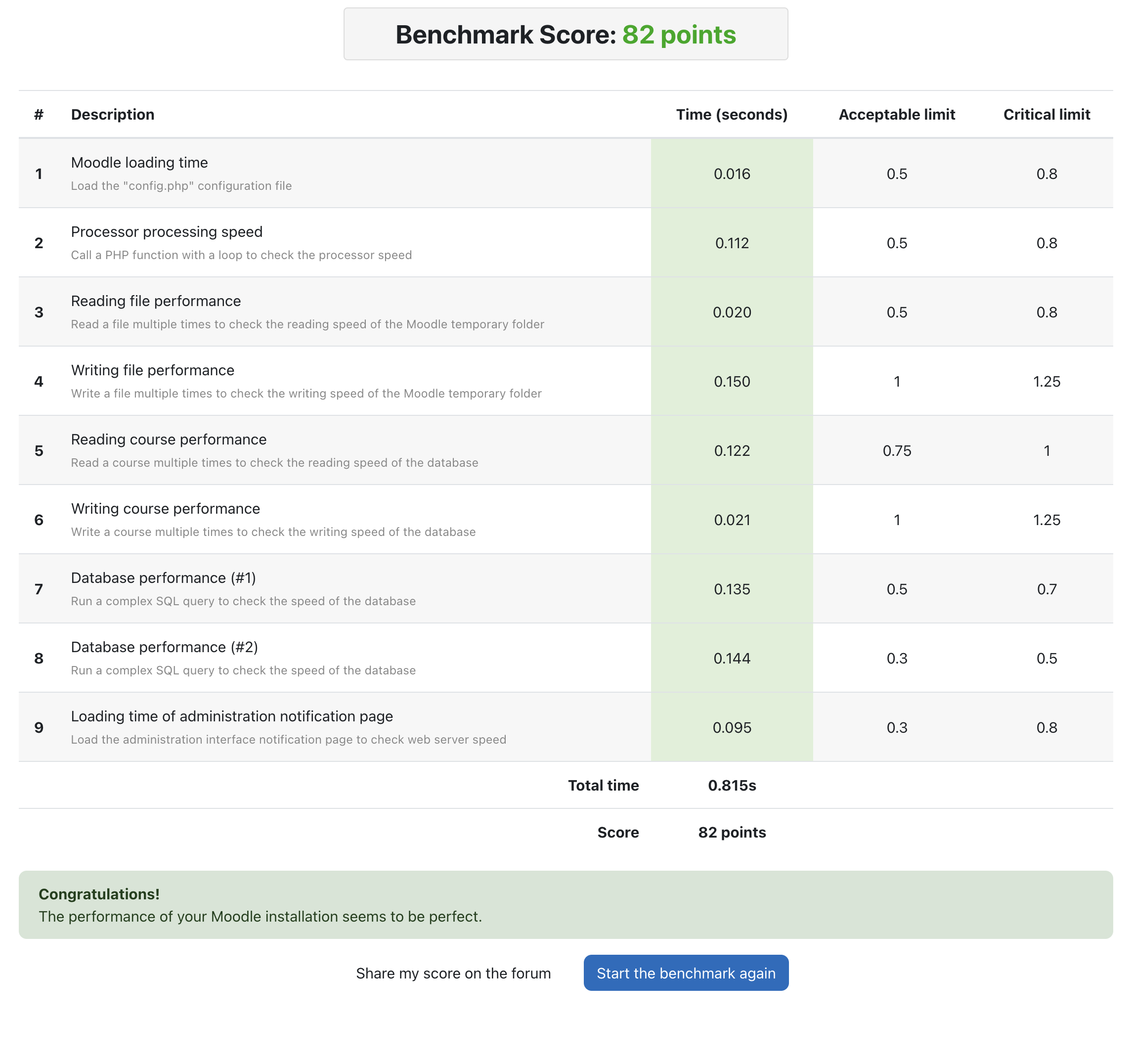
on our configuration cluster : 3 fronts with 3 DB on galera cluster we have a nice result except in "write file" with a score 8.8s. Very strange becouse in use we don't have so poor perfs even if we add a big doc in course.
We have set in config.php tempdir and cachedir on NFS Server like moodledata, and add the localcachedir on a local folder on each nodes.
Does the benchmark read this params or other ?
All servers are virtualized on vwmare ESX6.7 with Dell Compelent Storage SSD. I don't think there are a IO probem in written data...
Thanks for your reply 'n job
Gérald
I'm using Moodle 3.8 (PHP 7, 1024 RAM) and I run the Benchmark, the test results are not showed, and after something like five or more mitutes the following message is shown:
"Gateway Timeout
The gateway did not receive a timely response from the upstream server or application.
Additionally, a 504 Gateway Timeout error was encountered while trying to use an ErrorDocument to handle the request."
What might be happening?
moodle file at microsoft server, moodle data on synology.
but it seem 504 gateway timeout.
any clue?
Our configuration is a complex one, based on corosync cluster / redis caching / mariadb server / php 7.x and moodle 3.1 (for now).
Thanks for your comment.
What's the hard drive (HDD / SDD) ? Can you create a virtual drive in memory ?
Thanks for the plugin. It's very useful indeed. We're getting good results in all metrics except the "Creating files" we're getting around 2 -3 seconds, where the acceptable limit is 1second. Then we're getting the warning message "The harddrive seems too slow. Check the harddrive and/or the temporary folder state. Change your harddrive or the temporary folder." Not sure what dose that mean or where we should look. It would be appreciated if you could help us with this. Thank you.
How do you account for the fake login time ? Is it still relevant when used on a CAS/SSO-ed Moodle ?
Thanks
We are finding the plugin very useful, great work putting it all together!
We have identified some bottlenecks on our installation when comparing local installation with the cloud installation. We have a score of 105 on local vs 624 on the cloud
The slowest scores come from the tests involving database reads: courseread, querytipe1, querytype2.
We thought of a problem of latency with the database, but the pings are returning round trip times similar to the ones measured locally.
In additon, when running another benchmark tool (https://github.com/odan/benchmark-php) outside the moodle installation but on the same server, the results on local vs. the cloud were very similar in terms of PHP processing and mysql.
So, we think that something could be better configured on the Moodle side.
We would be very glad if you could give us some advise regarding Moodle/mysql interaction
Thanks,
Juan