
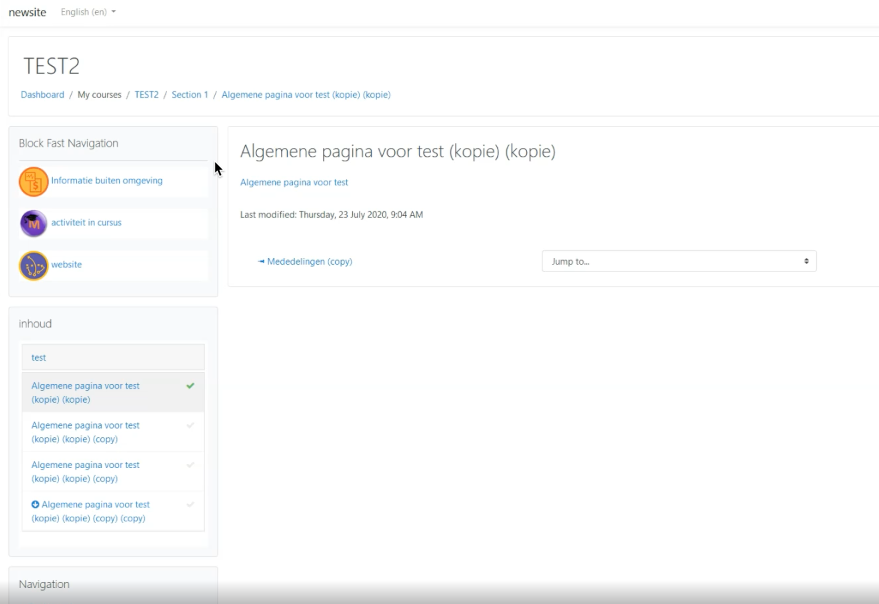
Block Fast Navigation
Maintained by
Gemma Lesterhuis, Luuk Verhoeven
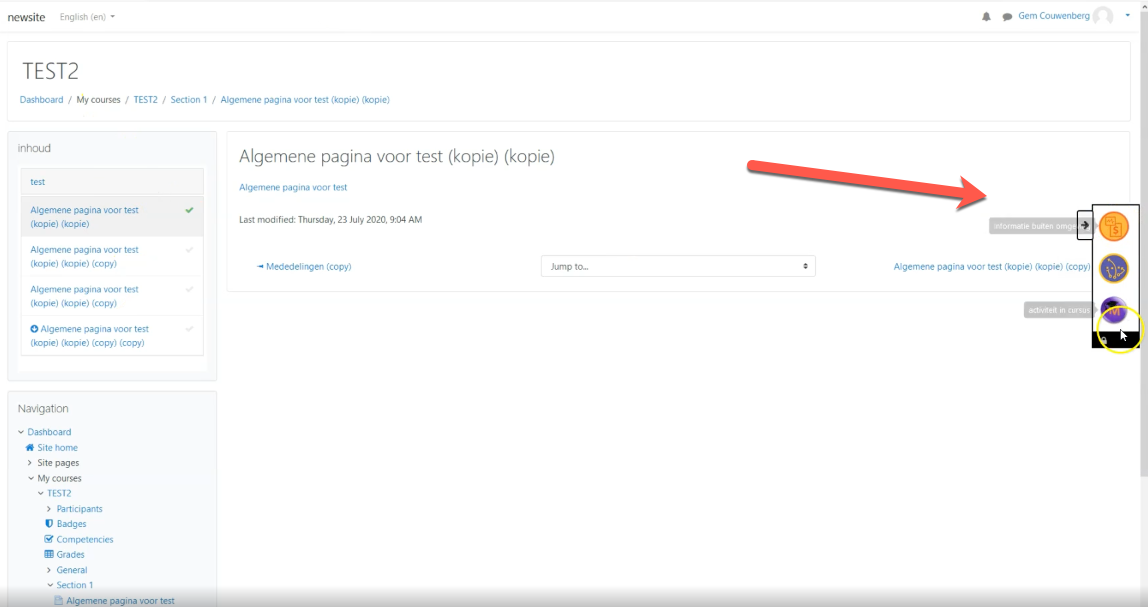
Block fastnav gives users the ability to navigate more easily inside a course.
Comments
Comments are no longer open for new posts. Existing comments remain available to read.
We have tried to replicate your issue, but could not.
Could you please provided us more information like:
1) Which thema you are using
2) your browser
3) The PHP version
4) Screenshot and/or video of your block setup
You can email this information to servicedesk@ltnc.nl - we will take another look at it.
then I tried the previous versions
3.10 and 3.9
and I have the same observation
I asume you / the teacher has added items to the block to appear. Please check the block setting (see video 1:35) if this is correct.
You can change the display choice when you are editing the block. Click on the cogwheel and you can change the display modus, you can see it in the English video at 1:35
Gemma
The display modus gives us the choice for activity pages only. Have you considered to make block and sidebar appear in other pages, too?
X
We thank you for your feedback!
Thank you for the video you have send me. I had to check it a few times, and then I realized what you did.
You placed the block on the Moodle Site page, and it is not what it has been developed for.
It is been developed for being a block with in a course page.
As we said it gives the "ability to navigate more easily inside a course."
It does not give this result when using it in a course. So I will have to check with the Developer on this issue.
Thank you so much for finding the problem and give me a video.
Gem
Could you provided a video / screenshot of what you mean. SInce I don't recall having this issue while testing.
Gemma
Gemma