Moodle Timeline course format
A simple timeline to simulate a real social network course in moodle.
Real timeline
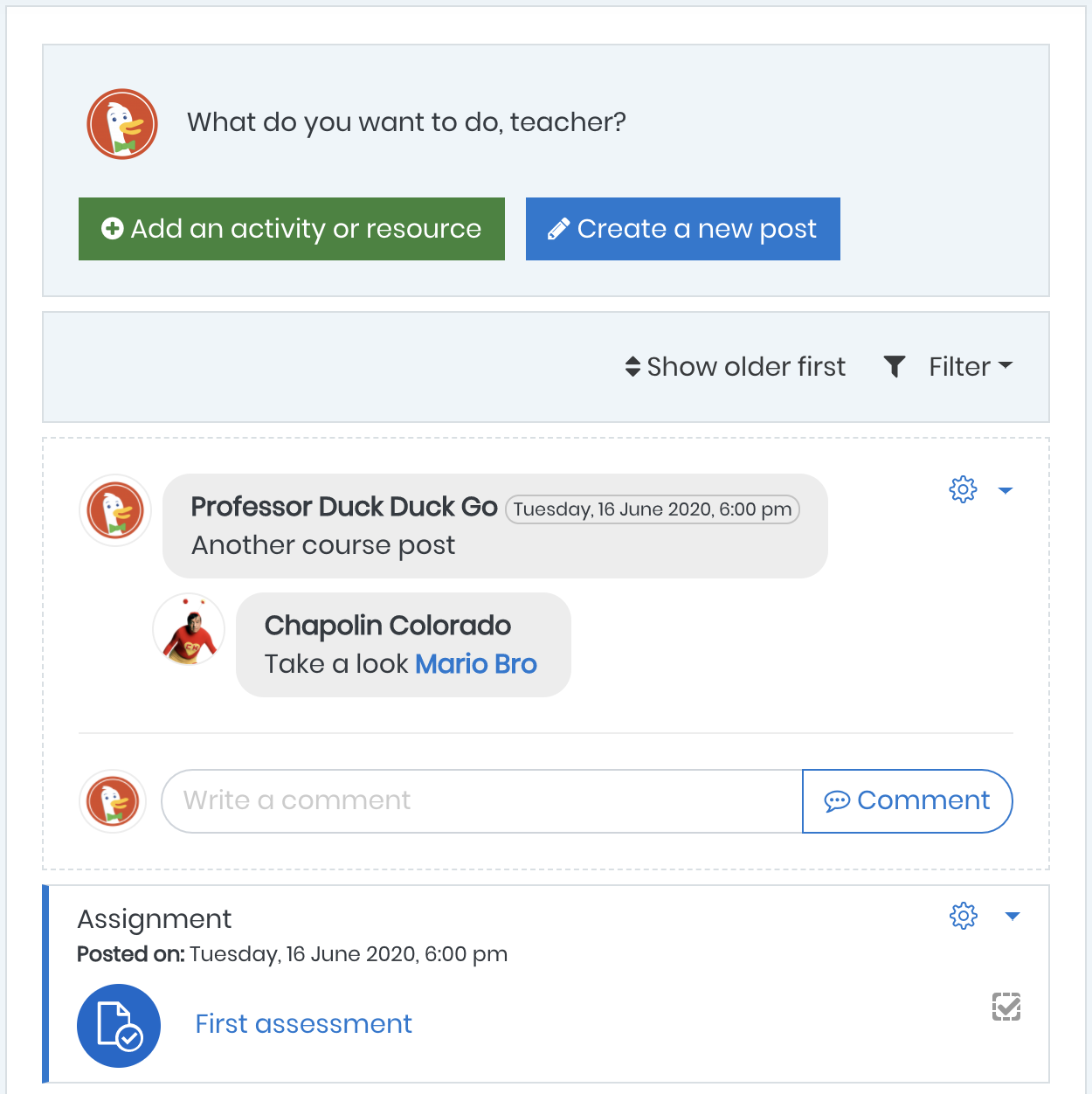
As a social network, course activities and posts are visible in a chronological sequence. It is also possible to filter the contents and order them by date.
Social posts
With a simple and easy to use social post system where teachers will be able to open discussions and the students could comment on them.
Mention users
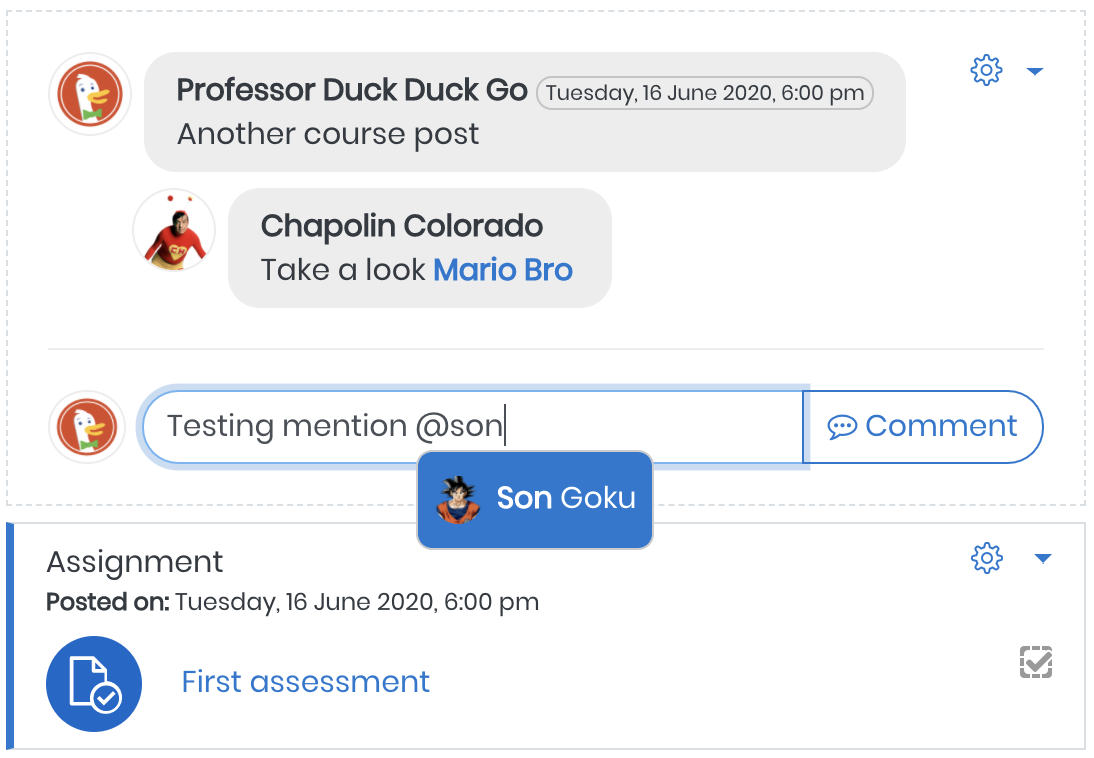
An awesome system to mention users. New functionality to mark each other in the posts, also linked with the Moodle's notification system.
Simple course management
The format is very simple and intuitive. Teachers can easily add resources by just clicking in the link Add an activity or resource, without enable edition first.
- A straightforward way to add activities and resources
- Direct access to activities' edit options menu
- Easy to create new posts
- Order timeline by date
- Filter timeline items
A new experience in Moodle learning.
Amazing user mention
Users could mention each other on posts.
- Link to the users' profile
- Users receive notifications when they are mentioned in a post
- Work with course groups
A good opportunity to provide real interaction with your class and its members.
Be part of that collaborative work
Join me in that collaborative work and let's take Moodle and the art of teaching to the next level!
- Make a donation
- Stay in touch
- Send your feedback
- Test and validate it
- Report bugs
Installation
First way
- Clone this repository into the folder course/format with the name timeline.
- Access the notification area in moodle and install
Second way
- Download this repository
- Extract the content
- Put the folder into the folder course/format of your moodle with the name timeline.
- Access the notification area in moodle and install
Developed and maintained by
Willian Mano
- Zend Certified PHP Engineer - ZEND028770
- Certified Scrum Master - 000570341
- iMasters Certified Professional - PHP - Good Practices - 1076
Moodle profile: https://moodle.org/user/profile.php?id=968235
Linkedin: https://www.linkedin.com/in/willianmano
Email: willianmano@conecti.me