Checklist
Maintained by
Davo Smith
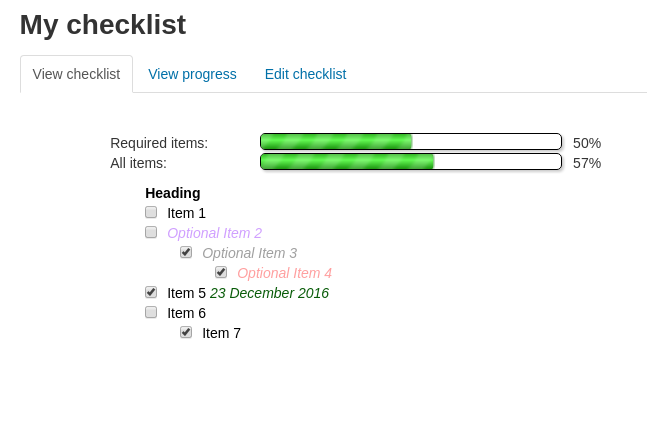
A checklist can be created by a teacher (or generated from the activities in a course) and then the students or teachers can check-off each item as they are completed.
Comments
Comments are no longer open for new posts. Existing comments remain available to read.
regards,
Whether that activity, itself, was marked as complete by manually ticking the box or automatically by rules, does not make any difference to the checklist update.
When you manually create items like that and include links to other activities, then as far as the checklist is concerned, that link could be to any arbitrary place on the internet, so it has no way of determining (without a lot of guesswork, that I haven't programmed into it), how to automatically mark the item as complete.
If you are working with activities on the same course as the checklist, then you can use the setting that imports activities from the current course (or section). If you do that, then the links generated know exactly what activity they are working with and can automatically update when that activity is marked as complete.
Hopefully this hasn't been asked before. I can't seem to find a similar query. I've uploaded a checklist manually using the cvs file. Some of the items are labels which link to external resources. When a student manually ticks the checkbox next to the label on the main course page, this isn't flowing through to the checklist. Is there a way to make this work? The current settings on my checklist include Check-off when modules complete - "Yes, can override". TIA
If you enable the option 'students can add their own items', then each student should be able to add their own private items to their own copy of the checklist (underneath existing items). These won't show up for any other users and are unaffected by any of the group settings.
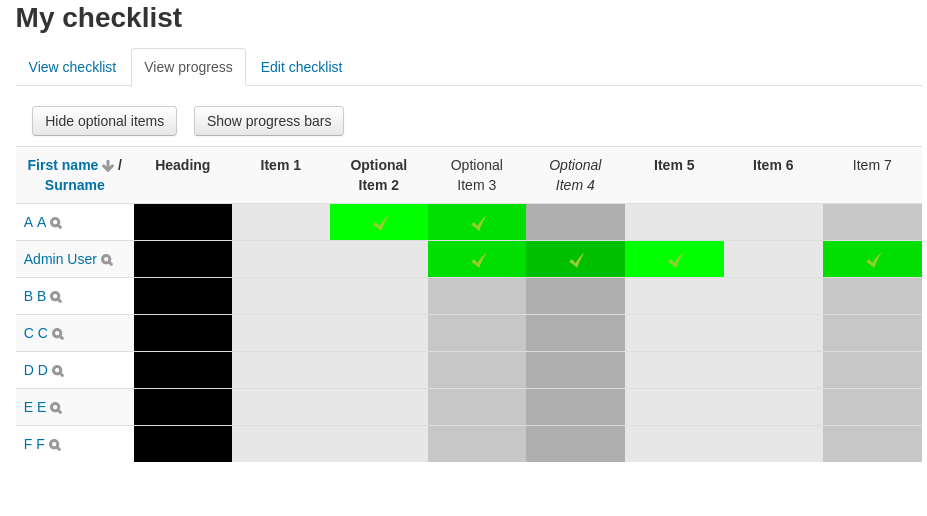
The group settings on the checklist affect the progress reporting page - if set to 'no groups', then all students are shown, if set to 'separate groups' then only students from groups the teacher is part of can be seen (unless the teacher has 'access all groups'), if set to 'visible groups' then a teacher may see the progress for students in all groups.
it seems to me the behaviour of this plugin is not correct when "seperate groups" mode is selected: The students are not able to add new checklist items then. Is this a bug or am I doing it wrong?
As I spend my working day writing Moodle code, I don't often want to spend my evenings doing it as well. Realistically, the only way I will get around to adding new features is if it is paid work that I can do during my working day.
I never like it to come down to money, but it is either that, or donating my free time to write these features (which I did in the first place to create the plugins and I still do in order to make sure they keep working with each Moodle release).
I continue to think about the use i can have with this activity and i have identifed 2 :
* To validate the progress of a project. But in this case the project is made by several students and it would be usefull if the check could be done for a group
* To auto-evaluate "competences" by students but just at a course level. In this case it would be usefull to have the possibility to check more than 2 states. Currently each item to ckeck have 2 states "done" "not done" but it could be "perfectly" "partially" "not at all" or more
I think that what i imagine is not possible ...
Eric
Thanks
I'm not aware of any reason why updating this plugin would be any different to any other plugin available on Moodle.org. I suggest you double-check your directory permissions for the plugin on your server or let me know the exact error message you get when you try to update.
I'm not sure what I can do to investigate this.
The code in question, does the following when the checklist is complete:
* Check the user hasn't already completed the checklist in the last hour (so they can't just hammer a tick box to spam lots of emails)
* Ask Moodle to provide a list of users with capability 'mod/checklist:emailoncomplete' for this activity (or the course / category / system contexts above this), these are the teachers to notify
* Send an email to the student (if notify student / notify both selected)
* Send an email to each of the teachers identified (if notify teacher / notify both selected)
So, for someone to incorrectly receive any email then either the 'emailoncomplete' capability has been allocated to the wrong person OR the core get_users_by_capability() function is going wrong. Most of that function was last updated in 2011, but there are a couple of lines that changed early 2017. I would be very surprised if there was an undiscovered bug in there, but I could be wrong.