Checklist
Maintained by
Davo Smith
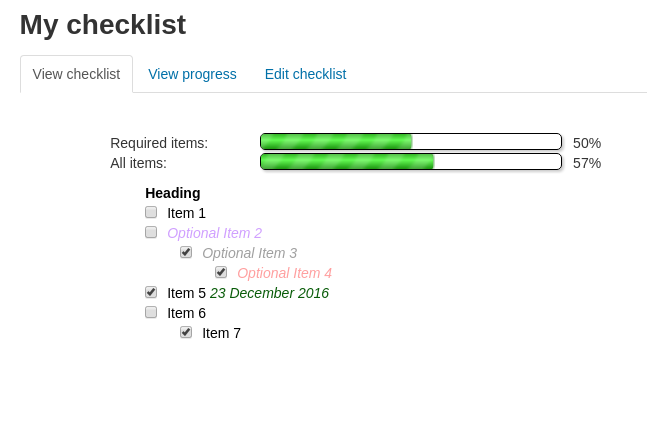
A checklist can be created by a teacher (or generated from the activities in a course) and then the students or teachers can check-off each item as they are completed.
Comments
Comments are no longer open for new posts. Existing comments remain available to read.
There are a few possibilities I can think of off the top of my head:
* The checklist is set to be 'complete' for some value less than 100% (e.g. at 85%) - check the activity settings for this
* The checklist contains a mix of required and optional items, the user has completed all the required items, but not all of the optional items, so the checklist is counted as being complete
* The user ticked all of the items on the checklist (triggering the completion email), then unticked some of them again
If none of those are the issue, then I'd need more details about how to consistently reproduce the issue on a clean Moodle site, otherwise there isn't much I can do to help.
Yes - I've seen the initial pull request and the review request that followed a couple of days later, and now your follow up message a couple of days after that. My own plugins are maintained in my free time, so it is rare for me to have space / time to review contributions. I will try to look at this in the next few weeks, but I cannot guarantee when that will be.
Thanks much... Brian
It is generally regarded as bad manners to force links to open in a new window / tab, as not doing so allows the end user to choose whether or not they want links to open that way (by holding Ctrl+clicking, middle-button clicking or right-clicking and selecting 'new tab').
If you want to force the issue, you could make a code change around this line: https://github.com/davosmith/moodle-checklist/blob/master/renderer.php#L506 (probably by adding a final param ['target' => '_blank'] to it, but I don't have the code in front of me now).
Fantastic Plugin for industrial training. When we place an external URL next to a checklist item - the links opens, but it opens in the same window and not in a New Window which is set in the Admin settings for the other Activities/Pluggins. Adding URLs that can open outside of the Moodle website provide users the opportunity to access external documents without having to navigate back to the Moodle course by clicking on the Back button in the Browser. Thank you again for the time and effort to making this checklist feature.
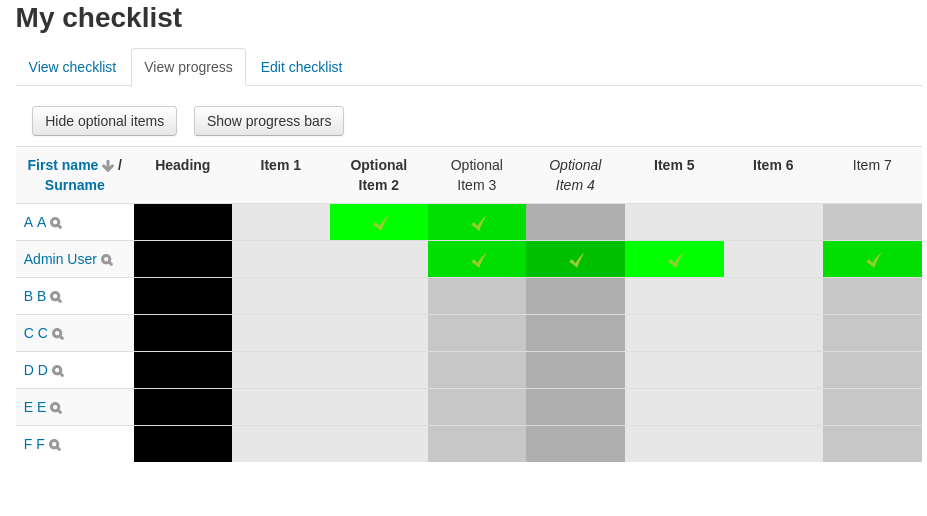
I have a problem with the Show Progress Bar button. When I check the list of the participants‘ progresses (the overview page with all the names and exercises, with big black/green/grey squares) and click on Show Progress Bar (not sure if its called like that in English), nothing seems to happen. Is it maybe broken? It‘d be such a useful feature.
Thanks in advance and best regards,
Daniel
If none of those capabilities are present, then something has gone wrong with the installation.
I suggest you look on your server and look at the file: [Moodle code folder]/mod/checklist/db/access.php
Make sure the file a) exists and b) has its permissions set to allow the webserver to access it.
If that is OK, then you may need to check your database, in the table mdl_capabilities to see if the capabilities are defined there.
If that doesn't help, then I can't really offer any other suggestions - it sounds like something very strange has happened with your Moodle site - you may need to ask your server admin or support team to investigate in more detail.
block/checklist:myaddinstance
gradeexport/checklist:publish
gradeexport/checklist:view
gradeexport/checklist:viewall
gradeexport/checklist:viewdistrict
block/checklist:addinstance
therefore, the permissions you mentioned are not available to me.
Is there any way to manually create them?
I followed your directions, but the path "mod / checklist: viewreports" could not find, would have other names this directory?
This path to other plugins I could find, just for the Checklist I did not find.
The message means that the user who has tried to access the checklist does not have any of the following capabilities assigned to them (at the course or activity level):
* mod/checklist:updateown (the 'student' role should have this by default, as part of the installation)
* mod/checklist:preview (the 'editingteacher' and 'teacher' roles should have this by default)
* mod/checklist:viewreports (the 'editingteacher' and 'teacher' roles should have this by default)
I would suggest you double-check the 'student' role has the 'updateown' capability and that the user has that 'student' role on the course.
"You do not have permission to view this checklist.
Do you want to login now by logging in with a user account? "
Had this happened before? I could not find on the Internet someone who had this problem.