
Zoom meeting
Maintained by
Jonathan Champ, Steve Bader, Alan McCoy
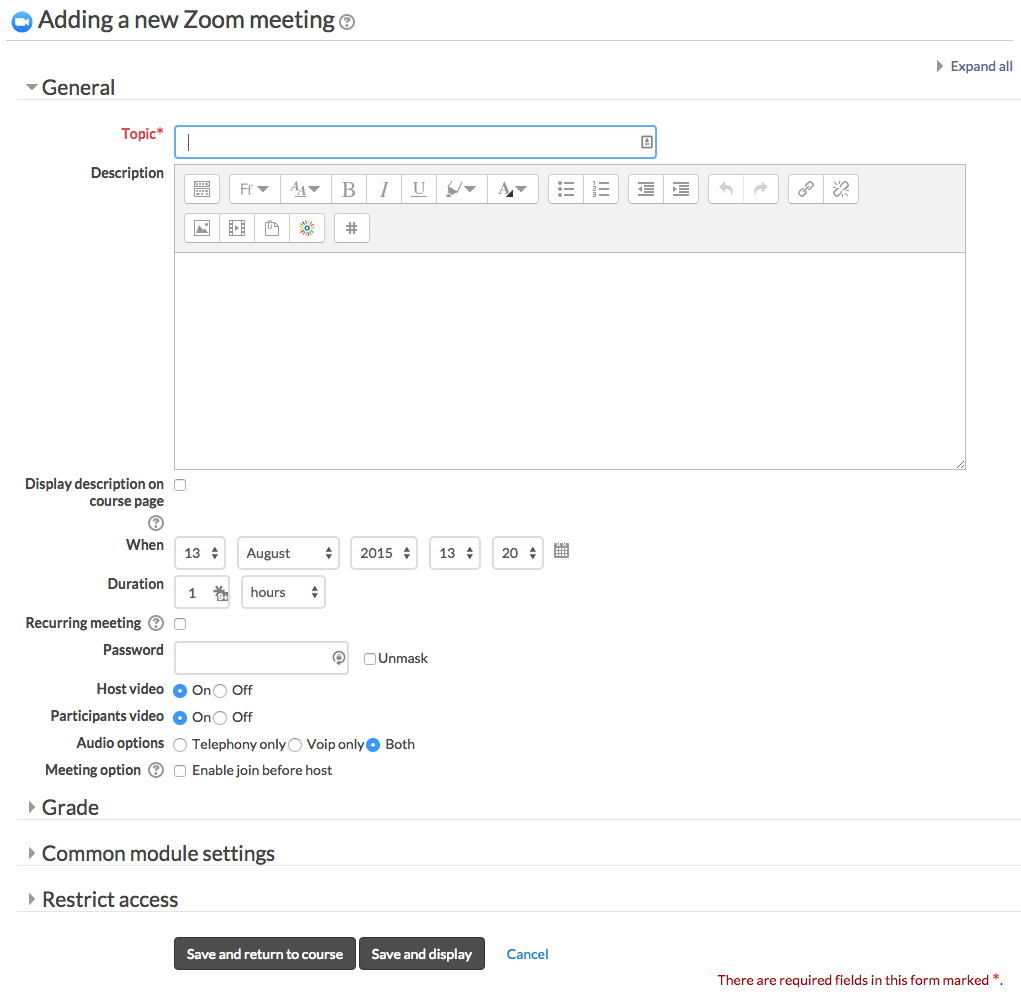
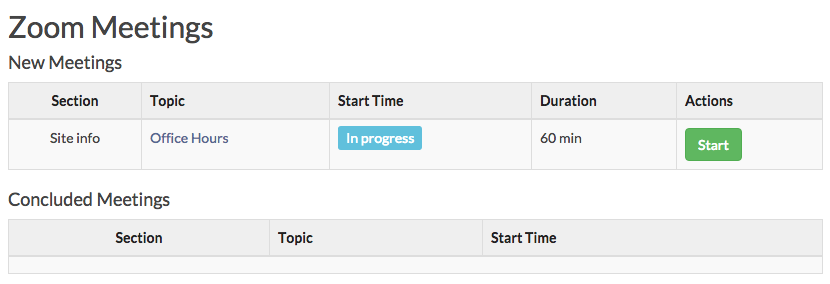
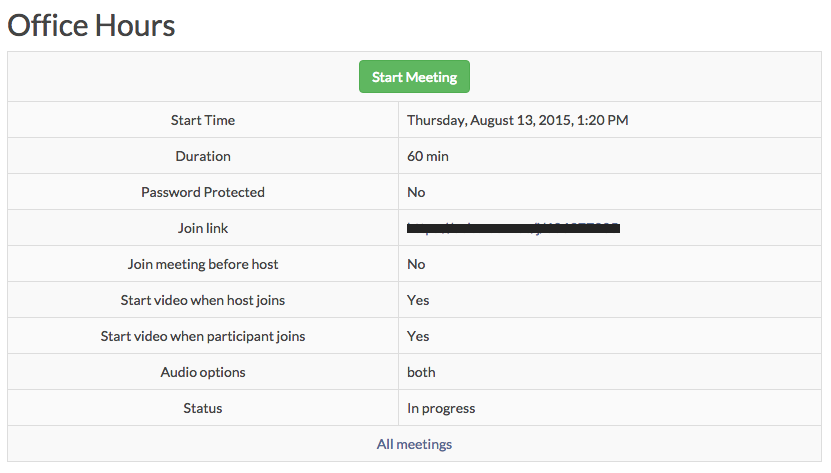
Zoom is a video and web conferencing platform that gives authorized users the ability to host online meetings and webinars.
Comments
Comments are no longer open for new posts. Existing comments remain available to read.
At a minimum, you should only need the user:read:admin scope. The user:write:admin scope is only used for situations where you need to automatically upgrade and downgrade licensed users. The user:read and user:write scopes are not applicable to the Server-to-Server OAuth apps.
My hope is that you are using a version that is older than 4.10.1. In v4.10.1, we fixed an issue where the OAuth token would be cached for an hour or so without having the required scopes. If the problem has mysteriously resolved itself by now, that may have been the issue. If you are still experiencing a problem, you may want to try modifying the Server-to-Server OAuth app slightly which may refresh any potential caching on the Zoom Marketplace side. If not of that works, please open an issue on our GitHub page: https://github.com/ncstate-delta/moodle-mod_zoom/issues
The issues are (1) I have definately added user:write:admin and user:read:admin
and (2) there does not appear to be a user:read or a user:write scope to add when setting up the app in the Zoom App marketplace.
Any idea where I might be going wrong?
I'm delighted to hear that the plugin has been working well for you!
The other teacher should be added as an Alternative Host. That should allow them to start the meeting. If that does not work for you, please let us know.
There is only one question - how can make Zoom-meeting be started by a different teacher than the one who created the activity?
Right now, only the creator has the "Start meeting" button.
Specifically, one Server-to-Server OAuth for each Moodle install. So it's okay if you have multiple servers that are load balancing a Moodle install because they are all using the same Moodle cache. If you have multiple Moodle installs, each one will need their own unique Server-to-Server OAuth.
Example: If Web server 1 + Web server 2 + Web server 3 are all used to provide a single Moodle site (moodle.example.com), then you only need 1 Server-to-Server OAuth for that one site/install. If instead you have multiple sites/installs (moodle-basic.example.com, moodle-premium.example.com, moodle-enterprise.example.com, moodle-nonprofit.example.com) you would need 4 Server-to-Server OAuth, one for each site/install.
If you are still having problems, please open an issue on our GitHub page: https://github.com/ncstate-delta/moodle-mod_zoom/issues
I am facing the same problem with the randomly "Connection status: Connection failed: Invalid access token" message.
Searching the Zoom forum, I found this problem related to situations with many concurrent servers (my situation):
https://devforum.zoom.us/t/server-to-server-oauth-annoying-token-invalidation/72070/12
In this thread, Christopher Lee suggested a key rotation system, because Zoom may increase the number of simultaneous token index values to a maximum of 3 concurrent tokens. This is not enough in large systems.
Are you still facing this problem? Did you find any other workaround?
Thanks.
This is a limitation of Zoom. You can either create a recurring meeting with no fixed time and then add the schedule as text. Or you can create multiple events for those random dates and times.
Hi Manuel Orcera,
There was a bug in the repeating weekly if you tried to schedule for a date in the past. I believe the bug was fixed in v4.6.0 (released July 2022), but if you are still experiencing the problem on updated versions, please open an issue with more details / pictures on our GitHub page: https://github.com/ncstate-delta/moodle-mod_zoom/issues
How can we create a multi-day Zoom event that meets on an irregular schedule (recurring but on random dates)? Thanks!
Correction: You do need to create one Server-to-Server OAuth app for each Moodle install.
When a Zoom OAuth token is created, all older tokens for that OAuth app immediately expire. Thankfully, we use Moodle's cache so each webserver that is part of the same Moodle install shares the same token automatically until it is time to request a new one (which is then shared automatically).
The short answer is no, unless you are comfortable editing the database. Instead, I would suggest creating the meeting in one of the sites and copying the join URL so you can create a URL resource in the other two sites. The plugin's extra functionality won't be available in the other two sites, but all three groups of users would be able to join and I believe that the URL resource can be used for things like grades and activity completion. I hope that helps!
For the Session Reports, you will need to make sure that the Get Meeting Reports scheduled task is running successfully. If you want to see what information is available directly in Zoom: https://support.zoom.us/hc/en-us/articles/216378603-Generating-meeting-reports
Hi Ricardo Groiso,
The Zoom plugin does not use XMLRPC. If you are asking about Moodle itself, you'll probably need to install the XMLRPC package as a separate package. Most Linux distributions have a package repository that has a version of the php-xmlrpc package.