Ad-hoc database queries

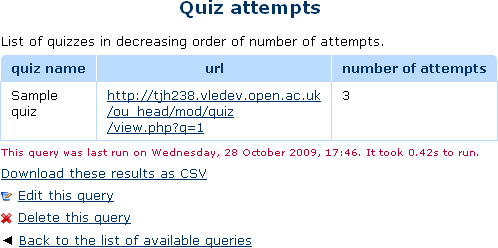
This report plugin allows Administrators to set up arbitrary database queries to act as ad-hoc reports. Reports can be of two types, either run on demand, or scheduled to run automatically. Other users with the right capability can go in and see a list of queries that they have access to. Results can be viewed on-screen or downloaded as CSV.
Price option: Free

Supports Moodle 1.9-5.1 See all versions
Latest release: 2 weeks ago
Installations: 4762
Downloads (last 90 days): 674

Frankenstyle name: report_customsql
Reports

Comments

Comments are no longer open for new posts. Existing comments remain available to read.

We've been giving staff access to a system "Report Viewer" role so they can access the ad-hoc reports. Under 3.1, the link showed up under Site Administration for those users. When we upgraded to 3.5, the site admin link is no longer visible for these staff; though the direct url still works for them. How do we make the link to ad-hoc reports available to staff?
We don't particuarlly need that functionality, so we are unlikely to develop it ourselves. However, if you can find someone to develop it, we are always grateful to receive pull requests.
Is there a way to pick the day I want to have an automatic report run? I have reports that I need every wednesday, others that are needed on the 5th and 20th of each month, etc. Currently it looks like I can only pick every day, 1st of week, 1st of month. Running Moodle 3.5 with Ad-hoc 2018080900.
Please update so we can schedule automatic running of reports but we can pick the different days to run. It is ok if I have to schedule the same report twice to run once on the 5th and the second copy on the 20th (for example).
Has anyone written or used a query to search for a string *anywhere* in Moodle? I just can't figure out how to do it.
Hello. I'm a new user trying to schedule a report to export to a shared drive path/directory. I am receiving an error that it does not exist. Is there any documentation that exist. Also, is there any hope that the hard limit of 5000 on the rows could be raised?
Hello, I want to setup automatic reports to show a list of students and their activity completion for a specific course, from a specific group or cohort. I know you can run a completion report on a course in moodle but I can't see a way to filter by cohort of group therefore I see 1000's of activity completion records. Will this plugin provide me with a solution to generating custom reports? Appreciate the advice. Tim
Thanks Tim.
No, by design. There is a hard limit of 5000 rows on what one query can return, so it is just simpler to run the query once and show all the results.
Hi. Does this do paging for the query results html table?
Sorry, known issue that we have not yet had time to fix. https://github.com/moodleou/moodle-report_customsql/issues/34
Oops sorry that didn't work I used the code without the spaces select ' < a h r e f = " % % WWWROOT % % / course / view . php % % Q % % id = ' || CAST (c . id AS VARCHAR) || '">' || c.fullname || '< / a >' "Course"
Since I updated to version 2018080900, I've noticed that the links don't display as links anymore, just as html text. For example I used the code (postgreSQL): select '' || c.fullname || '' "Course"
Has some setting changed that I need to review?
Well, technically you need to ask 'Is it possible to add extra capabilities ...'. The only way to do that is to edit the code. Specifically you would need to add them to this list: https://github.com/moodleou/moodle-report_customsql/blob/master/locallib.php#L221
You also need to remember that these reports live in the System context, and only a few roles are assigned in that context. (E.g. Teacher role only exists inside a particular course, and these reports are outside all courses.)
Hi is it possible to add a extra roll to report_customsql?
Reports run when cron triggers the scheduled task. That is unlikely to be exactly on the hour.
I am afraid that the only way to find out exactly how it works is to read the code starting at https://github.com/moodleou/moodle-report_customsql/blob/master/classes/task/run_reports.php. (It is not particularly complicated.)