Ad-hoc database queries
Maintained by
Tim Hunt, Mahmoud Kassaei, Hieu Vu Van
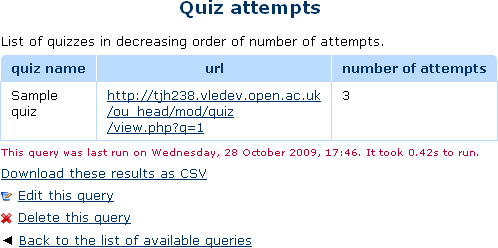
This report plugin allows Administrators to set up arbitrary database queries
to act as ad-hoc reports. Reports can be of two types, either run on demand,
or scheduled to run automatically. Other users with the right capability can
go in and see a list of queries that they have access to. Results can be viewed
on-screen or downloaded as CSV.
Comments
Comments are no longer open for new posts. Existing comments remain available to read.
It looks like the file permissions are not right on your server.
I am getting this error. Is it because my Moodle version is not supported?
Validating report_customsql ... Error
[Error] Write access check [/opt/bitnami/apps/moodle/htdocs/report]
Installation aborted due to validation failure
Since all the data behind Moodle is in a database, it is quite easy to change things if you can acess the database directly. It is also possible to screw up the data directly, if you make a mistake. So, be careful.
Tim,
I have written over a hundred reports that I have put into several categories. Question - how would someone add an "Expand all" to the top of the form (like other forms)?
Richard
Tim,
No worries. I can change in my version. But your answer got me to thinking - Is there a better, safer way to accomplish what I want? Basically, we have a situation where an administrator has to loginas hundreds of users to change some data. The link in the report is just an attempt to save them a few mouse clicks for each user. If there is another way via the plugin to do this, I'm all ears.
Richard
However, it would be possible to add another of the %%...%% tokens. E.g. we could have %%SESSKEY%% that gets replaced by the current user's sesskey in the output code. E.g. about here: https://github.com/moodleou/moodle-report_customsql/blob/master/view.php#L153 add a line
$value = str_replace('%%SESSKEY%%', sesskey(), $value);
However, I am a bit reluctant to add that to the official version of the plugin.
I'm writing a report that has a username column that I would like to make into a hyperlink to loginas the particular user. Question - any way to get the required sesskey using SQL commands?
Thanks again,
Richard
2. Passing parameters to reports probably should work, but does not. E.g. suppose your query has a paramenter called course_name, then a URL like
https://learn2.open.ac.uk/report/customsql/view.php?id=51&queryparamcourse_name=AA100-16J should work. Unfortunately it does not. We should fix that.
Question - is it possible in report 1 to call report 2 via a hyperlink? If so (pressing my luck), would it be possible to pass arguments to report 2? Thanks again for a great plugin!
Richard
I expect that if you really want to make these changes, it is not hard to change the code of this report.
We can use sql by use Ad-hoc database queries plugin , but after download the result to csv file (refer to the link https://drive.google.com/file/d/0BxriXuT0xeaFRDVoamZLUGhWMDA/view?usp=sharing) , the file content show wrong language as shown as the link: https://drive.google.com/file/d/0BxriXuT0xeaFM1pUbk5naFNkZFE/view?usp=sharing
How can we adjust the question, and thanks a lot.