Ad-hoc database queries
Maintained by
Tim Hunt, Mahmoud Kassaei, Hieu Vu Van
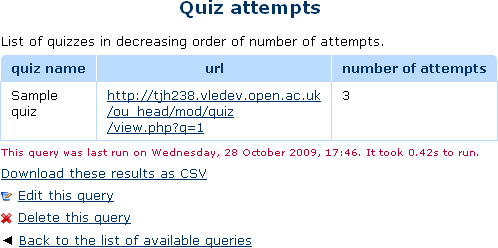
This report plugin allows Administrators to set up arbitrary database queries
to act as ad-hoc reports. Reports can be of two types, either run on demand,
or scheduled to run automatically. Other users with the right capability can
go in and see a list of queries that they have access to. Results can be viewed
on-screen or downloaded as CSV.
Comments
Comments are no longer open for new posts. Existing comments remain available to read.
Sorry to bother, but I see the plugin it compatible only up to Moodle 4.0. Is it compatible with Moodle 4.3?
Could you please advise if this plugin will be compatible with 4.1, 4.2 and 4.3?
Best,
Hoda
Thank you for building this plugin. It really is a great tool and it's easy to use. In an attempt to contribute what little I can to the ongoing development of this project - I found a little update to one of the reports I can share.
As written on https://docs.moodle.org/403/en/ad-hoc_contributed_reports - There is outdated table name reference in the report "User activity completions with dates"
Moodle used to have a module called 'assignment' which has since been replaced by 'assign'. Once that table reference is renamed everything else works fine
Apologies if if this isnt the appropriate place to share this, but I couldnt find anywhere else to put this. I hope this helps keep the project fresh, and once again thanks for your effort here. Cheers!
Will it be?
Best,
Fabian
"u.id=:userid" works for this report. There is a "More documentation on this plugin" link above. Also, when you are editing a query, there is a lot of information on the screen about what you can do.
I guess that if the query is too big, then the server will run out of memeory. (But, that is just a guess.)
When I've tried a complex query for just 1000 row, plugins works perfectly, but when I increased to 30K, I just got blank row.
But when I tried a simple query (only 3 field), got 30K perfectly.
What should I do ?
Regards,
I don’t know anything about SQL but desperately need a report that collect data about both course completion and information from two feedback activities.
Can someone help me out?
/Niklas
Thank you!!!!
While this solution is written in the Notes section of the plugin, my attempts did not correctly write the statement. I over thought the instruction.
Kind Regards,
Shirley
There may be a more succinct way but the following should work. You must create one column 'X' and then a second column with a title like 'X_link_url'. When the report is run it will combine both into one column.
Here is an example that will print the course title and the hyperlink will take you to the course:
SELECT
c.fullname as course_name,
CONCAT('%%WWWROOT%%/course/view.php',CHAR(63),'id=',c.id) as course_name_link_url
FROM prefix_course c
Hope this helps.
I have been struggling to create the proper SQL statement to create a valid URL.
I have tried several variations and reached out to the Moodle community.
The statement below results in a plain text with [site www], course fullname
CONCAT('%%WWWROOT%%/course/view.php%%c%%id=',c.fullname) AS "Link",
Can someone please provide me with the proper SQL statement for a course URL?
Kind Regards
with 8.1.25 PHP version I have this alert "PHP Deprecated: Function strftime() is deprecated in /var/www/vhosts/elearning.formazionelavoratori.online/httpdocs/report/customsql/locallib.php on line 611"
Csaba