Ad-hoc database queries
Maintained by
Tim Hunt, Mahmoud Kassaei, Hieu Vu Van
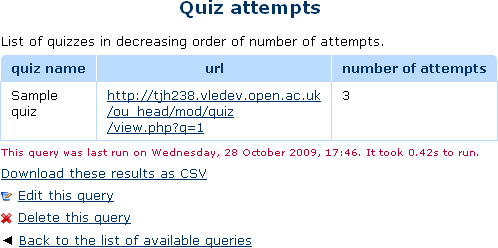
This report plugin allows Administrators to set up arbitrary database queries
to act as ad-hoc reports. Reports can be of two types, either run on demand,
or scheduled to run automatically. Other users with the right capability can
go in and see a list of queries that they have access to. Results can be viewed
on-screen or downloaded as CSV.
Comments
Comments are no longer open for new posts. Existing comments remain available to read.
This plugin is a must be on the box. I wonder to know if is compatible with Moodle 4.1, and 4.2
Formally, my organization, demands that any software should be compatible to with the platform and products installed (we have Moodle 4.1).
Sincerely
Alfredo
However, there is a way to fake it, which is this.
Suppose you have variable cohort_ids with a value like 123,456,789. Then you can do
WHERE CONCAT(',', :cohort_ids, ',') LIKE CONCAT('%,', cohort.id, ',%')
This is not particularly efficient, but it works.
Note that, the plugin already stores files in a predefined folder for scheduled queries. They are stored in [moodledata]/admin_report_customsql.
This option is useful if you want to copy the files somewhere else as well.
When creating a query we have the option "Export csv report to path / directory", how can it be used? If you have a simple example this would help me.
What I want to achieve is that on a regular basis with the scheduled task the query is run and the results are exported/stored as csv file inside the Moodle directory in some predefined folder.
Thanks in advance.
This plugin is more capable than it looks at first glance, though I am using configurable reports and it is not compatible (yet?) with 4.0. Some things I am missing in Ad-Hoc database queries:
1. The ability to share specific reports with instructors without them having access to all the reports that are open to non-administrators (those system roles that I have given the report/customsql:view capability. If you get the capability, then you can see all the reports that are open to it.
2. The ability to paginate the results.
3. The ability to filter the results with javascript in the page, just like configurable reports has.
4. And I couldn't find a way to schedule a report and send it to a user. Whenever I choose a user and save, the user disappears from the selection.
Thanks in advance.
I created a report that i use this on demand and I can see it works fine, but when I want to mail the results to my admin account nothing happens.
I can also see that the cron task has run just fine.
Moodle 3.11.12+ (Build: 20230310)
If people really want -- comments, then I suppose we could remove them with a pre-processing step. e.g. in report_customsql_execute_query. Pull requests against that github repository are welcome, at least in theory. (Sometimes I am just too busy to review them.)