How it works
Sticky Notes is an easy-to-use activity to build a
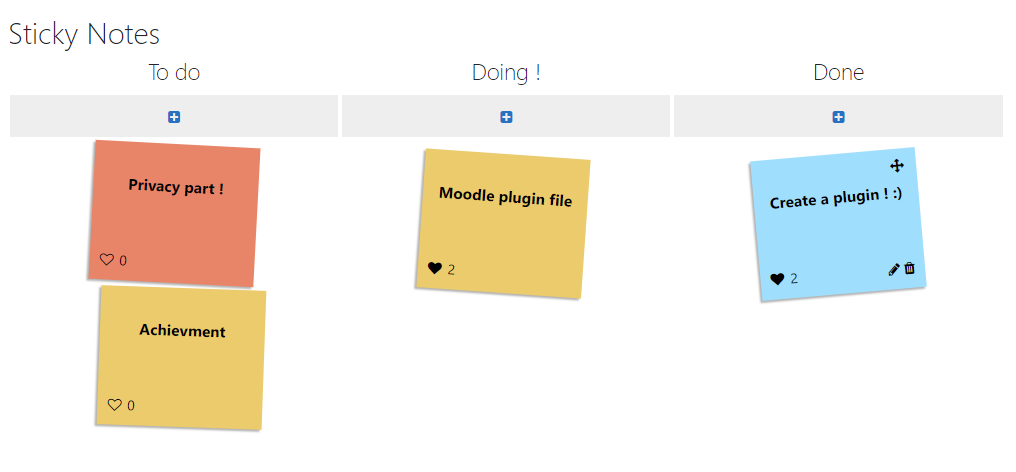
post-it wall for your collaborative brainstorming, pedagogic uses, ranking, meeting, ideas organization...Create, update and move sticky notes in different columns as a kanban, change background color and vote for sticky notes as you wish !
Features
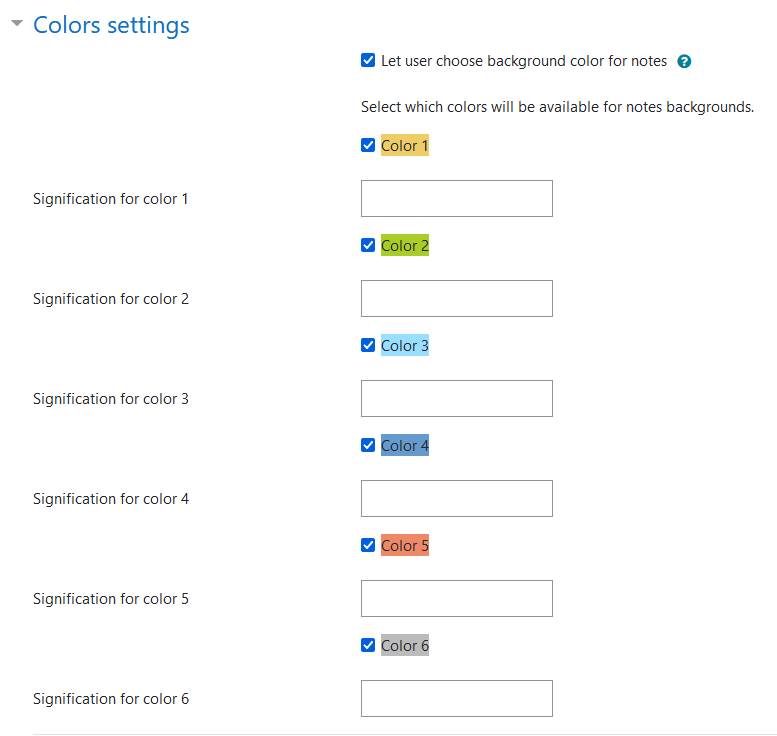
When creating an activity, teacher can define which background colors will be used between the 6 default colors, and add a meaning/caption for each color if necessary. Teachers can edit any notes, while users updates only their own notes.
The
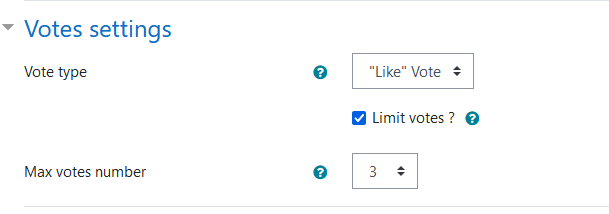
vote function can be enabled in order to "like" some notes.
Teacher can also enable or define :
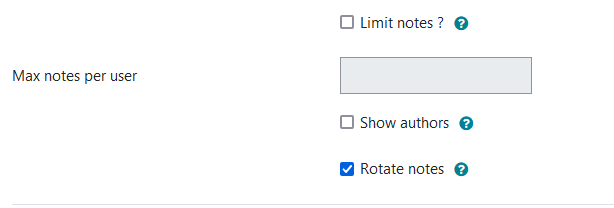
- number of notes per user
- number of votes per user if enabled
- enable the rotate effect for notes for accessibility
- view authors (only for teachers)
- students see only their notes or all
- students can move only their notes or all
- lock notes and votes function
- export all contents
During the activity, the student can:
- create, update, delete and move his own notes
- vote for notes if enabled
- move his notes, or all if enabled
Activity completion based on notes creation is implemeted.
How to move notes
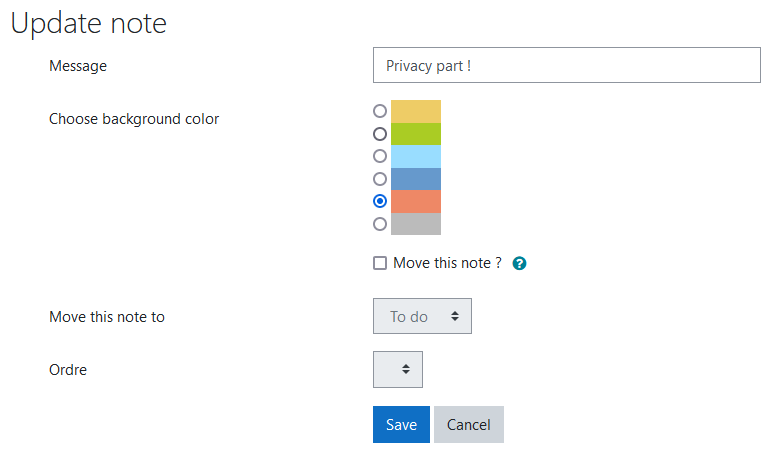
Yo can move notes in the same column or between columns in two ways :
- you can use update interface,
- you can also move notes using drag and drop. Click on a note and move it with your mouse to its new place. Drag and drop also works on smartphones or tablets.
Teacher can choose if students can move only their notes to limit modifications, or if they can move any notes in activity as a real collaborative activity.
Settings
In global settings, you can set 6 colors that will be used for sticky notes backgrounds, and give each color its own signification. Admin will set the 6 colors availables for all activities. Default colors are set in plugin global parameters, and have been chosen to respect accessibililty for colorblindness.
Feature request and bug reports
For bug reports and support requests, please use
bug tracker which is linked below. Thanks !