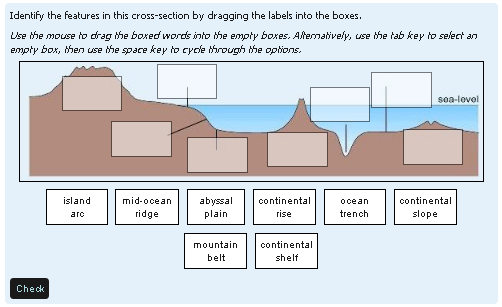
Drag and drop onto image
Maintained by
Tim Hunt, Chris Nelson, Jamie Pratt, Phil Butcher
As of Moodle 3.0, this question type is part of the standard Moodle release. That is why there is no plugin from Moodle 3.x. You don't need one!
Comments
Comments are no longer open for new posts. Existing comments remain available to read.
Is possible to find the bellow zip file?
qtype_ddimageortext (2019111200) Fails Unavailable
Thank you
Kyriacos Iacovou
Moodle version: 2017051500.09
Moodle release: 3.3+ (Build: 20170622)
If I should be raising this issue elsewhere, please advise.
Thanks
this.container.all('li.matchdrag').setStyle('cursor', 'move'); = TypeError: this.container is null
please assist
I wanted to use this question type, but I have a problem! Is it possible to have multiple answers for the same "drop zone"?
For example I have an image where the student have to answer which products come from milk (yoghurt-butter-cheese-ice cream) but I don't know in which zone the student will drop the answer. He could be write but the exercise will tell me that the answers are wrong. Sorry for the bad English. Hope you can help me.
Is there a way to use drag and drop plugins such that if we have following requirement it gets done with correct marking.
We have a background image where we want the student to drop images beginning with letter m. In the draggables we are providing a mix of m letter objects and others. Now imagine if there are 3 drop locations on the background image and we have 3 m letter objects. Consider drop placeholders as D1, D2 and D3 and correct images are m1, m2, m3. The user should be able to drop either m1 or m2 or m3 on D1 or D2 or D3 and the answer should be correct. But the correct plugin binds every selected draggable to specific placeholder we see on the background image. How can we achieve this? Can this happen via some customization in the plugin at the code level? Please help.
We are using Moodle version 3.4.1+
As suggested by Joseph Rézeau in https://moodle.org/mod/forum/discuss.php?d=358512,:
".. using the customized CSS rules, as per my previous post. No visible overlapping, no annoying boxes, the result is exactly the same as the original legend.
It's a pity that one has to resort to such additional CSS rules, which can only be added by a Moodle site Admin, and of course will not suit all types of D & D questions. I suggest that optional settings be made available within the editing interface of such questions, to make them more flexible."
How difficult would it be to have the border for the draggable items be selectable (border/no border) ?
Would this be worth adding a Moodle Tracker issue?
"As of Moodle 3.0, this is part of the standard Moodle release. It is no longer an extra plugin. So, yes, it works!"