Martin Holden
Lead maintainer


A tool to allow sync of assets from a Skillsoft Percipio site as External content activities using Percipio Content Discovery API.
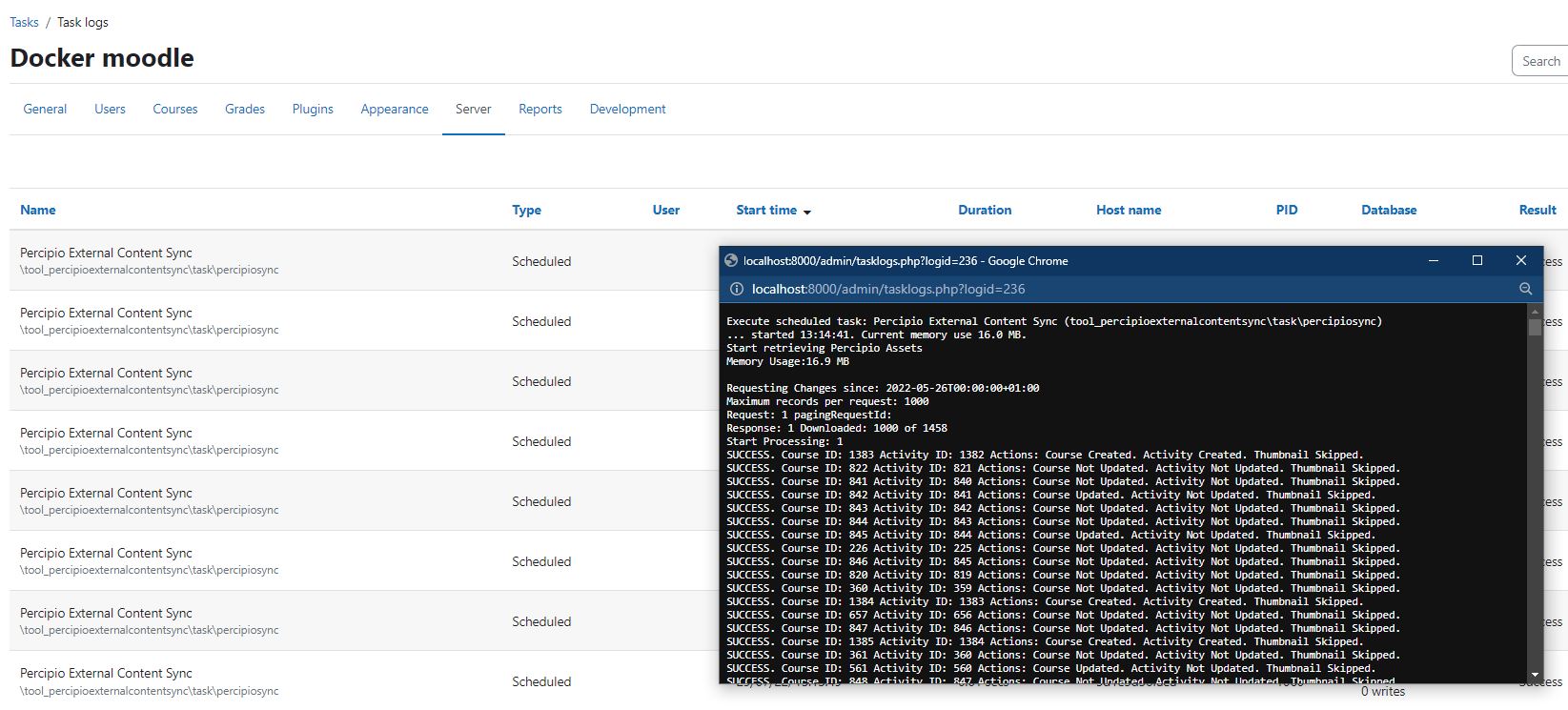
A Percipio site could contain 40,000 or more assets, this tool allows all these to be synched easily to Moodle. Working with the Skillsoft team you can limit the assets that are included in the sync using the Content Selection Process.
The schedule task runs the sync process which will create/update or deactivate a Moodle Course, consisting of a Single External content activity for each asset synched from Percipio, more details can be found in How it works.
The External content Activity and Course are setup to support Moodle Completion based on completion information returned from Percipio using xAPI if EXTERNAL_MARKCOMPLETEEXTERNALLY column if Percipio supports sending a completed xAPI statement to the External content activity module LRS.
To use this plugin you will need:
IMPORTANT : Skillsoft may require you to pay fees to enable the LRS connection and utilise the APIs. Please contact Skillsoft for information.
Install the External content activity module:
git clone https://github.com/lushonline/moodle-mod_externalcontent.git mod/externalcontent
Or install via the Moodle plugin directory:
Install the plugin the same as any standard moodle plugin either via the Moodle plugin directory, or you can use git to clone it into your source:
git clone https://github.com/lushonline/moodle-tool_percipioexternalcontentsync.git admin/tool/percipioexternalcontentsync
Or install via the Moodle plugin directory:
Configure the plugin.
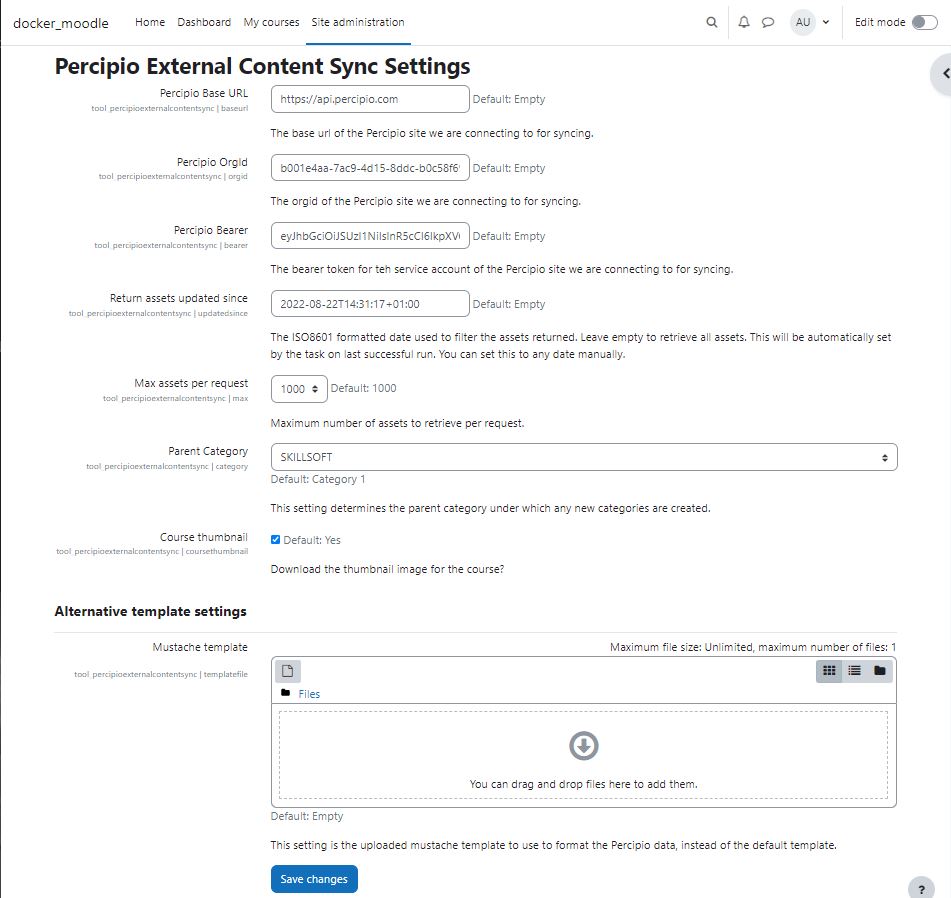
The following configuration settings need to be set in Moodle.
| Name | Setting | Description |
|---|---|---|
| Percipio Base URL | baseurl | This is the base URL for accessing the Percipio API. See Skillsoft Documentation, this should be either https://api.percipio.com or https://dew1-api.percipio.com. The Skillsoft Team will provide this information. |
| Percipio OrgId | orgid | This is a UUID that is unique to the Percipio Site. The Skillsoft Team will provide this information. |
| Percipio Bearer | bearer | The Percipio API uses a Bearer token for authentication. This should be the unique bearer token created for you to use. The Skillsoft Team will provide this information. |
| Return assets updated since | updatedsice | This ISO8601 date time (yyyy-mm-ddTHH:MM:SSZ) is passed to the API to determine the assets to return based on when they were updated on Percipio. For example to get all the assets since December 20th 2021 at 10:00:00 UTC you would enter 2022-12-20T10:00:00Z. If left blank all items are returned. After successful sync the value is set to the time of the sync. |
| Max assets per request | max | The Percipio API returns a paged data set of assets. This controls the number returned for each page. The default and maximum is 1000. |
| Parent Category | category | When the assets are added to Moodle, sub-categories will be created automatically. This configures the parent category to create them under. |
| Course thumbnail | coursethumbnail | The Percipio asset contains a URL to a thumbnail image. This setting controls whether this thumbnail is downloaded and added to the Moodle Course. If this is not selected the time taken to sync a lot of assets is reduced. |
| Mustache teamplate | templatefile | The Percipio asset is formatted using a Mustache template to produce the course and external content description in HTML, and the HTML for the content property. There is a default template configured in templates/content.mustache, you can copy and edit this template and then upload it here to change the HTML produced. |
The scheduled task is configured to run at 03am every day.
When the task runs the process is:
Plugin will process the returned JSON array of assets and take following actions for each:
Process the asset metadata using the selected Mustache template, either default of the custom uploaded to create a Course and External Content Activity.
Check Category for the asset is not null.
Lookup up Course using Moodle Course ID Number matches xapiActivityID from Percipio
ID Number matches xapiActivityID from PercipioIf the JSON response indicates there are more assets to download go back to Step 2.
IMPORTANT: The first time the task runs it can take a number of hours, as Percipio can have upwards of 40,000 assets.
For more information for how Percipio asset data is mapped to Course and External Content Activities using the Mustache Template see the details in Github here.
