Moodle QuizOnePagePaginate block
This is a Moodle block to deliver quiz questions questions one (or more) at a time on the same page without navigating to a new page for each question.
Requirements
- Moodle 3.5 and above - see What version of Moodle am I using?
- You need administrator privileges in your Moodle instance to install this plugin. You need teacher privileges in your course quiz to enable it.
- JavaScript in the student's browser must be enabled.
Getting started
Install:
Add the block to a course quiz:
- Navigate into a course and then into a quiz.
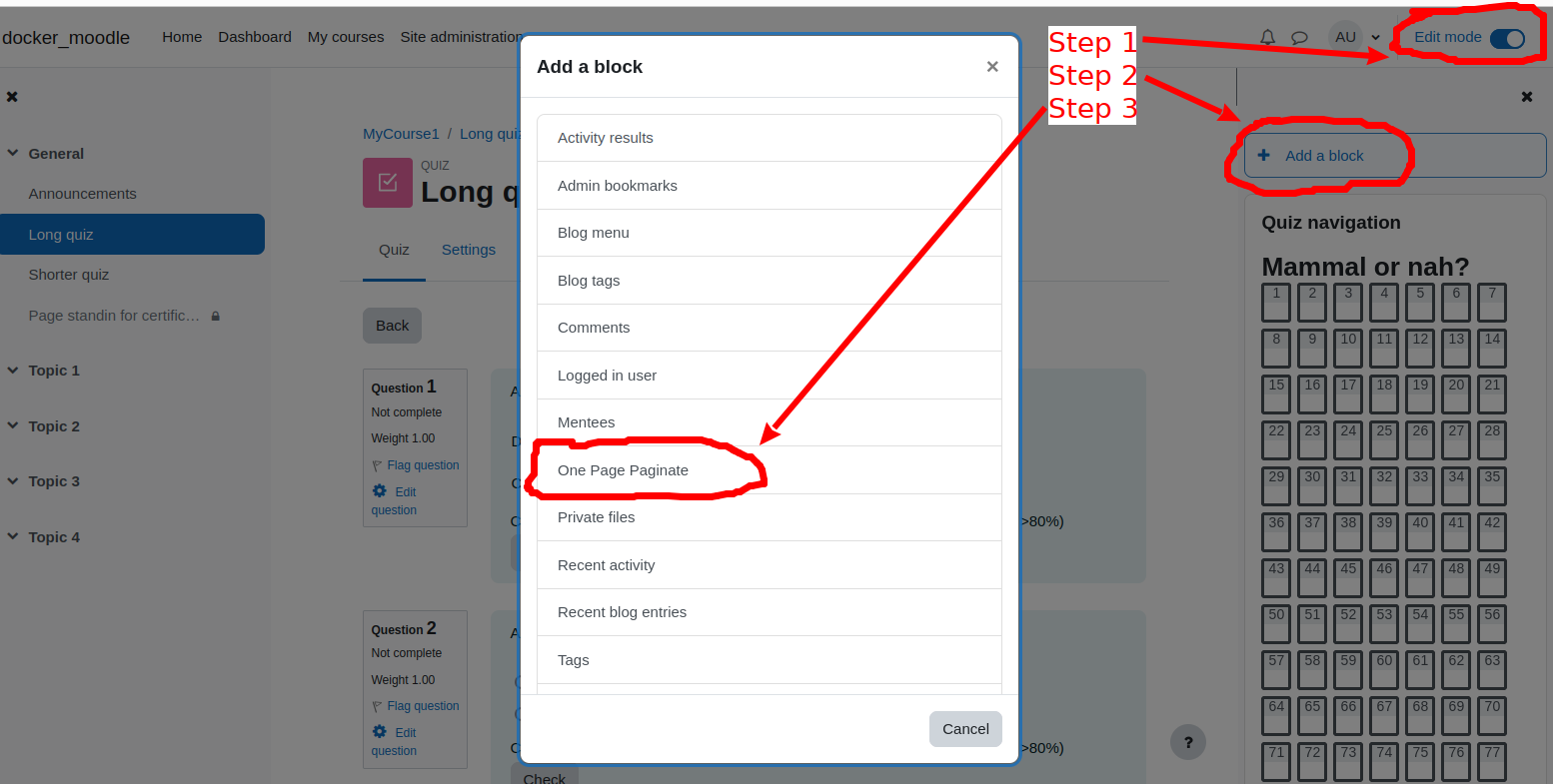
- Turn "Edit mode" on, click "Add a block", scroll and click "One Page Paginate".
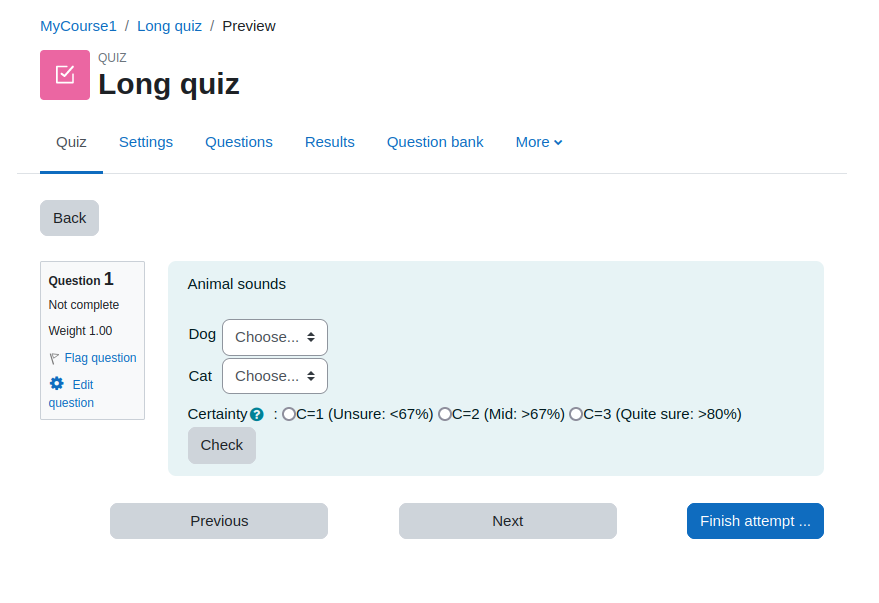
Once the block is enabled on a quiz, you will see Previous and Next buttons at the bottom, and by default only one quiz question shows at a time.
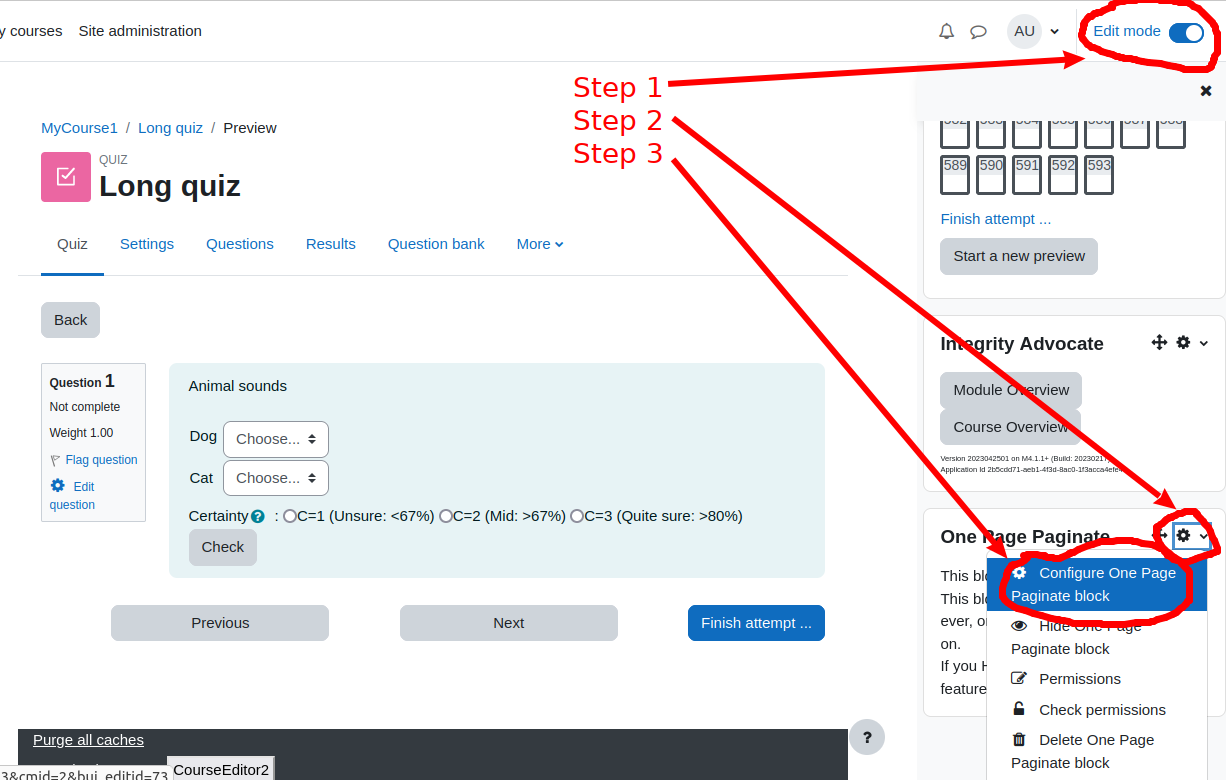
To configure the block instance: Navigate into a course quiz, turn "Edit mode" on, in the block click the gear menu > "Configure One Page Paginate block".
Things to know
- All the quiz questions are loaded on page load - they're just hidden from the user.
- The "Quiz navigation" block will not reflect what is currently visible on the page.
- If you exit the quiz and return to it, you will be placed back at the first question and not where you left off.
- On activation, this block overwrites quiz config for:
-- "Layout > New Page" to "All questions on one page"
-- "Appearance > Show blocks during quiz attempts" to "Yes".
- This block will appear on "Any quiz module page" regardless of the "Display on page types" quiz setting.
- The block will not show to students ever, or to teachers unless editing mode is on. If you Hide the block, you disable its features.
- If you delete this block, you can reset the # questions per page only by deleting all quiz attempts, then in quiz settings > Layout > New page and checking the "Repaginate now" checkbox.
Privacy
This plugin does not store any data, does not send any data to any API, and does not require any subscription.
We take privacy and security seriously. Any security issues can most responsibly be disclosed to admin@integrityadvocate.com
Reporting problems
Before you report an issue, make sure you have updated the plugin to the latest available version, and then check the issue persists.
When reporting an issue, please give concrete info and background like:
- What error do you see, or what don't you see that you expect?
- How exactly can I reproduce the issue on my own Moodle?
- What browser and browser version?
- What version of Moodle are you running?
- Does the "quizonepagepaginate" plugin show up on the plugins overview page (/admin/plugins.php)?
- Anything useful in the Apache logs?
- Can you create a screenshot or a video showing the issue?
Issues can be reported at https://github.com/mwithheld/moodle-block_quizonepagepaginate/issues