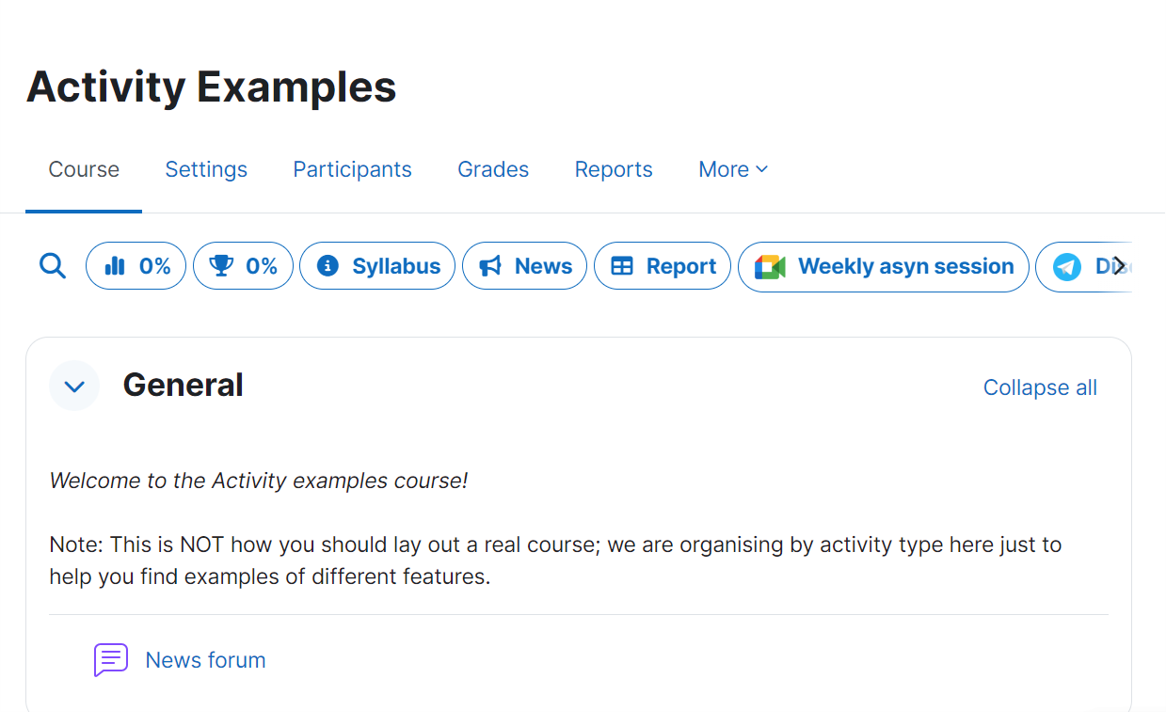
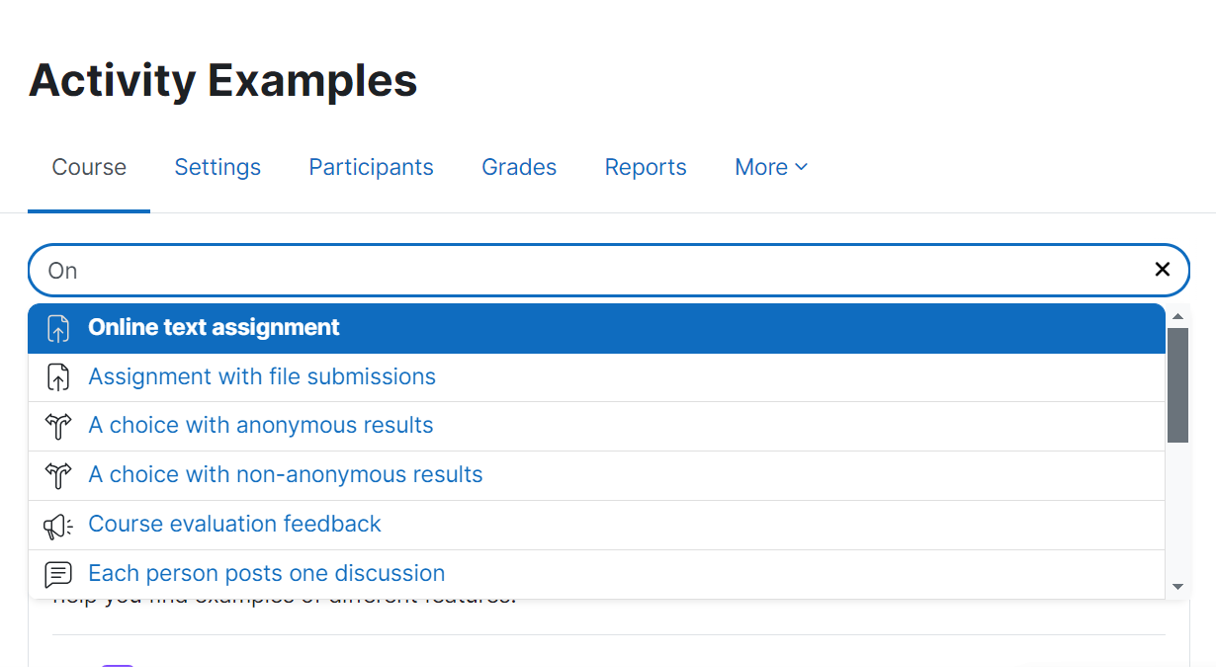
Course extra UI block allows the course creator to set up additional elements/links at the top of the course view page.
The elements include:
- Course search: allowing users to quickly find the course activities/resources using the activity name
- Course progress: displaying the course progress in percentage and optionally linking to the course completion report.
- Course total grade: displaying the course grade in percentage and linking to the user grade report
- Course intro: displaying the course intro (or any text) in the form of a modal
- News: linking to the course news forum and displaying the number of unread news (if reading is tracked)
- Complete report: linking to the complete activity report.
- Virtual room: linking to a virtual/video conference room (e.g. Zoom, Teams, Meet, etc). Course creator is to manually create the virtual room and provide the link in the block settings
- Chat room: linking to a discussion channel or forum (e.g. Telegram, Google Chat, Matrix, etc)
- Shared folder: linking to a course resource folder (e.g. Google Drive, OneDrive, Dropbox, etc)