
STREAM All-in-One Video Platform Integration
Versions
Current version
v4.1 (2025121200)
v4.1
Plugin type: Local plugins
Frankenstyle component name: local_stream
Version build number: 2025121200
Version release name: v4.1
Maturity: Stable
Supported Moodle versions: 2.7, 2.8, 2.9, 3.0, 3.1, 3.10, 3.11, 3.2, 3.3, 3.4, 3.5, 3.6, 3.7, 3.8, 3.9, 4.0, 4.1, 4.2, 4.3, 4.4, 4.5, 5.0, 5.1
Repository URL (Git): https://github.com/mattan-d/moodle-local_stream
Repository branch:
Repository tag:
Issue/bug tracker URL: https://github.com/mattan-d/moodle-local_stream/issues
Stream Integration Moodle Plugin

-brightgreen)
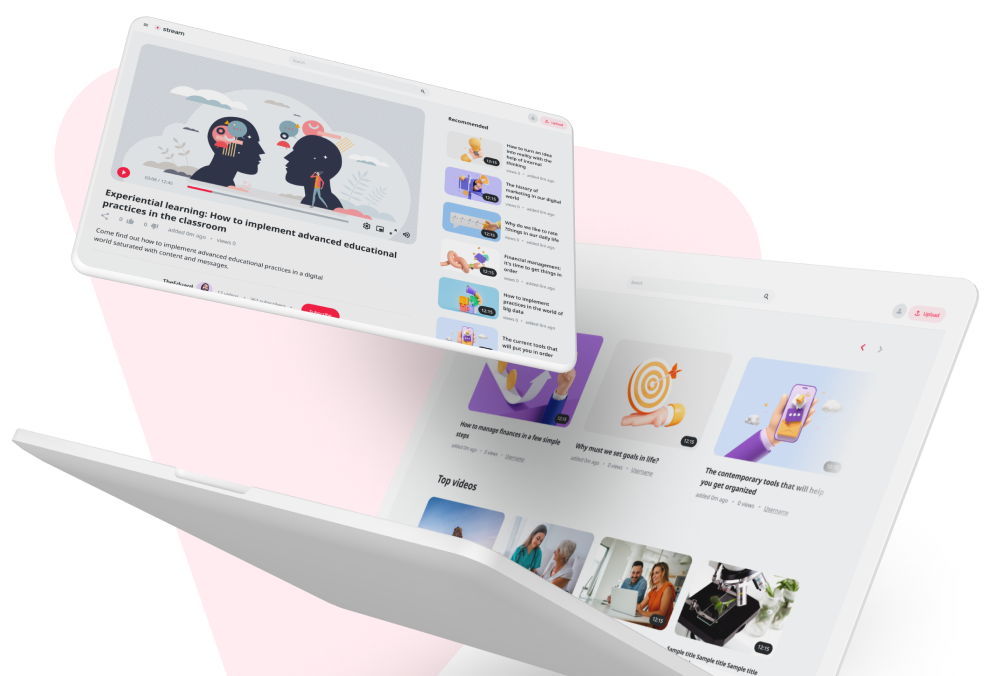
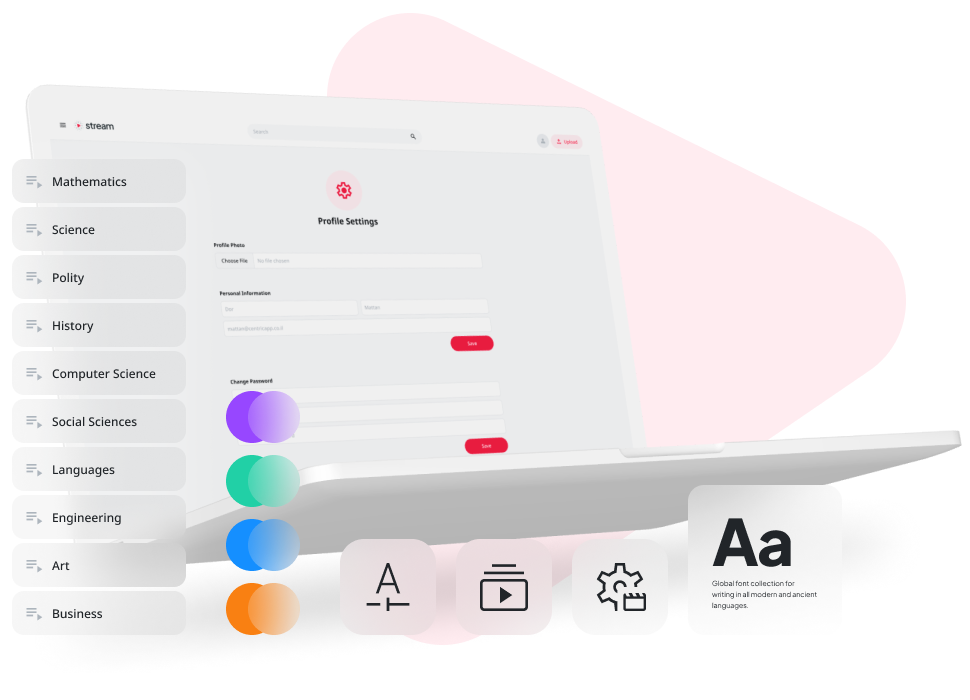
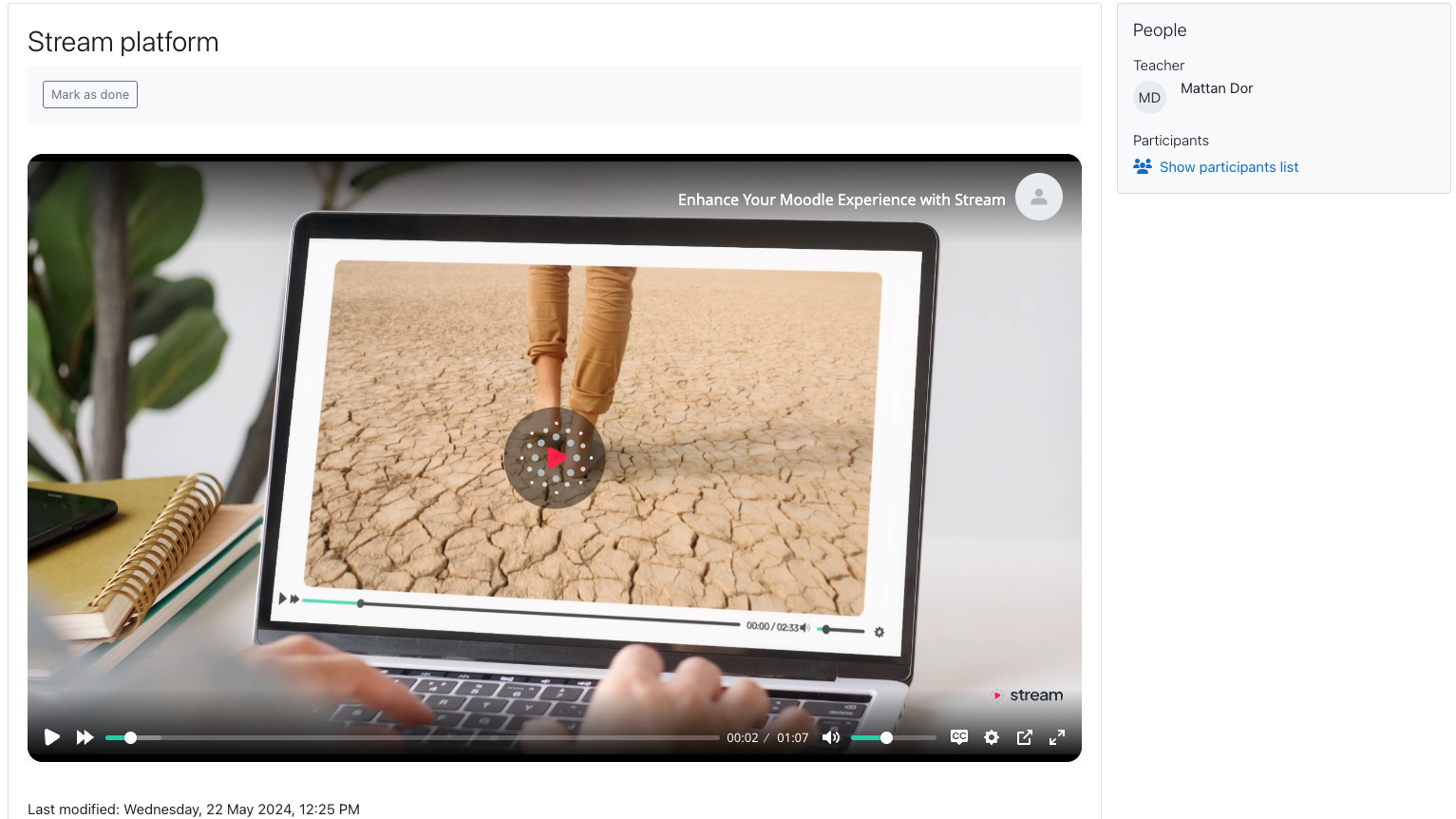
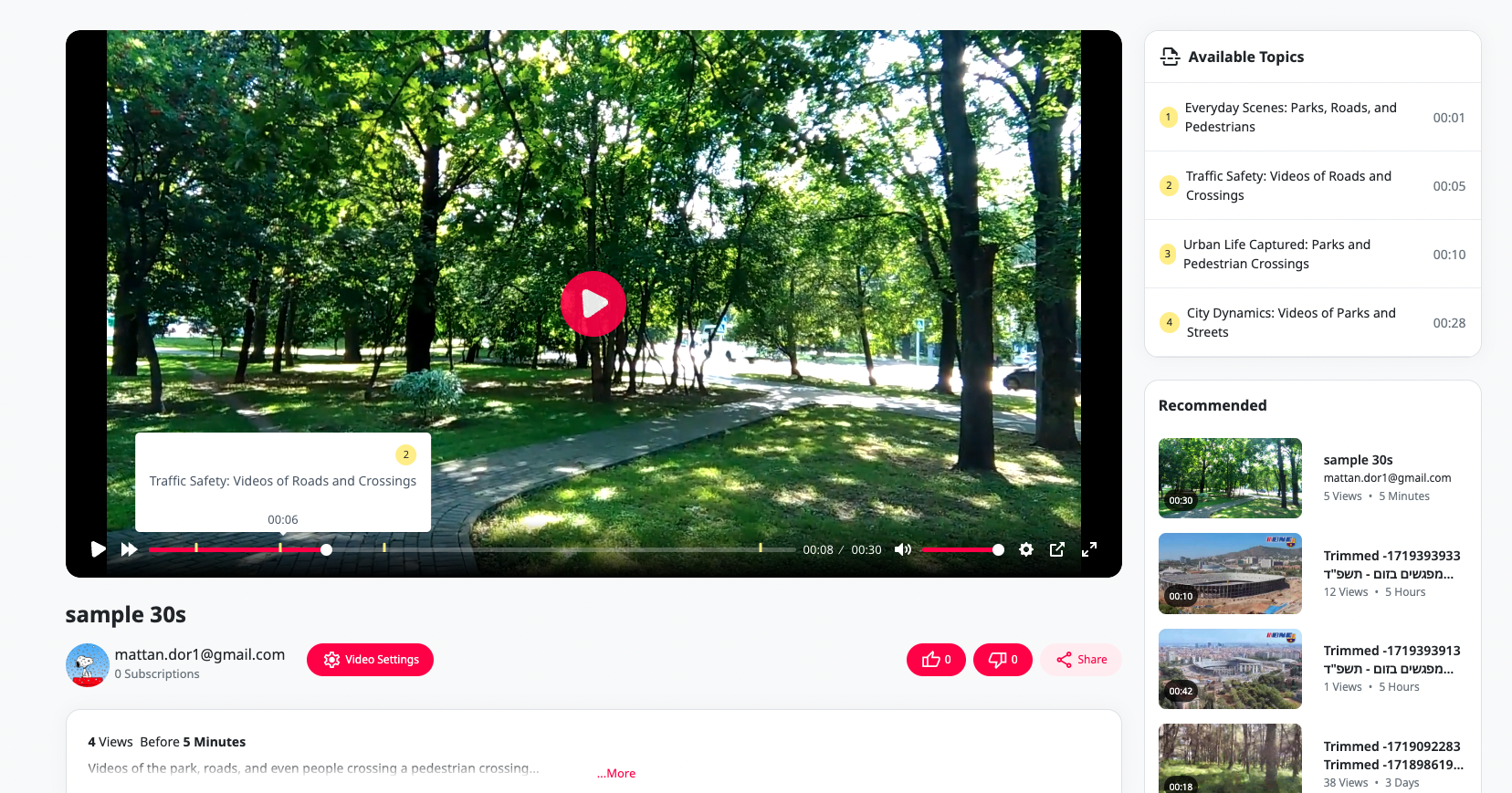
Stream Integration is a powerful Moodle plugin designed to synchronize and embed meetings from Zoom, Webex, and Teams directly into your Moodle courses. Enhance your online learning environment by seamlessly connecting with Stream, a comprehensive video platform optimized for academic use.
Features
Seamless Meeting Synchronization
- Multi-Platform Integration: Automatically sync meetings from Zoom, Webex, and Teams with your Moodle courses.
- Effortless Setup: Quick and easy configuration to start syncing meetings in no time.
Automatic Meeting Embed
- Instant Embedding: Automatically embed meeting URLs into your Moodle courses, ensuring students always have access to the latest sessions.
- Consistent Access: Ensure all meetings are readily accessible within the Moodle course environment, streamlining the learning experience.
Simplified Video Management
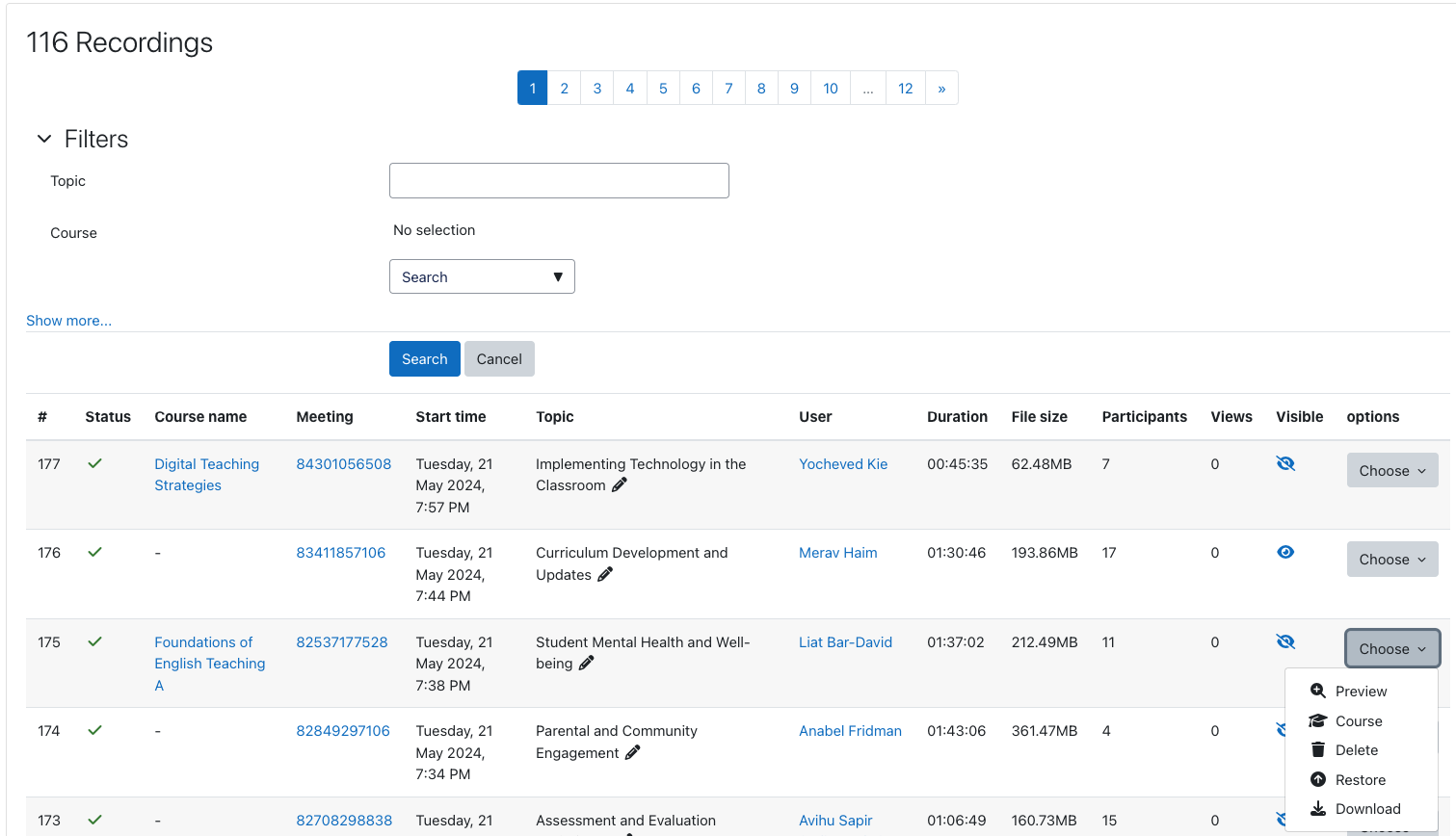
- Centralized Management: Manage all your video content from multiple platforms through a single, intuitive interface.
- User-Friendly Controls: Upload, edit, and organize your videos with ease, directly within Moodle.
Professional Editing and Transcription
- Advanced Editing Tools: Utilize professional editing features to create polished educational videos.
- Multilingual Transcription: Automatic transcription available in 98 languages, promoting inclusivity and accessibility.
Enhanced Educational Experience
- Tailored for Academia: Designed specifically for academic institutions, ensuring a smooth and intuitive user experience.
- Collaborative Tools: Facilitate collaboration and engagement through integrated communication channels and interactive features.
Customization and Branding
- Personalized Interface: Customize the plugin interface to match your institution's branding and layout preferences.
- Branded Learning Environment: Create a cohesive digital space that reflects your organization's identity.
Data-Driven Insights
- Engagement Metrics: Access real-time statistics and insights on video engagement to inform teaching strategies.
- Continuous Improvement: Utilize data-driven insights to enhance the educational experience continually.
Installation and Setup
- Download and Install: Obtain the Stream Integration plugin from the Moodle plugins directory.
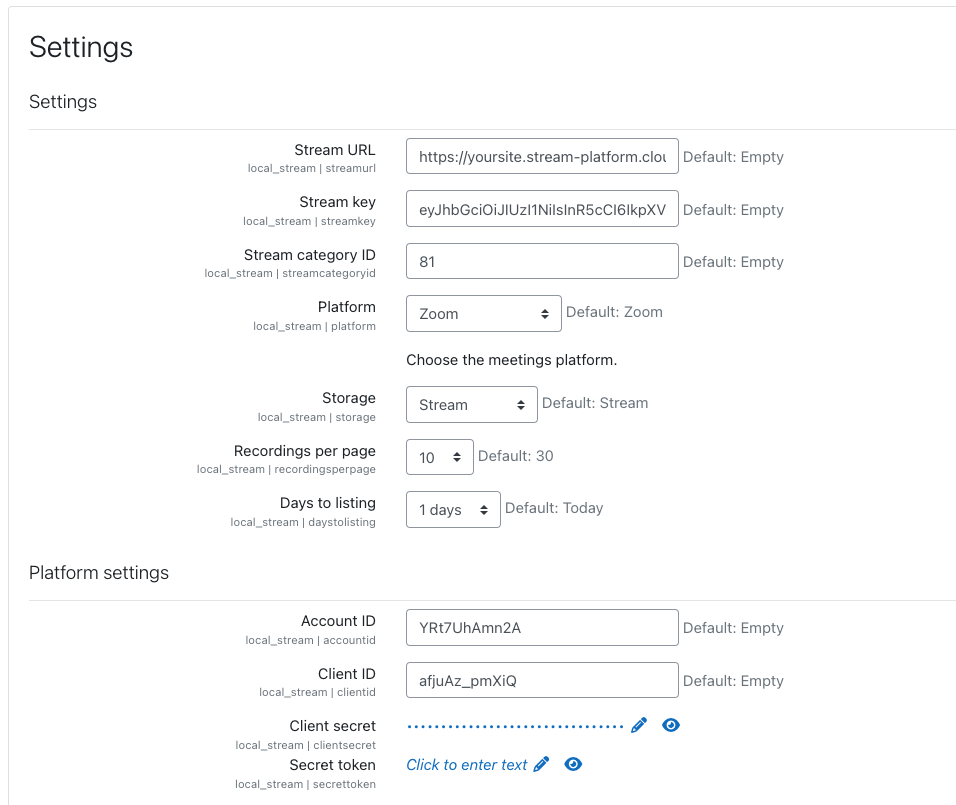
- Configuration: Follow the detailed setup guide to configure the plugin for your institution's needs.
- Connect Platforms: Link your Zoom, Webex, and Teams accounts to start syncing meetings.
- Embed and Enjoy: Meetings will automatically be embedded into your Moodle courses, ready for immediate use.
Support and Inquiries
For assistance with installation, configuration, or any other inquiries, please contact us via our contact form or email. Our dedicated team is ready to provide personalized support to ensure a smooth integration experience.
Stream Integration © 2024
Transform your Moodle environment with the Stream Integration plugin and provide an enriched, streamlined educational experience for both instructors and students.
v3.5 (2024121600)
v3.5
Plugin type: Local plugins
Frankenstyle component name: local_stream
Version build number: 2024121600
Version release name: v3.5
Maturity: Stable
Supported Moodle versions: 2.7, 2.8, 2.9, 3.0, 3.1, 3.10, 3.11, 3.2, 3.3, 3.4, 3.5, 3.6, 3.7, 3.8, 3.9, 4.0, 4.1, 4.2, 4.3, 4.4, 4.5
Repository URL (Git): https://github.com/mattan-d/moodle-local_stream
Repository branch:
Repository tag:
Issue/bug tracker URL: https://github.com/mattan-d/moodle-local_stream/issues
Stream Integration Moodle Plugin
Stream Integration is a powerful Moodle plugin designed to synchronize and embed meetings from Zoom, Webex, and Teams directly into your Moodle courses. Enhance your online learning environment by seamlessly connecting with Stream, a comprehensive video platform optimized for academic use.
Features
Seamless Meeting Synchronization
- Multi-Platform Integration: Automatically sync meetings from Zoom, Webex, and Teams with your Moodle courses.
- Effortless Setup: Quick and easy configuration to start syncing meetings in no time.
Automatic Meeting Embed
- Instant Embedding: Automatically embed meeting URLs into your Moodle courses, ensuring students always have access to the latest sessions.
- Consistent Access: Ensure all meetings are readily accessible within the Moodle course environment, streamlining the learning experience.
Simplified Video Management
- Centralized Management: Manage all your video content from multiple platforms through a single, intuitive interface.
- User-Friendly Controls: Upload, edit, and organize your videos with ease, directly within Moodle.
Professional Editing and Transcription
- Advanced Editing Tools: Utilize professional editing features to create polished educational videos.
- Multilingual Transcription: Automatic transcription available in 98 languages, promoting inclusivity and accessibility.
Enhanced Educational Experience
- Tailored for Academia: Designed specifically for academic institutions, ensuring a smooth and intuitive user experience.
- Collaborative Tools: Facilitate collaboration and engagement through integrated communication channels and interactive features.
Customization and Branding
- Personalized Interface: Customize the plugin interface to match your institution's branding and layout preferences.
- Branded Learning Environment: Create a cohesive digital space that reflects your organization's identity.
Data-Driven Insights
- Engagement Metrics: Access real-time statistics and insights on video engagement to inform teaching strategies.
- Continuous Improvement: Utilize data-driven insights to enhance the educational experience continually.
Installation and Setup
- Download and Install: Obtain the Stream Integration plugin from the Moodle plugins directory.
- Configuration: Follow the detailed setup guide to configure the plugin for your institution's needs.
- Connect Platforms: Link your Zoom, Webex, and Teams accounts to start syncing meetings.
- Embed and Enjoy: Meetings will automatically be embedded into your Moodle courses, ready for immediate use.
Support and Inquiries
For assistance with installation, configuration, or any other inquiries, please contact us via our contact form or email. Our dedicated team is ready to provide personalized support to ensure a smooth integration experience.
Stream Integration © 2024
Transform your Moodle environment with the Stream Integration plugin and provide an enriched, streamlined educational experience for both instructors and students.
v3.4 (2024120100)
v3.4
Plugin type: Local plugins
Frankenstyle component name: local_stream
Version build number: 2024120100
Version release name: v3.4
Maturity: Stable
Supported Moodle versions: 3.10, 3.11, 3.6, 3.7, 3.8, 3.9, 4.0, 4.1, 4.2, 4.3, 4.4, 4.5
Repository URL (Git): https://github.com/mattan-d/moodle-local_stream
Repository branch:
Repository tag:
Issue/bug tracker URL: https://github.com/mattan-d/moodle-local_stream/issues
Stream Integration Moodle Plugin
Stream Integration is a powerful Moodle plugin designed to synchronize and embed meetings from Zoom, Webex, and Teams directly into your Moodle courses. Enhance your online learning environment by seamlessly connecting with Stream, a comprehensive video platform optimized for academic use.
Features
Seamless Meeting Synchronization
- Multi-Platform Integration: Automatically sync meetings from Zoom, Webex, and Teams with your Moodle courses.
- Effortless Setup: Quick and easy configuration to start syncing meetings in no time.
Automatic Meeting Embed
- Instant Embedding: Automatically embed meeting URLs into your Moodle courses, ensuring students always have access to the latest sessions.
- Consistent Access: Ensure all meetings are readily accessible within the Moodle course environment, streamlining the learning experience.
Simplified Video Management
- Centralized Management: Manage all your video content from multiple platforms through a single, intuitive interface.
- User-Friendly Controls: Upload, edit, and organize your videos with ease, directly within Moodle.
Professional Editing and Transcription
- Advanced Editing Tools: Utilize professional editing features to create polished educational videos.
- Multilingual Transcription: Automatic transcription available in 98 languages, promoting inclusivity and accessibility.
Enhanced Educational Experience
- Tailored for Academia: Designed specifically for academic institutions, ensuring a smooth and intuitive user experience.
- Collaborative Tools: Facilitate collaboration and engagement through integrated communication channels and interactive features.
Customization and Branding
- Personalized Interface: Customize the plugin interface to match your institution's branding and layout preferences.
- Branded Learning Environment: Create a cohesive digital space that reflects your organization's identity.
Data-Driven Insights
- Engagement Metrics: Access real-time statistics and insights on video engagement to inform teaching strategies.
- Continuous Improvement: Utilize data-driven insights to enhance the educational experience continually.
Installation and Setup
- Download and Install: Obtain the Stream Integration plugin from the Moodle plugins directory.
- Configuration: Follow the detailed setup guide to configure the plugin for your institution's needs.
- Connect Platforms: Link your Zoom, Webex, and Teams accounts to start syncing meetings.
- Embed and Enjoy: Meetings will automatically be embedded into your Moodle courses, ready for immediate use.
Support and Inquiries
For assistance with installation, configuration, or any other inquiries, please contact us via our contact form or email. Our dedicated team is ready to provide personalized support to ensure a smooth integration experience.
Stream Integration © 2024
Transform your Moodle environment with the Stream Integration plugin and provide an enriched, streamlined educational experience for both instructors and students.
v3.3 (2024111100)
v3.3
Plugin type: Local plugins
Frankenstyle component name: local_stream
Version build number: 2024111100
Version release name: v3.3
Maturity: Stable
Supported Moodle versions: 3.10, 3.11, 3.6, 3.7, 3.8, 3.9, 4.0, 4.1, 4.2, 4.3, 4.4, 4.5
Repository URL (Git): https://github.com/mattan-d/moodle-local_stream
Repository branch:
Repository tag:
Issue/bug tracker URL: https://github.com/mattan-d/moodle-local_stream/issues
Stream Integration Moodle Plugin
Stream Integration is a powerful Moodle plugin designed to synchronize and embed meetings from Zoom, Webex, and Teams directly into your Moodle courses. Enhance your online learning environment by seamlessly connecting with Stream, a comprehensive video platform optimized for academic use.
Features
Seamless Meeting Synchronization
- Multi-Platform Integration: Automatically sync meetings from Zoom, Webex, and Teams with your Moodle courses.
- Effortless Setup: Quick and easy configuration to start syncing meetings in no time.
Automatic Meeting Embed
- Instant Embedding: Automatically embed meeting URLs into your Moodle courses, ensuring students always have access to the latest sessions.
- Consistent Access: Ensure all meetings are readily accessible within the Moodle course environment, streamlining the learning experience.
Simplified Video Management
- Centralized Management: Manage all your video content from multiple platforms through a single, intuitive interface.
- User-Friendly Controls: Upload, edit, and organize your videos with ease, directly within Moodle.
Professional Editing and Transcription
- Advanced Editing Tools: Utilize professional editing features to create polished educational videos.
- Multilingual Transcription: Automatic transcription available in 98 languages, promoting inclusivity and accessibility.
Enhanced Educational Experience
- Tailored for Academia: Designed specifically for academic institutions, ensuring a smooth and intuitive user experience.
- Collaborative Tools: Facilitate collaboration and engagement through integrated communication channels and interactive features.
Customization and Branding
- Personalized Interface: Customize the plugin interface to match your institution's branding and layout preferences.
- Branded Learning Environment: Create a cohesive digital space that reflects your organization's identity.
Data-Driven Insights
- Engagement Metrics: Access real-time statistics and insights on video engagement to inform teaching strategies.
- Continuous Improvement: Utilize data-driven insights to enhance the educational experience continually.
Installation and Setup
- Download and Install: Obtain the Stream Integration plugin from the Moodle plugins directory.
- Configuration: Follow the detailed setup guide to configure the plugin for your institution's needs.
- Connect Platforms: Link your Zoom, Webex, and Teams accounts to start syncing meetings.
- Embed and Enjoy: Meetings will automatically be embedded into your Moodle courses, ready for immediate use.
Support and Inquiries
For assistance with installation, configuration, or any other inquiries, please contact us via our contact form or email. Our dedicated team is ready to provide personalized support to ensure a smooth integration experience.
Stream Integration © 2024
Transform your Moodle environment with the Stream Integration plugin and provide an enriched, streamlined educational experience for both instructors and students.
v3.2 (2024111000)
v3.2
Plugin type: Local plugins
Frankenstyle component name: local_stream
Version build number: 2024111000
Version release name: v3.2
Maturity: Stable
Supported Moodle versions: 3.10, 3.11, 3.6, 3.7, 3.8, 3.9, 4.0, 4.1, 4.2, 4.3, 4.4, 4.5
Repository URL (Git): https://github.com/mattan-d/moodle-local_stream
Repository branch:
Repository tag:
Issue/bug tracker URL: https://github.com/mattan-d/moodle-local_stream/issues
Stream Integration Moodle Plugin
Stream Integration is a powerful Moodle plugin designed to synchronize and embed meetings from Zoom, Webex, and Teams directly into your Moodle courses. Enhance your online learning environment by seamlessly connecting with Stream, a comprehensive video platform optimized for academic use.
Features
Seamless Meeting Synchronization
- Multi-Platform Integration: Automatically sync meetings from Zoom, Webex, and Teams with your Moodle courses.
- Effortless Setup: Quick and easy configuration to start syncing meetings in no time.
Automatic Meeting Embed
- Instant Embedding: Automatically embed meeting URLs into your Moodle courses, ensuring students always have access to the latest sessions.
- Consistent Access: Ensure all meetings are readily accessible within the Moodle course environment, streamlining the learning experience.
Simplified Video Management
- Centralized Management: Manage all your video content from multiple platforms through a single, intuitive interface.
- User-Friendly Controls: Upload, edit, and organize your videos with ease, directly within Moodle.
Professional Editing and Transcription
- Advanced Editing Tools: Utilize professional editing features to create polished educational videos.
- Multilingual Transcription: Automatic transcription available in 98 languages, promoting inclusivity and accessibility.
Enhanced Educational Experience
- Tailored for Academia: Designed specifically for academic institutions, ensuring a smooth and intuitive user experience.
- Collaborative Tools: Facilitate collaboration and engagement through integrated communication channels and interactive features.
Customization and Branding
- Personalized Interface: Customize the plugin interface to match your institution's branding and layout preferences.
- Branded Learning Environment: Create a cohesive digital space that reflects your organization's identity.
Data-Driven Insights
- Engagement Metrics: Access real-time statistics and insights on video engagement to inform teaching strategies.
- Continuous Improvement: Utilize data-driven insights to enhance the educational experience continually.
Installation and Setup
- Download and Install: Obtain the Stream Integration plugin from the Moodle plugins directory.
- Configuration: Follow the detailed setup guide to configure the plugin for your institution's needs.
- Connect Platforms: Link your Zoom, Webex, and Teams accounts to start syncing meetings.
- Embed and Enjoy: Meetings will automatically be embedded into your Moodle courses, ready for immediate use.
Support and Inquiries
For assistance with installation, configuration, or any other inquiries, please contact us via our contact form or email. Our dedicated team is ready to provide personalized support to ensure a smooth integration experience.
Stream Integration © 2024
Transform your Moodle environment with the Stream Integration plugin and provide an enriched, streamlined educational experience for both instructors and students.
v3.1 (2024110600)
v3.1
Plugin type: Local plugins
Frankenstyle component name: local_stream
Version build number: 2024110600
Version release name: v3.1
Maturity: Stable
Supported Moodle versions: 3.10, 3.11, 3.6, 3.7, 3.8, 3.9, 4.0, 4.1, 4.2, 4.3, 4.4, 4.5
Repository URL (Git): https://github.com/mattan-d/moodle-local_stream
Repository branch:
Repository tag:
Issue/bug tracker URL: https://github.com/mattan-d/moodle-local_stream/issues
Stream Integration Moodle Plugin
Stream Integration is a powerful Moodle plugin designed to synchronize and embed meetings from Zoom, Webex, and Teams directly into your Moodle courses. Enhance your online learning environment by seamlessly connecting with Stream, a comprehensive video platform optimized for academic use.
Features
Seamless Meeting Synchronization
- Multi-Platform Integration: Automatically sync meetings from Zoom, Webex, and Teams with your Moodle courses.
- Effortless Setup: Quick and easy configuration to start syncing meetings in no time.
Automatic Meeting Embed
- Instant Embedding: Automatically embed meeting URLs into your Moodle courses, ensuring students always have access to the latest sessions.
- Consistent Access: Ensure all meetings are readily accessible within the Moodle course environment, streamlining the learning experience.
Simplified Video Management
- Centralized Management: Manage all your video content from multiple platforms through a single, intuitive interface.
- User-Friendly Controls: Upload, edit, and organize your videos with ease, directly within Moodle.
Professional Editing and Transcription
- Advanced Editing Tools: Utilize professional editing features to create polished educational videos.
- Multilingual Transcription: Automatic transcription available in 98 languages, promoting inclusivity and accessibility.
Enhanced Educational Experience
- Tailored for Academia: Designed specifically for academic institutions, ensuring a smooth and intuitive user experience.
- Collaborative Tools: Facilitate collaboration and engagement through integrated communication channels and interactive features.
Customization and Branding
- Personalized Interface: Customize the plugin interface to match your institution's branding and layout preferences.
- Branded Learning Environment: Create a cohesive digital space that reflects your organization's identity.
Data-Driven Insights
- Engagement Metrics: Access real-time statistics and insights on video engagement to inform teaching strategies.
- Continuous Improvement: Utilize data-driven insights to enhance the educational experience continually.
Installation and Setup
- Download and Install: Obtain the Stream Integration plugin from the Moodle plugins directory.
- Configuration: Follow the detailed setup guide to configure the plugin for your institution's needs.
- Connect Platforms: Link your Zoom, Webex, and Teams accounts to start syncing meetings.
- Embed and Enjoy: Meetings will automatically be embedded into your Moodle courses, ready for immediate use.
Support and Inquiries
For assistance with installation, configuration, or any other inquiries, please contact us via our contact form or email. Our dedicated team is ready to provide personalized support to ensure a smooth integration experience.
Stream Integration © 2024
Transform your Moodle environment with the Stream Integration plugin and provide an enriched, streamlined educational experience for both instructors and students.
v2.8 (2024110100)
v2.8
Plugin type: Local plugins
Frankenstyle component name: local_stream
Version build number: 2024110100
Version release name: v2.8
Maturity: Stable
Supported Moodle versions: 3.10, 3.11, 3.6, 3.7, 3.8, 3.9, 4.0, 4.1, 4.2, 4.3, 4.4, 4.5
Repository URL (Git): https://github.com/mattan-d/moodle-local_stream
Repository branch:
Repository tag:
Issue/bug tracker URL: https://github.com/mattan-d/moodle-local_stream/issues
Stream Integration Moodle Plugin
Stream Integration is a powerful Moodle plugin designed to synchronize and embed meetings from Zoom, Webex, and Teams directly into your Moodle courses. Enhance your online learning environment by seamlessly connecting with Stream, a comprehensive video platform optimized for academic use.
Features
Seamless Meeting Synchronization
- Multi-Platform Integration: Automatically sync meetings from Zoom, Webex, and Teams with your Moodle courses.
- Effortless Setup: Quick and easy configuration to start syncing meetings in no time.
Automatic Meeting Embed
- Instant Embedding: Automatically embed meeting URLs into your Moodle courses, ensuring students always have access to the latest sessions.
- Consistent Access: Ensure all meetings are readily accessible within the Moodle course environment, streamlining the learning experience.
Simplified Video Management
- Centralized Management: Manage all your video content from multiple platforms through a single, intuitive interface.
- User-Friendly Controls: Upload, edit, and organize your videos with ease, directly within Moodle.
Professional Editing and Transcription
- Advanced Editing Tools: Utilize professional editing features to create polished educational videos.
- Multilingual Transcription: Automatic transcription available in 98 languages, promoting inclusivity and accessibility.
Enhanced Educational Experience
- Tailored for Academia: Designed specifically for academic institutions, ensuring a smooth and intuitive user experience.
- Collaborative Tools: Facilitate collaboration and engagement through integrated communication channels and interactive features.
Customization and Branding
- Personalized Interface: Customize the plugin interface to match your institution's branding and layout preferences.
- Branded Learning Environment: Create a cohesive digital space that reflects your organization's identity.
Data-Driven Insights
- Engagement Metrics: Access real-time statistics and insights on video engagement to inform teaching strategies.
- Continuous Improvement: Utilize data-driven insights to enhance the educational experience continually.
Installation and Setup
- Download and Install: Obtain the Stream Integration plugin from the Moodle plugins directory.
- Configuration: Follow the detailed setup guide to configure the plugin for your institution's needs.
- Connect Platforms: Link your Zoom, Webex, and Teams accounts to start syncing meetings.
- Embed and Enjoy: Meetings will automatically be embedded into your Moodle courses, ready for immediate use.
Support and Inquiries
For assistance with installation, configuration, or any other inquiries, please contact us via our contact form or email. Our dedicated team is ready to provide personalized support to ensure a smooth integration experience.
Stream Integration © 2024
Transform your Moodle environment with the Stream Integration plugin and provide an enriched, streamlined educational experience for both instructors and students.
v2.8 (2024102900)
v2.8
Plugin type: Local plugins
Frankenstyle component name: local_stream
Version build number: 2024102900
Version release name: v2.8
Maturity: Stable
Supported Moodle versions: 2.7, 2.8, 2.9, 3.0, 3.1, 3.10, 3.11, 3.2, 3.3, 3.4, 3.5, 3.6, 3.7, 3.8, 3.9, 4.0, 4.1, 4.2, 4.3, 4.4, 4.5
Repository URL (Git): https://github.com/mattan-d/moodle-local_stream
Repository branch:
Repository tag:
Issue/bug tracker URL: https://github.com/mattan-d/moodle-local_stream/issues
Stream Integration Moodle Plugin
Stream Integration is a powerful Moodle plugin designed to synchronize and embed meetings from Zoom, Webex, and Teams directly into your Moodle courses. Enhance your online learning environment by seamlessly connecting with Stream, a comprehensive video platform optimized for academic use.
Features
Seamless Meeting Synchronization
- Multi-Platform Integration: Automatically sync meetings from Zoom, Webex, and Teams with your Moodle courses.
- Effortless Setup: Quick and easy configuration to start syncing meetings in no time.
Automatic Meeting Embed
- Instant Embedding: Automatically embed meeting URLs into your Moodle courses, ensuring students always have access to the latest sessions.
- Consistent Access: Ensure all meetings are readily accessible within the Moodle course environment, streamlining the learning experience.
Simplified Video Management
- Centralized Management: Manage all your video content from multiple platforms through a single, intuitive interface.
- User-Friendly Controls: Upload, edit, and organize your videos with ease, directly within Moodle.
Professional Editing and Transcription
- Advanced Editing Tools: Utilize professional editing features to create polished educational videos.
- Multilingual Transcription: Automatic transcription available in 98 languages, promoting inclusivity and accessibility.
Enhanced Educational Experience
- Tailored for Academia: Designed specifically for academic institutions, ensuring a smooth and intuitive user experience.
- Collaborative Tools: Facilitate collaboration and engagement through integrated communication channels and interactive features.
Customization and Branding
- Personalized Interface: Customize the plugin interface to match your institution's branding and layout preferences.
- Branded Learning Environment: Create a cohesive digital space that reflects your organization's identity.
Data-Driven Insights
- Engagement Metrics: Access real-time statistics and insights on video engagement to inform teaching strategies.
- Continuous Improvement: Utilize data-driven insights to enhance the educational experience continually.
Installation and Setup
- Download and Install: Obtain the Stream Integration plugin from the Moodle plugins directory.
- Configuration: Follow the detailed setup guide to configure the plugin for your institution's needs.
- Connect Platforms: Link your Zoom, Webex, and Teams accounts to start syncing meetings.
- Embed and Enjoy: Meetings will automatically be embedded into your Moodle courses, ready for immediate use.
Support and Inquiries
For assistance with installation, configuration, or any other inquiries, please contact us via our contact form or email. Our dedicated team is ready to provide personalized support to ensure a smooth integration experience.
Stream Integration © 2024
Transform your Moodle environment with the Stream Integration plugin and provide an enriched, streamlined educational experience for both instructors and students.
v2.6 (2024101500)
v2.6
Plugin type: Local plugins
Frankenstyle component name: local_stream
Version build number: 2024101500
Version release name: v2.6
Maturity: Stable
Supported Moodle versions: 2.7, 2.8, 2.9, 3.0, 3.1, 3.10, 3.11, 3.2, 3.3, 3.4, 3.5, 3.6, 3.7, 3.8, 3.9, 4.0, 4.1, 4.2, 4.3, 4.4, 4.5
Repository URL (Git): https://github.com/mattan-d/moodle-local_stream
Repository branch:
Repository tag:
Issue/bug tracker URL: https://github.com/mattan-d/moodle-local_stream/issues
Stream Integration Moodle Plugin
Stream Integration is a powerful Moodle plugin designed to synchronize and embed meetings from Zoom, Webex, and Teams directly into your Moodle courses. Enhance your online learning environment by seamlessly connecting with Stream, a comprehensive video platform optimized for academic use.
Features
Seamless Meeting Synchronization
- Multi-Platform Integration: Automatically sync meetings from Zoom, Webex, and Teams with your Moodle courses.
- Effortless Setup: Quick and easy configuration to start syncing meetings in no time.
Automatic Meeting Embed
- Instant Embedding: Automatically embed meeting URLs into your Moodle courses, ensuring students always have access to the latest sessions.
- Consistent Access: Ensure all meetings are readily accessible within the Moodle course environment, streamlining the learning experience.
Simplified Video Management
- Centralized Management: Manage all your video content from multiple platforms through a single, intuitive interface.
- User-Friendly Controls: Upload, edit, and organize your videos with ease, directly within Moodle.
Professional Editing and Transcription
- Advanced Editing Tools: Utilize professional editing features to create polished educational videos.
- Multilingual Transcription: Automatic transcription available in 98 languages, promoting inclusivity and accessibility.
Enhanced Educational Experience
- Tailored for Academia: Designed specifically for academic institutions, ensuring a smooth and intuitive user experience.
- Collaborative Tools: Facilitate collaboration and engagement through integrated communication channels and interactive features.
Customization and Branding
- Personalized Interface: Customize the plugin interface to match your institution's branding and layout preferences.
- Branded Learning Environment: Create a cohesive digital space that reflects your organization's identity.
Data-Driven Insights
- Engagement Metrics: Access real-time statistics and insights on video engagement to inform teaching strategies.
- Continuous Improvement: Utilize data-driven insights to enhance the educational experience continually.
Installation and Setup
- Download and Install: Obtain the Stream Integration plugin from the Moodle plugins directory.
- Configuration: Follow the detailed setup guide to configure the plugin for your institution's needs.
- Connect Platforms: Link your Zoom, Webex, and Teams accounts to start syncing meetings.
- Embed and Enjoy: Meetings will automatically be embedded into your Moodle courses, ready for immediate use.
Support and Inquiries
For assistance with installation, configuration, or any other inquiries, please contact us via our contact form or email. Our dedicated team is ready to provide personalized support to ensure a smooth integration experience.
Stream Integration © 2024
Transform your Moodle environment with the Stream Integration plugin and provide an enriched, streamlined educational experience for both instructors and students.
v2.5 (2024091800)
v2.5
Plugin type: Local plugins
Frankenstyle component name: local_stream
Version build number: 2024091800
Version release name: v2.5
Maturity: Stable
Supported Moodle versions: 3.10, 3.11, 3.6, 3.7, 3.8, 3.9, 4.0, 4.1, 4.2, 4.3, 4.4
Repository URL (Git): https://github.com/mattan-d/moodle-local_stream
Repository branch:
Repository tag:
Issue/bug tracker URL: https://github.com/mattan-d/moodle-local_stream/issues
Stream Integration Moodle Plugin
Stream Integration is a powerful Moodle plugin designed to synchronize and embed meetings from Zoom, Webex, and Teams directly into your Moodle courses. Enhance your online learning environment by seamlessly connecting with Stream, a comprehensive video platform optimized for academic use.
Features
Seamless Meeting Synchronization
- Multi-Platform Integration: Automatically sync meetings from Zoom, Webex, and Teams with your Moodle courses.
- Effortless Setup: Quick and easy configuration to start syncing meetings in no time.
Automatic Meeting Embed
- Instant Embedding: Automatically embed meeting URLs into your Moodle courses, ensuring students always have access to the latest sessions.
- Consistent Access: Ensure all meetings are readily accessible within the Moodle course environment, streamlining the learning experience.
Simplified Video Management
- Centralized Management: Manage all your video content from multiple platforms through a single, intuitive interface.
- User-Friendly Controls: Upload, edit, and organize your videos with ease, directly within Moodle.
Professional Editing and Transcription
- Advanced Editing Tools: Utilize professional editing features to create polished educational videos.
- Multilingual Transcription: Automatic transcription available in 98 languages, promoting inclusivity and accessibility.
Enhanced Educational Experience
- Tailored for Academia: Designed specifically for academic institutions, ensuring a smooth and intuitive user experience.
- Collaborative Tools: Facilitate collaboration and engagement through integrated communication channels and interactive features.
Customization and Branding
- Personalized Interface: Customize the plugin interface to match your institution's branding and layout preferences.
- Branded Learning Environment: Create a cohesive digital space that reflects your organization's identity.
Data-Driven Insights
- Engagement Metrics: Access real-time statistics and insights on video engagement to inform teaching strategies.
- Continuous Improvement: Utilize data-driven insights to enhance the educational experience continually.
Installation and Setup
- Download and Install: Obtain the Stream Integration plugin from the Moodle plugins directory.
- Configuration: Follow the detailed setup guide to configure the plugin for your institution's needs.
- Connect Platforms: Link your Zoom, Webex, and Teams accounts to start syncing meetings.
- Embed and Enjoy: Meetings will automatically be embedded into your Moodle courses, ready for immediate use.
Support and Inquiries
For assistance with installation, configuration, or any other inquiries, please contact us via our contact form or email. Our dedicated team is ready to provide personalized support to ensure a smooth integration experience.
Stream Integration © 2024
Transform your Moodle environment with the Stream Integration plugin and provide an enriched, streamlined educational experience for both instructors and students.
v2.2 (2024082800)
v2.2
Plugin type: Local plugins
Frankenstyle component name: local_stream
Version build number: 2024082800
Version release name: v2.2
Maturity: Stable
Supported Moodle versions: 3.10, 3.11, 3.6, 3.7, 3.8, 3.9, 4.0, 4.1, 4.2, 4.3, 4.4
Repository URL (Git): https://github.com/mattan-d/moodle-local_stream
Repository branch:
Repository tag:
Issue/bug tracker URL: https://github.com/mattan-d/moodle-local_stream/issues
Stream Integration Moodle Plugin
Stream Integration is a powerful Moodle plugin designed to synchronize and embed meetings from Zoom, Webex, and Teams directly into your Moodle courses. Enhance your online learning environment by seamlessly connecting with Stream, a comprehensive video platform optimized for academic use.
Features
Seamless Meeting Synchronization
- Multi-Platform Integration: Automatically sync meetings from Zoom, Webex, and Teams with your Moodle courses.
- Effortless Setup: Quick and easy configuration to start syncing meetings in no time.
Automatic Meeting Embed
- Instant Embedding: Automatically embed meeting URLs into your Moodle courses, ensuring students always have access to the latest sessions.
- Consistent Access: Ensure all meetings are readily accessible within the Moodle course environment, streamlining the learning experience.
Simplified Video Management
- Centralized Management: Manage all your video content from multiple platforms through a single, intuitive interface.
- User-Friendly Controls: Upload, edit, and organize your videos with ease, directly within Moodle.
Professional Editing and Transcription
- Advanced Editing Tools: Utilize professional editing features to create polished educational videos.
- Multilingual Transcription: Automatic transcription available in 98 languages, promoting inclusivity and accessibility.
Enhanced Educational Experience
- Tailored for Academia: Designed specifically for academic institutions, ensuring a smooth and intuitive user experience.
- Collaborative Tools: Facilitate collaboration and engagement through integrated communication channels and interactive features.
Customization and Branding
- Personalized Interface: Customize the plugin interface to match your institution's branding and layout preferences.
- Branded Learning Environment: Create a cohesive digital space that reflects your organization's identity.
Data-Driven Insights
- Engagement Metrics: Access real-time statistics and insights on video engagement to inform teaching strategies.
- Continuous Improvement: Utilize data-driven insights to enhance the educational experience continually.
Installation and Setup
- Download and Install: Obtain the Stream Integration plugin from the Moodle plugins directory.
- Configuration: Follow the detailed setup guide to configure the plugin for your institution's needs.
- Connect Platforms: Link your Zoom, Webex, and Teams accounts to start syncing meetings.
- Embed and Enjoy: Meetings will automatically be embedded into your Moodle courses, ready for immediate use.
Support and Inquiries
For assistance with installation, configuration, or any other inquiries, please contact us via our contact form or email. Our dedicated team is ready to provide personalized support to ensure a smooth integration experience.
Stream Integration © 2024
Transform your Moodle environment with the Stream Integration plugin and provide an enriched, streamlined educational experience for both instructors and students.
v2.0 (2024062600)
v2.0
Plugin type: Local plugins
Frankenstyle component name: local_stream
Version build number: 2024062600
Version release name: v2.0
Maturity: Stable
Supported Moodle versions: 3.10, 3.11, 3.6, 3.7, 3.8, 3.9, 4.0, 4.1, 4.2, 4.3, 4.4
Repository URL (Git): https://github.com/mattan-d/moodle-local_stream
Repository branch:
Repository tag:
Issue/bug tracker URL: https://github.com/mattan-d/moodle-local_stream/issues
Stream Integration Moodle Plugin
Stream Integration is a powerful Moodle plugin designed to synchronize and embed meetings from Zoom, Webex, and Teams directly into your Moodle courses. Enhance your online learning environment by seamlessly connecting with Stream, a comprehensive video platform optimized for academic use.
Features
Seamless Meeting Synchronization
- Multi-Platform Integration: Automatically sync meetings from Zoom, Webex, and Teams with your Moodle courses.
- Effortless Setup: Quick and easy configuration to start syncing meetings in no time.
Automatic Meeting Embed
- Instant Embedding: Automatically embed meeting URLs into your Moodle courses, ensuring students always have access to the latest sessions.
- Consistent Access: Ensure all meetings are readily accessible within the Moodle course environment, streamlining the learning experience.
Simplified Video Management
- Centralized Management: Manage all your video content from multiple platforms through a single, intuitive interface.
- User-Friendly Controls: Upload, edit, and organize your videos with ease, directly within Moodle.
Professional Editing and Transcription
- Advanced Editing Tools: Utilize professional editing features to create polished educational videos.
- Multilingual Transcription: Automatic transcription available in 98 languages, promoting inclusivity and accessibility.
Enhanced Educational Experience
- Tailored for Academia: Designed specifically for academic institutions, ensuring a smooth and intuitive user experience.
- Collaborative Tools: Facilitate collaboration and engagement through integrated communication channels and interactive features.
Customization and Branding
- Personalized Interface: Customize the plugin interface to match your institution's branding and layout preferences.
- Branded Learning Environment: Create a cohesive digital space that reflects your organization's identity.
Data-Driven Insights
- Engagement Metrics: Access real-time statistics and insights on video engagement to inform teaching strategies.
- Continuous Improvement: Utilize data-driven insights to enhance the educational experience continually.
Installation and Setup
- Download and Install: Obtain the Stream Integration plugin from the Moodle plugins directory.
- Configuration: Follow the detailed setup guide to configure the plugin for your institution's needs.
- Connect Platforms: Link your Zoom, Webex, and Teams accounts to start syncing meetings.
- Embed and Enjoy: Meetings will automatically be embedded into your Moodle courses, ready for immediate use.
Support and Inquiries
For assistance with installation, configuration, or any other inquiries, please contact us via our contact form or email. Our dedicated team is ready to provide personalized support to ensure a smooth integration experience.
Stream Integration © 2024
Transform your Moodle environment with the Stream Integration plugin and provide an enriched, streamlined educational experience for both instructors and students.
v1.9 (2024062400)
v1.9
Plugin type: Local plugins
Frankenstyle component name: local_stream
Version build number: 2024062400
Version release name: v1.9
Maturity: Stable
Supported Moodle versions: 3.10, 3.11, 3.6, 3.7, 3.8, 3.9, 4.0, 4.1, 4.2, 4.3, 4.4
Repository URL (Git): https://github.com/mattan-d/moodle-local_stream
Repository branch:
Repository tag:
Issue/bug tracker URL: https://github.com/mattan-d/moodle-local_stream/issues
Stream Integration Moodle Plugin
Stream Integration is a powerful Moodle plugin designed to synchronize and embed meetings from Zoom, Webex, and Teams directly into your Moodle courses. Enhance your online learning environment by seamlessly connecting with Stream, a comprehensive video platform optimized for academic use.
Features
Seamless Meeting Synchronization
- Multi-Platform Integration: Automatically sync meetings from Zoom, Webex, and Teams with your Moodle courses.
- Effortless Setup: Quick and easy configuration to start syncing meetings in no time.
Automatic Meeting Embed
- Instant Embedding: Automatically embed meeting URLs into your Moodle courses, ensuring students always have access to the latest sessions.
- Consistent Access: Ensure all meetings are readily accessible within the Moodle course environment, streamlining the learning experience.
Simplified Video Management
- Centralized Management: Manage all your video content from multiple platforms through a single, intuitive interface.
- User-Friendly Controls: Upload, edit, and organize your videos with ease, directly within Moodle.
Professional Editing and Transcription
- Advanced Editing Tools: Utilize professional editing features to create polished educational videos.
- Multilingual Transcription: Automatic transcription available in 98 languages, promoting inclusivity and accessibility.
Enhanced Educational Experience
- Tailored for Academia: Designed specifically for academic institutions, ensuring a smooth and intuitive user experience.
- Collaborative Tools: Facilitate collaboration and engagement through integrated communication channels and interactive features.
Customization and Branding
- Personalized Interface: Customize the plugin interface to match your institution's branding and layout preferences.
- Branded Learning Environment: Create a cohesive digital space that reflects your organization's identity.
Data-Driven Insights
- Engagement Metrics: Access real-time statistics and insights on video engagement to inform teaching strategies.
- Continuous Improvement: Utilize data-driven insights to enhance the educational experience continually.
Installation and Setup
- Download and Install: Obtain the Stream Integration plugin from the Moodle plugins directory.
- Configuration: Follow the detailed setup guide to configure the plugin for your institution's needs.
- Connect Platforms: Link your Zoom, Webex, and Teams accounts to start syncing meetings.
- Embed and Enjoy: Meetings will automatically be embedded into your Moodle courses, ready for immediate use.
Support and Inquiries
For assistance with installation, configuration, or any other inquiries, please contact us via our contact form or email. Our dedicated team is ready to provide personalized support to ensure a smooth integration experience.
Stream Integration © 2024
Transform your Moodle environment with the Stream Integration plugin and provide an enriched, streamlined educational experience for both instructors and students.
v1.8 (2024062300)
v1.8
Plugin type: Local plugins
Frankenstyle component name: local_stream
Version build number: 2024062300
Version release name: v1.8
Maturity: Stable
Supported Moodle versions: 3.10, 3.11, 3.6, 3.7, 3.8, 3.9, 4.0, 4.1, 4.2, 4.3, 4.4
Repository URL (Git): https://github.com/mattan-d/moodle-local_stream
Repository branch:
Repository tag:
Issue/bug tracker URL: https://github.com/mattan-d/moodle-local_stream/issues
Stream Integration Moodle Plugin
Stream Integration is a powerful Moodle plugin designed to synchronize and embed meetings from Zoom, Webex, and Teams directly into your Moodle courses. Enhance your online learning environment by seamlessly connecting with Stream, a comprehensive video platform optimized for academic use.
Features
Seamless Meeting Synchronization
- Multi-Platform Integration: Automatically sync meetings from Zoom, Webex, and Teams with your Moodle courses.
- Effortless Setup: Quick and easy configuration to start syncing meetings in no time.
Automatic Meeting Embed
- Instant Embedding: Automatically embed meeting URLs into your Moodle courses, ensuring students always have access to the latest sessions.
- Consistent Access: Ensure all meetings are readily accessible within the Moodle course environment, streamlining the learning experience.
Simplified Video Management
- Centralized Management: Manage all your video content from multiple platforms through a single, intuitive interface.
- User-Friendly Controls: Upload, edit, and organize your videos with ease, directly within Moodle.
Professional Editing and Transcription
- Advanced Editing Tools: Utilize professional editing features to create polished educational videos.
- Multilingual Transcription: Automatic transcription available in 98 languages, promoting inclusivity and accessibility.
Enhanced Educational Experience
- Tailored for Academia: Designed specifically for academic institutions, ensuring a smooth and intuitive user experience.
- Collaborative Tools: Facilitate collaboration and engagement through integrated communication channels and interactive features.
Customization and Branding
- Personalized Interface: Customize the plugin interface to match your institution's branding and layout preferences.
- Branded Learning Environment: Create a cohesive digital space that reflects your organization's identity.
Data-Driven Insights
- Engagement Metrics: Access real-time statistics and insights on video engagement to inform teaching strategies.
- Continuous Improvement: Utilize data-driven insights to enhance the educational experience continually.
Installation and Setup
- Download and Install: Obtain the Stream Integration plugin from the Moodle plugins directory.
- Configuration: Follow the detailed setup guide to configure the plugin for your institution's needs.
- Connect Platforms: Link your Zoom, Webex, and Teams accounts to start syncing meetings.
- Embed and Enjoy: Meetings will automatically be embedded into your Moodle courses, ready for immediate use.
Support and Inquiries
For assistance with installation, configuration, or any other inquiries, please contact us via our contact form or email. Our dedicated team is ready to provide personalized support to ensure a smooth integration experience.
Stream Integration © 2024
Transform your Moodle environment with the Stream Integration plugin and provide an enriched, streamlined educational experience for both instructors and students.
v1.7 (2024062200)
v1.7
Plugin type: Local plugins
Frankenstyle component name: local_stream
Version build number: 2024062200
Version release name: v1.7
Maturity: Stable
Supported Moodle versions: 3.10, 3.11, 3.6, 3.7, 3.8, 3.9, 4.0, 4.1, 4.2, 4.3, 4.4
Repository URL (Git): https://github.com/mattan-d/moodle-local_stream
Repository branch:
Repository tag:
Issue/bug tracker URL: https://github.com/mattan-d/moodle-local_stream/issues
Stream Integration Moodle Plugin
Stream Integration is a powerful Moodle plugin designed to synchronize and embed meetings from Zoom, Webex, and Teams directly into your Moodle courses. Enhance your online learning environment by seamlessly connecting with Stream, a comprehensive video platform optimized for academic use.
Features
Seamless Meeting Synchronization
- Multi-Platform Integration: Automatically sync meetings from Zoom, Webex, and Teams with your Moodle courses.
- Effortless Setup: Quick and easy configuration to start syncing meetings in no time.
Automatic Meeting Embed
- Instant Embedding: Automatically embed meeting URLs into your Moodle courses, ensuring students always have access to the latest sessions.
- Consistent Access: Ensure all meetings are readily accessible within the Moodle course environment, streamlining the learning experience.
Simplified Video Management
- Centralized Management: Manage all your video content from multiple platforms through a single, intuitive interface.
- User-Friendly Controls: Upload, edit, and organize your videos with ease, directly within Moodle.
Professional Editing and Transcription
- Advanced Editing Tools: Utilize professional editing features to create polished educational videos.
- Multilingual Transcription: Automatic transcription available in 98 languages, promoting inclusivity and accessibility.
Enhanced Educational Experience
- Tailored for Academia: Designed specifically for academic institutions, ensuring a smooth and intuitive user experience.
- Collaborative Tools: Facilitate collaboration and engagement through integrated communication channels and interactive features.
Customization and Branding
- Personalized Interface: Customize the plugin interface to match your institution's branding and layout preferences.
- Branded Learning Environment: Create a cohesive digital space that reflects your organization's identity.
Data-Driven Insights
- Engagement Metrics: Access real-time statistics and insights on video engagement to inform teaching strategies.
- Continuous Improvement: Utilize data-driven insights to enhance the educational experience continually.
Installation and Setup
- Download and Install: Obtain the Stream Integration plugin from the Moodle plugins directory.
- Configuration: Follow the detailed setup guide to configure the plugin for your institution's needs.
- Connect Platforms: Link your Zoom, Webex, and Teams accounts to start syncing meetings.
- Embed and Enjoy: Meetings will automatically be embedded into your Moodle courses, ready for immediate use.
Support and Inquiries
For assistance with installation, configuration, or any other inquiries, please contact us via our contact form or email. Our dedicated team is ready to provide personalized support to ensure a smooth integration experience.
Stream Integration © 2024
Transform your Moodle environment with the Stream Integration plugin and provide an enriched, streamlined educational experience for both instructors and students.
v1.5 (2024061700)
v1.5
Plugin type: Local plugins
Frankenstyle component name: local_stream
Version build number: 2024061700
Version release name: v1.5
Maturity: Stable
Supported Moodle versions: 3.10, 3.11, 3.6, 3.7, 3.8, 3.9, 4.0, 4.1, 4.2, 4.3, 4.4
Repository URL (Git): https://github.com/mattan-d/moodle-local_stream
Repository branch:
Repository tag:
Issue/bug tracker URL: https://github.com/mattan-d/moodle-local_stream/issues
Stream Integration Moodle Plugin
Stream Integration is a powerful Moodle plugin designed to synchronize and embed meetings from Zoom, Webex, and Teams directly into your Moodle courses. Enhance your online learning environment by seamlessly connecting with Stream, a comprehensive video platform optimized for academic use.
Features
Seamless Meeting Synchronization
- Multi-Platform Integration: Automatically sync meetings from Zoom, Webex, and Teams with your Moodle courses.
- Effortless Setup: Quick and easy configuration to start syncing meetings in no time.
Automatic Meeting Embed
- Instant Embedding: Automatically embed meeting URLs into your Moodle courses, ensuring students always have access to the latest sessions.
- Consistent Access: Ensure all meetings are readily accessible within the Moodle course environment, streamlining the learning experience.
Simplified Video Management
- Centralized Management: Manage all your video content from multiple platforms through a single, intuitive interface.
- User-Friendly Controls: Upload, edit, and organize your videos with ease, directly within Moodle.
Professional Editing and Transcription
- Advanced Editing Tools: Utilize professional editing features to create polished educational videos.
- Multilingual Transcription: Automatic transcription available in 98 languages, promoting inclusivity and accessibility.
Enhanced Educational Experience
- Tailored for Academia: Designed specifically for academic institutions, ensuring a smooth and intuitive user experience.
- Collaborative Tools: Facilitate collaboration and engagement through integrated communication channels and interactive features.
Customization and Branding
- Personalized Interface: Customize the plugin interface to match your institution's branding and layout preferences.
- Branded Learning Environment: Create a cohesive digital space that reflects your organization's identity.
Data-Driven Insights
- Engagement Metrics: Access real-time statistics and insights on video engagement to inform teaching strategies.
- Continuous Improvement: Utilize data-driven insights to enhance the educational experience continually.
Installation and Setup
- Download and Install: Obtain the Stream Integration plugin from the Moodle plugins directory.
- Configuration: Follow the detailed setup guide to configure the plugin for your institution's needs.
- Connect Platforms: Link your Zoom, Webex, and Teams accounts to start syncing meetings.
- Embed and Enjoy: Meetings will automatically be embedded into your Moodle courses, ready for immediate use.
Support and Inquiries
For assistance with installation, configuration, or any other inquiries, please contact us via our contact form or email. Our dedicated team is ready to provide personalized support to ensure a smooth integration experience.
Stream Integration © 2024
Transform your Moodle environment with the Stream Integration plugin and provide an enriched, streamlined educational experience for both instructors and students.
v1.4 (2024060900)
v1.4
Plugin type: Local plugins
Frankenstyle component name: local_stream
Version build number: 2024060900
Version release name: v1.4
Maturity: Stable
Supported Moodle versions: 3.10, 3.11, 3.6, 3.7, 3.8, 3.9, 4.0, 4.1, 4.2, 4.3, 4.4
Repository URL (Git): https://github.com/mattan-d/moodle-local_stream
Repository branch:
Repository tag:
Issue/bug tracker URL: https://github.com/mattan-d/moodle-local_stream/issues
Stream Integration Moodle Plugin
Stream Integration is a powerful Moodle plugin designed to synchronize and embed meetings from Zoom, Webex, and Teams directly into your Moodle courses. Enhance your online learning environment by seamlessly connecting with Stream, a comprehensive video platform optimized for academic use.
Features
Seamless Meeting Synchronization
- Multi-Platform Integration: Automatically sync meetings from Zoom, Webex, and Teams with your Moodle courses.
- Effortless Setup: Quick and easy configuration to start syncing meetings in no time.
Automatic Meeting Embed
- Instant Embedding: Automatically embed meeting URLs into your Moodle courses, ensuring students always have access to the latest sessions.
- Consistent Access: Ensure all meetings are readily accessible within the Moodle course environment, streamlining the learning experience.
Simplified Video Management
- Centralized Management: Manage all your video content from multiple platforms through a single, intuitive interface.
- User-Friendly Controls: Upload, edit, and organize your videos with ease, directly within Moodle.
Professional Editing and Transcription
- Advanced Editing Tools: Utilize professional editing features to create polished educational videos.
- Multilingual Transcription: Automatic transcription available in 98 languages, promoting inclusivity and accessibility.
Enhanced Educational Experience
- Tailored for Academia: Designed specifically for academic institutions, ensuring a smooth and intuitive user experience.
- Collaborative Tools: Facilitate collaboration and engagement through integrated communication channels and interactive features.
Customization and Branding
- Personalized Interface: Customize the plugin interface to match your institution's branding and layout preferences.
- Branded Learning Environment: Create a cohesive digital space that reflects your organization's identity.
Data-Driven Insights
- Engagement Metrics: Access real-time statistics and insights on video engagement to inform teaching strategies.
- Continuous Improvement: Utilize data-driven insights to enhance the educational experience continually.
Installation and Setup
- Download and Install: Obtain the Stream Integration plugin from the Moodle plugins directory.
- Configuration: Follow the detailed setup guide to configure the plugin for your institution's needs.
- Connect Platforms: Link your Zoom, Webex, and Teams accounts to start syncing meetings.
- Embed and Enjoy: Meetings will automatically be embedded into your Moodle courses, ready for immediate use.
Support and Inquiries
For assistance with installation, configuration, or any other inquiries, please contact us via our contact form or email. Our dedicated team is ready to provide personalized support to ensure a smooth integration experience.
Stream Integration © 2024
Transform your Moodle environment with the Stream Integration plugin and provide an enriched, streamlined educational experience for both instructors and students.
v1.4 (2024060800)
v1.4
Plugin type: Local plugins
Frankenstyle component name: local_stream
Version build number: 2024060800
Version release name: v1.4
Maturity: Stable
Supported Moodle versions: 2.7, 2.8, 2.9, 3.0, 3.1, 3.2, 3.3, 3.4, 3.5
Repository URL (Git): https://github.com/mattan-d/moodle-local_stream
Repository branch:
Repository tag:
Issue/bug tracker URL: https://github.com/mattan-d/moodle-local_stream/issues
Stream Integration Moodle Plugin
Stream Integration is a powerful Moodle plugin designed to synchronize and embed meetings from Zoom, Webex, and Teams directly into your Moodle courses. Enhance your online learning environment by seamlessly connecting with Stream, a comprehensive video platform optimized for academic use.
Features
Seamless Meeting Synchronization
- Multi-Platform Integration: Automatically sync meetings from Zoom, Webex, and Teams with your Moodle courses.
- Effortless Setup: Quick and easy configuration to start syncing meetings in no time.
Automatic Meeting Embed
- Instant Embedding: Automatically embed meeting URLs into your Moodle courses, ensuring students always have access to the latest sessions.
- Consistent Access: Ensure all meetings are readily accessible within the Moodle course environment, streamlining the learning experience.
Simplified Video Management
- Centralized Management: Manage all your video content from multiple platforms through a single, intuitive interface.
- User-Friendly Controls: Upload, edit, and organize your videos with ease, directly within Moodle.
Professional Editing and Transcription
- Advanced Editing Tools: Utilize professional editing features to create polished educational videos.
- Multilingual Transcription: Automatic transcription available in 98 languages, promoting inclusivity and accessibility.
Enhanced Educational Experience
- Tailored for Academia: Designed specifically for academic institutions, ensuring a smooth and intuitive user experience.
- Collaborative Tools: Facilitate collaboration and engagement through integrated communication channels and interactive features.
Customization and Branding
- Personalized Interface: Customize the plugin interface to match your institution's branding and layout preferences.
- Branded Learning Environment: Create a cohesive digital space that reflects your organization's identity.
Data-Driven Insights
- Engagement Metrics: Access real-time statistics and insights on video engagement to inform teaching strategies.
- Continuous Improvement: Utilize data-driven insights to enhance the educational experience continually.
Installation and Setup
- Download and Install: Obtain the Stream Integration plugin from the Moodle plugins directory.
- Configuration: Follow the detailed setup guide to configure the plugin for your institution's needs.
- Connect Platforms: Link your Zoom, Webex, and Teams accounts to start syncing meetings.
- Embed and Enjoy: Meetings will automatically be embedded into your Moodle courses, ready for immediate use.
Support and Inquiries
For assistance with installation, configuration, or any other inquiries, please contact us via our contact form or email. Our dedicated team is ready to provide personalized support to ensure a smooth integration experience.
Stream Integration © 2024
Transform your Moodle environment with the Stream Integration plugin and provide an enriched, streamlined educational experience for both instructors and students.
v1.4 (2024060700)
v1.4
Plugin type: Local plugins
Frankenstyle component name: local_stream
Version build number: 2024060700
Version release name: v1.4
Maturity: Stable
Supported Moodle versions: 3.10, 3.11, 3.6, 3.7, 3.8, 3.9, 4.0, 4.1, 4.2, 4.3, 4.4
Repository URL (Git): https://github.com/mattan-d/moodle-local_stream
Repository branch:
Repository tag:
Issue/bug tracker URL: https://github.com/mattan-d/moodle-local_stream/issues
Stream Integration Moodle Plugin
Stream Integration is a powerful Moodle plugin designed to synchronize and embed meetings from Zoom, Webex, and Teams directly into your Moodle courses. Enhance your online learning environment by seamlessly connecting with Stream, a comprehensive video platform optimized for academic use.
Features
Seamless Meeting Synchronization
- Multi-Platform Integration: Automatically sync meetings from Zoom, Webex, and Teams with your Moodle courses.
- Effortless Setup: Quick and easy configuration to start syncing meetings in no time.
Automatic Meeting Embed
- Instant Embedding: Automatically embed meeting URLs into your Moodle courses, ensuring students always have access to the latest sessions.
- Consistent Access: Ensure all meetings are readily accessible within the Moodle course environment, streamlining the learning experience.
Simplified Video Management
- Centralized Management: Manage all your video content from multiple platforms through a single, intuitive interface.
- User-Friendly Controls: Upload, edit, and organize your videos with ease, directly within Moodle.
Professional Editing and Transcription
- Advanced Editing Tools: Utilize professional editing features to create polished educational videos.
- Multilingual Transcription: Automatic transcription available in 98 languages, promoting inclusivity and accessibility.
Enhanced Educational Experience
- Tailored for Academia: Designed specifically for academic institutions, ensuring a smooth and intuitive user experience.
- Collaborative Tools: Facilitate collaboration and engagement through integrated communication channels and interactive features.
Customization and Branding
- Personalized Interface: Customize the plugin interface to match your institution's branding and layout preferences.
- Branded Learning Environment: Create a cohesive digital space that reflects your organization's identity.
Data-Driven Insights
- Engagement Metrics: Access real-time statistics and insights on video engagement to inform teaching strategies.
- Continuous Improvement: Utilize data-driven insights to enhance the educational experience continually.
Installation and Setup
- Download and Install: Obtain the Stream Integration plugin from the Moodle plugins directory.
- Configuration: Follow the detailed setup guide to configure the plugin for your institution's needs.
- Connect Platforms: Link your Zoom, Webex, and Teams accounts to start syncing meetings.
- Embed and Enjoy: Meetings will automatically be embedded into your Moodle courses, ready for immediate use.
Support and Inquiries
For assistance with installation, configuration, or any other inquiries, please contact us via our contact form or email. Our dedicated team is ready to provide personalized support to ensure a smooth integration experience.
Stream Integration © 2024
Transform your Moodle environment with the Stream Integration plugin and provide an enriched, streamlined educational experience for both instructors and students.
v1.4 (2024052402)
v1.4
Plugin type: Local plugins
Frankenstyle component name: local_stream
Version build number: 2024052402
Version release name: v1.4
Maturity: Stable
Supported Moodle versions: 2.7, 2.8, 2.9, 3.0, 3.1, 3.10, 3.11, 3.2, 3.3, 3.4, 3.5, 3.6, 3.7, 3.8, 3.9, 4.0, 4.1, 4.2, 4.3, 4.4
Repository URL (Git): https://github.com/mattan-d/moodle-local_stream
Repository branch:
Repository tag:
Issue/bug tracker URL: https://github.com/mattan-d/moodle-local_stream/issues
Stream Integration Moodle Plugin
Stream Integration is a powerful Moodle plugin designed to synchronize and embed meetings from Zoom, Webex, and Teams directly into your Moodle courses. Enhance your online learning environment by seamlessly connecting with Stream, a comprehensive video platform optimized for academic use.
Features
Seamless Meeting Synchronization
- Multi-Platform Integration: Automatically sync meetings from Zoom, Webex, and Teams with your Moodle courses.
- Effortless Setup: Quick and easy configuration to start syncing meetings in no time.
Automatic Meeting Embed
- Instant Embedding: Automatically embed meeting URLs into your Moodle courses, ensuring students always have access to the latest sessions.
- Consistent Access: Ensure all meetings are readily accessible within the Moodle course environment, streamlining the learning experience.
Simplified Video Management
- Centralized Management: Manage all your video content from multiple platforms through a single, intuitive interface.
- User-Friendly Controls: Upload, edit, and organize your videos with ease, directly within Moodle.
Professional Editing and Transcription
- Advanced Editing Tools: Utilize professional editing features to create polished educational videos.
- Multilingual Transcription: Automatic transcription available in 98 languages, promoting inclusivity and accessibility.
Enhanced Educational Experience
- Tailored for Academia: Designed specifically for academic institutions, ensuring a smooth and intuitive user experience.
- Collaborative Tools: Facilitate collaboration and engagement through integrated communication channels and interactive features.
Customization and Branding
- Personalized Interface: Customize the plugin interface to match your institution's branding and layout preferences.
- Branded Learning Environment: Create a cohesive digital space that reflects your organization's identity.
Data-Driven Insights
- Engagement Metrics: Access real-time statistics and insights on video engagement to inform teaching strategies.
- Continuous Improvement: Utilize data-driven insights to enhance the educational experience continually.
Installation and Setup
- Download and Install: Obtain the Stream Integration plugin from the Moodle plugins directory.
- Configuration: Follow the detailed setup guide to configure the plugin for your institution's needs.
- Connect Platforms: Link your Zoom, Webex, and Teams accounts to start syncing meetings.
- Embed and Enjoy: Meetings will automatically be embedded into your Moodle courses, ready for immediate use.
Support and Inquiries
For assistance with installation, configuration, or any other inquiries, please contact us via our contact form or email. Our dedicated team is ready to provide personalized support to ensure a smooth integration experience.
Stream Integration © 2024
Transform your Moodle environment with the Stream Integration plugin and provide an enriched, streamlined educational experience for both instructors and students.
v1.4 (2024052401)
v1.4
Plugin type: Local plugins
Frankenstyle component name: local_stream
Version build number: 2024052401
Version release name: v1.4
Maturity: Stable
Supported Moodle versions: 2.7, 2.8, 2.9, 3.0, 3.1, 3.10, 3.11, 3.2, 3.3, 3.4, 3.5, 3.6, 3.7, 3.8, 3.9, 4.0, 4.1, 4.2, 4.3, 4.4
Repository URL (Git): https://github.com/mattan-d/moodle-local_stream
Repository branch:
Repository tag:
Issue/bug tracker URL: https://github.com/mattan-d/moodle-local_stream/issues
Stream Integration Moodle Plugin
Stream Integration is a powerful Moodle plugin designed to synchronize and embed meetings from Zoom, Webex, and Teams directly into your Moodle courses. Enhance your online learning environment by seamlessly connecting with Stream, a comprehensive video platform optimized for academic use.
Features
Seamless Meeting Synchronization
- Multi-Platform Integration: Automatically sync meetings from Zoom, Webex, and Teams with your Moodle courses.
- Effortless Setup: Quick and easy configuration to start syncing meetings in no time.
Automatic Meeting Embed
- Instant Embedding: Automatically embed meeting URLs into your Moodle courses, ensuring students always have access to the latest sessions.
- Consistent Access: Ensure all meetings are readily accessible within the Moodle course environment, streamlining the learning experience.
Simplified Video Management
- Centralized Management: Manage all your video content from multiple platforms through a single, intuitive interface.
- User-Friendly Controls: Upload, edit, and organize your videos with ease, directly within Moodle.
Professional Editing and Transcription
- Advanced Editing Tools: Utilize professional editing features to create polished educational videos.
- Multilingual Transcription: Automatic transcription available in 98 languages, promoting inclusivity and accessibility.
Enhanced Educational Experience
- Tailored for Academia: Designed specifically for academic institutions, ensuring a smooth and intuitive user experience.
- Collaborative Tools: Facilitate collaboration and engagement through integrated communication channels and interactive features.
Customization and Branding
- Personalized Interface: Customize the plugin interface to match your institution's branding and layout preferences.
- Branded Learning Environment: Create a cohesive digital space that reflects your organization's identity.
Data-Driven Insights
- Engagement Metrics: Access real-time statistics and insights on video engagement to inform teaching strategies.
- Continuous Improvement: Utilize data-driven insights to enhance the educational experience continually.
Installation and Setup
- Download and Install: Obtain the Stream Integration plugin from the Moodle plugins directory.
- Configuration: Follow the detailed setup guide to configure the plugin for your institution's needs.
- Connect Platforms: Link your Zoom, Webex, and Teams accounts to start syncing meetings.
- Embed and Enjoy: Meetings will automatically be embedded into your Moodle courses, ready for immediate use.
Support and Inquiries
For assistance with installation, configuration, or any other inquiries, please contact us via our contact form or email. Our dedicated team is ready to provide personalized support to ensure a smooth integration experience.
Stream Integration © 2024
Transform your Moodle environment with the Stream Integration plugin and provide an enriched, streamlined educational experience for both instructors and students.
v1.4 (2024052400)
v1.4
Plugin type: Local plugins
Frankenstyle component name: local_stream
Version build number: 2024052400
Version release name: v1.4
Maturity: Stable
Supported Moodle versions: 2.7, 2.8, 2.9, 3.0, 3.1, 3.10, 3.11, 3.2, 3.3, 3.4, 3.5, 3.6, 3.7, 3.8, 3.9, 4.0, 4.1, 4.2, 4.3, 4.4
Repository URL (Git): https://github.com/mattan-d/moodle-local_stream
Repository branch:
Repository tag:
Issue/bug tracker URL: https://github.com/mattan-d/moodle-local_stream/issues
Stream Integration Moodle Plugin
Stream Integration is a powerful Moodle plugin designed to synchronize and embed meetings from Zoom, Webex, and Teams directly into your Moodle courses. Enhance your online learning environment by seamlessly connecting with Stream, a comprehensive video platform optimized for academic use.
Features
Seamless Meeting Synchronization
- Multi-Platform Integration: Automatically sync meetings from Zoom, Webex, and Teams with your Moodle courses.
- Effortless Setup: Quick and easy configuration to start syncing meetings in no time.
Automatic Meeting Embed
- Instant Embedding: Automatically embed meeting URLs into your Moodle courses, ensuring students always have access to the latest sessions.
- Consistent Access: Ensure all meetings are readily accessible within the Moodle course environment, streamlining the learning experience.
Simplified Video Management
- Centralized Management: Manage all your video content from multiple platforms through a single, intuitive interface.
- User-Friendly Controls: Upload, edit, and organize your videos with ease, directly within Moodle.
Professional Editing and Transcription
- Advanced Editing Tools: Utilize professional editing features to create polished educational videos.
- Multilingual Transcription: Automatic transcription available in 98 languages, promoting inclusivity and accessibility.
Enhanced Educational Experience
- Tailored for Academia: Designed specifically for academic institutions, ensuring a smooth and intuitive user experience.
- Collaborative Tools: Facilitate collaboration and engagement through integrated communication channels and interactive features.
Customization and Branding
- Personalized Interface: Customize the plugin interface to match your institution's branding and layout preferences.
- Branded Learning Environment: Create a cohesive digital space that reflects your organization's identity.
Data-Driven Insights
- Engagement Metrics: Access real-time statistics and insights on video engagement to inform teaching strategies.
- Continuous Improvement: Utilize data-driven insights to enhance the educational experience continually.
Installation and Setup
- Download and Install: Obtain the Stream Integration plugin from the Moodle plugins directory.
- Configuration: Follow the detailed setup guide to configure the plugin for your institution's needs.
- Connect Platforms: Link your Zoom, Webex, and Teams accounts to start syncing meetings.
- Embed and Enjoy: Meetings will automatically be embedded into your Moodle courses, ready for immediate use.
Support and Inquiries
For assistance with installation, configuration, or any other inquiries, please contact us via our contact form or email. Our dedicated team is ready to provide personalized support to ensure a smooth integration experience.
Stream Integration © 2024
Transform your Moodle environment with the Stream Integration plugin and provide an enriched, streamlined educational experience for both instructors and students.
v1.4 (2024052300)
v1.4
Plugin type: Local plugins
Frankenstyle component name: local_stream
Version build number: 2024052300
Version release name: v1.4
Maturity: Stable
Supported Moodle versions: 2.7, 2.8, 2.9, 3.0, 3.1, 3.10, 3.11, 3.2, 3.3, 3.4, 3.5, 3.6, 3.7, 3.8, 3.9, 4.0, 4.1, 4.2, 4.3, 4.4
Repository URL (Git): https://github.com/mattan-d/moodle-local_stream
Repository branch:
Repository tag:
Issue/bug tracker URL: https://github.com/mattan-d/moodle-local_stream/issues
Stream Integration Moodle Plugin
Stream Integration is a powerful Moodle plugin designed to synchronize and embed meetings from Zoom, Webex, and Teams directly into your Moodle courses. Enhance your online learning environment by seamlessly connecting with Stream, a comprehensive video platform optimized for academic use.
Features
Seamless Meeting Synchronization
- Multi-Platform Integration: Automatically sync meetings from Zoom, Webex, and Teams with your Moodle courses.
- Effortless Setup: Quick and easy configuration to start syncing meetings in no time.
Automatic Meeting Embed
- Instant Embedding: Automatically embed meeting URLs into your Moodle courses, ensuring students always have access to the latest sessions.
- Consistent Access: Ensure all meetings are readily accessible within the Moodle course environment, streamlining the learning experience.
Simplified Video Management
- Centralized Management: Manage all your video content from multiple platforms through a single, intuitive interface.
- User-Friendly Controls: Upload, edit, and organize your videos with ease, directly within Moodle.
Professional Editing and Transcription
- Advanced Editing Tools: Utilize professional editing features to create polished educational videos.
- Multilingual Transcription: Automatic transcription available in 98 languages, promoting inclusivity and accessibility.
Enhanced Educational Experience
- Tailored for Academia: Designed specifically for academic institutions, ensuring a smooth and intuitive user experience.
- Collaborative Tools: Facilitate collaboration and engagement through integrated communication channels and interactive features.
Customization and Branding
- Personalized Interface: Customize the plugin interface to match your institution's branding and layout preferences.
- Branded Learning Environment: Create a cohesive digital space that reflects your organization's identity.
Data-Driven Insights
- Engagement Metrics: Access real-time statistics and insights on video engagement to inform teaching strategies.
- Continuous Improvement: Utilize data-driven insights to enhance the educational experience continually.
Installation and Setup
- Download and Install: Obtain the Stream Integration plugin from the Moodle plugins directory.
- Configuration: Follow the detailed setup guide to configure the plugin for your institution's needs.
- Connect Platforms: Link your Zoom, Webex, and Teams accounts to start syncing meetings.
- Embed and Enjoy: Meetings will automatically be embedded into your Moodle courses, ready for immediate use.
Support and Inquiries
For assistance with installation, configuration, or any other inquiries, please contact us via our contact form or email. Our dedicated team is ready to provide personalized support to ensure a smooth integration experience.
Stream Integration © 2024
Transform your Moodle environment with the Stream Integration plugin and provide an enriched, streamlined educational experience for both instructors and students.
v1.4 (2024052200)
v1.4
Plugin type: Local plugins
Frankenstyle component name: local_stream
Version build number: 2024052200
Version release name: v1.4
Maturity: Stable
Supported Moodle versions: 2.7, 2.8, 2.9, 3.0, 3.1, 3.10, 3.11, 3.2, 3.3, 3.4, 3.5, 3.6, 3.7, 3.8, 3.9, 4.0, 4.1, 4.2, 4.3, 4.4
Repository URL (Git): https://github.com/mattan-d/moodle-local_stream
Repository branch:
Repository tag:
Issue/bug tracker URL: https://github.com/mattan-d/moodle-local_stream/issues
Stream Integration Moodle Plugin
Stream Integration is a powerful Moodle plugin designed to synchronize and embed meetings from Zoom, Webex, and Teams directly into your Moodle courses. Enhance your online learning environment by seamlessly connecting with Stream, a comprehensive video platform optimized for academic use.
Features
Seamless Meeting Synchronization
- Multi-Platform Integration: Automatically sync meetings from Zoom, Webex, and Teams with your Moodle courses.
- Effortless Setup: Quick and easy configuration to start syncing meetings in no time.
Automatic Meeting Embed
- Instant Embedding: Automatically embed meeting URLs into your Moodle courses, ensuring students always have access to the latest sessions.
- Consistent Access: Ensure all meetings are readily accessible within the Moodle course environment, streamlining the learning experience.
Simplified Video Management
- Centralized Management: Manage all your video content from multiple platforms through a single, intuitive interface.
- User-Friendly Controls: Upload, edit, and organize your videos with ease, directly within Moodle.
Professional Editing and Transcription
- Advanced Editing Tools: Utilize professional editing features to create polished educational videos.
- Multilingual Transcription: Automatic transcription available in 98 languages, promoting inclusivity and accessibility.
Enhanced Educational Experience
- Tailored for Academia: Designed specifically for academic institutions, ensuring a smooth and intuitive user experience.
- Collaborative Tools: Facilitate collaboration and engagement through integrated communication channels and interactive features.
Customization and Branding
- Personalized Interface: Customize the plugin interface to match your institution's branding and layout preferences.
- Branded Learning Environment: Create a cohesive digital space that reflects your organization's identity.
Data-Driven Insights
- Engagement Metrics: Access real-time statistics and insights on video engagement to inform teaching strategies.
- Continuous Improvement: Utilize data-driven insights to enhance the educational experience continually.
Installation and Setup
- Download and Install: Obtain the Stream Integration plugin from the Moodle plugins directory.
- Configuration: Follow the detailed setup guide to configure the plugin for your institution's needs.
- Connect Platforms: Link your Zoom, Webex, and Teams accounts to start syncing meetings.
- Embed and Enjoy: Meetings will automatically be embedded into your Moodle courses, ready for immediate use.
Support and Inquiries
For assistance with installation, configuration, or any other inquiries, please contact us via our contact form or email. Our dedicated team is ready to provide personalized support to ensure a smooth integration experience.
Stream Integration © 2024
Transform your Moodle environment with the Stream Integration plugin and provide an enriched, streamlined educational experience for both instructors and students.
v1.4 (2024052103)
v1.4
Plugin type: Local plugins
Frankenstyle component name: local_stream
Version build number: 2024052103
Version release name: v1.4
Maturity: Stable
Supported Moodle versions: 2.7, 2.8, 2.9, 3.0, 3.1, 3.10, 3.11, 3.2, 3.3, 3.4, 3.5, 3.6, 3.7, 3.8, 3.9, 4.0, 4.1, 4.2, 4.3, 4.4
Repository URL (Git): https://github.com/mattan-d/moodle-local_stream
Repository branch:
Repository tag:
Issue/bug tracker URL: https://github.com/mattan-d/moodle-local_stream/issues
Stream Integration Moodle Plugin
Stream Integration is a powerful Moodle plugin designed to synchronize and embed meetings from Zoom, Webex, and Teams directly into your Moodle courses. Enhance your online learning environment by seamlessly connecting with Stream, a comprehensive video platform optimized for academic use.
Features
Seamless Meeting Synchronization
- Multi-Platform Integration: Automatically sync meetings from Zoom, Webex, and Teams with your Moodle courses.
- Effortless Setup: Quick and easy configuration to start syncing meetings in no time.
Automatic Meeting Embed
- Instant Embedding: Automatically embed meeting URLs into your Moodle courses, ensuring students always have access to the latest sessions.
- Consistent Access: Ensure all meetings are readily accessible within the Moodle course environment, streamlining the learning experience.
Simplified Video Management
- Centralized Management: Manage all your video content from multiple platforms through a single, intuitive interface.
- User-Friendly Controls: Upload, edit, and organize your videos with ease, directly within Moodle.
Professional Editing and Transcription
- Advanced Editing Tools: Utilize professional editing features to create polished educational videos.
- Multilingual Transcription: Automatic transcription available in 98 languages, promoting inclusivity and accessibility.
Enhanced Educational Experience
- Tailored for Academia: Designed specifically for academic institutions, ensuring a smooth and intuitive user experience.
- Collaborative Tools: Facilitate collaboration and engagement through integrated communication channels and interactive features.
Customization and Branding
- Personalized Interface: Customize the plugin interface to match your institution's branding and layout preferences.
- Branded Learning Environment: Create a cohesive digital space that reflects your organization's identity.
Data-Driven Insights
- Engagement Metrics: Access real-time statistics and insights on video engagement to inform teaching strategies.
- Continuous Improvement: Utilize data-driven insights to enhance the educational experience continually.
Installation and Setup
- Download and Install: Obtain the Stream Integration plugin from the Moodle plugins directory.
- Configuration: Follow the detailed setup guide to configure the plugin for your institution's needs.
- Connect Platforms: Link your Zoom, Webex, and Teams accounts to start syncing meetings.
- Embed and Enjoy: Meetings will automatically be embedded into your Moodle courses, ready for immediate use.
Support and Inquiries
For assistance with installation, configuration, or any other inquiries, please contact us via our contact form or email. Our dedicated team is ready to provide personalized support to ensure a smooth integration experience.
Stream Integration © 2024
Transform your Moodle environment with the Stream Integration plugin and provide an enriched, streamlined educational experience for both instructors and students.
v1.4 (2024052102)
v1.4
Plugin type: Local plugins
Frankenstyle component name: local_stream
Version build number: 2024052102
Version release name: v1.4
Maturity: Stable
Supported Moodle versions: 2.7, 2.8, 2.9, 3.0, 3.1, 3.10, 3.11, 3.2, 3.3, 3.4, 3.5, 3.6, 3.7, 3.8, 3.9, 4.0, 4.1, 4.2, 4.3, 4.4
Repository URL (Git): https://github.com/mattan-d/moodle-local_stream
Repository branch:
Repository tag:
Issue/bug tracker URL: https://github.com/mattan-d/moodle-local_stream/issues
Stream Integration Moodle Plugin
Stream Integration is a powerful Moodle plugin designed to synchronize and embed meetings from Zoom, Webex, and Teams directly into your Moodle courses. Enhance your online learning environment by seamlessly connecting with Stream, a comprehensive video platform optimized for academic use.
Features
Seamless Meeting Synchronization
- Multi-Platform Integration: Automatically sync meetings from Zoom, Webex, and Teams with your Moodle courses.
- Effortless Setup: Quick and easy configuration to start syncing meetings in no time.
Automatic Meeting Embed
- Instant Embedding: Automatically embed meeting URLs into your Moodle courses, ensuring students always have access to the latest sessions.
- Consistent Access: Ensure all meetings are readily accessible within the Moodle course environment, streamlining the learning experience.
Simplified Video Management
- Centralized Management: Manage all your video content from multiple platforms through a single, intuitive interface.
- User-Friendly Controls: Upload, edit, and organize your videos with ease, directly within Moodle.
Professional Editing and Transcription
- Advanced Editing Tools: Utilize professional editing features to create polished educational videos.
- Multilingual Transcription: Automatic transcription available in 98 languages, promoting inclusivity and accessibility.
Enhanced Educational Experience
- Tailored for Academia: Designed specifically for academic institutions, ensuring a smooth and intuitive user experience.
- Collaborative Tools: Facilitate collaboration and engagement through integrated communication channels and interactive features.
Customization and Branding
- Personalized Interface: Customize the plugin interface to match your institution's branding and layout preferences.
- Branded Learning Environment: Create a cohesive digital space that reflects your organization's identity.
Data-Driven Insights
- Engagement Metrics: Access real-time statistics and insights on video engagement to inform teaching strategies.
- Continuous Improvement: Utilize data-driven insights to enhance the educational experience continually.
Installation and Setup
- Download and Install: Obtain the Stream Integration plugin from the Moodle plugins directory.
- Configuration: Follow the detailed setup guide to configure the plugin for your institution's needs.
- Connect Platforms: Link your Zoom, Webex, and Teams accounts to start syncing meetings.
- Embed and Enjoy: Meetings will automatically be embedded into your Moodle courses, ready for immediate use.
Support and Inquiries
For assistance with installation, configuration, or any other inquiries, please contact us via our contact form or email. Our dedicated team is ready to provide personalized support to ensure a smooth integration experience.
Stream Integration © 2024
Transform your Moodle environment with the Stream Integration plugin and provide an enriched, streamlined educational experience for both instructors and students.
v1.4 (2024052101)
v1.4
Plugin type: Local plugins
Frankenstyle component name: local_stream
Version build number: 2024052101
Version release name: v1.4
Maturity: Stable
Supported Moodle versions: 2.7, 2.8, 2.9, 3.0, 3.1, 3.10, 3.11, 3.2, 3.3, 3.4, 3.5, 3.6, 3.7, 3.8, 3.9, 4.0, 4.1, 4.2, 4.3, 4.4
Repository URL (Git): https://github.com/mattan-d/moodle-local_stream
Repository branch:
Repository tag:
Issue/bug tracker URL: https://github.com/mattan-d/moodle-local_stream/issues
Stream Integration Moodle Plugin
Stream Integration is a powerful Moodle plugin designed to synchronize and embed meetings from Zoom, Webex, and Teams directly into your Moodle courses. Enhance your online learning environment by seamlessly connecting with Stream, a comprehensive video platform optimized for academic use.
Features
Seamless Meeting Synchronization
- Multi-Platform Integration: Automatically sync meetings from Zoom, Webex, and Teams with your Moodle courses.
- Effortless Setup: Quick and easy configuration to start syncing meetings in no time.
Automatic Meeting Embed
- Instant Embedding: Automatically embed meeting URLs into your Moodle courses, ensuring students always have access to the latest sessions.
- Consistent Access: Ensure all meetings are readily accessible within the Moodle course environment, streamlining the learning experience.
Simplified Video Management
- Centralized Management: Manage all your video content from multiple platforms through a single, intuitive interface.
- User-Friendly Controls: Upload, edit, and organize your videos with ease, directly within Moodle.
Professional Editing and Transcription
- Advanced Editing Tools: Utilize professional editing features to create polished educational videos.
- Multilingual Transcription: Automatic transcription available in 98 languages, promoting inclusivity and accessibility.
Enhanced Educational Experience
- Tailored for Academia: Designed specifically for academic institutions, ensuring a smooth and intuitive user experience.
- Collaborative Tools: Facilitate collaboration and engagement through integrated communication channels and interactive features.
Customization and Branding
- Personalized Interface: Customize the plugin interface to match your institution's branding and layout preferences.
- Branded Learning Environment: Create a cohesive digital space that reflects your organization's identity.
Data-Driven Insights
- Engagement Metrics: Access real-time statistics and insights on video engagement to inform teaching strategies.
- Continuous Improvement: Utilize data-driven insights to enhance the educational experience continually.
Installation and Setup
- Download and Install: Obtain the Stream Integration plugin from the Moodle plugins directory.
- Configuration: Follow the detailed setup guide to configure the plugin for your institution's needs.
- Connect Platforms: Link your Zoom, Webex, and Teams accounts to start syncing meetings.
- Embed and Enjoy: Meetings will automatically be embedded into your Moodle courses, ready for immediate use.
Support and Inquiries
For assistance with installation, configuration, or any other inquiries, please contact us via our contact form or email. Our dedicated team is ready to provide personalized support to ensure a smooth integration experience.
Stream Integration © 2024
Transform your Moodle environment with the Stream Integration plugin and provide an enriched, streamlined educational experience for both instructors and students.
v1.4 (2024052100)
v1.4
Plugin type: Local plugins
Frankenstyle component name: local_stream
Version build number: 2024052100
Version release name: v1.4
Maturity: Stable
Supported Moodle versions: 2.7, 2.8, 2.9, 3.0, 3.1, 3.10, 3.11, 3.2, 3.3, 3.4, 3.5, 3.6, 3.7, 3.8, 3.9, 4.0, 4.1, 4.2
Repository URL (Git): https://github.com/mattan-d/moodle-mod_stream
Repository branch:
Repository tag:
Issue/bug tracker URL: https://github.com/mattan-d/moodle-local_stream/issues
Stream Integration Moodle Plugin
Stream Integration is a powerful Moodle plugin designed to synchronize and embed meetings from Zoom, Webex, and Teams directly into your Moodle courses. Enhance your online learning environment by seamlessly connecting with Stream, a comprehensive video platform optimized for academic use.
Features
Seamless Meeting Synchronization
- Multi-Platform Integration: Automatically sync meetings from Zoom, Webex, and Teams with your Moodle courses.
- Effortless Setup: Quick and easy configuration to start syncing meetings in no time.
Automatic Meeting Embed
- Instant Embedding: Automatically embed meeting URLs into your Moodle courses, ensuring students always have access to the latest sessions.
- Consistent Access: Ensure all meetings are readily accessible within the Moodle course environment, streamlining the learning experience.
Simplified Video Management
- Centralized Management: Manage all your video content from multiple platforms through a single, intuitive interface.
- User-Friendly Controls: Upload, edit, and organize your videos with ease, directly within Moodle.
Professional Editing and Transcription
- Advanced Editing Tools: Utilize professional editing features to create polished educational videos.
- Multilingual Transcription: Automatic transcription available in 98 languages, promoting inclusivity and accessibility.
Enhanced Educational Experience
- Tailored for Academia: Designed specifically for academic institutions, ensuring a smooth and intuitive user experience.
- Collaborative Tools: Facilitate collaboration and engagement through integrated communication channels and interactive features.
Customization and Branding
- Personalized Interface: Customize the plugin interface to match your institution's branding and layout preferences.
- Branded Learning Environment: Create a cohesive digital space that reflects your organization's identity.
Data-Driven Insights
- Engagement Metrics: Access real-time statistics and insights on video engagement to inform teaching strategies.
- Continuous Improvement: Utilize data-driven insights to enhance the educational experience continually.
Installation and Setup
- Download and Install: Obtain the Stream Integration plugin from the Moodle plugins directory.
- Configuration: Follow the detailed setup guide to configure the plugin for your institution's needs.
- Connect Platforms: Link your Zoom, Webex, and Teams accounts to start syncing meetings.
- Embed and Enjoy: Meetings will automatically be embedded into your Moodle courses, ready for immediate use.
Support and Inquiries
For assistance with installation, configuration, or any other inquiries, please contact us via our contact form or email. Our dedicated team is ready to provide personalized support to ensure a smooth integration experience.
Stream Integration © 2024
Transform your Moodle environment with the Stream Integration plugin and provide an enriched, streamlined educational experience for both instructors and students.