Nichita Nartea
Lead maintainer
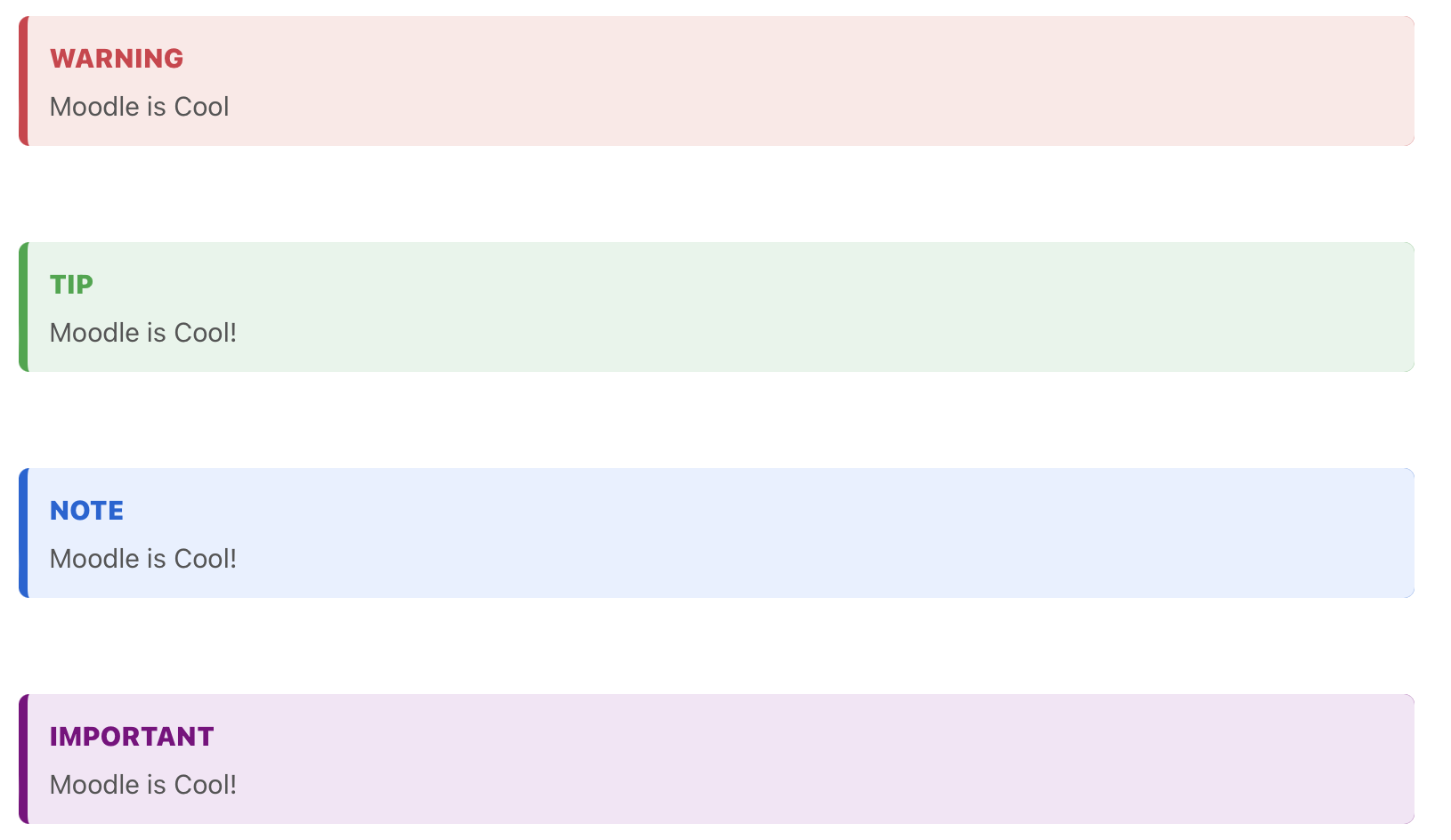
This plugin extends the default Markdown filter in Moodle by adding support for git-style quotes, such as [!NOTE], [!TIP], [!IMPORTANT], and [!WARNING]. It also applies custom styles to standard blockquotes, providing better visual distinction between different types of quotes.
[!NOTE], [!TIP], [!IMPORTANT], and [!WARNING] quotes in Markdown.Download and Install:
/filter directory.gitquotes.Site Administration > Plugins > Install plugins in your Moodle dashboard.Activate the Filter:
Site Administration > Plugins > Filters > Manage filters.Clear Moodle Cache:
Site Administration > Development > Purge caches and click Purge all caches to refresh your Moodle filters.Once the plugin is installed and activated, you can use the following syntax in your Markdown content:
Note Example:
> [!NOTE]
> This is a note example.
Tip Example:
> [!TIP]
> This is a tip example.
Important Example:
> [!IMPORTANT]
> This is an important example.
Warning Example:
> [!WARNING]
> This is a warning example.
Standard Blockquote Example:
> This is a standard blockquote without special tags.
All blockquotes will be styled according to the type of quote used, and standard blockquotes will have a default style applied.
You can easily customize the appearance of the quotes by editing the gitquotes CSS class in the plugin's stylesheet. For example, you can change the colors for different types of quotes (NOTE, TIP, IMPORTANT, WARNING) by modifying the CSS in the styles.css file.
styles.css):.gitquote.NOTE {
border-color: #0366d6;
background-color: #e7f0ff;
}
.gitquote.WARNING {
border-color: #d73a49;
background-color: #fce8e6;
}
.gitquote.TIP {
border-color: #28a745;
background-color: #e6f4ea;
}
.gitquote.IMPORTANT {
border-color: #800080;
background-color: #f3e5f5;
}
This plugin is licensed under the GNU General Public License v3.
For any issues or suggestions, please submit an issue in this repository or reach out via the Moodle plugin directory.