Moodle 3ipunt
Maintainer

This module lets users upload a video as a resource, which is then automatically uploaded to their Vimeo account via a scheduled task. If you already know the video ID, you can enter it directly instead. While the upload is still in progress, Vimeo shows a "video is being uploaded" message when rendering it.
Upload a video from Moodle to private Vimeo and display it as a label on the course main page. Supports uploading and embedding a new video, or showing one already on Vimeo. Goal: centralize the video repository on Vimeo.
To use the plugin, you need a Pro, Business, Premium, or Enterprise Vimeo membership.
Make sure the scheduled task is enabled.
On Vimeo: https://developer.vimeo.com/api/guides/start
Note: 'Upload' permission requires a request to Vimeo, which takes about 12 hours to approve.
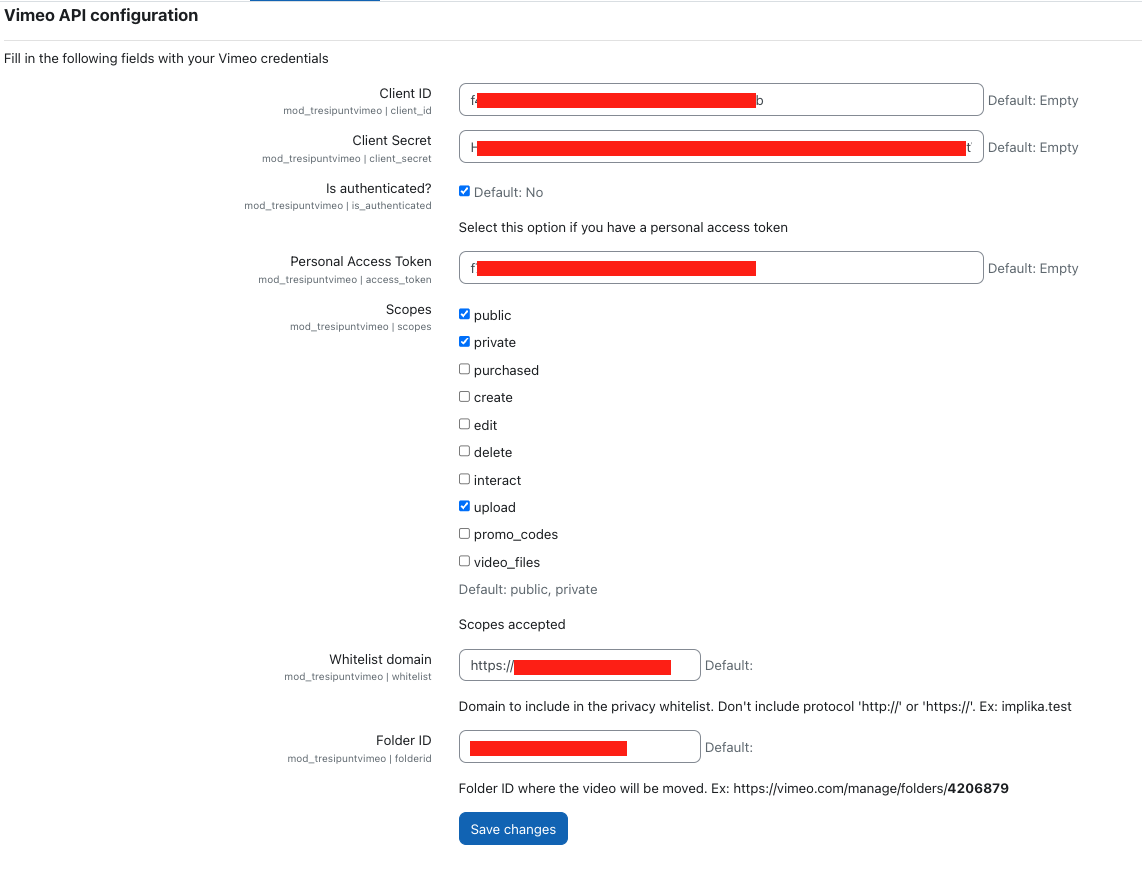
Use these credentials to configure the Moodle plugin:
https://YOUR_MOODLE_SITE/admin/settings.php?section=modsettingvideoconnect
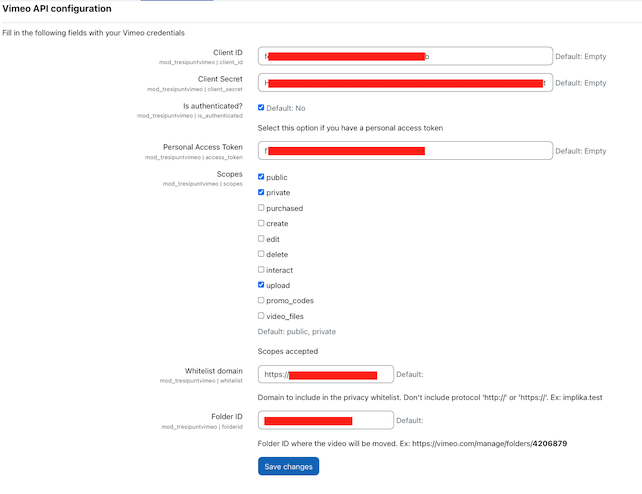
⚠️ If not configured, or the folder ID is wrong, videos will upload to Vimeo's root. Users can still view them without issue, and the Vimeo admin can fix it later without affecting Moodle visibility.
Upload the video. The admin should configure the folder ID, otherwise videos go to the root folder.
Add a video to Vimeo from the plugin: 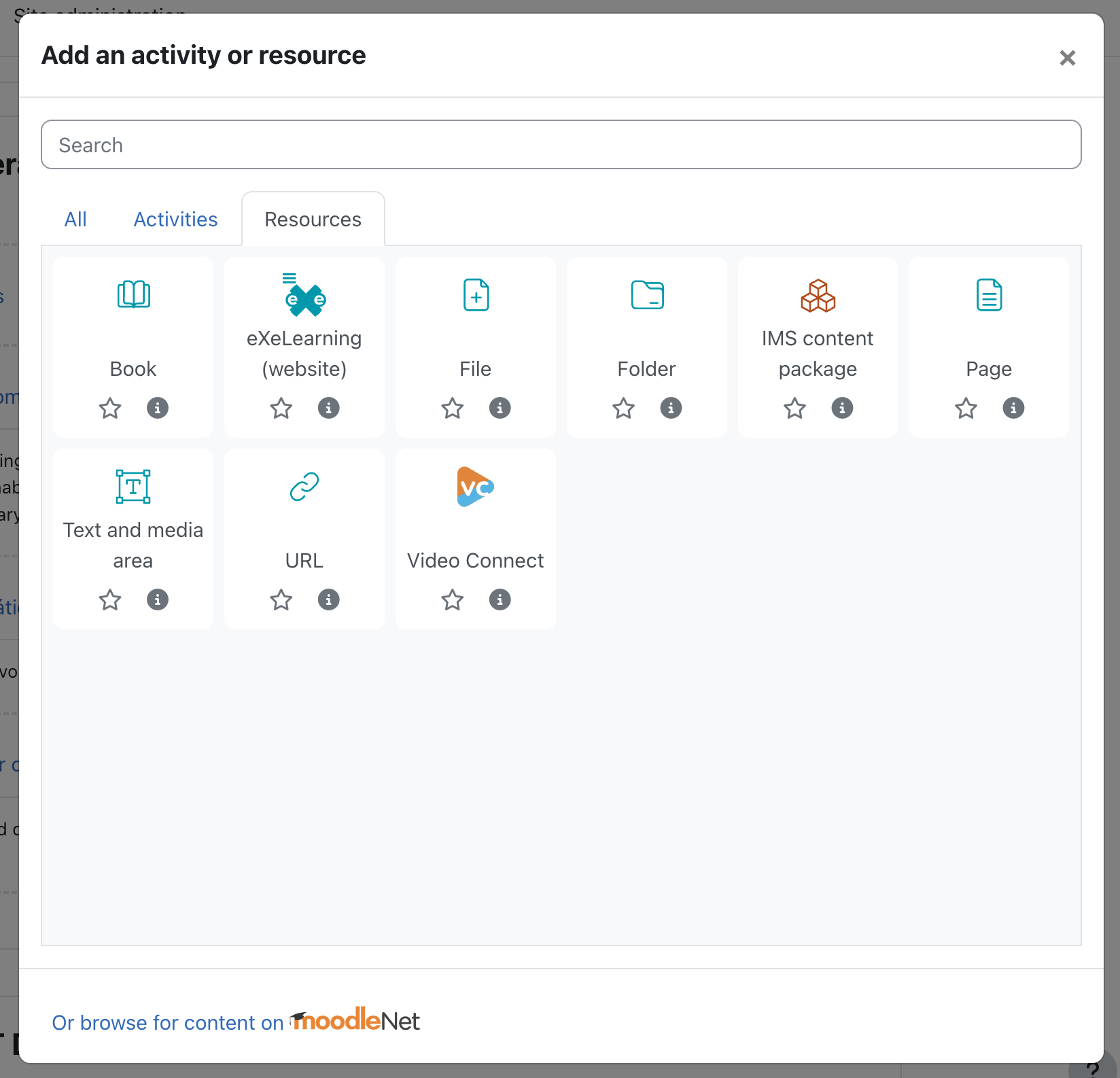
The video shows as unavailable at first.
Wait for the scheduled task to make it visible, or grant permission on Vimeo if automation fails.
On Vimeo, grant the corresponding permissions:

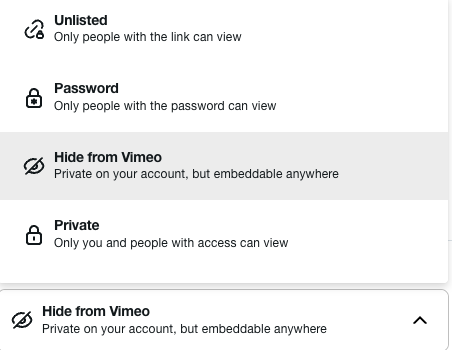
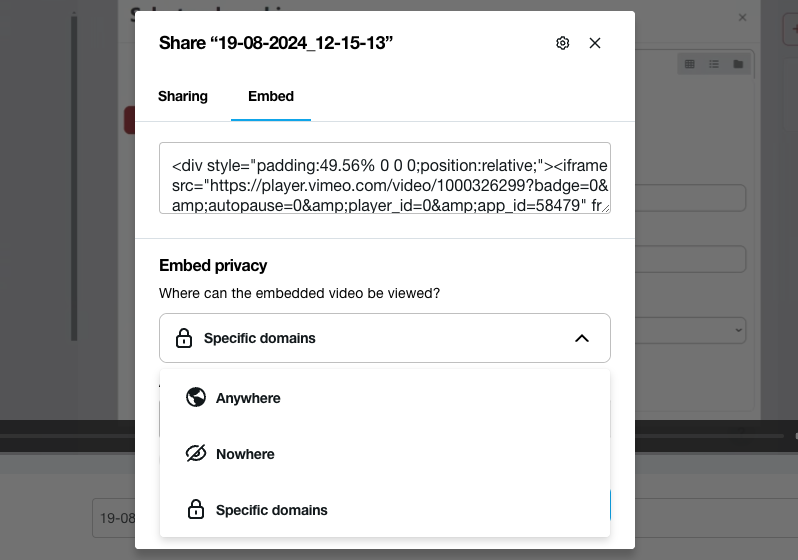
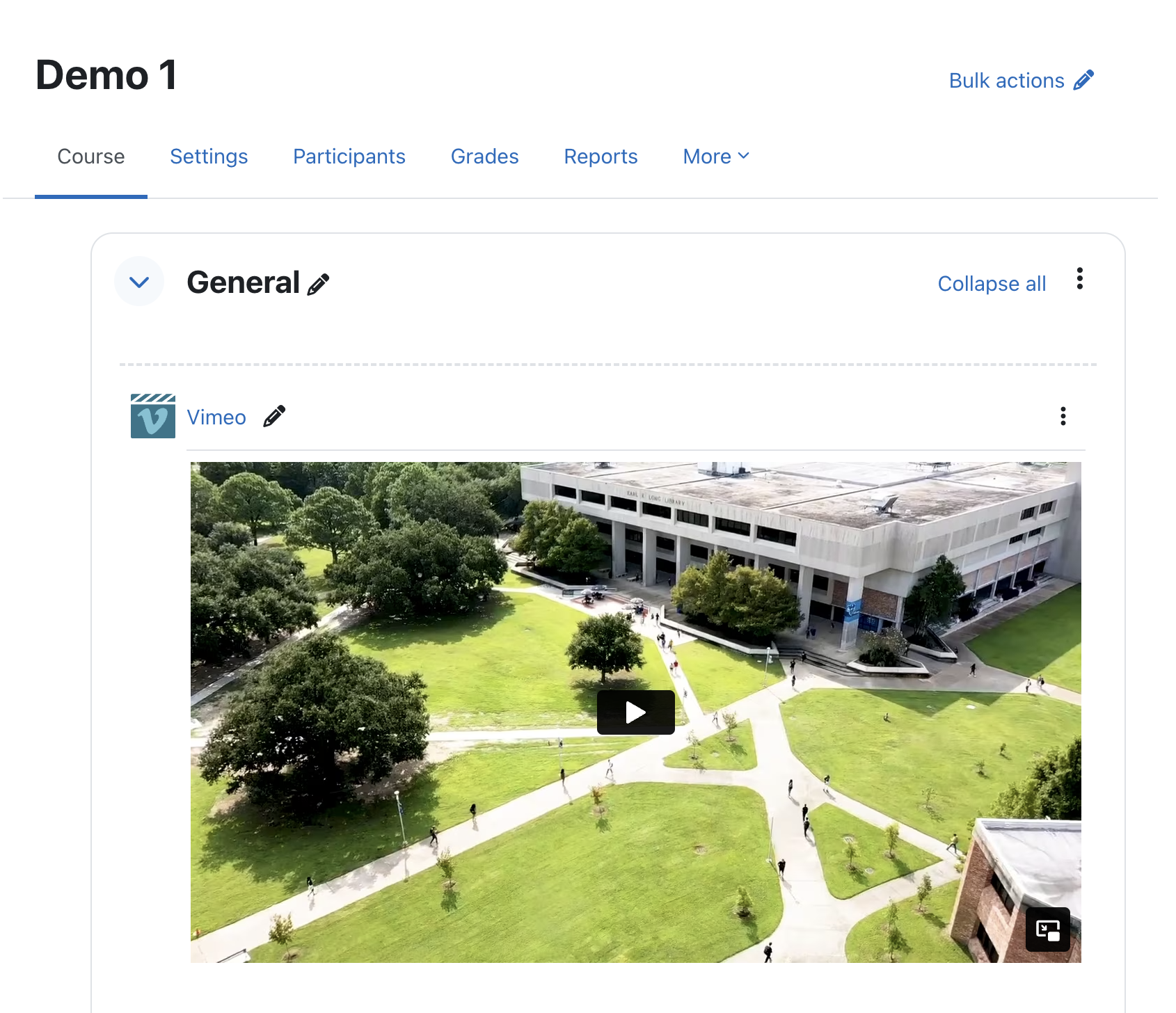
The video will now show in your course.
The same activity module can embed a video by ID, which is more secure than an iframe.
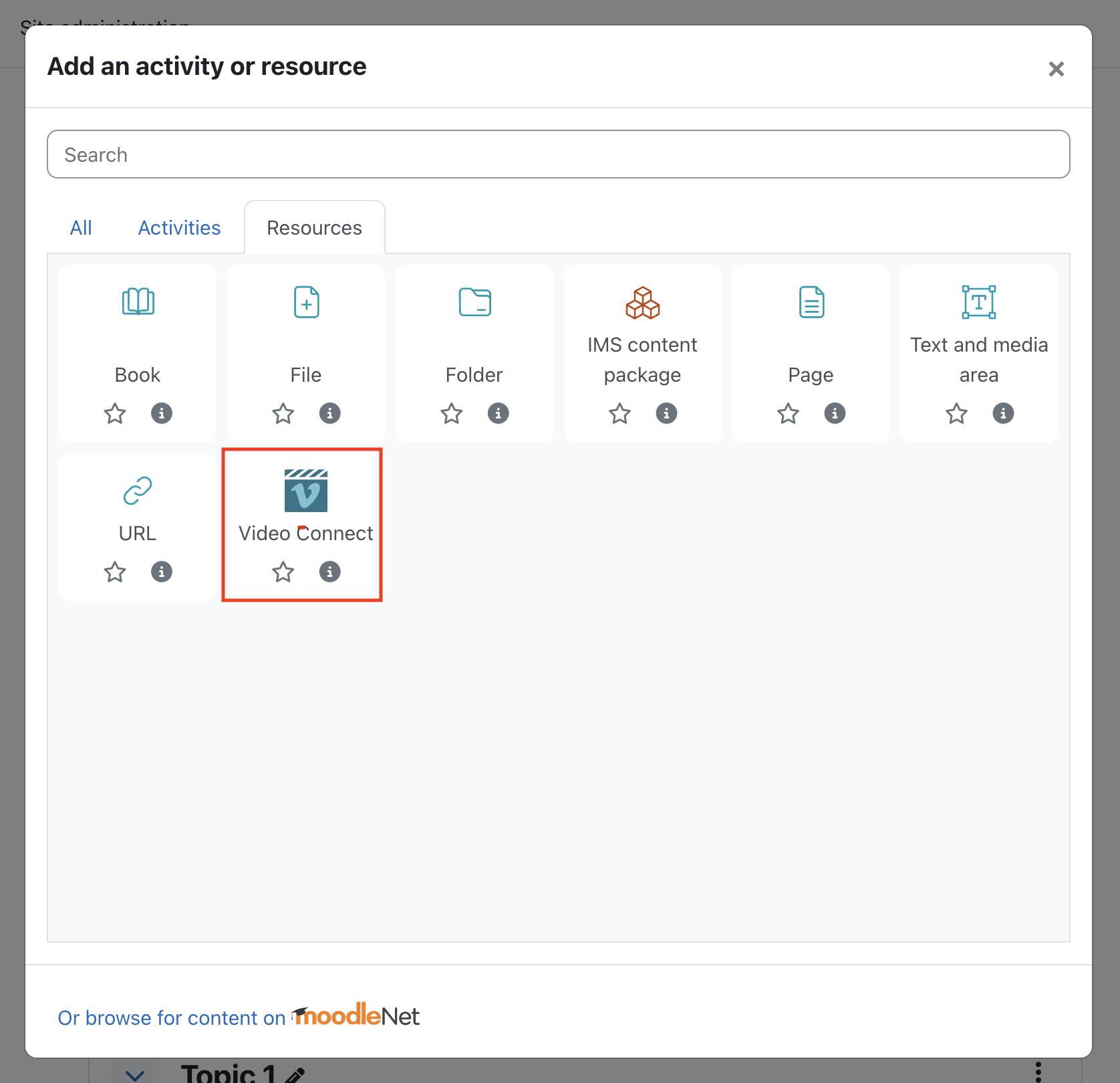
Add a resource in a topic:
Configure:
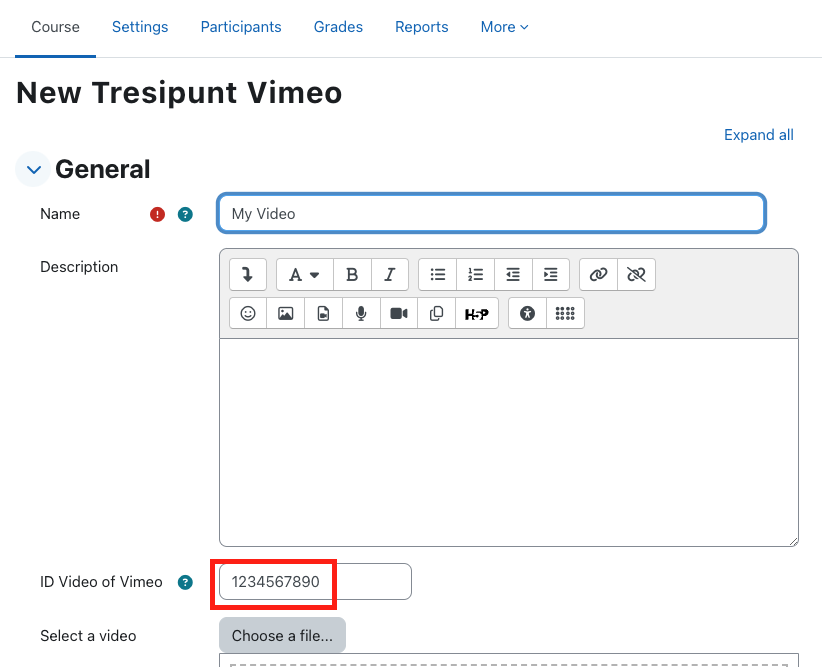
Enter the video ID, found on Vimeo:
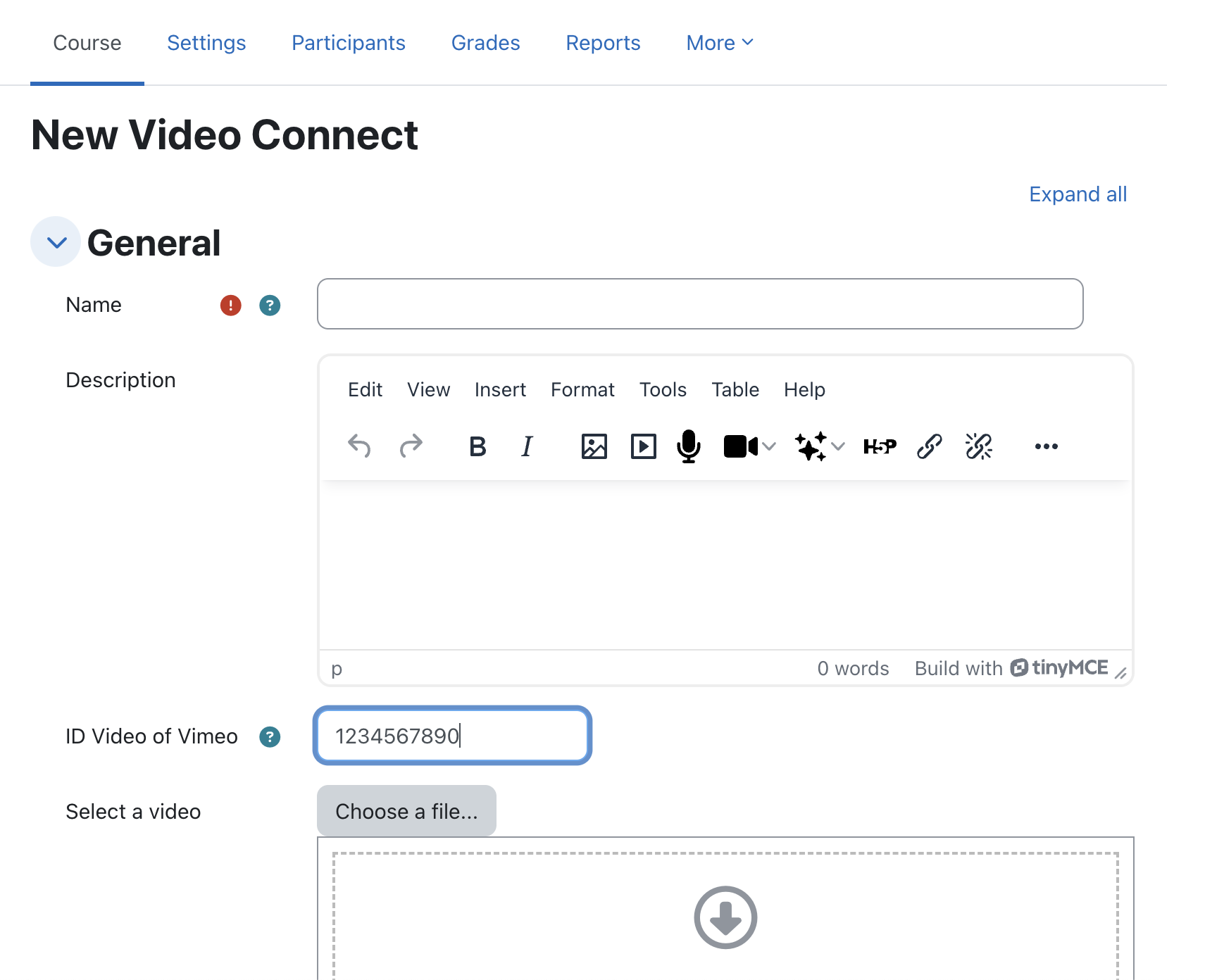
Make sure the video has the correct permissions on Vimeo (Share, Hide from Vimeo, Add domain), same as above.

This plugin was implemented by Moodle's Partner 3iPunt
Free software under the GNU General Public License, either version 3 or (at your option) any later version. Distributed WITHOUT ANY WARRANTY; see the GPL for details: http://www.gnu.org/licenses/.

