
Razorpay
Maintained by
Santosh Nagargoje
This is a payment gateway plugin to integrate Razorpay payment gateway with Moodle.
Comments
Product ratings and reviews are coming to Moodle Marketplace. Until then, existing comments remain available to read, but new posts have been disabled.
i am facing this issue . any help will be appreciated.
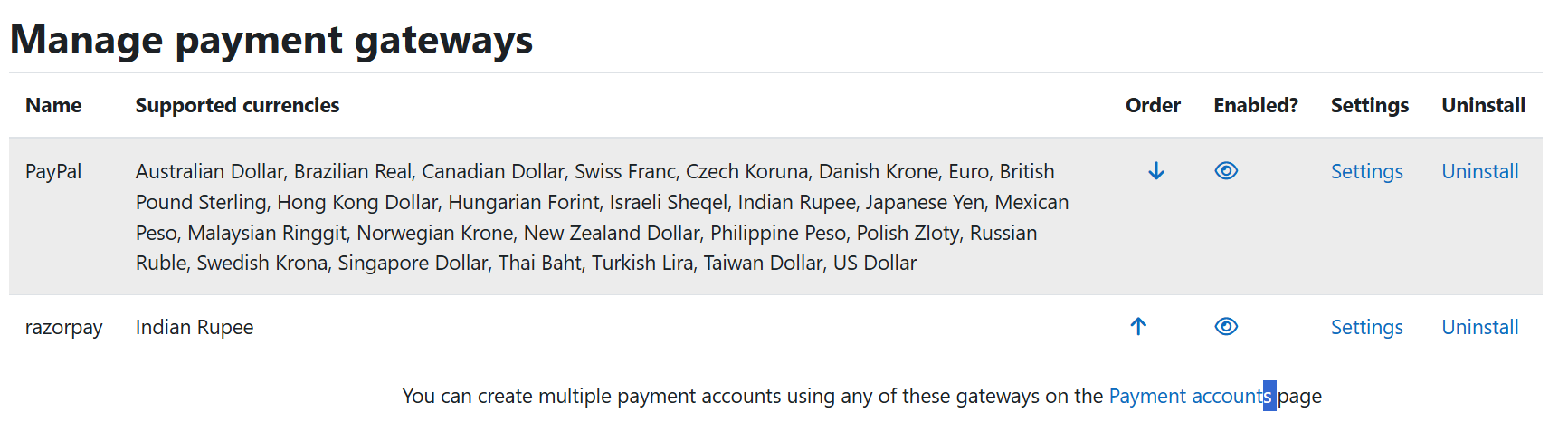
No payment in any currency is supported. Please make sure that at least one payment gateway is enabled.
You have mentioned "Supports INR (Indian Rupees) currency only." and "Configure the enrolment method with the currency INR (Indian Rupees) only". Since Razorpay now offers international currency payments, can you update the plugin also to support international currency?
Reference : https://razorpay.com/accept-international-payments/
Supported currencies : https://razorpay.com/docs/payments/international-payments/#supported-currencies
While the rest of the process works the same as INR, the changes will be in the - Currency ISO Code and Exponent (See the table in the above link.)
For two decimal currencies :
----------------------------------------------
"When selling a product for ₹ 1000 in the domestic market, you pass INR in the currency parameter and 100000 in the amount parameter (since the amount should be in paise).
When selling in the international market, you might want to charge $20 for the same product. In this case, you must pass USD in the currency parameter and 2000 in the amount parameter (since the amount should be in cents). For example: AED, AMD, INR and so on."
For three decimal currencies :
------------------------------------------------
When selling in the international market with a three-decimal unit, you might want to charge 99.999 KD for the same product. In this case, you must pass KWD in the currency parameter and 99999 in the amount parameter.
For zero decimal currencies :
-----------------------------------------------
When selling in the international market with a zero-decimal unit, such as Japanese Yen (JPY), which does not have a concept of decimal values, you might want to charge 99 JPY for the same product. In this case, you must pass JPY in the currency parameter and 99 in the amount parameter.