Victor Da Silva Caseiro
Thomas Naudin

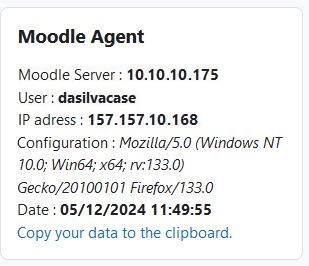
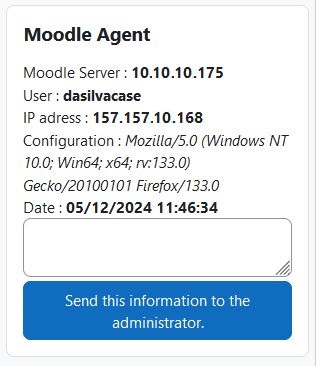
The Moodle agent was developed to allow a user to send their login information when encountering an issue. It does not require any tables in the Moodle database.
The Moodle agent has two modes of operation:
The simple mode enables the user to copy and paste their login information, which can then be shared, for example, through a hotline.
To activate this mode, an administrator simply needs to uncheck the "mailenabled" box in the plugin settings.
The advanced mode allows the user to describe their issue and send their information via email.
The plugin in this mode offers several features:
The user can send their information to the platform administrator via email with a single click from their dashboard.
/blocks/.Of course, the user will need to add it to their dashboard by enabling editing mode and adding it as a block.
Tested with Moodle:
Moodle 3.9.6+ (Build: 20210330)
Moodle 4.1.3 (Build: 20230424)
Moodle 4.3.2+ (Build: 20240125)
Moodle 4.5+ (Build: 20241122)
PHP: 7.2.34 to 8.3.14.
If you encounter any issues or have suggestions:
