AI control center
Maintained by
Philipp Memmel, ByCS Lernplattform
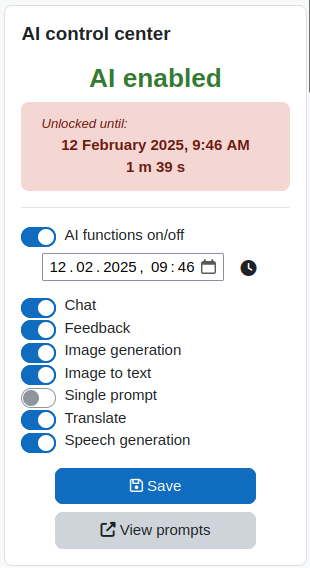
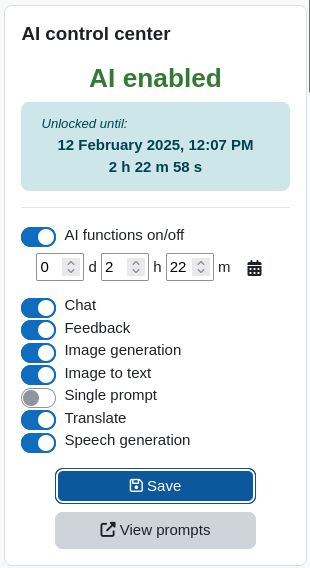
This block allows instructors to control AI functionalities inside a course.
By default this plugin disables all access to AI functionalities via the local_ai_manager plugin for all AI tools which are accessible inside the course unless the teacher enables the functionalities. The teacher itself (usually having the capability to use the control center) of course will not be restricted.
This plugin is only compatible with the AI Manager plugin (local_ai_manager) and does not work with the moodle core AI subsystem.
Comments
Comments are no longer open for new posts. Existing comments remain available to read.
I've already enabled it in the course settings, but it doesn't show up. I've already expanded it, but I can't find the control center. It really doesn't exist.
https://prnt.sc/3Ho8GlvpYctZ
https://prnt.sc/2Jr2UEtfIR_K
https://prnt.sc/Jg3P9Px4oxq2
https://prnt.sc/QCtsBcDpXvOy
When I'm a teacher, everything works fine:
https://prnt.sc/LrbtrhM0fzvO
But in the student profile, it doesn't appear, it shows an error:
https://prnt.https://moodle.org/plugins/block_ai_control#sc/f2n3gi35_177
The error says that it's necessary to configure the AI block, but the block doesn't appear to be selected when we add a new block.
Can you help us please?
It is configured to display in AI Functionalities, but even selecting all checkboxes and checking all display options, the block is not shown.
This also prevents the Chat from working, as it returns an error:
"An error occurred with code 403
AI functionalities are not available in this course. The course does not have an AI control center or the AI functionalities are disabled in the control center."
https://prnt.sc/nr3Z3Qdotvy-
I'm trying to get the AI Control Center and Chat Bot working, but there seems to be a problem with the plugin in the AI Control Center or somewhere in the AI Tools Administration.
This plugin has a great chance of being the best AI plugin for Moodle, but it needs this small code fix.
We disabled the possibility to add it via the block menu on purpose, because our users were not able to find it.