Moodle Block uteluqchatbot


The uteluqchatbot plugin is a Moodle block plugin designed to enhance distance learning by providing an adaptive and innovative chatbot solution. Integrated into the Moodle platform, it supports three distinct user roles—Learner, Teacher, and Administrative Manager—to facilitate course interactions, content management, and plugin configuration. This plugin leverages Retrieval-Augmented Generation (RAG) to deliver precise, context-aware responses based on course materials, improving the learning experience for users.
Maturity
- The plugin is in alpha version currently. We have validated it internally on a test server but it may still contain significant bugs. We do not currently recommend the plugin for production use.
Supported Languages
The plugin currently supports the following languages:
- French (fr)
- English (en)
- Arabic (ar)
- Danish (da)
- German (de)
- Haitian Creole (ht)
- Hindi (hi)
- Italian (it)
- Japanese (ja)
- Polish (pl)
- Portuguese (pt)
- Russian (ru)
- Spanish (es)
- Swahili (sw)
- Chinese (Simplified) (zh_cn)
Features
Learner Role
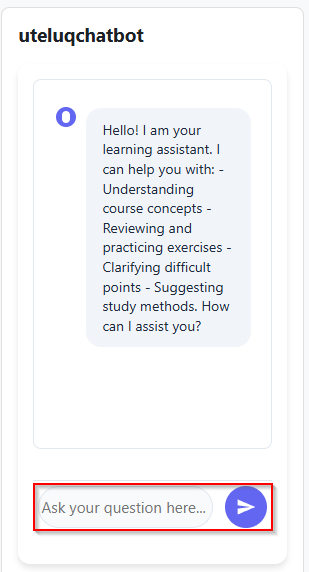
- Interactive Q&A: Learners can ask questions about course content, receive clarifications, revise exercises, and get study method suggestions via a user-friendly interface.
- Contextual Responses: With RAG enabled, the chatbot provides accurate, course-specific answers by retrieving relevant information from uploaded course materials.
Teacher Role
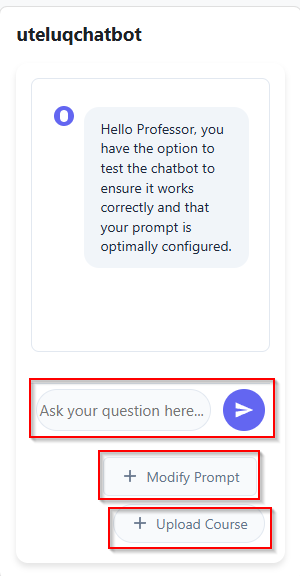
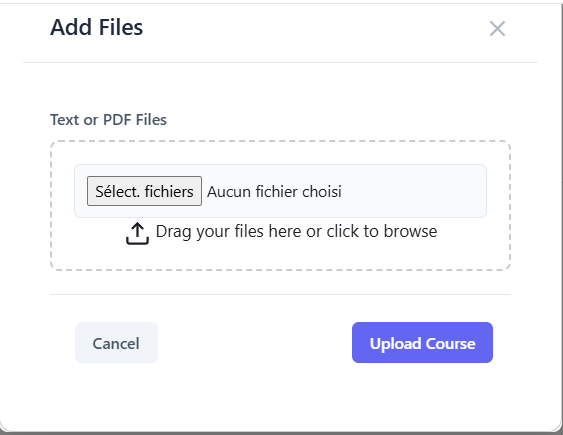
- Course Upload: Teachers can upload multiple PDF course resources simultaneously, which the chatbot uses to generate informed responses.
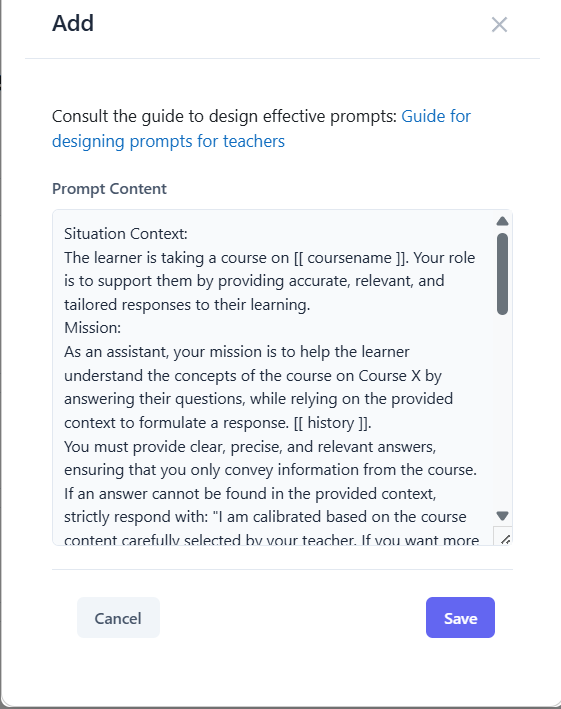
- Prompt Customization: Teachers can modify the default prompt to tailor the chatbot’s behavior.
- Testing Functionality: Teachers can test the chatbot by posing questions to verify its performance with uploaded resources.
Administrative Manager Role
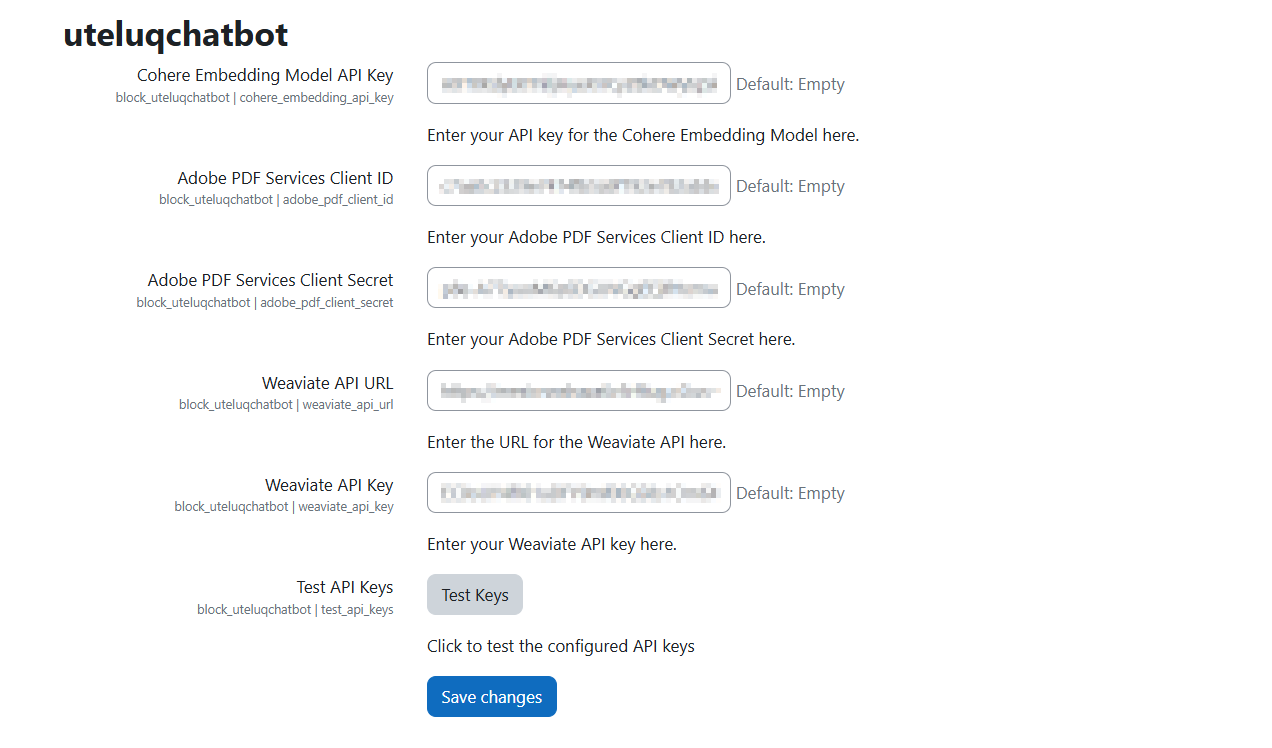
- Plugin Configuration: Admins configure the plugin via Moodle’s site administration interface, setting up API keys for services like Cohere, Adobe PDF Services, and Weaviate.
- Seamless Integration: The plugin is accessible under the "Plugins" section of Moodle’s admin panel for easy management.
RAG Integration
- With RAG: Enhances response accuracy, relevance, and completeness by retrieving course-specific data from a vector database before generating answers.
- Without RAG: Provides general responses based on the model’s internal knowledge, suitable for quick interactions but less precise for course-specific queries.
Installation
Download the Plugin:
Install in Moodle:
- Copy the
uteluqchatbot folder to the /blocks/ directory of your Moodle installation.
- Navigate to Site Administration > Notifications in Moodle to trigger the installation process.
- Follow the on-screen instructions to complete the setup.
Configure the Plugin:
- Go to Site Administration > Plugins > Blocks > uteluqchatbot.
- Enter the required API keys for Cohere, Adobe PDF Services, and Weaviate.
- Save the settings to activate the plugin.
Add the Block to Course Pages:
- To make the Chatbot visible on all course pages, go to a course and turn editing on.
- In the Add a block menu, select uteluqchatbot.
- After adding it, click on the block’s settings (gear icon), then choose Configure uteluqchatbot block.
- Under Where this block appears, set Display on page types to Any page.
- Save changes to apply the block site-wide within the course.
Usage
For Learners
- Access the chatbot block on a course page.
- Ask questions about course content using the provided text box.
![For Learners]()
For Teachers
- From the chatbot interface, click Upload Course to add PDF resources.
- Click Modify Prompt to customize the chatbot’s response behavior.
- Test the chatbot by asking questions to ensure it aligns with course content.
![For Teachers]()
![For Teachers]()
![For Teachers]()
For Admins
Access Site Administration > Plugins > Blocks > Chatbot.
Configure API keys and other settings as needed.
Monitor plugin performance and ensure API services are operational.
![For Teachers]()
Testing and Validation
The plugin has been rigorously tested in both academic and AWS cloud environments to ensure robustness and scalability. Key findings include:
- RAG Mode: Outperforms non-RAG mode in precision, relevance, completeness, and pedagogical utility, with clear, context-aware responses and no noticeable latency.
- Non-RAG Mode: Offers satisfactory clarity and speed but may provide less accurate or overly general responses for course-specific queries.
Requirements
- Moodle Version: Compatible with Moodle [specify version, e.g., 4.1+] (ensure compatibility with maintained versions as per Moodle Releases).
- Database: Tested with MySQL and PostgreSQL, using Moodle’s Data Manipulation API.
- API Services:
- [Cohere] for text and embedding generation in vector DB integration.
- [Adobe PDF Services] for processing uploaded course materials.
- [Weaviate] for vector database storage and retrieval.
- Server: Deployable on standard Moodle servers or AWS for scalability.
Web Services
The Chatbot Moodle block plugin integrates several web services to support its functionality, as outlined in the project report. These services are configured via the plugin's administrative interface and are essential for processing course materials, generating responses, and enabling Retrieval-Augmented Generation (RAG). Below is a list of the web services used:
Configuration is managed via Site Administration > Plugins > Blocks > Chatbot in Moodle.
Contributing
Contributions are welcome! To contribute:
- Fork the repository: https://github.com/uteluq/moodle-block_uteluqchatbot.
- Create a feature branch:
git checkout -b feature/your-feature.
- Commit changes:
git commit -m "Add your feature".
- Push to the branch:
git push origin feature/your-feature.
- Open a pull request.
Please adhere to Moodle’s Coding Style and submit issues via the GitHub Issues page.
License
This plugin is licensed under the GNU General Public License v3.0 or later (GPLv3+). See the LICENSE file for details.
Support
For issues, feature requests, or questions:
Acknowledgments
Developed under the PROJET R&I 2024 Composante 2 by the Université TÉLUQ and the UNIVERSITÉ GASTON BERGER DE SAINT-LOUIS. Special thanks to the Agence Universitaire de la Francophonie (AUF) for supporting this initiative.