Miguël Dhyne
Lead maintainer

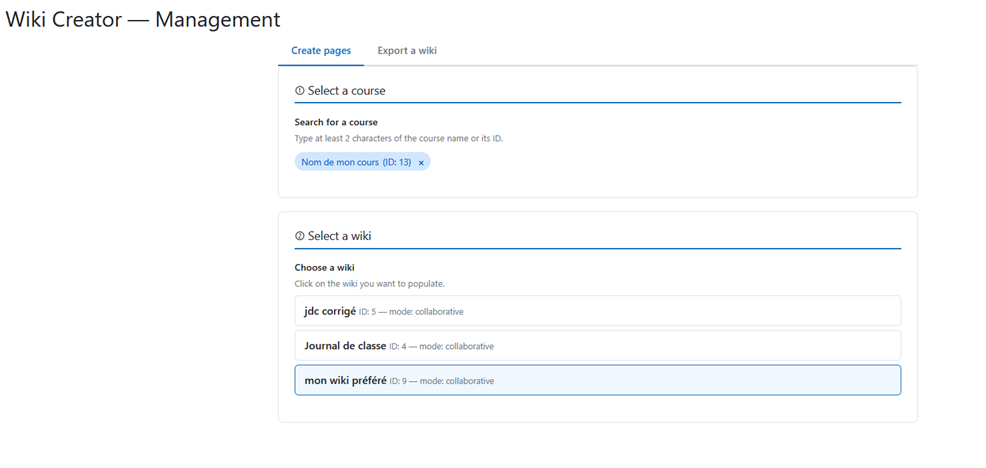
Wiki Creator helps Moodle administrators quickly generate multiple structured pages inside an existing wiki activity, for one or more groups, in just one guided workflow.
No more repetitive manual page creation. Define your wiki structure once, preview everything safely, and let the plugin create the pages for you
🔎 Search for a course by name, short name or ID
📘 Select a wiki activity in that course
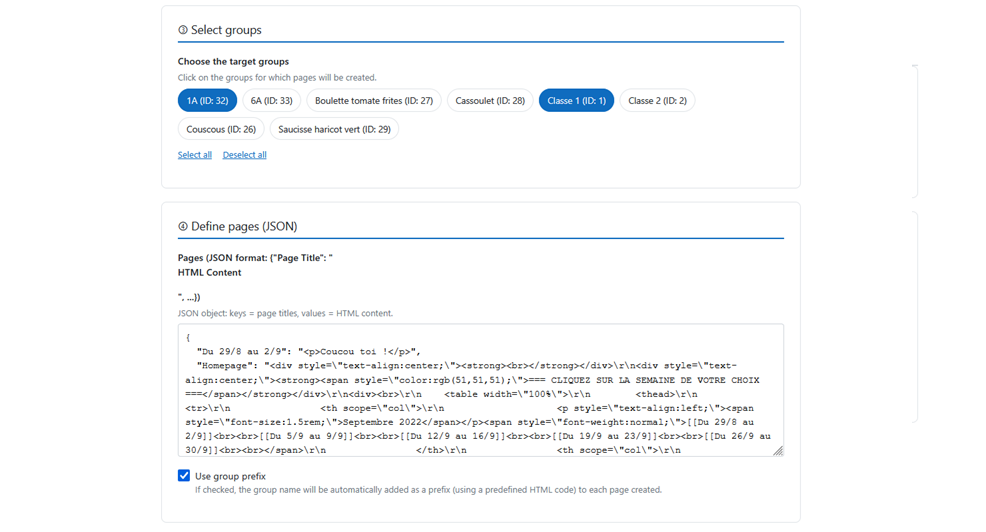
' Choose one or more target groups
🧩 Define your pages using a simple JSON structuretitle ' HTML content
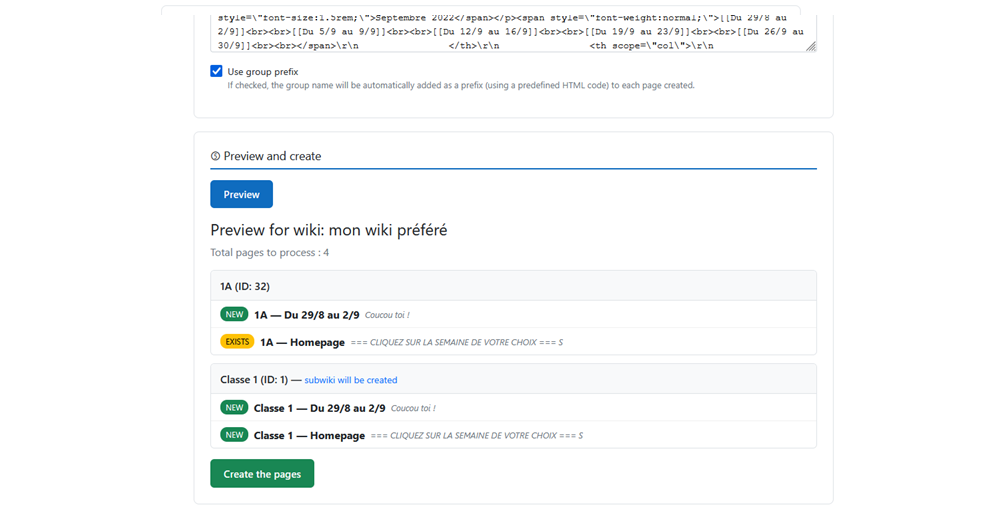
' Preview the result before anything is written
" Confirm creation
The plugin then creates the missing pages and automatically skips pages that already exist.
🔎 Course autocomplete search by name, short name or course ID
📘 Instant wiki picker based on the selected course
' Dynamic group picker with fast loading
🧪 Live JSON syntax check
🧱 Structural validation
Checks object type, empty keys and HTML content
' Full dry-run preview before writing anything
🏷️ NEW / EXISTS badges per page and per group
-️ Inline HTML render toggle
Preview the actual rendered output before committing
" Confirmation dialog with page and group counts
🧩 Optional group name prefix automatically added to each page
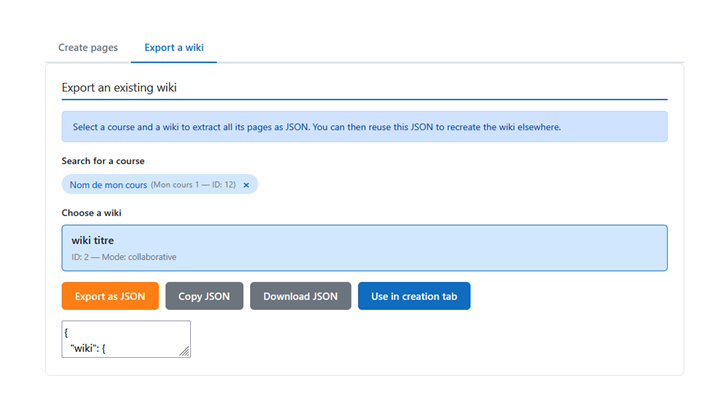
📤 Export tab
Extract an existing wiki as JSON, then copy it, download it or inject it directly into the creation editor
Site administration ' Plugins ' Local plugins ' Wiki Creator
' Administrators only
🛡️ Session key required on all AJAX calls
🧼 Content sanitised with Moodle’s clean_text()
🧾 GDPR-neutral
No personal data is stored by the plugin
Wiki Creator is especially useful when you need to:
prepare the same wiki structure for several groups;
duplicate collaborative templates across courses;
create guided wiki pages for projects, portfolios or group work;
save time when setting up structured learning activities.
