Plivo SMS Gateway Plugin for Moodle
A Moodle plugin that enables sending SMS messages through the Plivo API.
IMPORTANT: Plivo rejected our request for a test account, so this code HAS NOT been validated correctly. In case someone does have a valid account, please contact us so we can finish all the testing procedures.
Description
This plugin integrates Plivo's SMS gateway service with Moodle, allowing administrators and teachers to easily send SMS notifications and alerts via the Plivo API.
The plugin also supports SMS-based Multi-Factor Authentication (MFA).
Features
- Integration with Plivo's SMS API
- Sender name (Sender ID) based upon site shortname
- Support for international phone numbers
- Fully integrated with Moodle's messaging and notification system
- Supports Multi-Factor Authentication (MFA)
- Easy installation and configuration
Requirements
- Moodle 4.5 or later
- A Plivo account and valid API key/secret
- Valid phone number for sending SMS messages
Installation and Configuration
1. Install the plugin
- Navigate to Site administration > Plugins > Install plugins
- Upload the plugin ZIP file
- Follow the installation wizard
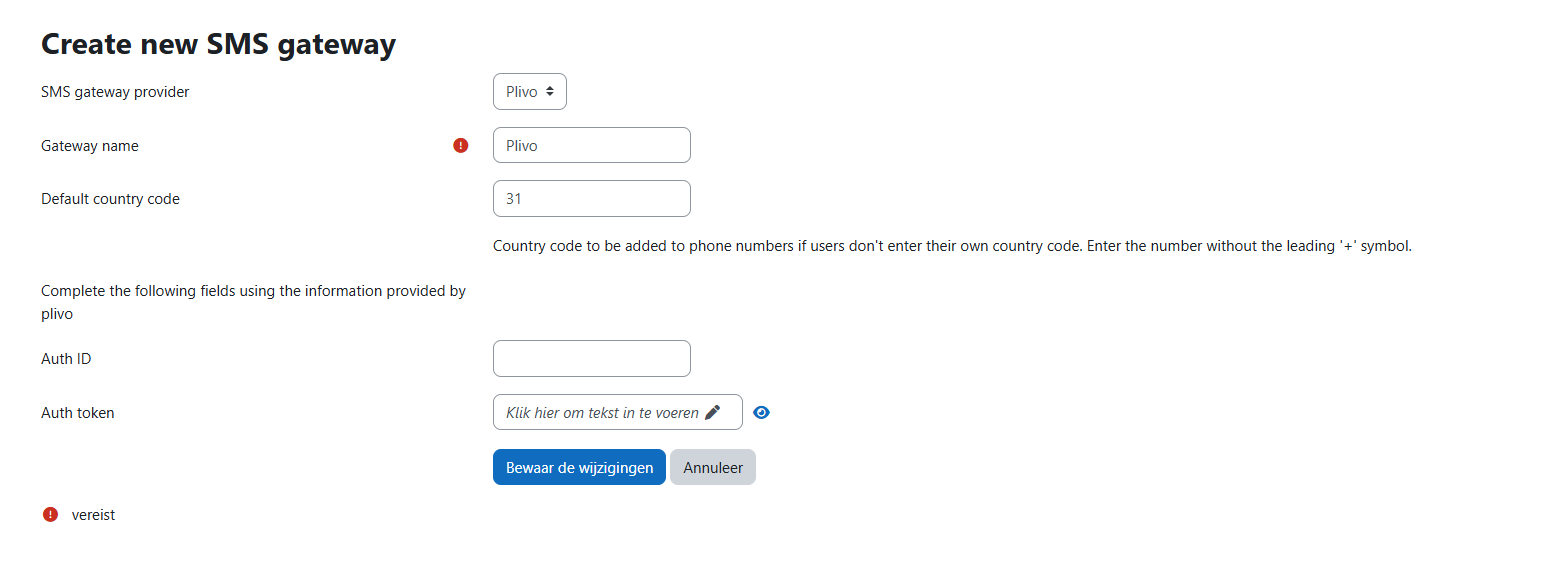
2. Configure the SMS Gateway
- Navigate to Site administration > Plugins > Message outputs > Manage SMS gateways
- Click Create new SMS gateway
- Select Plivo as the provider
- Enter the required settings:
- API Key and API Secret
- Sender ID
- Any additional options
- Click Save changes
Multi-Factor Authentication (MFA)
This plugin can be used for SMS-based MFA in Moodle.
See the MFA Configuration guide for detailed instructions.
Support
License
This plugin is licensed under the GNU General Public License v3 or later. See the LICENSE file for details.
Authors
- RvS (Sebsoft)
- RvD (Sebsoft)
- SB (Sebsoft)
Version Information
- Current version: 2025.07.25
- Requires Moodle: 4.5 or later
- Status: Alpha