🎓 HTML Export Grade Report Plugin for Moodle
Export Moodle student grades as beautifully styled, Word-compatible HTML files instantly.


- Description
The HTML Export Grade Report plugin empowers teachers to effortlessly export student grades as Word-compatible HTML files. By retaining the hierarchical grade display—grouped by categories, items, and users—the exported reports mirror the built-in Moodle gradebook structure. The plugin intelligently respects grade visibility, hidden items, and custom grade display settings.
" Key Features
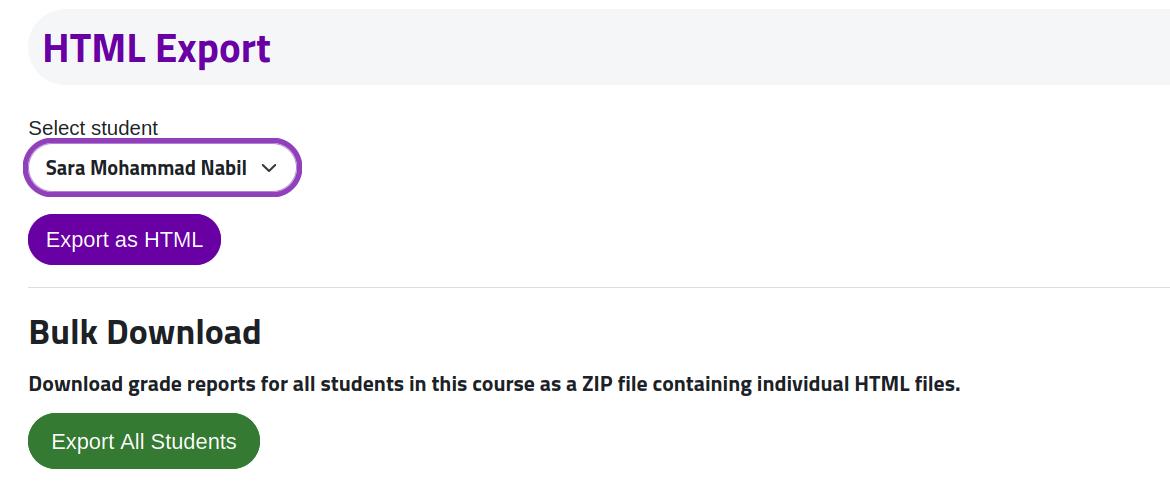
- 📄 Individual Export: Generate detailed, standalone HTML grade reports for individual students.
- 📦 Bulk Export: Download all students' grades simultaneously in a convenient ZIP archive.
- 🌳 Hierarchical Structure: accurately reflects grade groupings, categories, and totals.
- 🎨 Visual Customization: Offers an extensive admin settings page with 18+ custom color options and themes (including modern purple gradient styling).
- -️ Site Branding: Automatically integrates your Moodle site's logo directly into the reports.
- ♿ Accessibility & RTL: Full RTL (Right-to-Left) language support and cross-browser compatibility.
- -️ Print-Ready Design: Features specially tailored CSS for clean printing and Word compatibility.
- 🔐 Privacy Focused: Seamlessly integrated Privacy API (GDPR compliance) ensuring secure data handling.
⚙️ Installation
Standard Installation
- Download the plugin ZIP file.
- Extract the contents into the following path within your Moodle installation:
/path/to/moodle/grade/report/htmlexport/
- Upgrade: Visit
Site Administration > Notifications in your Moodle site to complete the installation and populate the database tables.
- Configure: Navigate to
Site Administration > Plugins > Grade Reports > HTML Export to customize your color themes, logo integration, and other settings.
🛡️ Permissions & Capabilities
The following capabilities are provided by this plugin to govern access and visibility:
gradereport/htmlexport:view
- Description: View and use the HTML export functionality.
- Default Roles: Teachers, Editing Teachers, Managers, Students.
🚀 Release Notes (Changelog)
Version 3.0.0 (August 2025) - Major Update
- NEW: Comprehensive color customization system with 18+ configurable colors via Admin settings.
- NEW: Privacy API implementation for GDPR compliance.
- IMPROVED: Robust error/fallback handling for site logos, roles, and missing grades.
- IMPROVED: CSS namespacing to prevent Moodle theme conflicts.
View previous releases
Version 2.1.1 (January 2025)
- FIX: Enhanced logo detection prioritizing site-wide settings.
- IMPROVED: Upgraded CSS with modern styling and visual hierarchy.
Version 2.1.0 (January 2025)
- NEW: Site logo integration, category totals, and conditional color-coded grades (e.g., green for values, blue for percentages).
- IMPROVED: Modern styling with rounded corners, shadows, and print-friendly design.
Version 2.0.0 (January 2025)
- NEW: Bulk download functionality (export all students as ZIP).
- NEW: Progress confirmation dialog for large courses.
- IMPROVED: Enhanced teacher-only capabilities and permission checks.
Version 1.0.0 (January 2025)
" Support
For support requests, bug reports, and feature requests, please utilize the Moodle Plugins Directory or contact the original plugin maintainer.
' Privacy
This plugin does not store any personal data.
It strictly provides an export interface for grade data already managed by Moodle's core systems. Exported HTML files are generated on-the-fly and are never persistently stored on the server.
" License
This hardware/software is licensed under the GNU GPL v3 or later.
Please see http://www.gnu.org/copyleft/gpl.html for full details.
Developed with "️ for the Moodle Community.