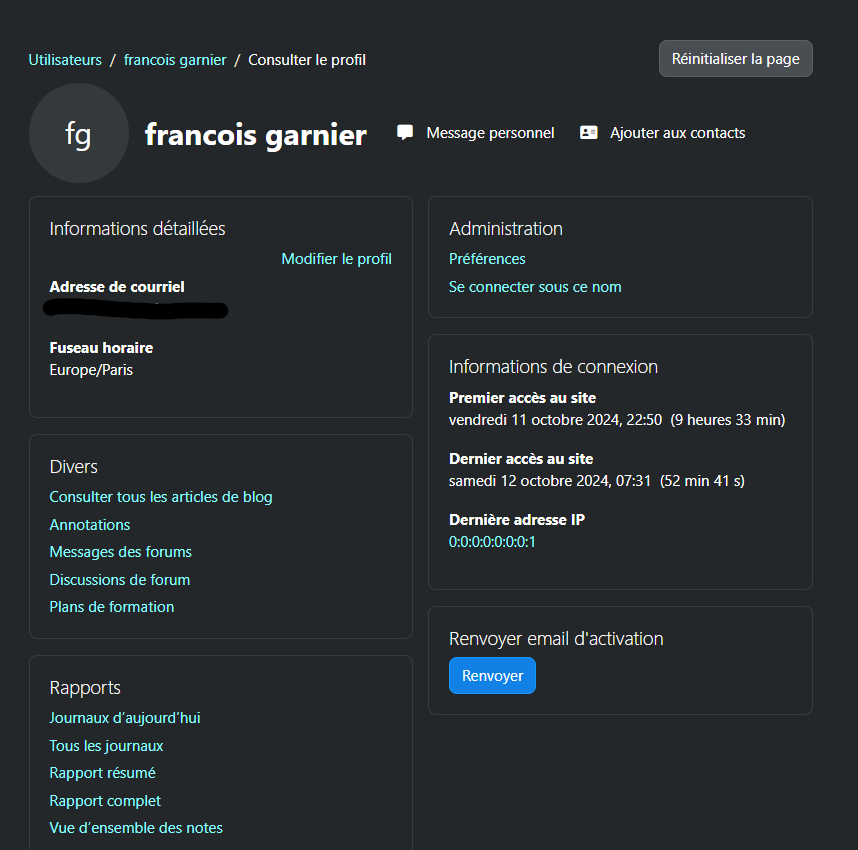
Resend Password Profile Plugin
This plugin allows users to resend their passwords through an additional menu in the "My Profile" section of Moodle. It is a simple and efficient solution to help users recover access to their accounts.
Features
- Adds an option in the "My Profile" menu to resend the password to the email address associated with the user's account.
- Enhances the user experience by facilitating access to password recovery.
Installation
Requirements
- Moodle 3.0 or higher.
- Access to the Moodle server for plugin installation.
Customization
The automatic email sent when resending a password uses the following language strings:
existingusernewpasswordtext ' defines the body of the email.
subject ' defines the subject of the email.
Both strings can be customized through Site administration > Language > Language customisation.
Available placeholders
You can insert dynamic information into the email subject and body using the following placeholders:
Subject placeholders
{firstname} ' The user's first name
{lastname} ' The user's last name
{sitename} ' The full name of the Moodle site
{username} ' The user's Moodle username
{wwwroot} ' The base URL of the Moodle site
Message body placeholders
{firstname} ' The user's first name
{lastname} ' The user's last name
{sitename} ' The full name of the Moodle site
{username} ' The user's Moodle username
{newpassword} ' The newly generated password
{wwwroot} ' The base URL of the Moodle site