
Introduction block
Premium Certified Partner
Maintained by
Eimantas Jakas (Vextur), Vextur
Introduction Block by Vextur.
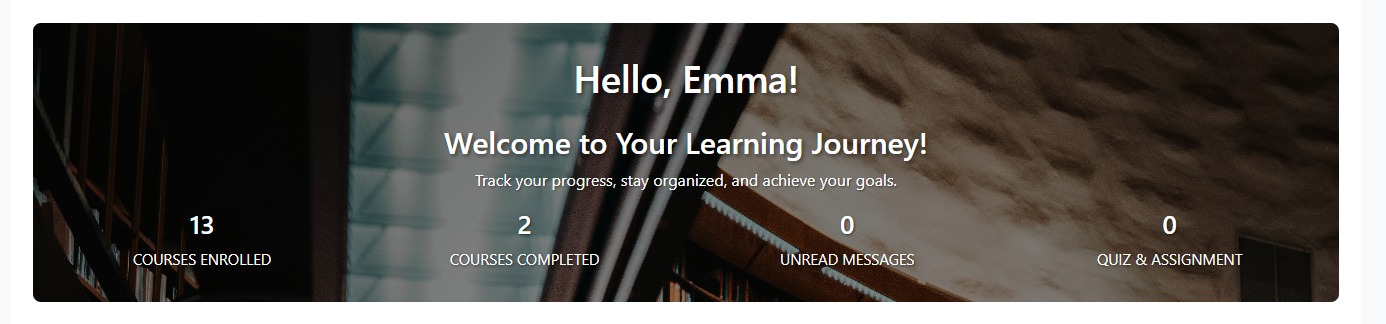
A user-friendly dashboard block that provides students and instructors with an at-a-glance overview of their course activity and progress.
The Introduction Block enhances the Moodle user experience by displaying key metrics and personalized information directly on the dashboard. Users can quickly see their enrollment status, course completion, unread messages, and pending assignments without navigating through multiple pages.

Comments
Comments are no longer open for new posts. Existing comments remain available to read.
Henk Bekker
Dear Goda. I got it fixed 
Henk Bekker
I think I did it correctly. I even changed the theme from Albondb to Boost, but it is still not showing for students

Goda Mačiuolytė
Have you tried adding the Introduction block to the Default dashboard? This would ensure all users have the same dashboard configuration regardless of their role permissions.
Henk Bekker
Dear @Goda. No, I have restricted the permissions so that students cannot add any Blocks. They can only View it. Only Admin can add Blocks.
Goda Mačiuolytė
Hi Henk, thanks for reporting this. Just to help troubleshoot - when logged in as the student user, do they see the Introduction Block available in the 'Add block' menu on the dashboard? This will help us determine if it's a permissions or visibility issue.
Henk Bekker
Hi all. Lovely plugin. I am facing a challenge where the Introduction Block is not showing on my Production site on the Dashboard page. I, as ADMIN, can see it, but not my test user with the student role. I did look at the permissions. Same issue on our PPE site.
Plugins bot
Approval issue created: CONTRIB-10119