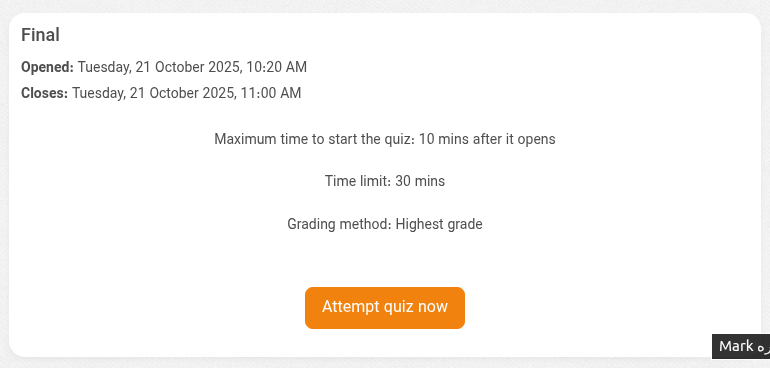
Quiz start time limit

Maintained by onbirdev
The Quiz Start Time Limit plugin allows administrators to restrict when students can start a new attempt after the quiz becomes available.
Price option: Free
Supports Moodle 3.11-5.2 See all versions

Latest release: 9 months ago
Installations: 35
Downloads (last 90 days): 50

Frankenstyle name: quizaccess_startlimit
Quiz access rules

Description

The Quiz Start Time Limit plugin allows administrators to restrict when students can start a new attempt after the quiz becomes available.

For example, you can configure a quiz so that students have only 10 minutes to start a new attempt once it opens, ensuring fair and controlled access for all participants.


Features

  • Limit the time window for starting a new quiz attempt.
  • Fully configurable via Moodle UI.
  • Applies to all students attempting the quiz.
  • Seamlessly integrates with standard quiz settings.


Configuration

  1. Go to a quiz and click Edit quiz.
  2. Open Extra restrictions on attempts.
  3. Locate the Start time limit setting and define the allowed time.
  4. Save your changes.

Students will now be restricted to starting a new attempt only within the defined time window.

Contributors

Awards

Automated testing support
Privacy friendly
Early bird 5.1