HVP Student Results Report Plugin
Version: 1.3.1-beta
Copyright: 2025 Brian A. Pool
License: GPL v3 or later
Overview
This local plugin adds a comprehensive student results report to H5P (HVP) activities in Moodle. Teachers can view all students' attempts, scores, and progress in one place.
Features
- View all students enrolled in a course with their H5P activity results
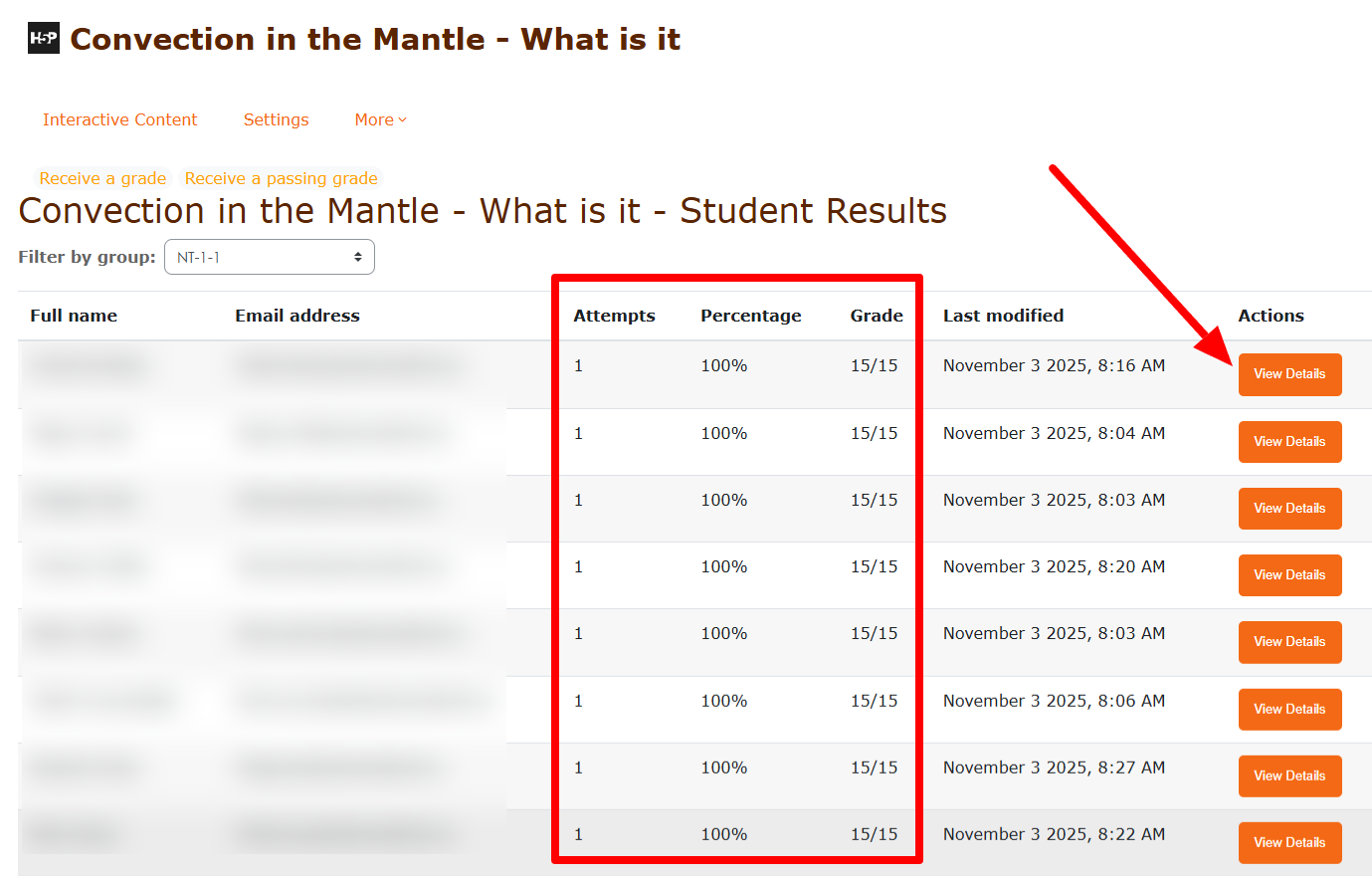
- Filter by group - Select a specific group to view only those students
- See number of attempts per student
- Display percentage and score for each student
- Show timestamp of last attempt
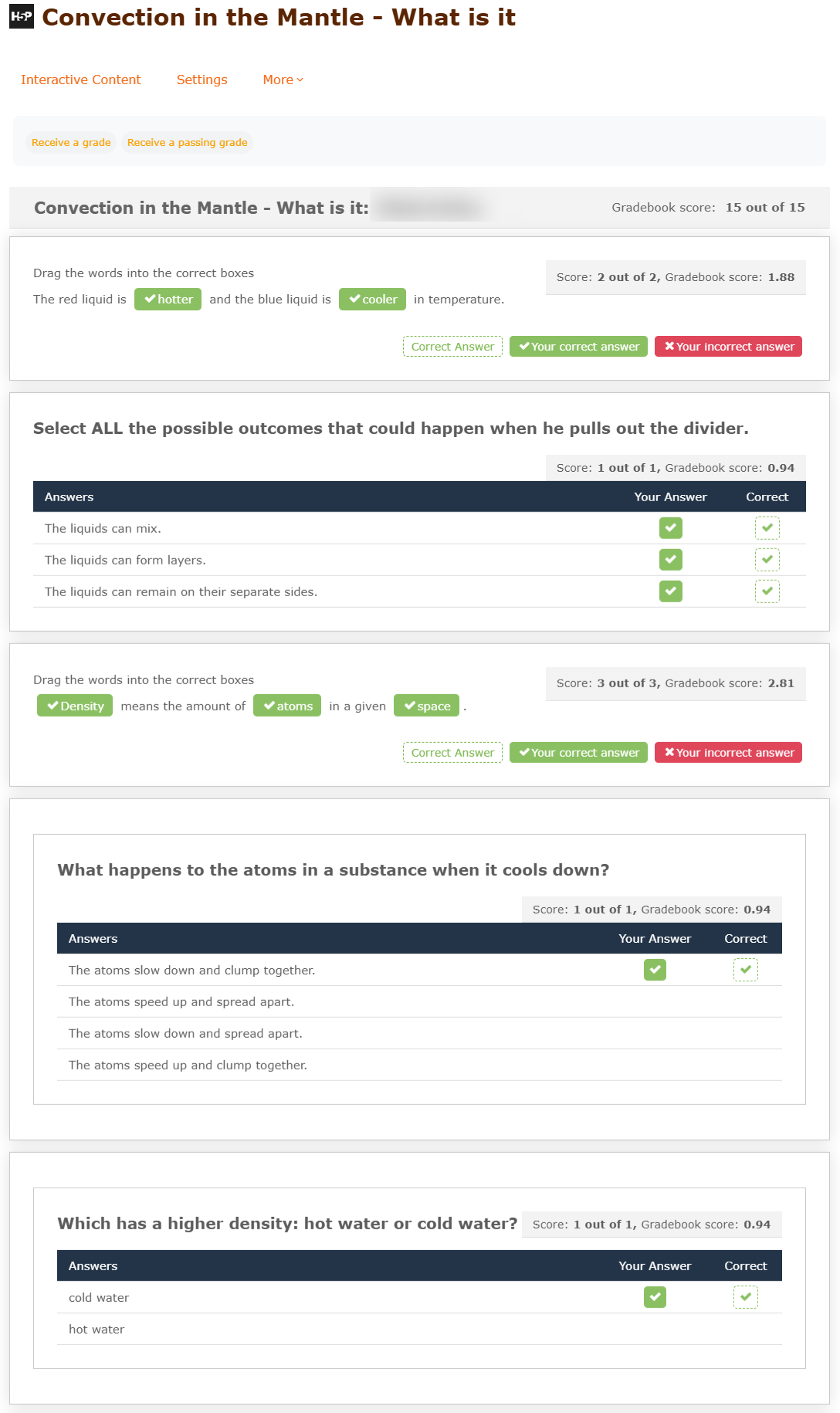
- Click through to detailed individual student results
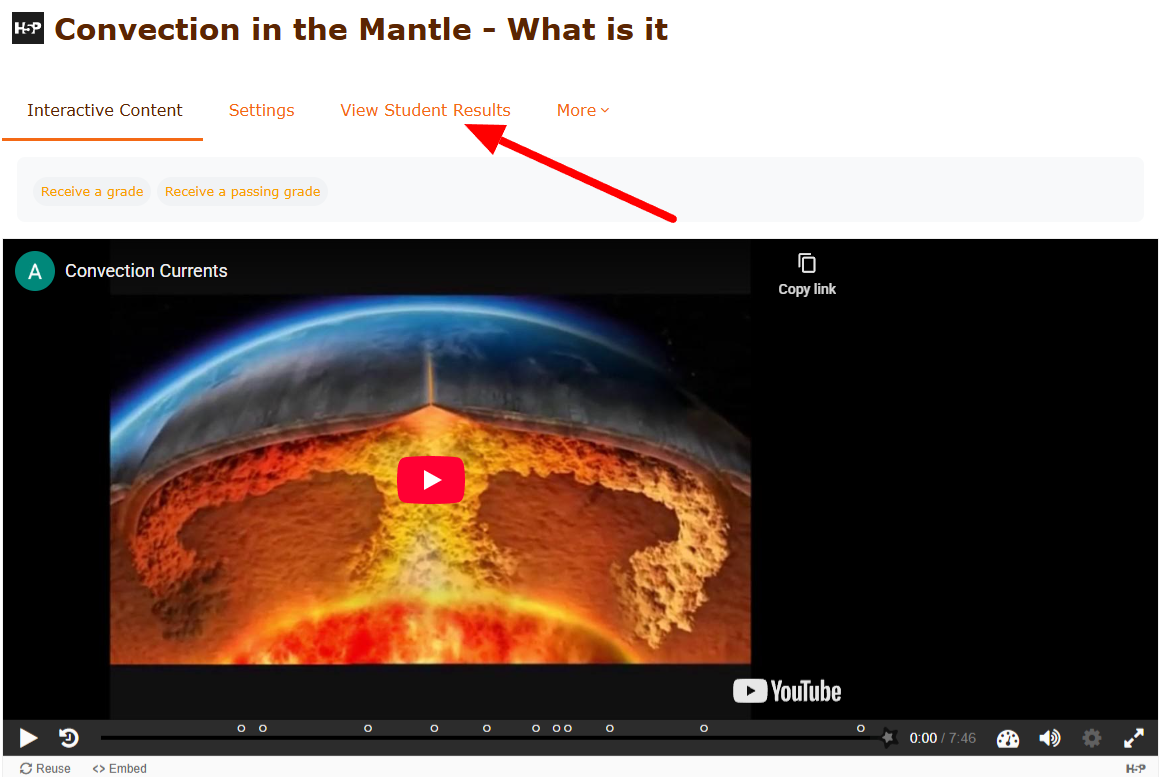
- Automatically adds "View Student Results" link to HVP activity settings menu
Installation Instructions
Step 1: Install via Moodle
- Download the plugin ZIP file
- Log in to your Moodle site as an administrator
- Go to: Site administration ' Plugins ' Install plugins
- Upload the ZIP file or extract to
/var/www/html/local/hvpreport/
- Click "Install plugin from the ZIP file"
- Follow the on-screen instructions
Step 2: Manual Installation (Alternative)
cd /var/www/html/local

unzip hvpreport.zip

chown -R www-data:www-data hvpreport

chmod -R 755 hvpreport
Then visit Site administration ' Notifications to complete the installation.
Usage
For Teachers:
- Navigate to any H5P activity in a course
- Look for the settings gear icon (⚙️) in the top right corner
- Click on "View Student Results" in the menu
- Use the group dropdown (if groups exist) to filter by a specific group or view all students
- You'll see a table showing:
- Student names and emails
- Number of attempts
- Percentage score
- Raw score (e.g., 15/15)
- Date/time of last attempt
- A "View Details" button to see individual attempt details
Permissions
Teachers and course managers with the mod/hvp:viewallresults capability will automatically have access to this report.
What Data is Displayed
The report shows:
- Student Name: Full name of the student
- Email: Student's email address
- Attempts: Total number of times the student has attempted the H5P activity
- Gradebook Score: The final score from the Moodle gradebook (as a percentage)
- Last Attempt: Date and time when the gradebook was last updated for this student
- Actions: "View Details" button linking to the detailed individual results page
Note: The plugin displays the gradebook score, not the raw xAPI score. This matches what appears in your course gradebook.
Privacy
This plugin does not store any personal data. It only displays data already stored by the HVP module and core Moodle. The plugin implements the Privacy API as a null provider.
Database Tables Used
This plugin reads from existing HVP module tables:
hvp - H5P activity instances
hvp_xapi_results - Student attempt data (xAPI results)
grade_items - Grade item configuration
grade_grades - Student grades
user - User information
course - Course information
Note: This plugin does NOT create new database tables. It only reads existing data stored by the HVP module and Moodle core.
Troubleshooting
"View Student Results" link doesn't appear
- Make sure you're logged in as a teacher or have
mod/hvp:viewallresults capability
- Clear your Moodle caches: Site administration ' Development ' Purge all caches
No students showing in the report
- Verify students are enrolled in the course
- Check that students have the
mod/hvp:saveresults capability
Scores showing as 0 or N/A
- This can happen if students haven't completed the H5P activity yet
- Some H5P content types may not report scores properly
Support
For issues or questions, please check:
- Moodle logs: Site administration ' Reports ' Logs
- PHP error logs on your server
- Browser console for JavaScript errors
Version History
1.3.1-beta (2025-12-01): Performance Optimization
- Optimized database queries: Eliminated N+1 query problem
- Now fetches all grade records in a single bulk query before the loop
- Changed from individual
get_record() calls (one per student) to single get_records_sql() with IN clause
- Significantly improves performance for courses with many students
- Uses array lookup instead of database queries inside loops
1.3.0-beta (2025-12-01): Moodle.org Compliance Update
- Fixed hard-coded language strings: All text now uses proper language string API
- Added missing language strings: Created proper
nodate string
- Implemented Privacy API: Added null_provider class to comply with GDPR requirements
- Removed manual CSS loading: Relies on Moodle's automatic styles.css loading
- Migrated to Templates and Output API:
- Created renderer class (
classes/output/renderer.php)
- Created renderable class (
classes/output/report_view.php)
- Created Mustache template (
templates/report_view.mustache)
- Removed all legacy HTML echo statements
- Now follows Moodle coding standards for output generation
- Code quality improvements: Better adherence to Moodle development standards
1.2.1-beta (2025-01-12): Bug fixes
- Fixed CSS loading issue
- Improved score display
1.2-beta (2025-01-12): Group filtering
- Group dropdown to filter students by group
- Shows "All groups" or specific group members
- Improved display formatting
1.1-beta (2025-01-12): Initial improvements
- Fixed CSS loading issue
- Improved score display
1.0-beta (2025-01-12): Beta release
- Student results table view showing gradebook scores
- Integration with HVP activity settings menu
- Link to individual detailed results
- Accurate attempt counting (parent records only)
- Direct gradebook score display
Requirements
- Moodle 4.0 or later
- HVP (mod_hvp) module installed
License
GPL v3 or later
Credits
Copyright 2025 Brian A. Pool
Created for Moodle 4.5+ with HVP module
Version: 1.3.0-beta