Changelog
All notable changes to the Hide Restrictions plugin will be documented in this file.
The format is based on Keep a Changelog,
and this project adheres to Semantic Versioning.
[1.4] - 2025-12-04
Added
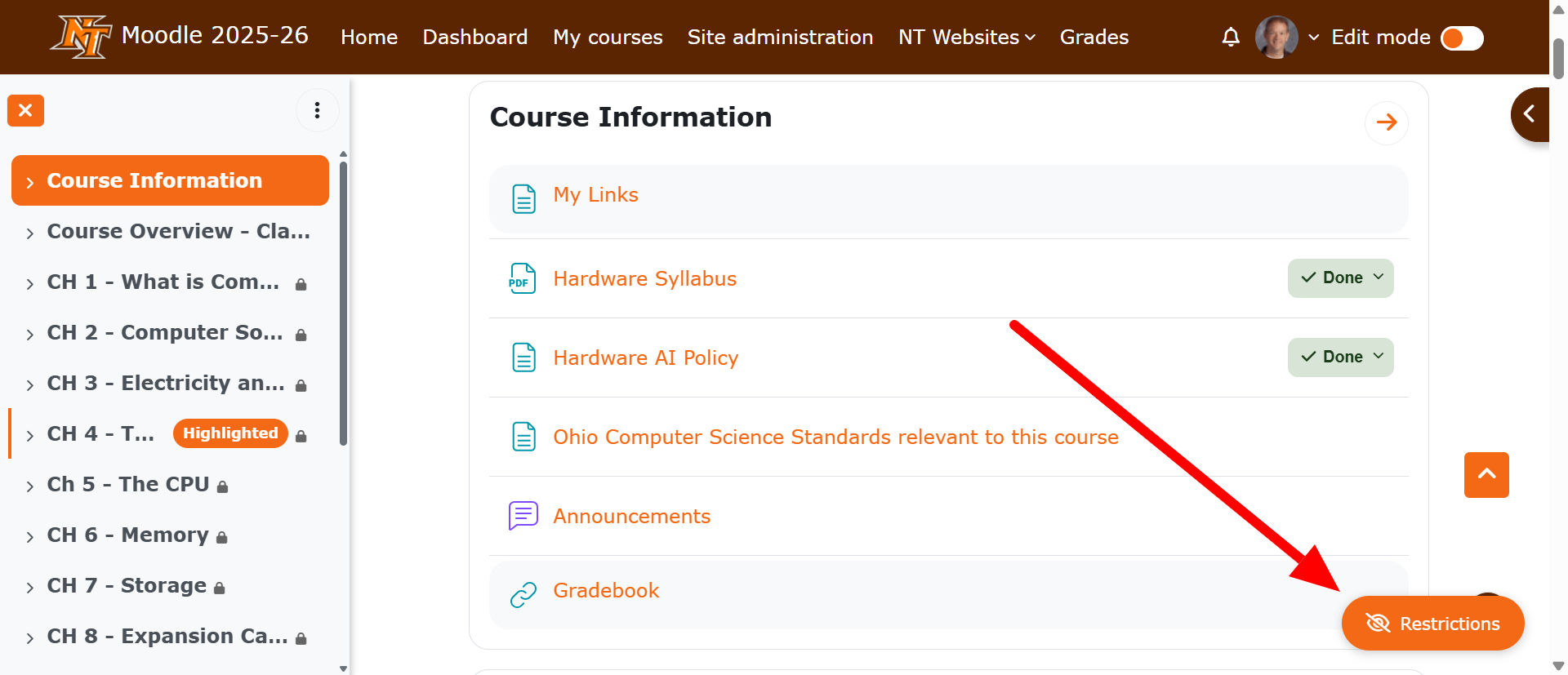
- Floating toggle button in bottom-right corner of course pages for immediate access
- Completion tracking requirement - toggle only appears in courses with completion tracking enabled
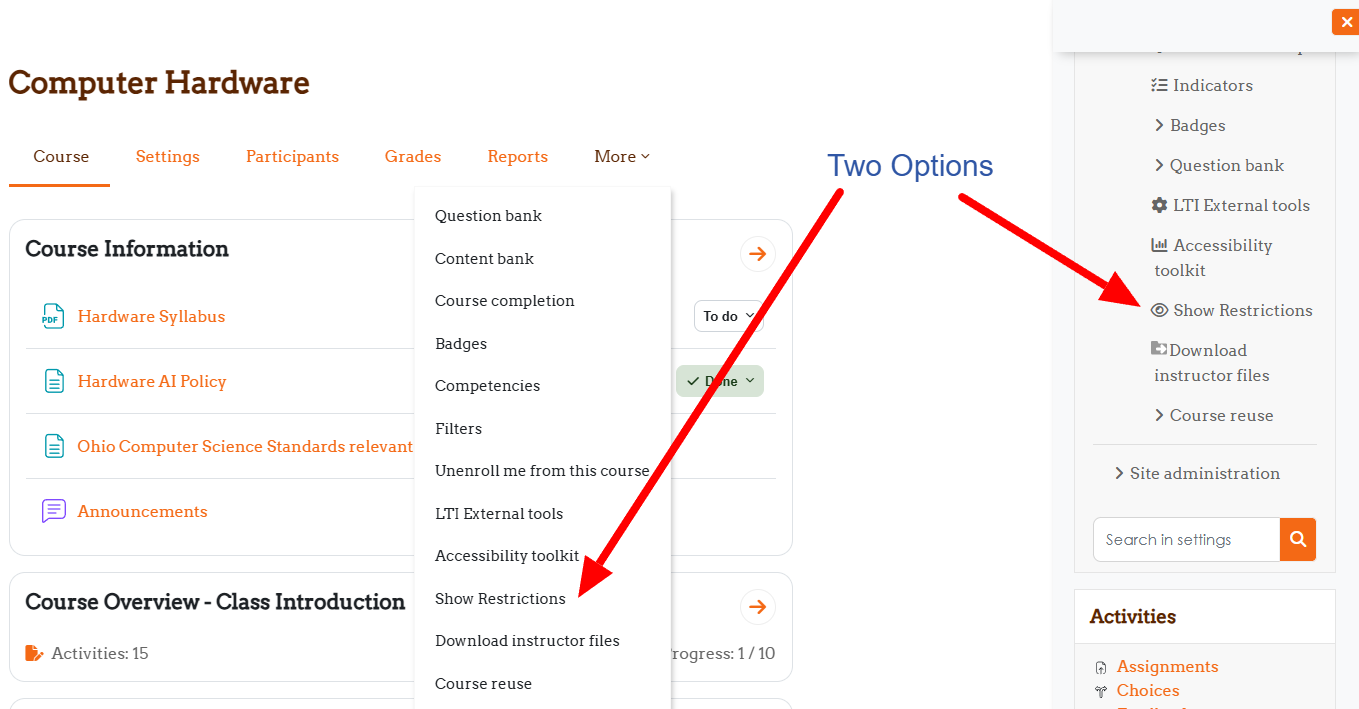
- Hover tooltips showing full action text ("Hide Restrictions" / "Show Restrictions")
- All user-visible text now properly uses language strings for translation support
- New language string: 'restrictions' for simplified button text
- Theme color integration - button automatically matches theme's primary color
- Secondary theme color on hover for visual feedback
Changed
- Button text simplified to icon + "Restrictions" instead of full "Hide/Show Restrictions"
- Improved user experience with always-visible floating button
- Toggle remains accessible in "More" menu as alternative access method
- Icon logic corrected to match Moodle conventions (open eye = visible, closed eye = hidden)
- Button colors now use CSS variables for theme compatibility
- Maturity level updated to STABLE
Technical
- Added
$course->enablecompletion check in both main and navigation functions
- Enhanced language file with new string:
$string['restrictions'] = 'Restrictions';
- Floating button uses Font Awesome icons (fa-eye, fa-eye-slash)
- CSS positioning: fixed, bottom-right, z-index 9999
- Button uses
var(--primary) for background color with fallback
- Hover state uses
var(--secondary) for background color with fallback
- Version number: 2025010401
- Release: v1.2
Fixed
- Icon display now matches Moodle standard (eye = visible, eye-slash = hidden)
[1.3] - 2025-12-03
Fixed
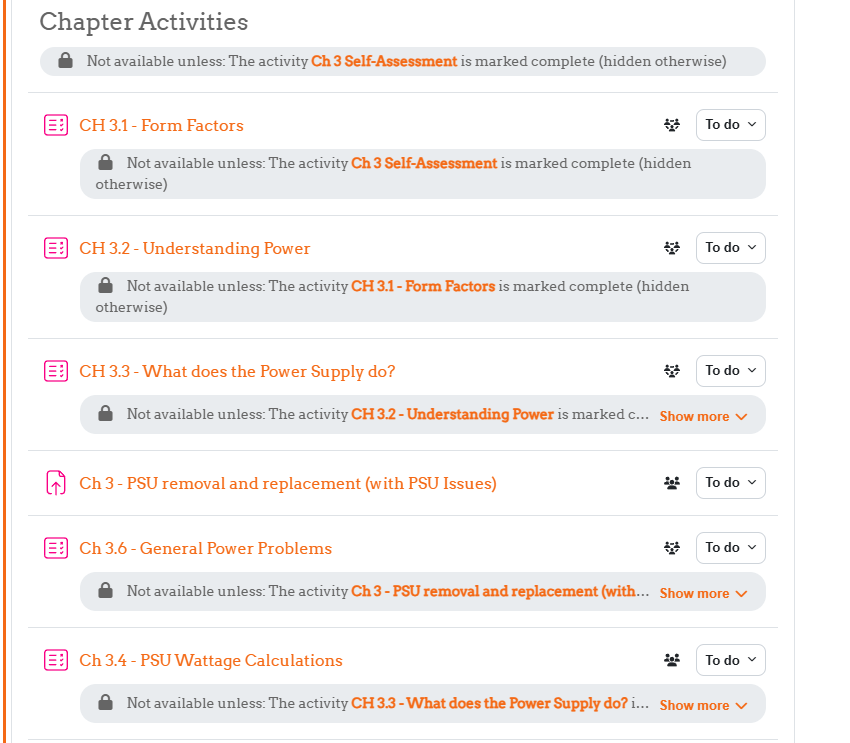
- Restrictions no longer hidden in activity settings pages
- Teachers can now properly view and edit restrictions in activity configuration
Added
- Page type detection to limit plugin scope to course view pages only
- Support for multiple course format types (topics, weeks, single activity)
Changed
- More specific CSS selectors targeting only
.course-content area
- Enhanced restriction hiding to avoid affecting settings forms
Technical
- Added pagetype checks:
course-view-topics, course-view-weeks, course-view-singleactivity
- CSS selectors now prefixed with
.course-content or #region-main .course-content
- Updated compatibility testing with Moodle 4.5.7
- Version number: 2024120301
- Release: v1.1
[1.0] - 2025-09-30
Added
- Initial release of Hide Restrictions plugin
- Toggle button in course secondary navigation menu
- User preference storage for individual teacher settings
- CSS-based hiding of activity restriction information
- Session key verification for security
- Support for multiple Moodle themes (Boost, Academi)
Features
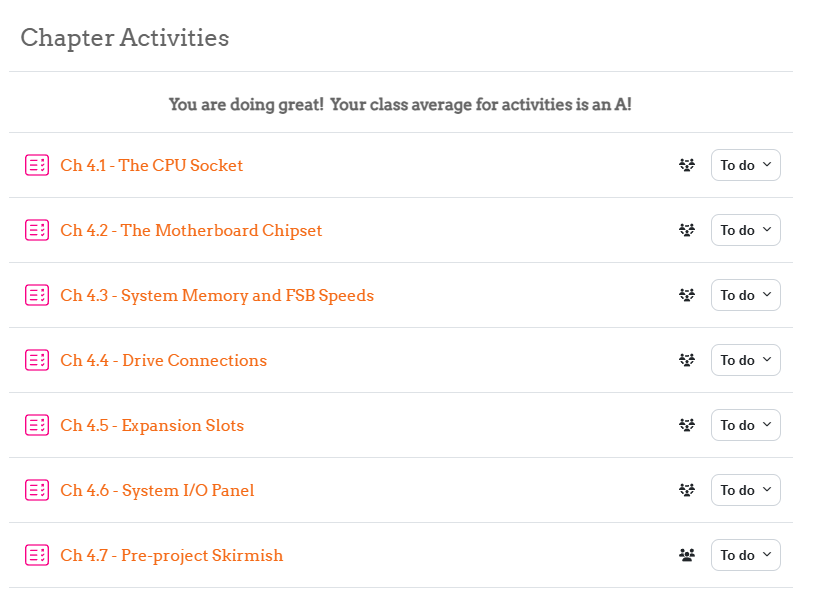
- Hide/show "Not available unless" messages on course pages
- Hide/show restriction badges and availability information
- Individual preferences saved per teacher across sessions
- Default setting: restrictions visible
Technical
- Implements
local_hiderestrictions_before_standard_html_head() callback
- Implements
local_hiderestrictions_extend_navigation_course() callback
- User preferences stored via Moodle preferences API
- Navigation node added to course settings menu
- CSS injection to hide restriction elements when toggled
- Version number: 2024120300
- Release: v1.0
Theme Integration Details
CSS Variables Used
The plugin uses the following CSS variables for theme compatibility:
--primary: Main button background color
--secondary: Hover state background color
Fallback Colors
If theme doesn't define these variables:
- Primary fallback:
#0f6cbf (Moodle blue)
- Secondary fallback:
#6c757d (gray)
Supported Themes
- Boost (Moodle default)
- Classic
- Academi
- Any theme that defines
--primary and --secondary CSS variables
Version Numbering
- Major.Minor.Patch format
- Major: Significant changes, possible breaking changes
- Minor: New features, improvements, non-breaking changes
- Patch: Bug fixes, small tweaks
Links