
Course dedication
Maintained by
Dan Marsden, Catalyst IT
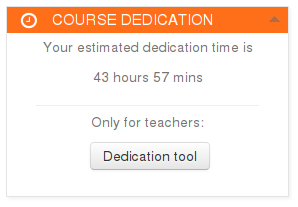
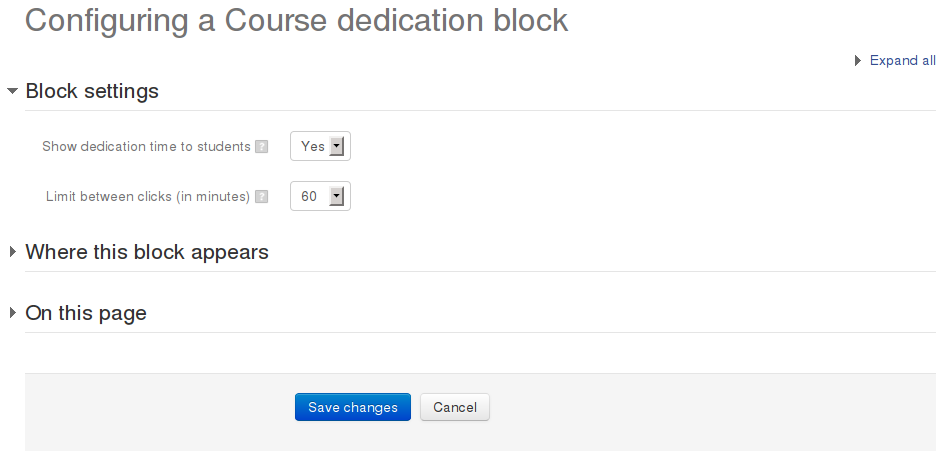
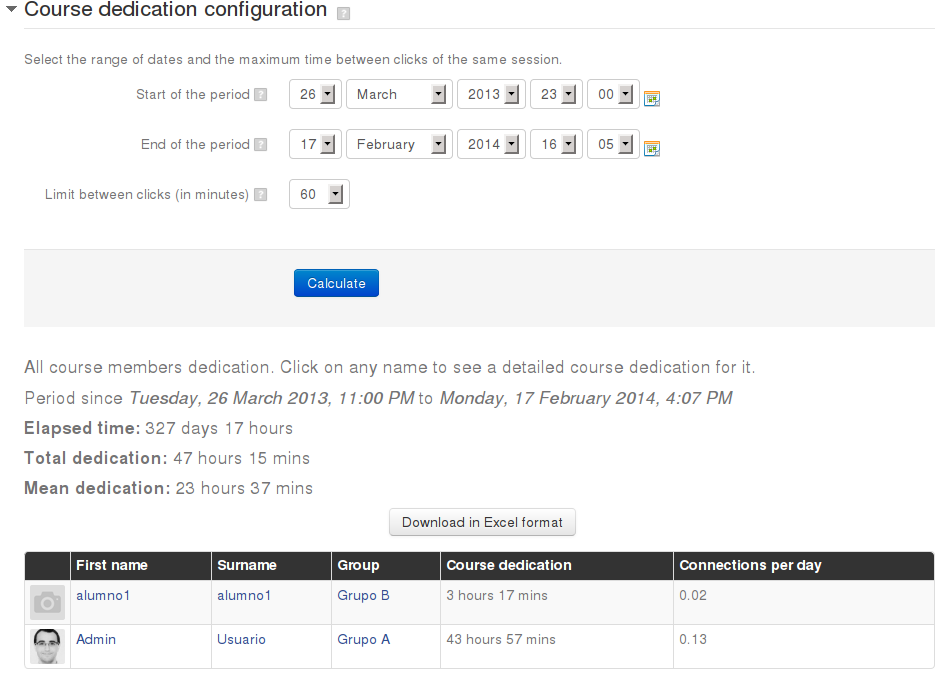
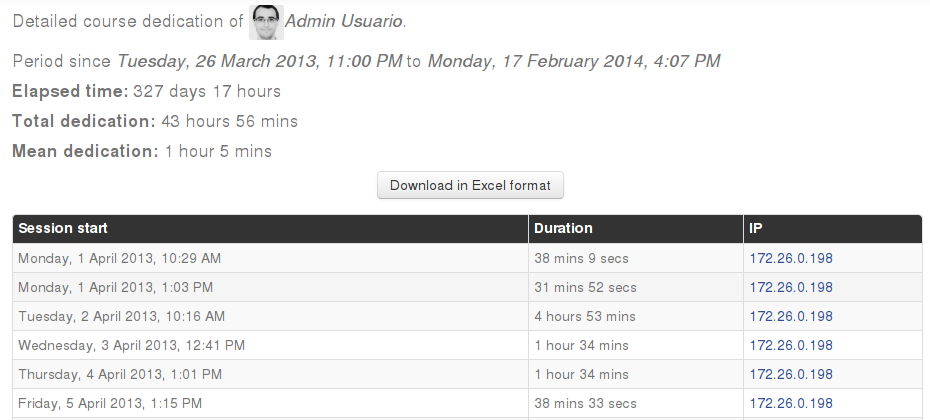
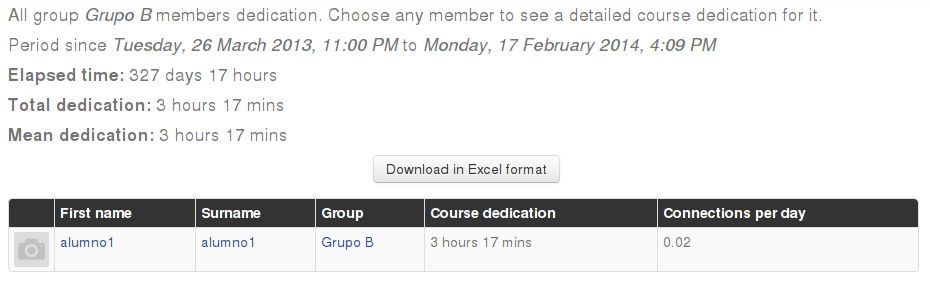
This block allows to calculate estimated dedication time of participants within a course.
Comments
Comments are no longer open for new posts. Existing comments remain available to read.
To enable "legacy login" go to Plugins -> Logging -> Manage log stores and ensure that "Legacy log" its enabled. This change will enable logging only after enabling it, so if your course already started, course dedication calculations won't be accurate.
In the future we will update the plugin to use these new log system to calculate course dedication.
Do you have a test version of your block for Moodle 2.7?
I am willing to test it on my new site into production.
Thank you for your work.
Daniel
Buenos Dias Aday!
Do you propose we quickly your block for Moodle 2.7?
Block for Moodle 2.6 is no correct.
Thank you in advance.
Daniel
It seems that your unit does not recover data in Moodle 2.7.
Being tested by me in a way, this valuable block no output.
Have you tested on 2.7?
thank you
Daniel
In the latest version, all contributed transalations were lost, and only spanish translation is in the AMOS right now.
I have Moodle 2.4 and course dedication 2012020105 currently installed.
It notifies me to install :
- 2014021400 for Moodle 2.x : https://moodle.org/plugins/pluginversion.php?id=5409
or
- 2014030401 for moodle "reset" : https://moodle.org/plugins/pluginversion.php?id=5537
Which of them should I use and why ? I didn't understood the difference, only in translation ?
Will the times computed be the same ?
Thank you, and thanks for your work.
If you use spanish translations, you should go to languages admin panel and use reload local translations option.
Please look at http://lang.moodle.org/mod/forum/discuss.php?d=2485 :
"From now on, whenever a maintainer publishes a new version of their contributed plugin, strings are automatically sent via a web service to the AMOS. This process respects the supported Moodle version setting so the strings appear at the correct Moodle branch in AMOS.
This works for new plugins that will be uploaded into Plugins in the future, too. With the exception that the strings appear in AMOS only after when the plugin is approved as a part of its validation.
This new mechanism works for all plugins that were uploaded into the Plugins directory and are written for Moodle 2.0 and higher. Contributed plugin maintainers are now encouraged to transfer all their current code to this new scheme:
The plugin code itself should now contain just the English strings in the /lang/en folder.
All other translations are to be maintained via AMOS and you as the plugin maintainer do not need to look after them any more! Translated strings for contributed plugins are part of the standard language packs generated by AMOS.
If your plugin code currently contains some translation, you (as the plugin maintainer) should submit it as a contribution into AMOS prior to dropping it from your plugin's source code. AMOS stage page provides a form to upload strings from an existing PHP file. You are supposed to import all non-English string files you currently have shipped with your plugin (eg. /lang/cs/yourmodule.php) into the AMOS stage and then submit them language pack maintainers.
We believe that this new procedure will make translation of contributed plugins much easier than it ever been - for both the plugin maintainer and translators, too.
Should you have any questions regarding this new feature, do not hesitate to ask in AMOS support forum at this site."
That means that you should not include the Spanish translation within the lang folder of your plugin. You can send it to the language pack maintainer (Benito Arias).
Thanks.
Note: as a side effect translation changed a lot and we needed to delete all of them except English and Spanish, as these are the only languages we can translate.
We are working in a major update of this block along with users suggestions posted in the forums and here.
We hope to release it soon.