Course dedication icon

Course dedication

Maintained by Dan Marsden, Catalyst IT
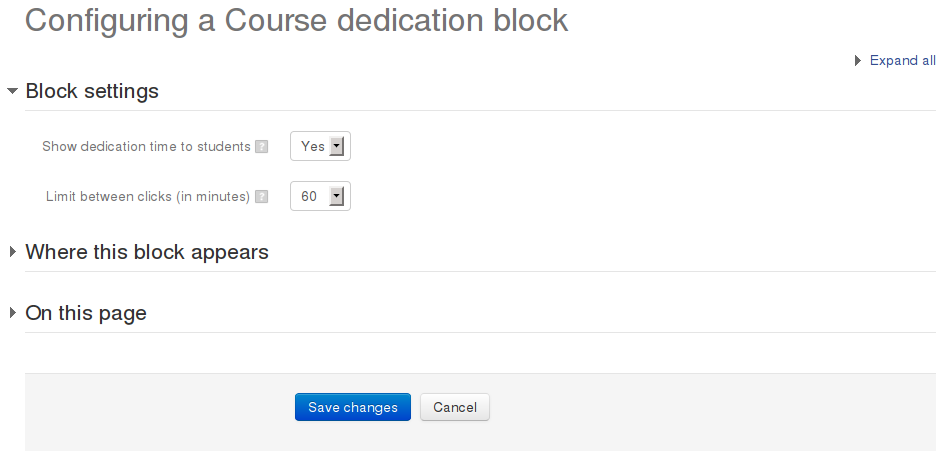
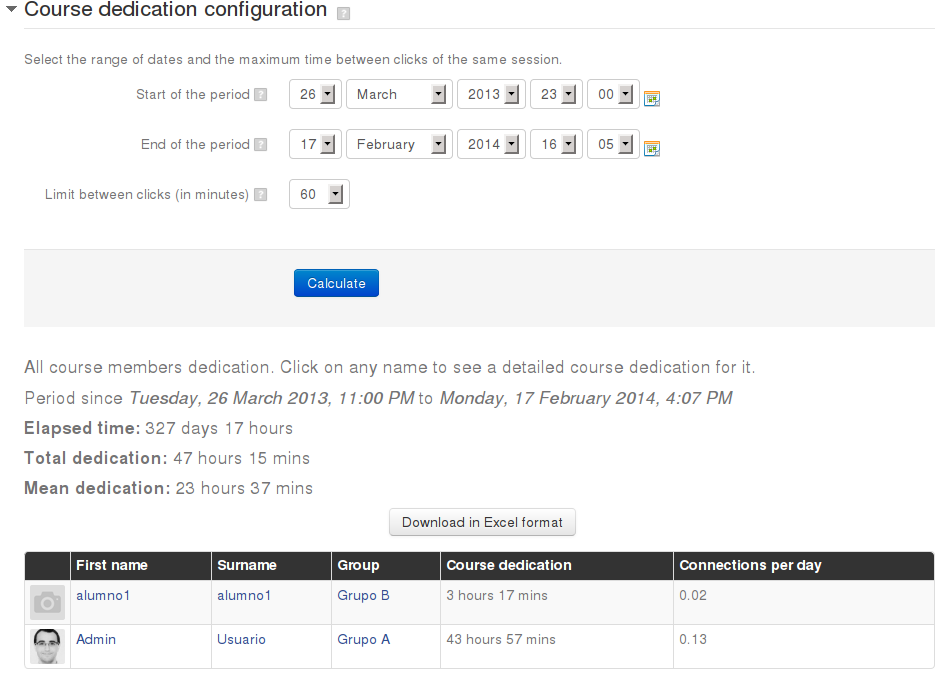
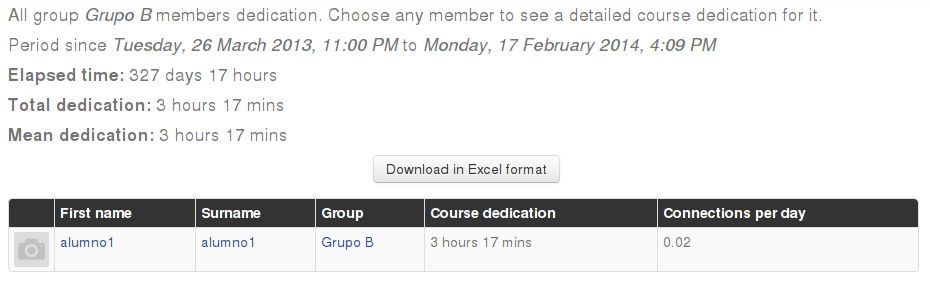
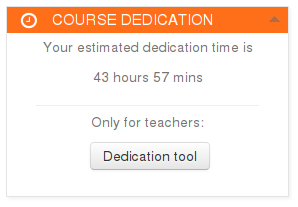
This block allows to calculate estimated dedication time of participants within a course.
Price option: Free

Supports Moodle 1.9-4.4 See all versions
Latest release: 2 years ago
Installations: 7494
Downloads (last 90 days): 793

Frankenstyle name: block_dedication
Blocks

Comments

Comments are no longer open for new posts. Existing comments remain available to read.

Hello All
I get this message:
Time spent calculation task has not run yet.
Any suggestions?
Hi, we are using Dedication block with Moodle 4.1 version and staff are asking about the selection of range of dates, which was there within the previous 3.11 version of the block. They want to filter Start of period and End of period dates but can't do this as there is only Session duration within the new filtering options? Cheers
Thanks @Amadeusz - great to hear it's been useful... I'm never short of "Plans" smile If you're interested in helping by funding further development feel free to reach out privately and I can provide information on our rates, otherwise if you have internal development capabilities, pull requests are always welcome!! - what would also help is if you report any bugs/issues directly to the github issues tracker - thanks!
Greetings. Thank you for this extremely useful plugin. Lots of charter schools in the U.S. are required by law to provide this statistic to their administrators. It's also most excellent that it works with Moodle's report builder. However, I have an issue with locking things down because "Conditions" options never show as soon as I select the "User Dedication" as the report source. Conditions would allow Moodle admins to restrict who the audience gets to monitor which is crucial on a system with multiple schools/districts. Any ideas why this feature doesn't work? Is there any plans to update the plugin to fix/include conditions in report builder?
Hi, After installing this, i cannot see the course dedication configuration screen, as per your screenshot, please advise from where i can see, however i noticed that it shows the complete session time, not the course spent time, i just want to see the course spent time for scorm module time spent, is it possible to get that time from this. pls advise
Hola, no se que hago mal. Pero se me ha quedado de repente el tiempo parado y no actualiza. Cron se ejecuta cada 5 minutos. ¿Debo tocar alguna configuración? Gracias
I'm getting a real connection time of 185 hours on a student, but this block gives me 153 hours when I set the time between clicks to 150 and roughly 4 hours if I set the time between clicks to 1 minute.
Am I doing something wrong? Is there any way to set the time between clicks higher than 150, so I can calculate the real time using this block? Seems to work better than the other Course Dedication tool we are using on our Moodle, but can't calculate the real time without raising the limit higher than 150, I think.
Hi, I am using the extension with moodle 4.1. I have two problems with the extension:
1. When I want to obtain a report with the time spent on the course and I use the filter (up right), it is displayed but if I click on any of the filter options it closes automatically.
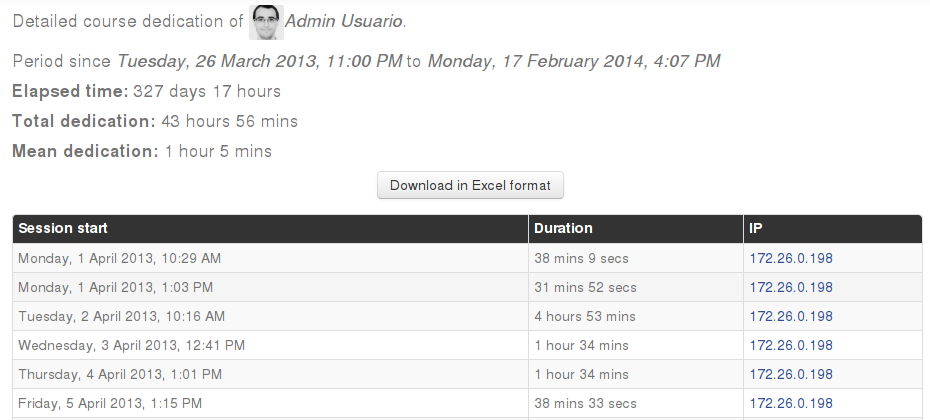
2. If I click on the wheel of a certain user and choose the option "see session duration report" go to the report page but does not allow downloading the report. It returns the following error: A required parameter (userid) was missing.
Any solution? Thank you
@Chris - the latest version of the code relies on a scheduled task to generate the data for all courses - please ensure you have cron set up correctly on your site - if you would like to know how to trigger specific tasks manually the best place to ask for this sort of help is in the forums here on moodle.org.
Hello!
I have installed the plugin and now I see the block say:
Dedication
Time spent calculation task has not run yet.
What should I be doing now in order to have this task run and generate the report?
@lalit - best place to report issues is in the github issues tracker, but that doesn't sound familiar. Please make sure your cron process is running and the scheduled task responsible for generating the data has run since you installed the plugin too.
Hi @Dan,
After installing the block_dedication plugin and when I am trying to get time spent on the course, and putting the start date and end date same, I am getting a "Division by zero" Error in moodle 4.1 but when I install the block_dedication version 3.9 in moodle 3.9, I am not getting any error. It is shown below
Total dedication: None
Mean dedication: None
Any idea
@Vital, this plugin relies on the logs data to generate time spent, if you have deleted the logs, then it will not be able to calculate historical times. Also keep in mind that it uses a scheduled task to generate the data, so if you do not have cron running correctly it will not be able to generate the stats.
Hi Dan, i deleted most of the logs during migration to 4.1, and now at the migrated site i cant see any of the times spent, or no new additional times are added. am i looking at the wrong place (report builder)?
@Fer - please see previous comments here and the code in github smile