EduMetrics 📊"
EduMetrics is a Moodle reporting plugin that brings together engagement metrics for students and tutors in a simple, visual way.
⚠️ Important
- EduMetrics only starts collecting and displaying data from the moment it is installed. It does not backfill or import historical activity prior to installation.
- Right after installation, it is normal to see empty metrics until new events occur (resource views, forum posts, submissions).
🚀 Motivation
- Practical visibility: consolidate resource access, forum interactions, and activity submissions to simplify tracking.
- Decision support: quickly identify active vs inactive participants and take action (messages, interventions, academic support).
- Daily focus: events are aggregated per day, enabling period filters and engagement trend comparison.
⭐ Key Features
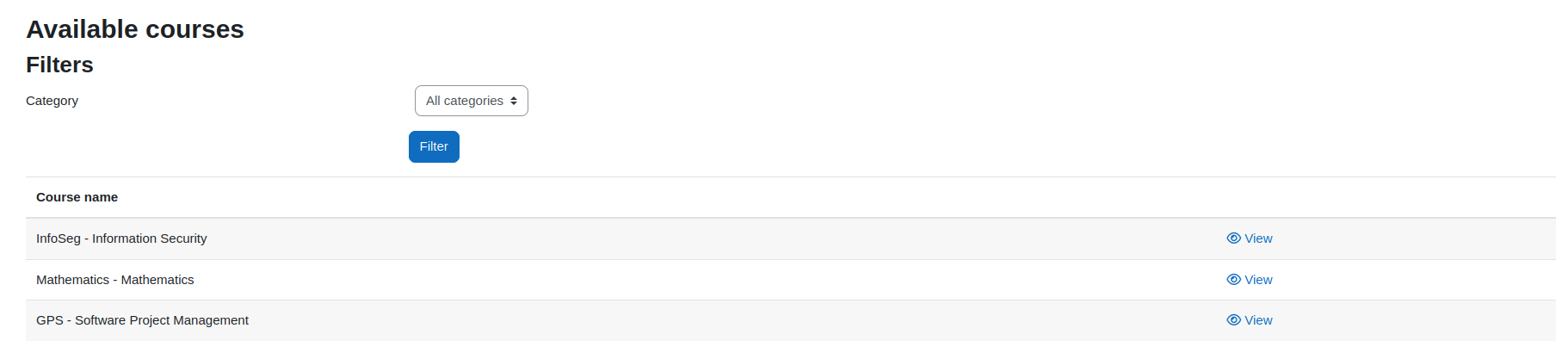
- Course list with quick access to the participants report.
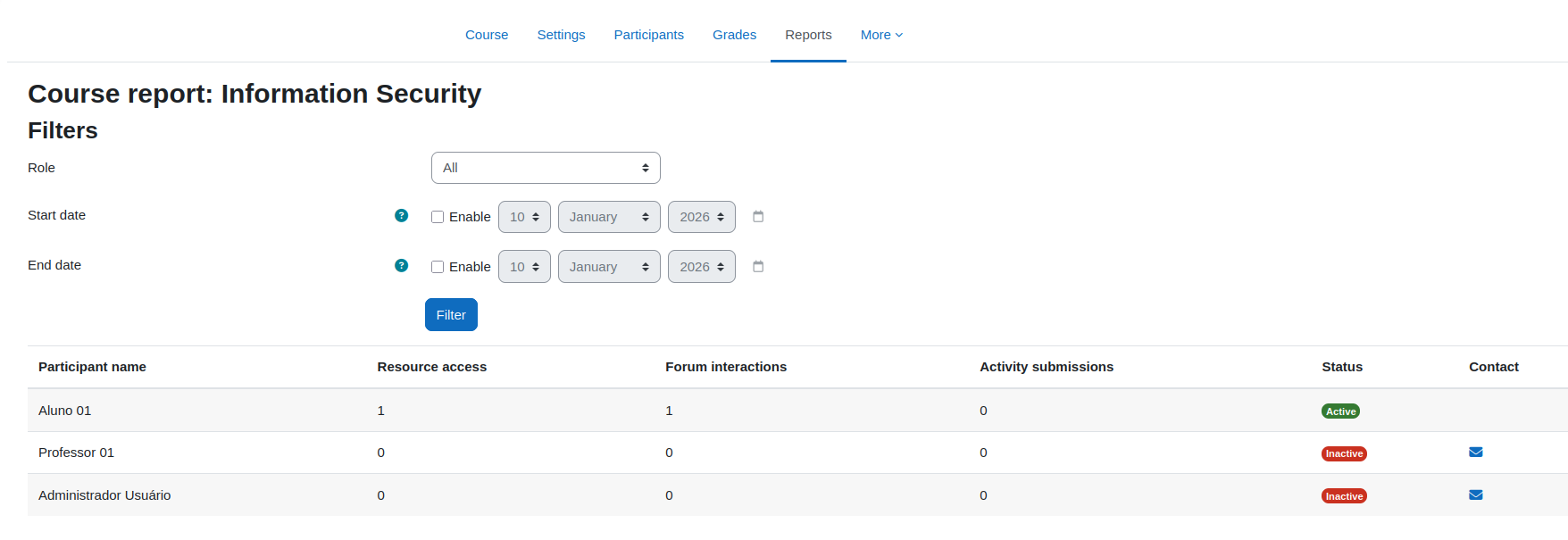
- Per-participant metrics: resource access, forum interactions, activity submissions.
- Status indicator (Active/Inactive) and contact link when inactive.
- Filters: by role and by date range -️.
📦 Requirements:
- Moodle
requires: 2020061500 (Moodle 3.9+) 🧩
🧭 Where to find it
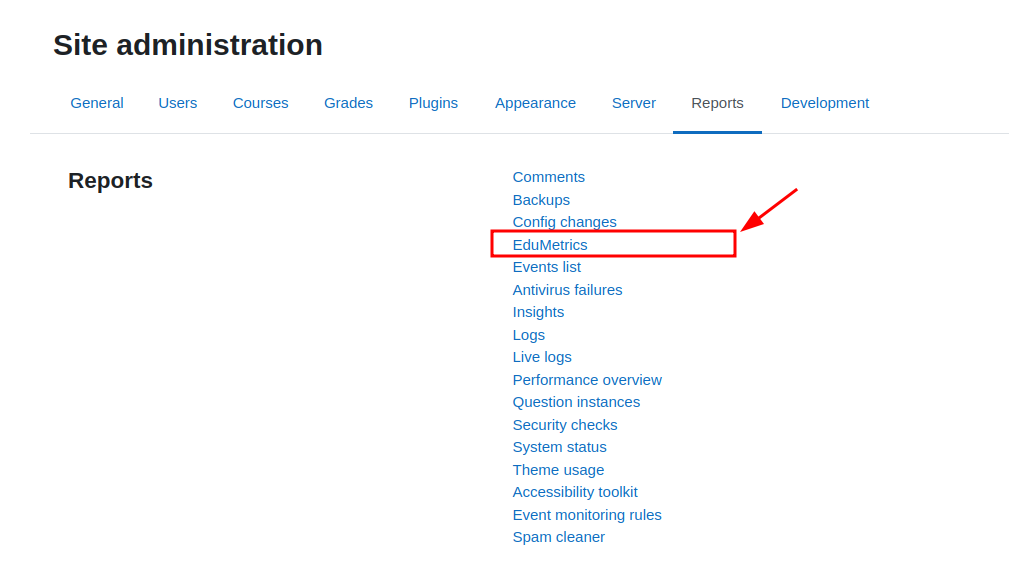
- Site administration ' Reports ' EduMetrics (course list)
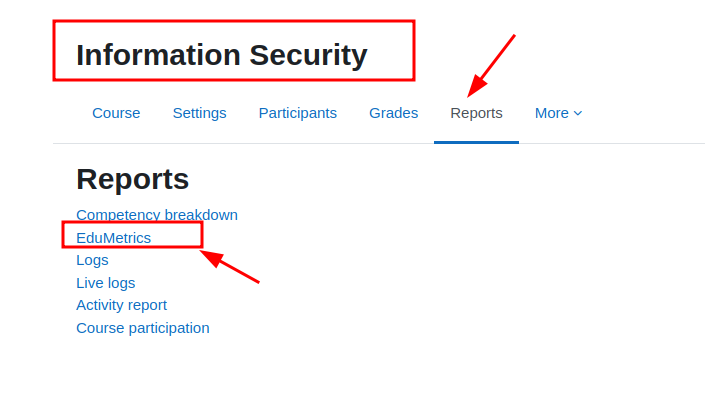
- Within a course (side navigation) ' Reports ' EduMetrics
-️ Usage
- Access a course report from the course list or the course navigation.
- Use the top filters:
- Role: all roles in the course context.
- Start date and End date: inclusive date range per day.
- Click Filter.
- Review the metrics table for each participant:
- Resource access (e.g.,
url, resource)
- Forum interactions (discussion creation, posts)
- Activity submissions (e.g.,
assign)
- Status: Active (≥ 1 interaction) or Inactive.
- Contact: message link when inactive.
Tips ':
- Filter by period (e.g., last 2 weeks) to spot engagement drops.
- Filter by role to compare students vs tutors/teaching staff.
🧱 How it works (technical summary)
- Moodle event observers record interactions in
report_edumetrics_participation.
- Records are aggregated per day (
event_date) and by courseid, userid, and roleid.
- The report consolidates per-participant metrics and applies role/date filters.