
AI Grade
Maintained by
Brian Pool
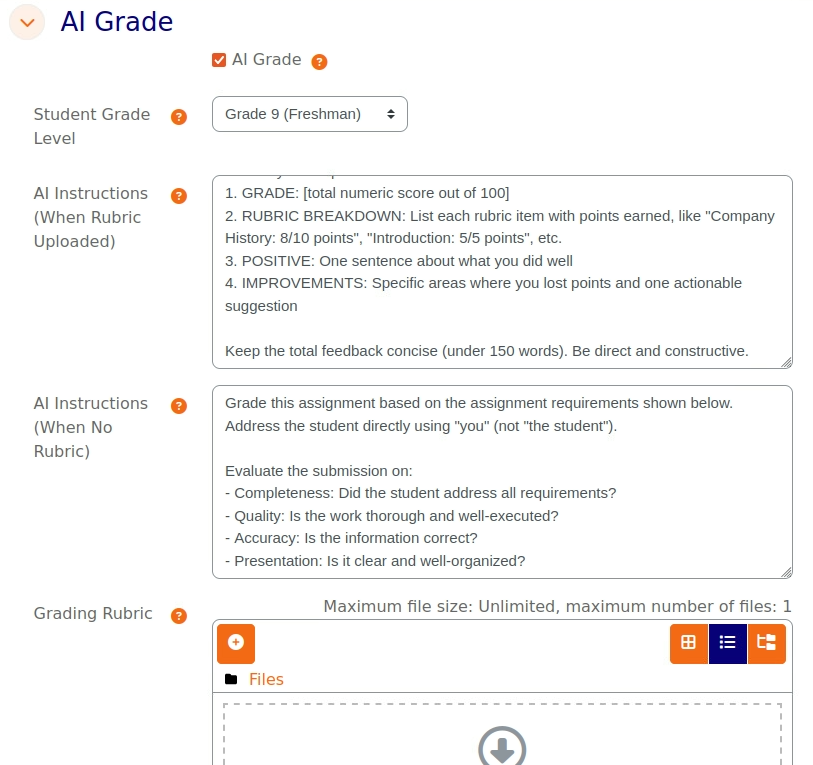
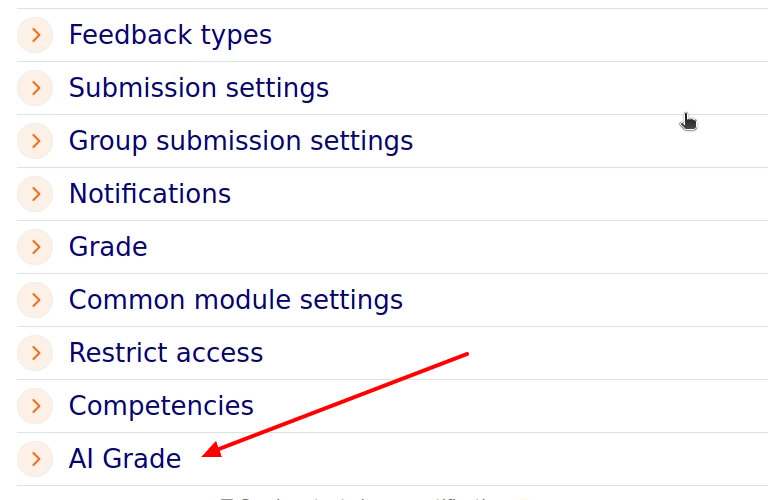
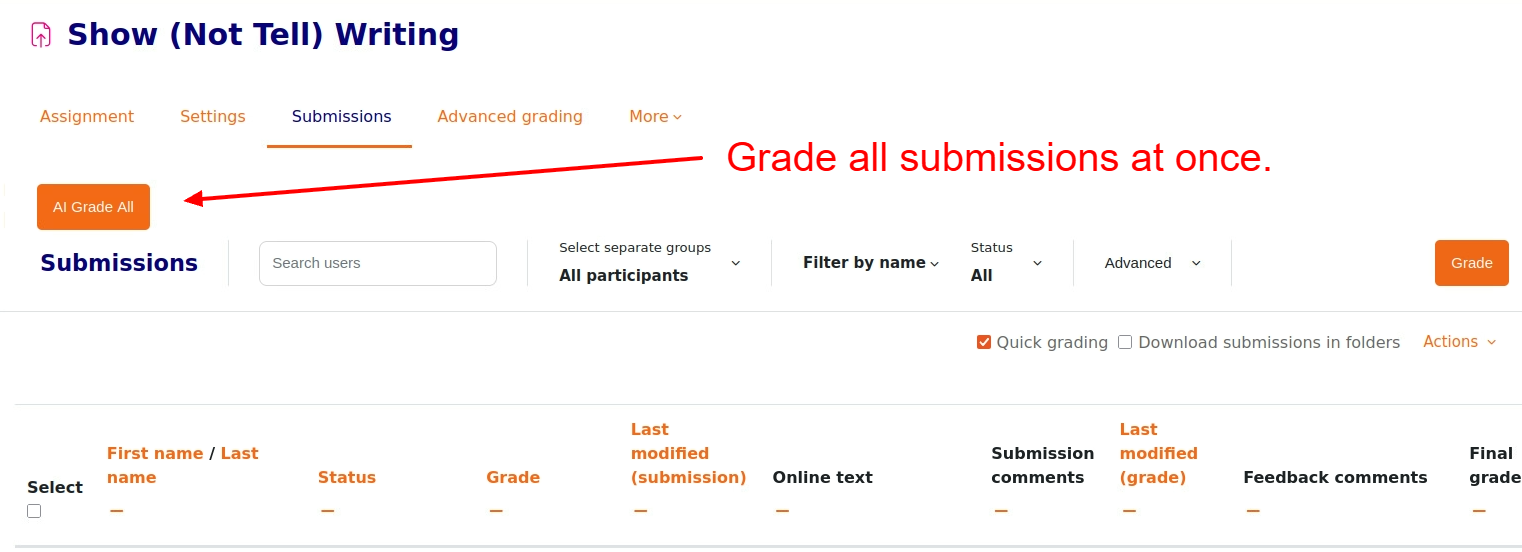
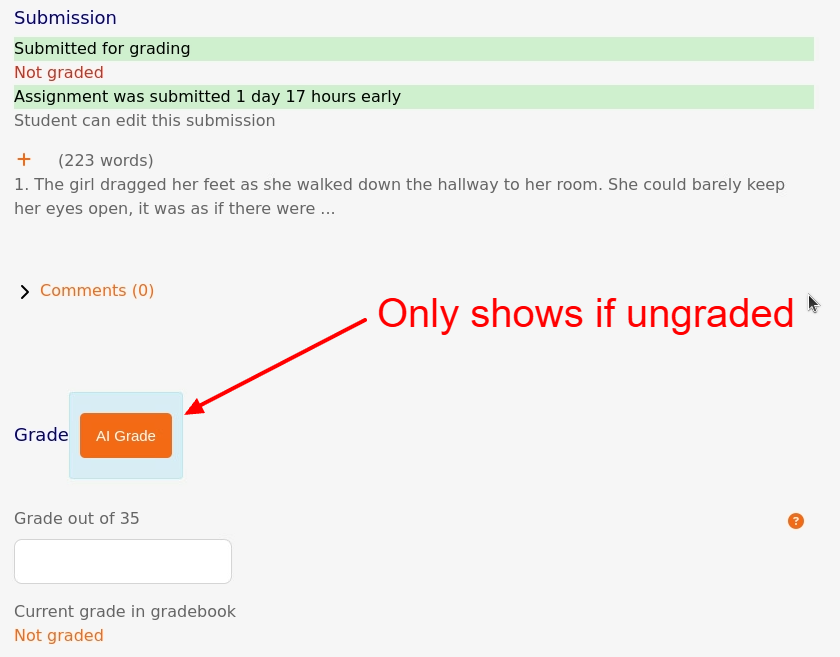
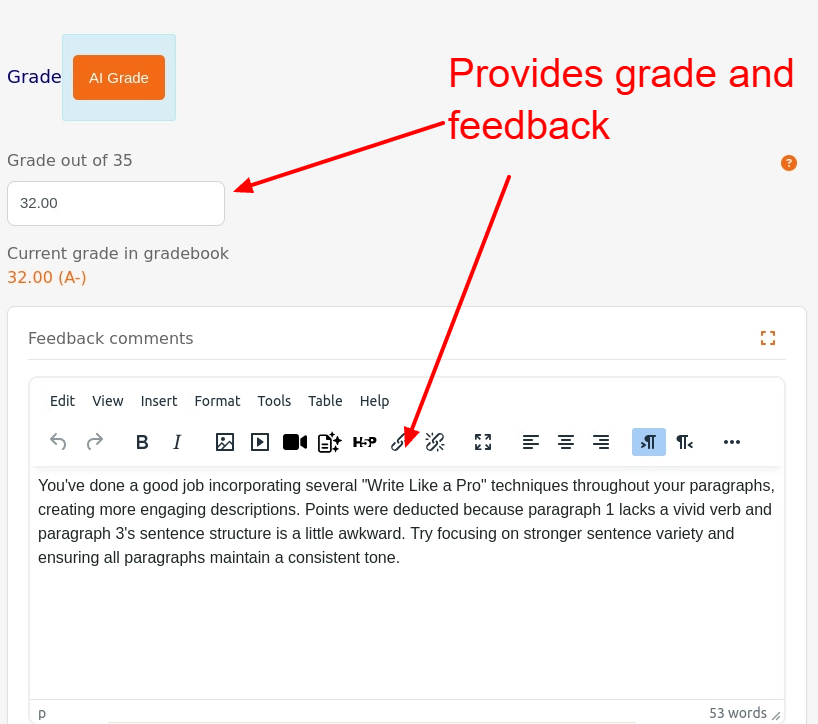
This plugin uses the core Moodle AI connection. It allows teachers to grade assignment submissions with the AI using the assignment description or an uploaded grading rubric. It will take online Moodle text, Uploaded PDF, DOC, or a shared Google Doc link. The Google Doc must be open to anyone with the link to work. Teachers can mass grade or grade one by one in the grade interface. The single use interface allows teachers to modify feedback and grades before moving to the next submission. Note: The AI connected (model) and the prompt greatly impacts the grades produced! Teachers should alway review before making these grades a permanent score.
Comments
Comments are no longer open for new posts. Existing comments remain available to read.
Callback before_footer in local_aigrade component should be migrated to new hook callback for core\hook\output\before_footer_html_generation
line 7230 of /public/lib/moodlelib.php: call to debugging()
line 7297 of /public/lib/moodlelib.php: call to {closure}()
line 71 of /public/lib/classes/hook/output/before_footer_html_generation.php: call to get_plugins_with_function()
line 974 of /public/lib/classes/output/core_renderer.php: call to core\hook\output\before_footer_html_generation->process_legacy_callbacks()
line 154 of /public/admin/themeselector.php: call to core\output\core_renderer->footer()
Great plugin! One issue: on a German-language Moodle, the AI feedback always returns in English — even with "Respond in German" in the AI instructions field. The hardcoded English prompt seems to override it.
Would it be possible to auto-detect the user's language via current_language() and inject a language instruction into the prompt? That would fix it for all non-English Moodle sites.
Currently working around it with a manual PHP patch, but it breaks on updates.
Thanks!
Joe from Germany
"Error: AI service error: User rate limit exceeded"