eLeDia GmbH
Lead maintainer

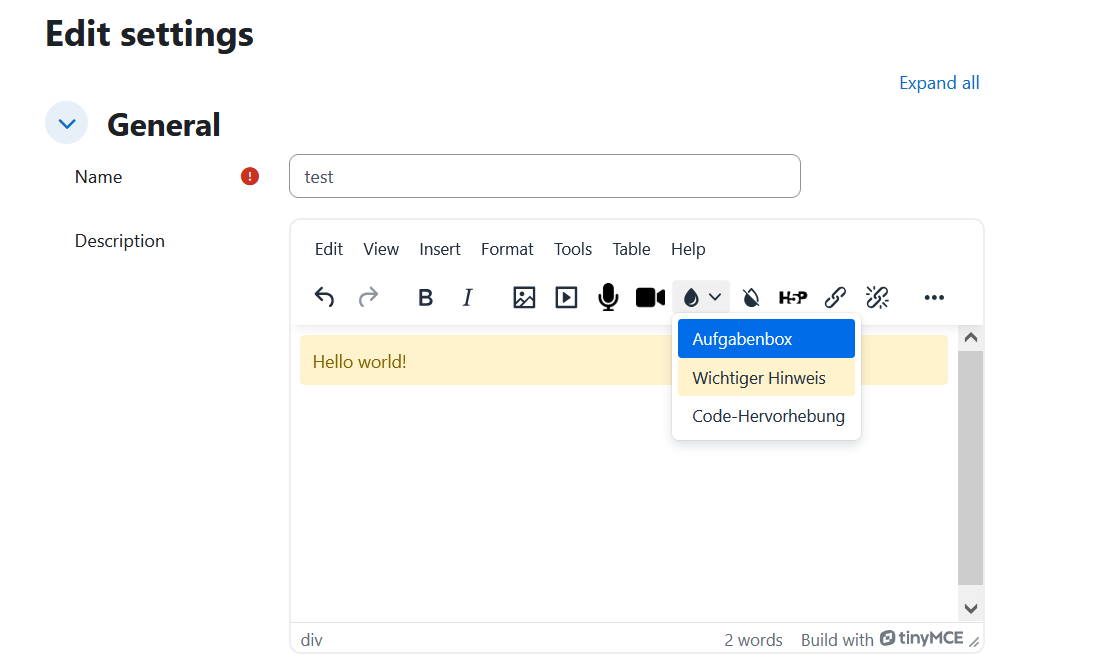
eLeDia Styles for TinyMCE is a powerful plugin for the Moodle TinyMCE editor that enables administrators to define and manage centralized CSS style templates. These predefined styles can be easily applied by teachers and other content creators through an intuitive dropdown menu in the editor toolbar, ensuring consistent and professional formatting across your Moodle courses.
The plugin bridges the gap between design requirements and content creation by allowing administrators to create a library of reusable styles that match your institution's branding and educational standards. Content creators can then apply these styles without needing any knowledge of HTML or CSS, simply by selecting them from a dropdown menu.
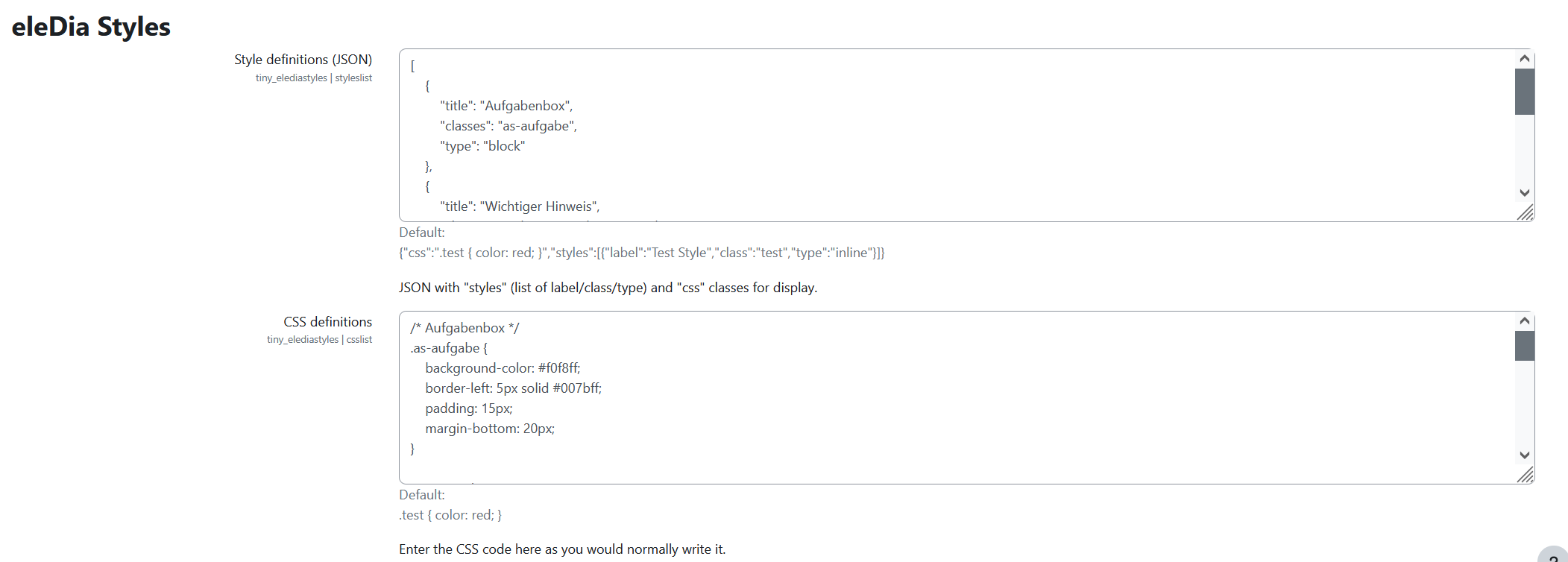
All style templates are defined and managed in one central location within the Moodle plugin settings. This ensures consistency across all courses and makes it easy to update styles site-wide without having to modify individual course content.
Write your styles using modern SCSS syntax, taking advantage of features like variables, nesting, and mixins. The plugin automatically compiles your SCSS to CSS, eliminating the need for external build tools or manual compilation steps.
The dropdown menu doesn't just show style names - it displays them with the actual CSS formatting applied. This gives content creators an immediate visual preview of how each style will look before applying it to their content.
Create two types of styles to cover different use cases:
<div> containers, perfect for callout boxes, alerts, task descriptions, or any content that should be displayed as a distinct block<span> elements, ideal for highlighting specific words or phrases, code snippets, or other inline formatting needsThe plugin includes several features designed to make content creation as smooth as possible:
Style Removal Function: Users can remove applied styles with a single click, returning the content to a normal paragraph without having to manually edit HTML.
"Double Enter" Logic: When working inside a block-level style container (like a callout box), users can easily exit the container by pressing Enter twice at the end. This prevents the frustration of being "stuck" inside a styled container.
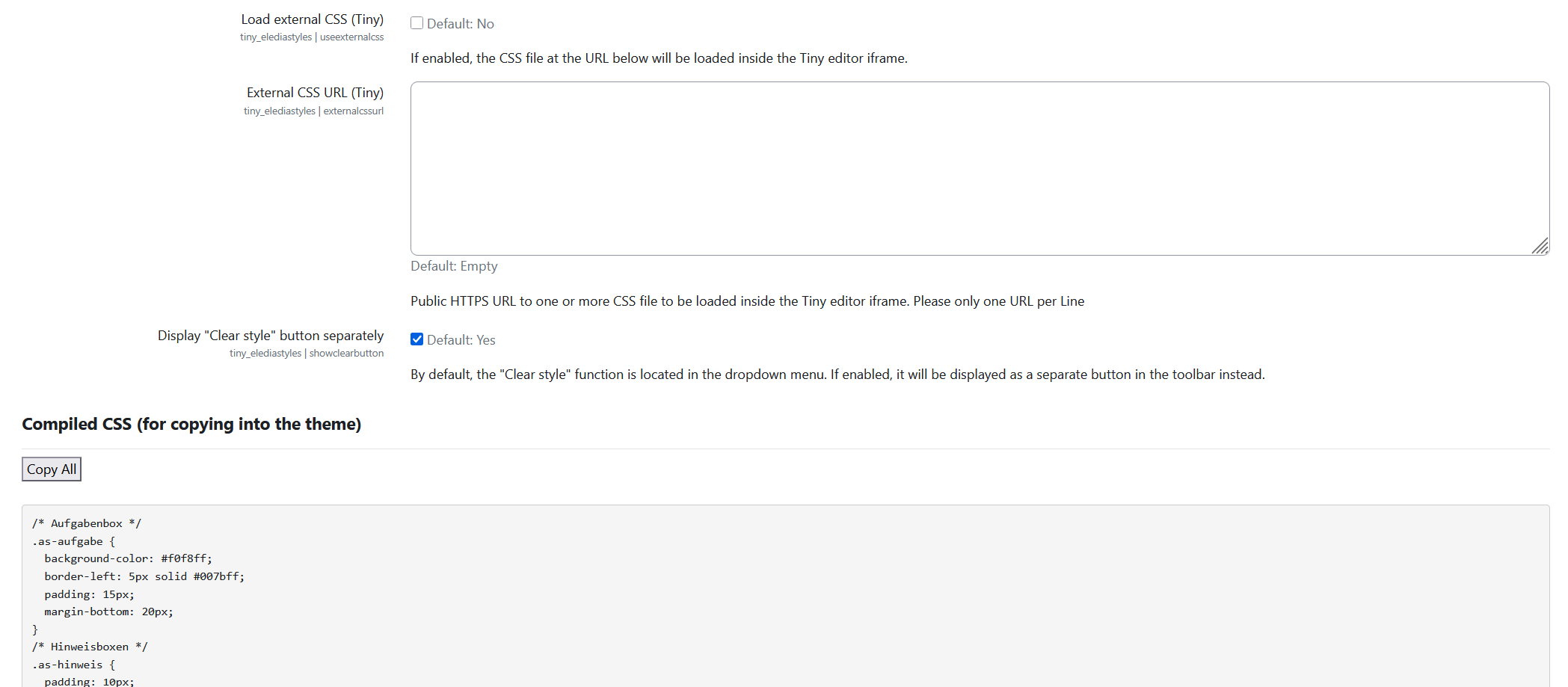
Configurable Button Layout: Choose whether the "Clear Style" function appears as a separate button in the toolbar or as the first entry in the dropdown menu, allowing you to optimize the interface for your users' workflow.
Load one or more external CSS files directly into the editor. This is particularly useful for:
Simply provide the URLs of the external stylesheets (one per line), and they will be loaded automatically in the editor environment.
The plugin integrates seamlessly with Moodle's TinyMCE editor and follows Moodle coding standards. The SCSS compilation happens server-side, and the resulting CSS is made available both for the editor preview and can be easily copied into your theme's CSS for consistent rendering across the entire Moodle site.
The result is a powerful, flexible styling system that empowers content creators while maintaining design consistency and quality across your entire Moodle installation.
This plugin was made possible by TU Hamburg.