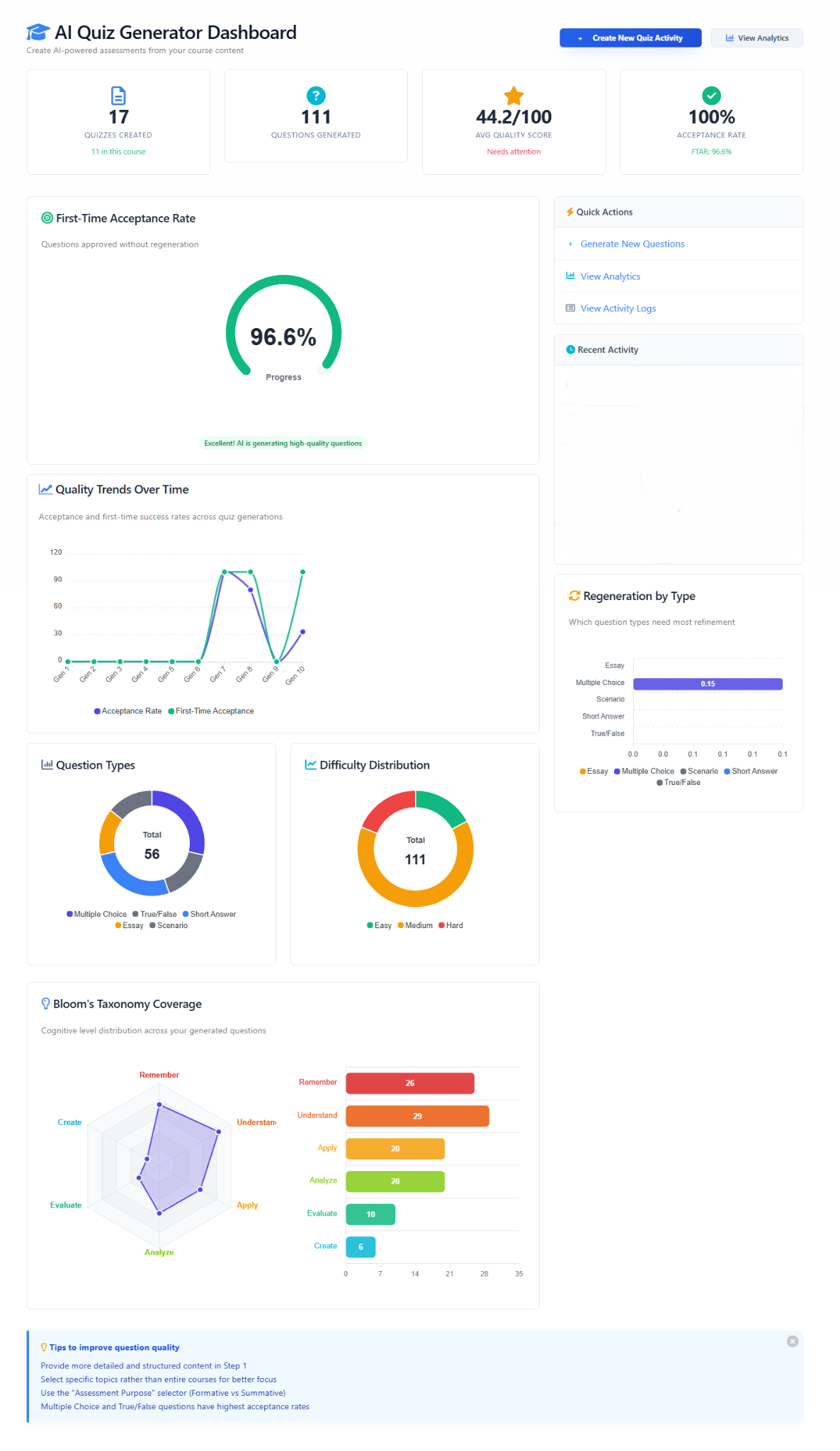
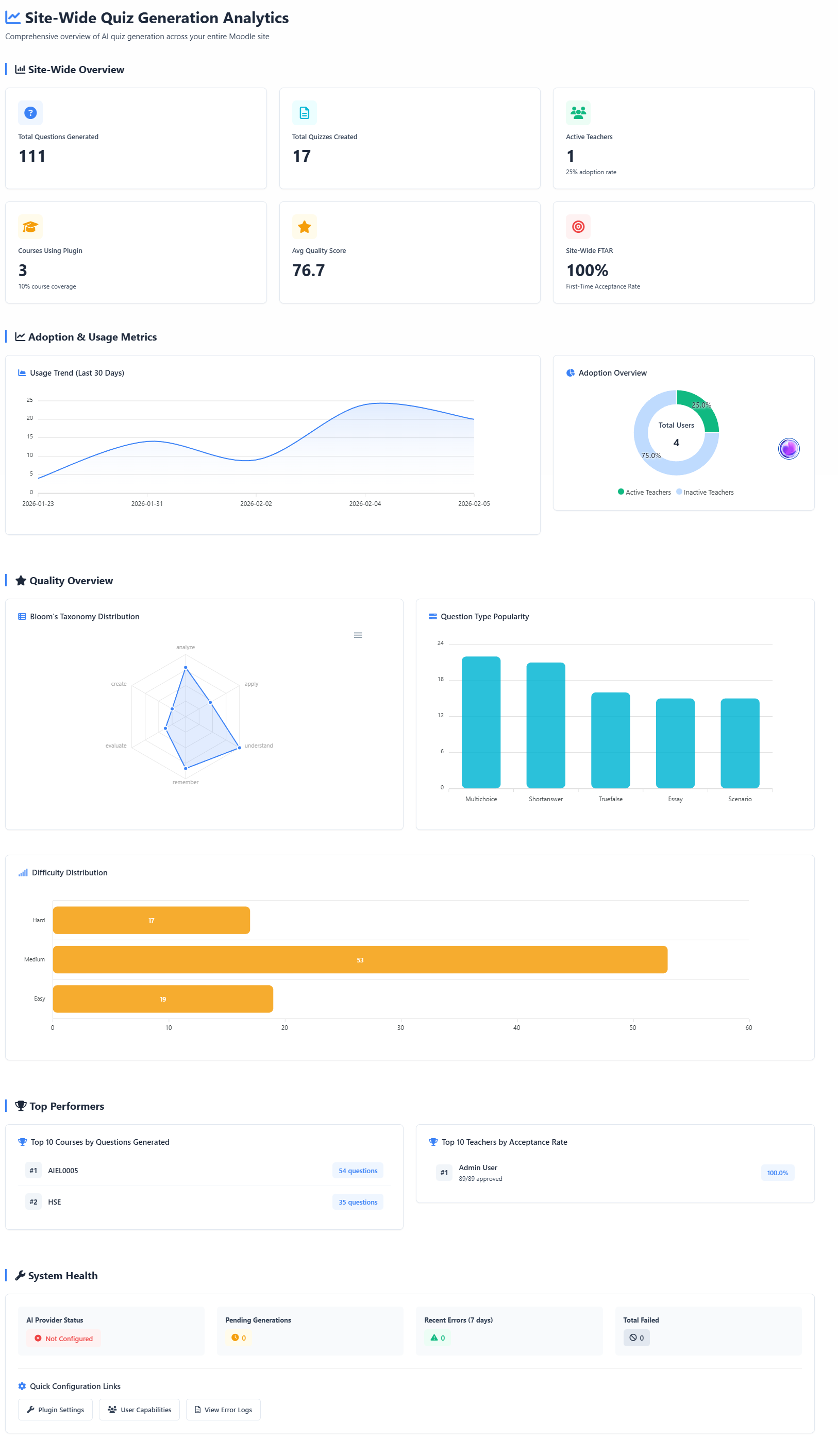
Human Logic AI Quiz Generator
Component: local_hlai_quizgen
Version: 1.6.5
Copyright: © 2025 Human Logic Software LLC
License: GNU GPL v3 or later
Overview
The AI Quiz Generator plugin automates the creation of high-quality quiz questions from course content using AI infrastructure. It provides instructors with an intelligent wizard-based interface to generate, review, and deploy quizzes while maintaining complete pedagogical control.
Key Features
- Multi-Source Content Analysis: Extract content from PDFs, DOCX, PPTX, SCORM, Moodle Pages, Lessons, Books
- Intelligent Question Generation: Creates questions aligned to learning objectives and difficulty levels
- 5 Question Types: Multiple Choice, True/False, Short Answer, Essay, Matching
- Wizard-Based Interface: 5-step guided workflow for complete control
- Instructor Review: Edit, regenerate, or approve every question before deployment
- Commercial AI Service: Powered by the Human Logic AI gateway (API key required)
- Privacy-First: No student data sent to AI—only course content
Prerequisites
Required
- Moodle 4.1+ (optimized for Moodle 4.5+)
- Human Logic API Key - Contact support@human-logic.com for access
- PHP 8.0+
- MySQL 5.7+ / PostgreSQL 10+ / MariaDB 10.3+
Installation
Step 1: Install Quiz Generator Plugin
- Download or clone this plugin to
moodle/local/hlai_quizgen
- Login as administrator
- Navigate to Site Administration ' Notifications
- Click Upgrade Moodle database now
- The plugin will be installed automatically
Step 3: Configure Settings
- Navigate to Site Administration ' Plugins ' Local plugins ' AI Quiz Generator
- Configure settings:
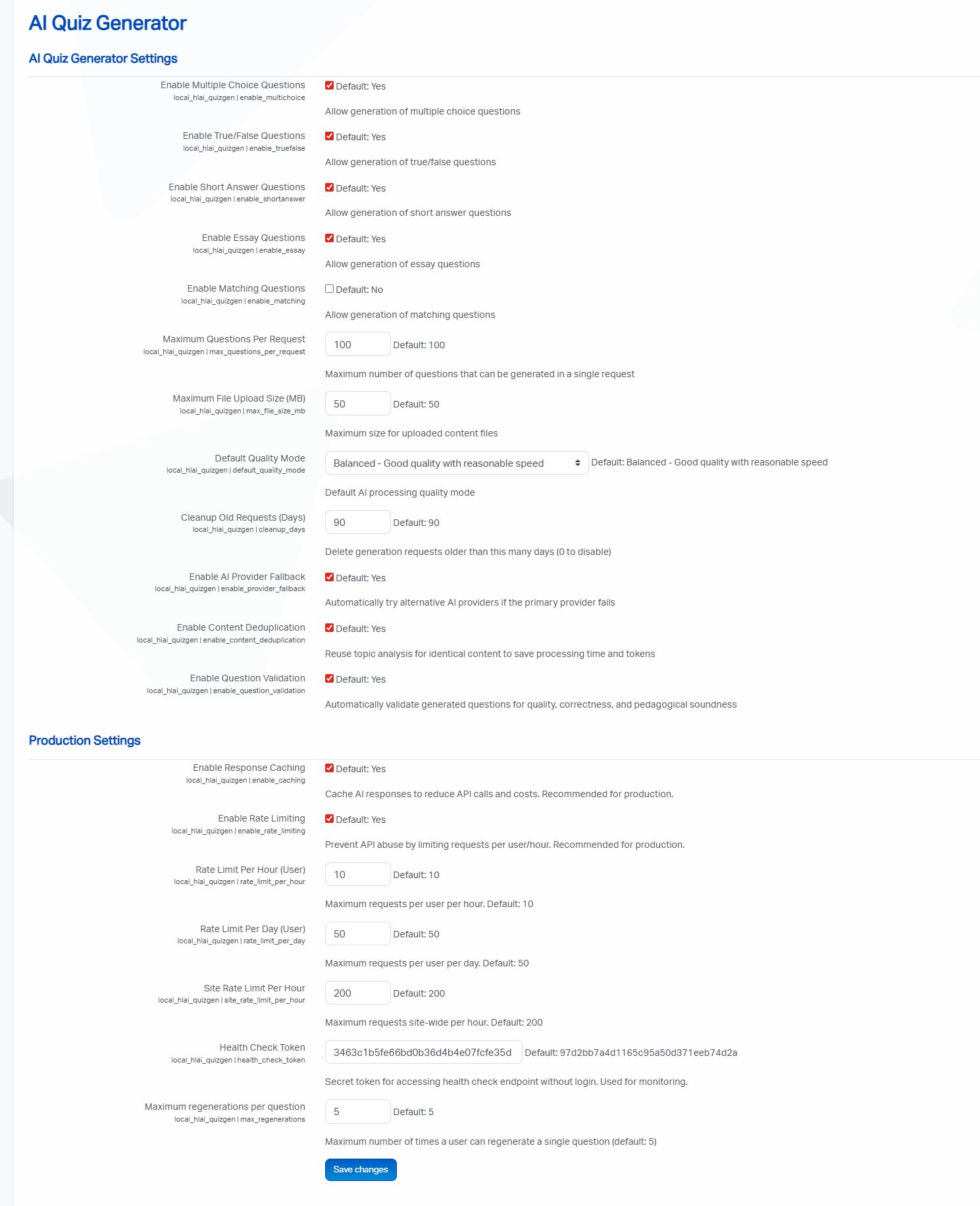
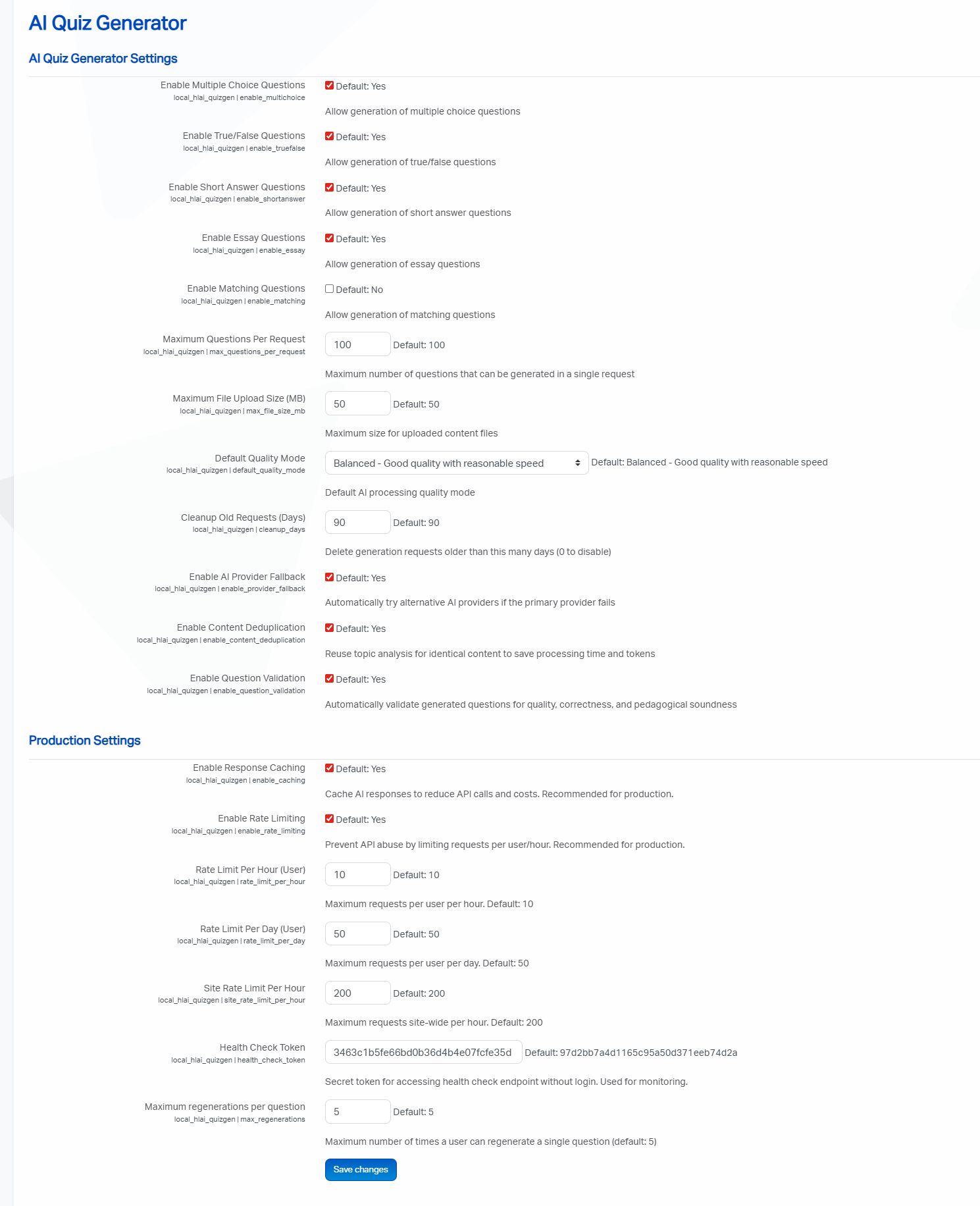
- Enable/disable question types
- Set default quality mode (Fast/Balanced/Best)
- Set maximum questions per generation
- Configure file upload limits
Usage
For Teachers
- Navigate to your course
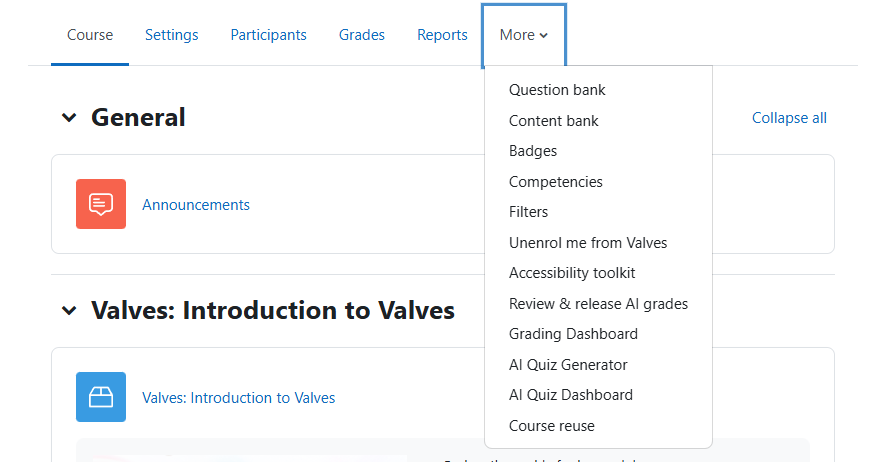
- Click AI Quiz Generator in the course navigation
- Follow the 5-step wizard:
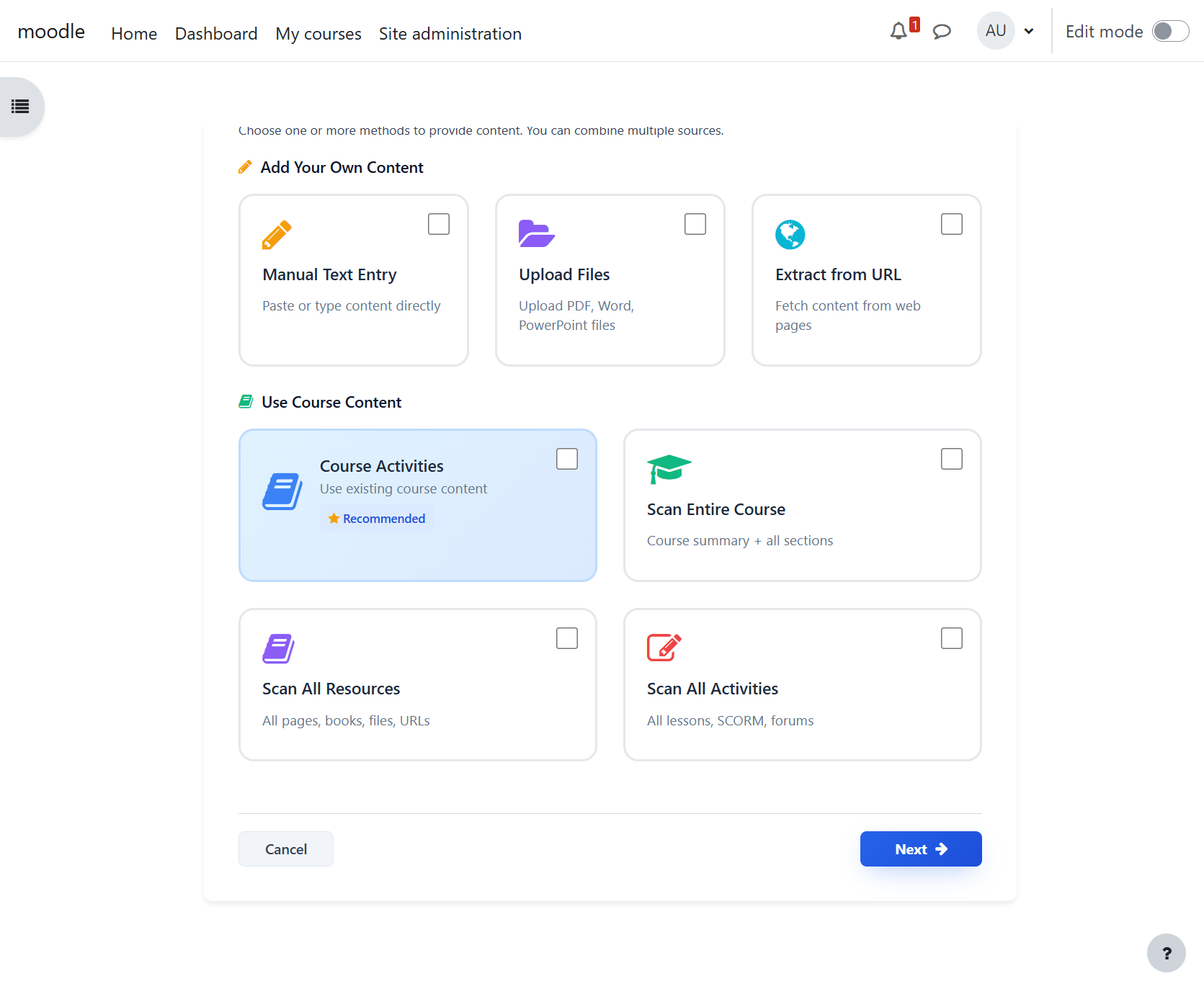
- Step 1: Select or upload course content
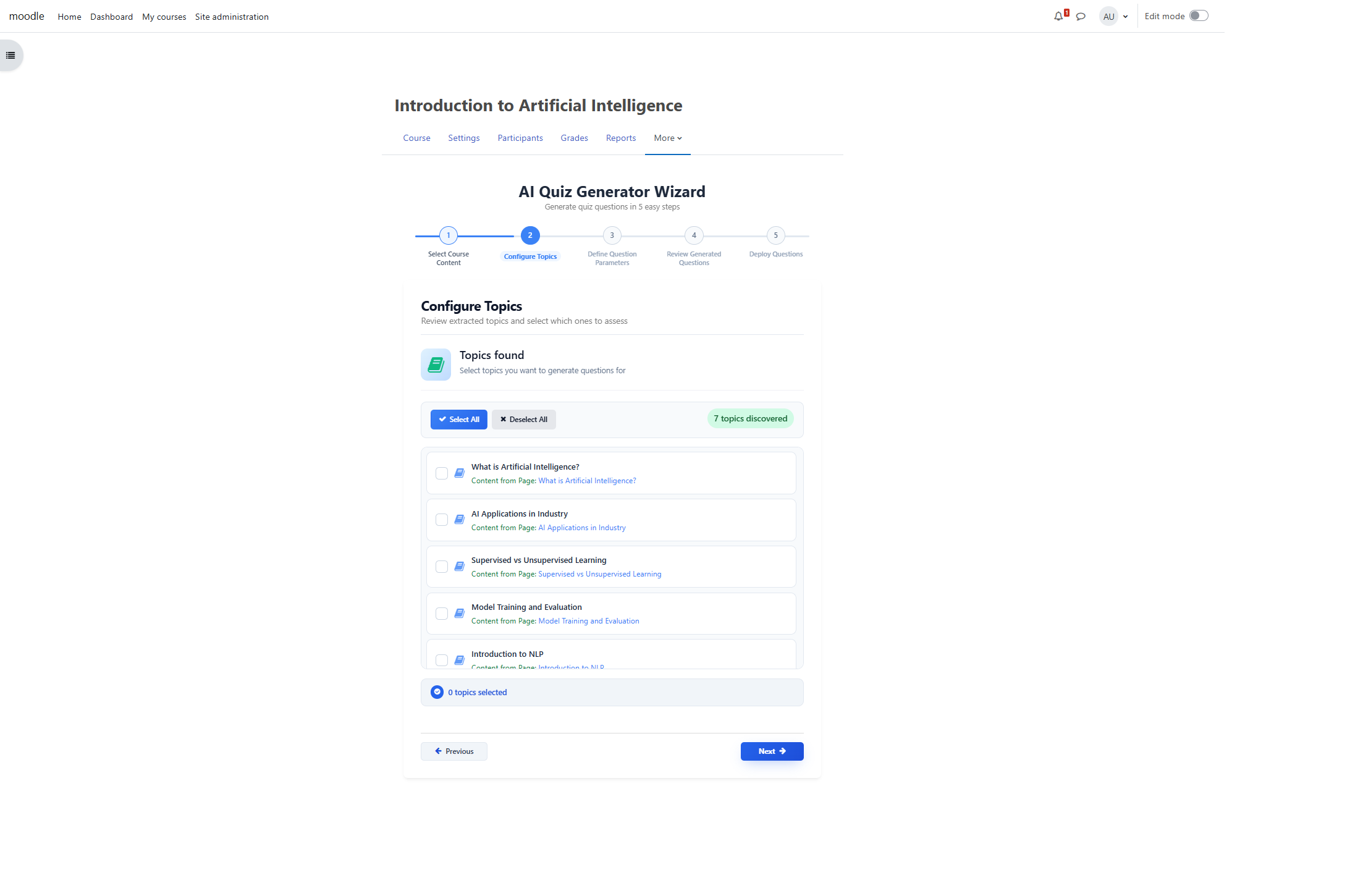
- Step 2: Review and select topics to assess
- Step 3: Configure question parameters (types, difficulty, count)
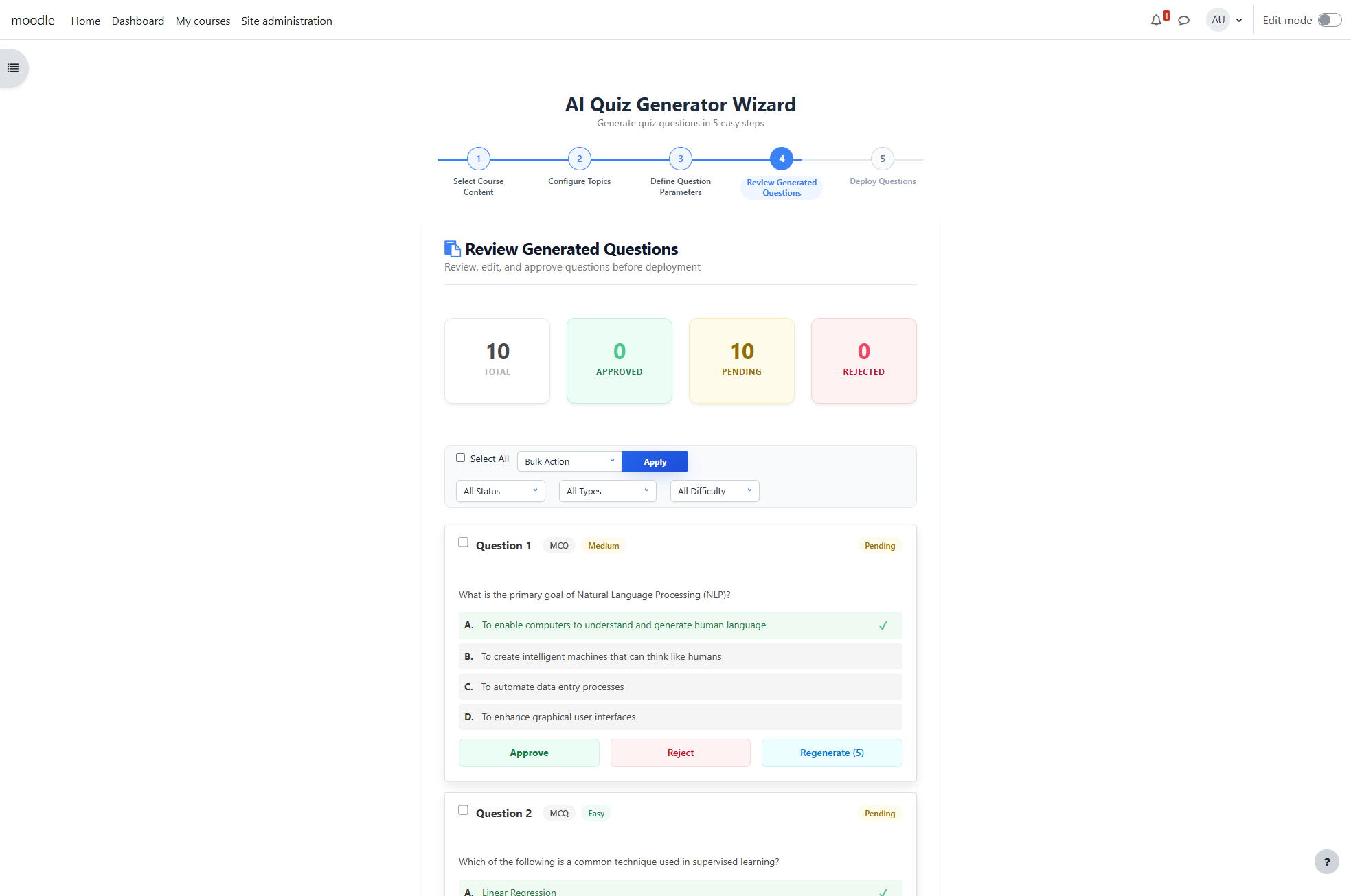
- Step 4: Review and edit generated questions
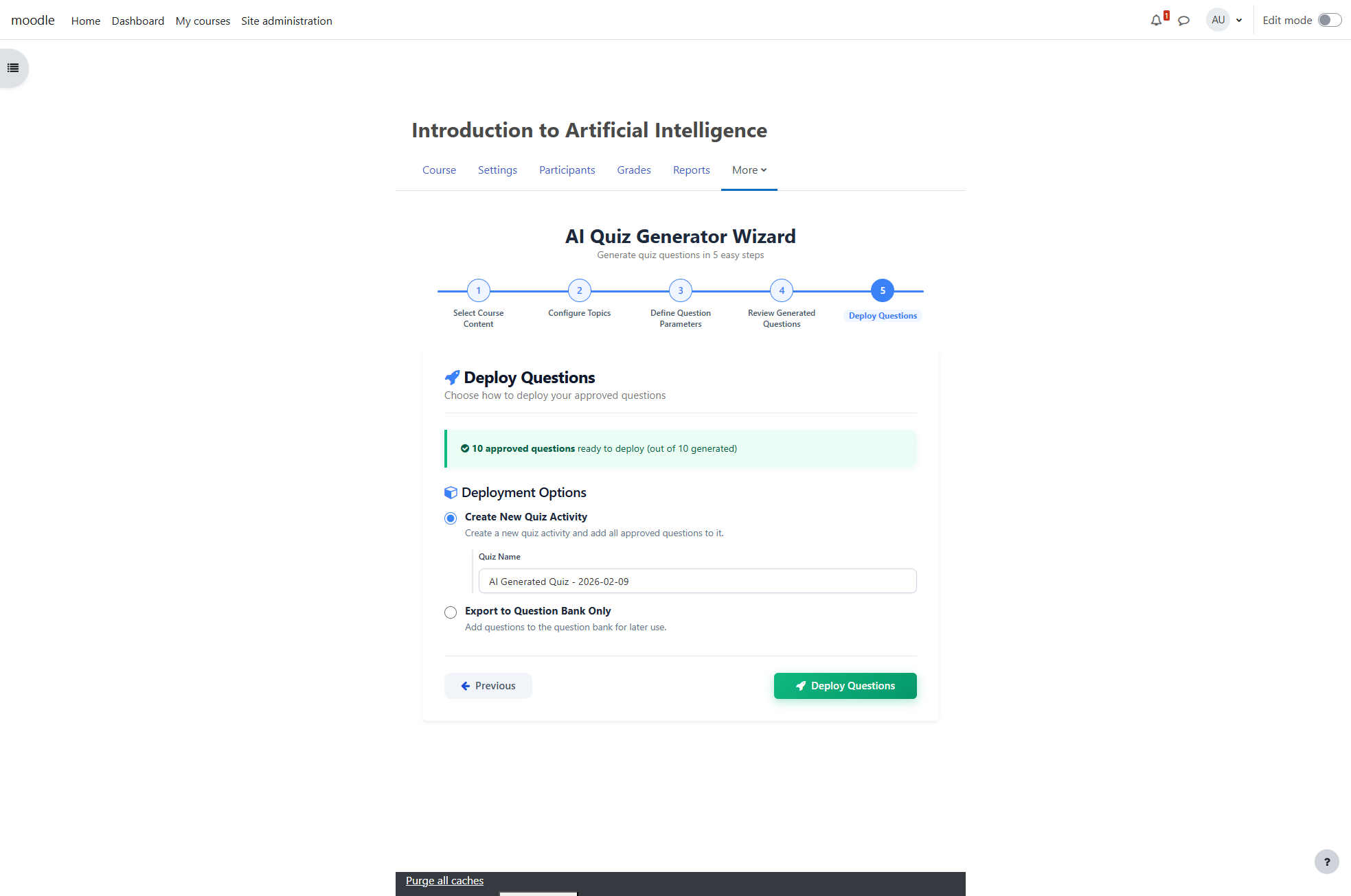
- Step 5: Deploy to quiz or question bank
Wizard Steps Explained
Step 1: Content Selection
- Upload PDFs, DOCX, PPTX files
- Select existing Moodle resources (Pages, Lessons, Books, SCORM)
- Content is extracted and analyzed
Step 2: Topic Configuration
- AI identifies key topics and learning objectives
- Select which topics to assess
- Specify number of questions per topic
Step 3: Question Parameters
- Choose question types (MCQ, T/F, Short Answer, Essay, Matching)
- Set difficulty distribution (Easy/Medium/Hard)
- Select quality mode (Fast/Balanced/Best)
- Add custom instructions (optional)
Step 4: Review & Edit
- Preview all generated questions
- Edit question text, answers, and feedback
- Regenerate individual questions
- Delete unwanted questions
- Approve questions for deployment
Step 5: Deployment
- Create new quiz activity
- Add to existing quiz
- Export to question bank only
Architecture
Database Tables
mdl_hlai_quizgen_requests - Generation requests
mdl_hlai_quizgen_topics - Extracted topics
mdl_hlai_quizgen_questions - Generated questions
mdl_hlai_quizgen_answers - Question answers/distractors
mdl_hlai_quizgen_settings - User preferences
mdl_hlai_quizgen_logs - Audit trail
Key Classes
\local_hlai_quizgen\api - Main API interface
\local_hlai_quizgen\content_extractor - Content parsing
\local_hlai_quizgen\topic_analyzer - Topic extraction
\local_hlai_quizgen\question_generator - Question generation
\local_hlai_quizgen\quiz_deployer - Quiz deployment
\local_hlai_quizgen\task\process_generation_queue - Background processing
Security & Privacy
- No Student Data: Only course content is sent to AI—never student submissions
- Teacher Control: All questions reviewed before deployment
- Role-Based Access: Only teachers/managers can generate questions
- Audit Logging: All AI requests logged for transparency
- GDPR Compliant: Full privacy provider implementation
Development Phases
This plugin was developed in 4 phases:
- Phase 1: Foundation - Database schema, settings, capabilities
- Phase 2: Content Analysis - Content extraction, topic analysis
- Phase 3: Question Generation - Question/distractor generation, background processing
- Phase 4: Deployment - Quiz creation, question bank integration
Support
- Website: human-logic.com
- Support: support@human-logic.com
- Sales: sales@human-logic.com
- Documentation: See
/docs folder for detailed guides
License
This program is free software: you can redistribute it and/or modify it under the terms of the GNU General Public License as published by the Free Software Foundation, either version 3 of the License, or (at your option) any later version.
This program is distributed in the hope that it will be useful, but WITHOUT ANY WARRANTY; without even the implied warranty of MERCHANTABILITY or FITNESS FOR A PARTICULAR PURPOSE. See the GNU General Public License for more details.
You should have received a copy of the GNU General Public License along with this program. If not, see http://www.gnu.org/licenses/.