Plugin Replacer
Component: local_pluginreplace
Type: Local plugin
Moodle versions: 4.5.x (and compatible future minor releases)
License: GNU GPL v3 or later
Overview
Plugin Replacer allows administrators to upload a Moodle plugin ZIP file and either:
- Install it (if not currently installed), or
- Replace the existing installed version.
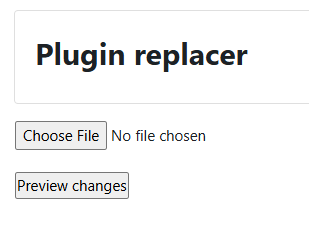
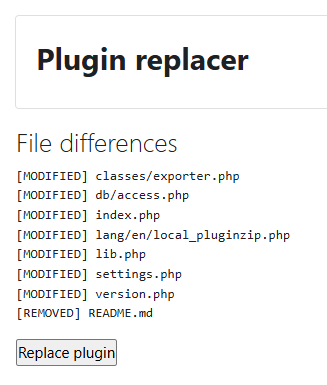
The plugin extracts the ZIP to a temporary directory, validates the plugin metadata (version.php), shows a file difference preview, and then copies the plugin into the correct Moodle directory. After replacement or installation, it redirects to Moodle's standard upgrade page to complete the process.
This tool is intended for controlled administrative environments where the default Moodle plugin installer is unavailable or restricted.
Features
- Upload plugin ZIP file
- Automatic detection of plugin type and component
- Supports:
- New plugin installation
- Existing plugin replacement
- File difference preview:
- Backup of existing plugin before replacement
- Redirects to Moodle upgrade process
- Admin capability restricted
Installation
To install this plugin, you must be an administrator of your Moodle site.
- Downlod an appropriate version from here based on your installed Moodle version.
- Go to Moodle
Site administration > Plugins > Install plugins
- Upload the downloaded zip file to the provided box.
- Click
Show more... and select Local plugin (local) under plugin type.
- Click
Install plugin from ZIP file
- Provide your reminders settings once asked.
- That's it!
Or
- Copy the plugin folder to your ~moodle/local/ and unzip the file in that location.
- Visit:
Site administration > Notifications
- Complete installation.
Usage
- Go to:
Site administration > Tools > Plugin Replacer
- Upload a valid Moodle plugin ZIP file.
- Review the file difference preview.
- Confirm replacement.
- You will be redirected to the Moodle upgrade page.
Security Considerations
- Only users with capability
local/pluginreplace:replace may use this tool.
- Uploaded ZIP files must be trusted.
- This tool writes into Moodle’s code directory.
- It should only be used by experienced administrators.
Limitations
- Does not enforce maintenance mode automatically.
- Does not prevent version downgrades.
- Should not be used to replace Moodle core components.
Author
Melvyn Gomez
melvyng@openranger.com
OpenRanger S. A. de C.V.
https://openranger.com/
License
This plugin is licensed under the GNU General Public License v3 or later.