Activity Filter
Activity Filter is a local plugin for Moodle that is intended to help you find suitable activities.
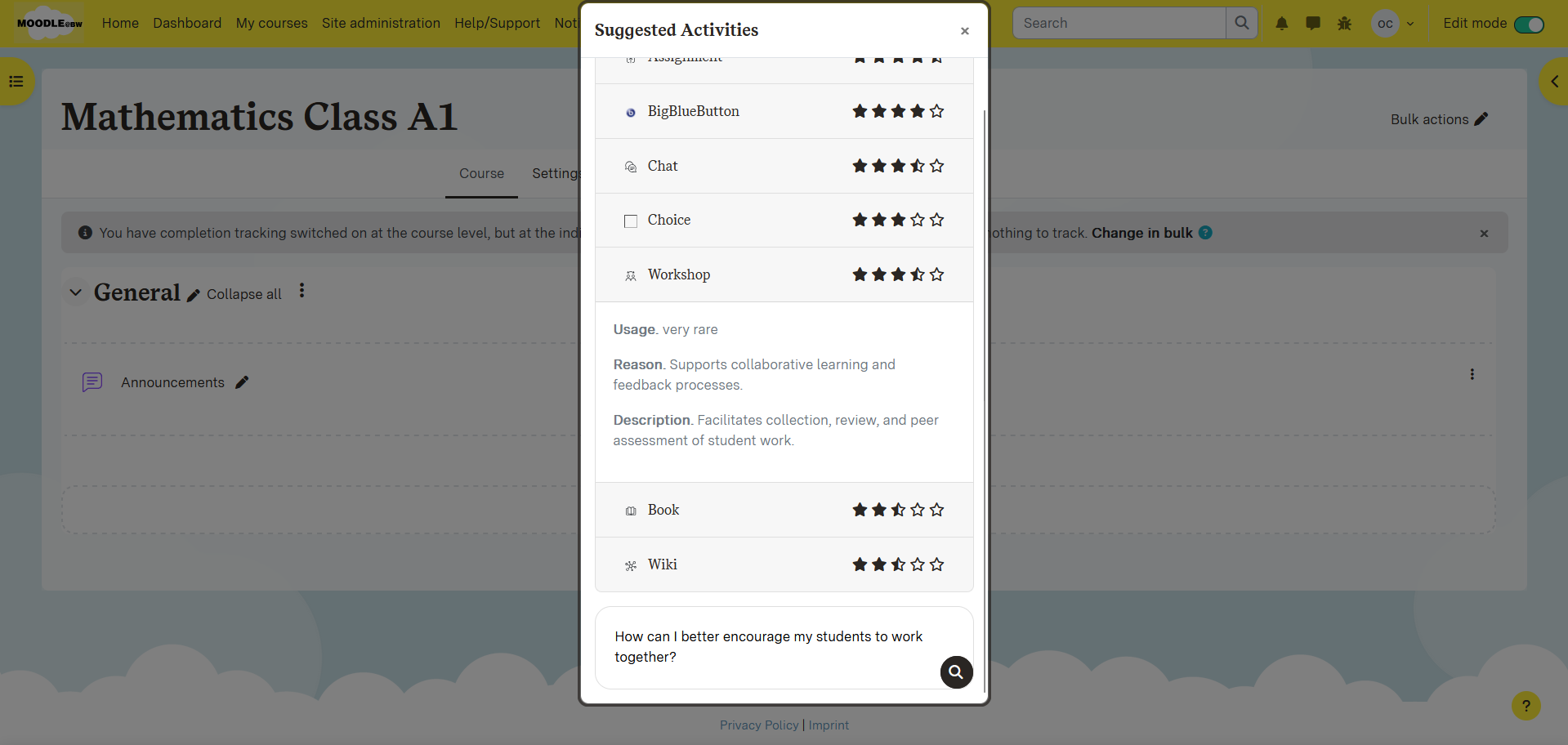
With the help of the AI subsystem, user requests are processed and suitable activities are identified.

Features
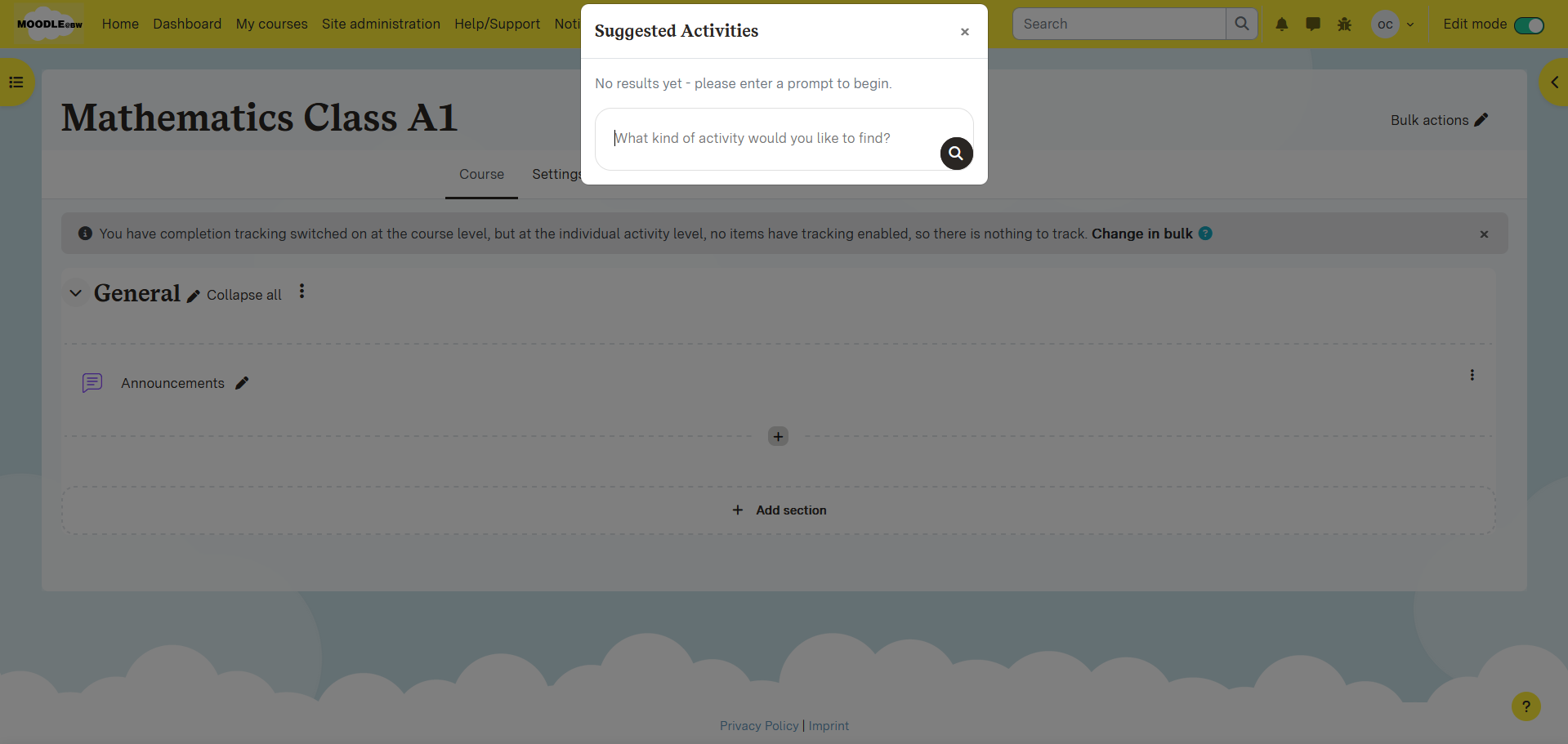
Suggest activities for specific tasks
- Adjustable system and plugin prompt
Installation
- Clone the repository to the '/local/pluginname' directory of the Moodle installation.
- Go to Website Administration ' System Messages to initiate or execute the installation 'admin/cli/upgrade.php'.
Prerequisites
- Depends on the AI subsystem (generate_text)
Configuration
Once installed, the plugin can be configured in the following ways: Website Administration ' Plugins ' Local Plugins ' Plugin Name
Before starting the plugin, the following settings must be set:
- AI Subsystem must be enabled, with at least one text generation option Settings:
- System prompt: With the help of the system prompt, the results of the AI can be configured appropriately.
Usage
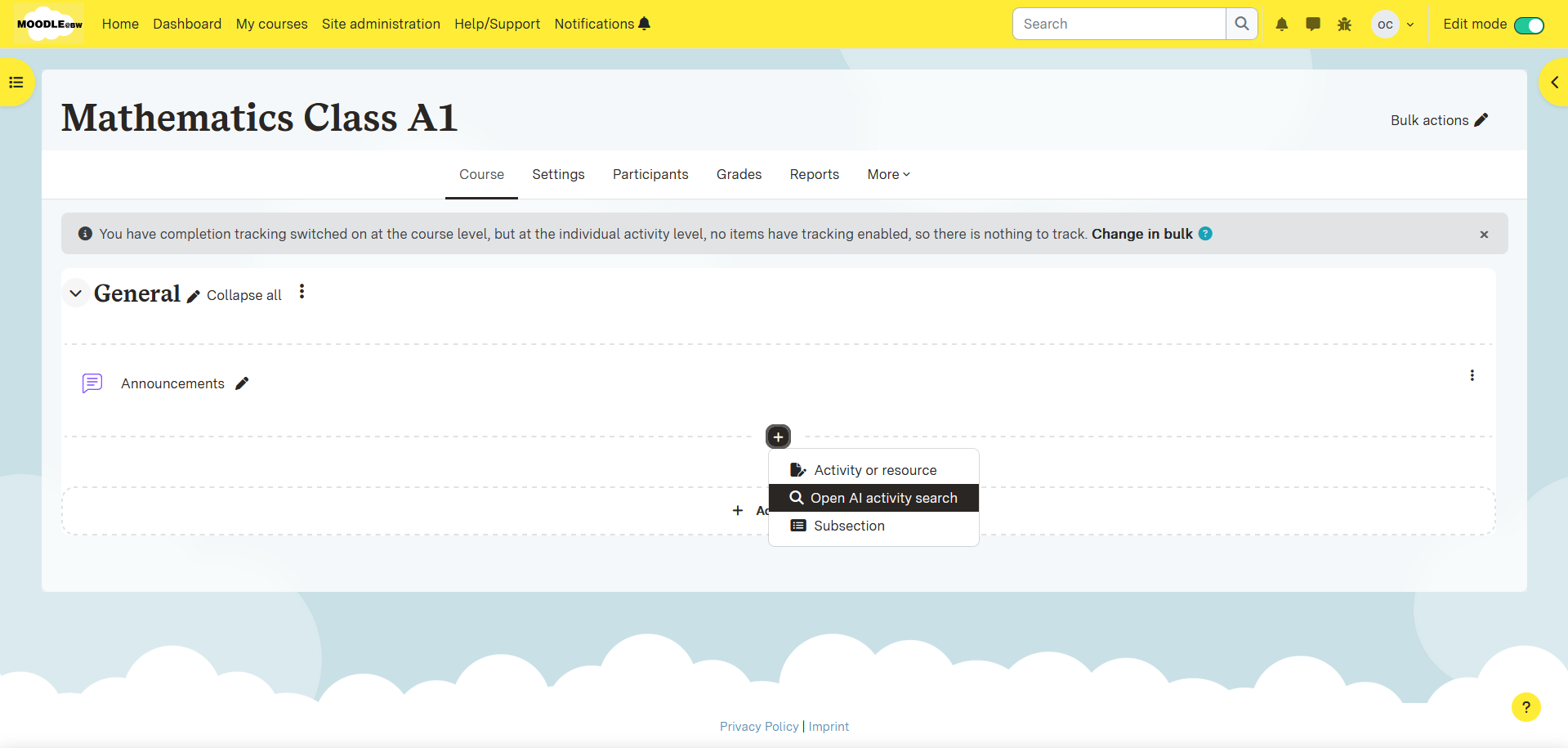
- Navigate to a course
- Open the button to add an activity.
- Click on "Open AI Activity Search"
Rights
Cronjobs
Web Services
This plugin provides the following web service functions:
| Web Service Function | Description |
|------------------------------------------|--------------------------------------------------|
| local_activityfilter_filter_activities | Makes a request to the AI for a rating overview |
| local_activityfilter_prepare_results | Renders an AI Request for the frontend |
Installing via uploaded ZIP file
- Log in to your Moodle site as an admin and go to Site administration >
Plugins > Install plugins.
- Upload the ZIP file with the plugin code. You should only be prompted to add
extra details if your plugin type is not automatically detected.
- Check the plugin validation report and finish the installation.
Installing manually
The plugin can be also installed by putting the contents of this directory to
{your/moodle/dirroot}/local/activityfilter
Afterwards, log in to your Moodle site as an admin and go to Site administration >
Notifications to complete the installation.
Alternatively, you can run
$ php admin/cli/upgrade.php
to complete the installation from the command line.
License
2025 Team 13 team13@mailbox.org
& 2025 Konrad Ebel konrad.ebel@oncampus.de
This program is free software: you can redistribute it and/or modify it under
the terms of the GNU General Public License as published by the Free Software
Foundation, either version 3 of the License, or (at your option) any later
version.
This program is distributed in the hope that it will be useful, but WITHOUT ANY
WARRANTY; without even the implied warranty of MERCHANTABILITY or FITNESS FOR A
PARTICULAR PURPOSE. See the GNU General Public License for more details.
You should have received a copy of the GNU General Public License along with
this program. If not, see https://www.gnu.org/licenses/.