Section Progress (mod_sectionprogress)
A Moodle activity module that displays activity completion status scoped to the course section the activity is placed in.
Description
Section Progress is a course activity that teachers place inside a section to give students a at-a-glance view of their own completion status for every other activity in that same section — without exposing the rest of the course.
When a student clicks the Section Progress link:
- They see a table listing every activity in the section that has completion tracking enabled.
- A green checkmark shows which items they have completed; an empty circle shows what remains.
- Clicking an activity name takes them directly to that activity.
When a teacher (or manager) clicks the same link:
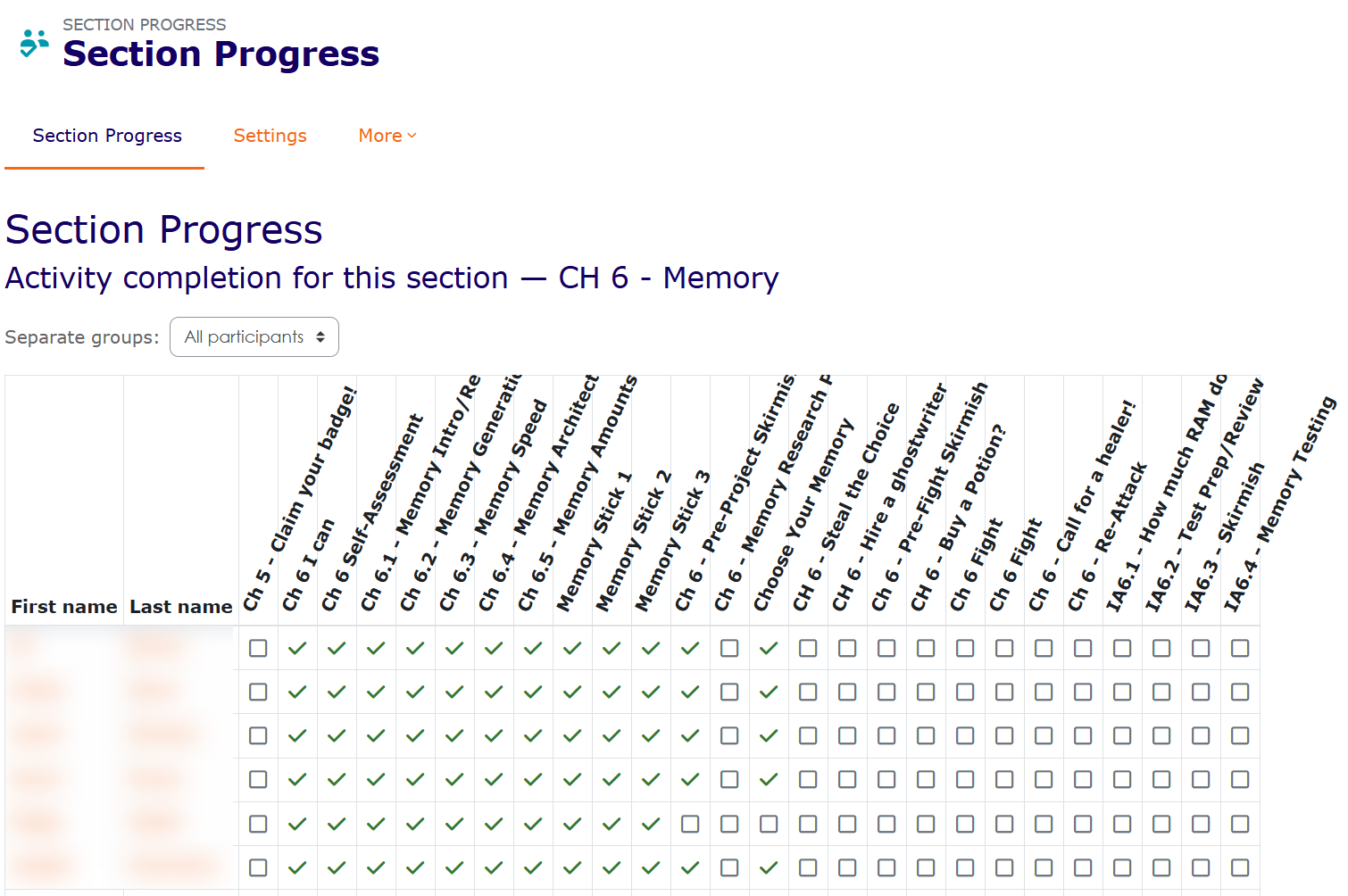
- They see the same grid layout as Moodle's built-in Activity Completion report, but filtered to the current section only.
- Each row is a student; each column is an activity.
- A group selector dropdown lets the teacher filter by group (when the course uses separate groups).
Features
- Works entirely with Moodle's native completion tracking — no extra data stored.
- Respects course group modes (separate groups / visible groups).
- Section name is detected automatically — no configuration needed beyond naming the activity.
- Rotated column headers keep the table compact when there are many activities.
- Fully accessible (ARIA labels on all completion icons).
- Privacy API compliant — stores zero personal data.
- Backup and restore support.
Requirements
- Moodle 4.4 or later
- Activity completion must be enabled on the course (
Course settings ' Completion tracking ' Enable)
Installation
Via Moodle admin UI (recommended)
- Download the ZIP file.
- Go to Site administration ' Plugins ' Install plugins.
- Upload the ZIP and follow the on-screen prompts.
Manual installation
- Extract the ZIP so that
sectionprogress/ sits inside your Moodle mod/ directory.
- Visit Site administration ' Notifications to run the database installer.
Usage
- Turn editing on in your course.
- In the desired section, click Add an activity or resource.
- Choose Section Progress.
- Give it a name (e.g. "My Progress" or "Section 6 Progress") and save.
- Make sure Activity completion is enabled on each activity in the section that you want tracked.
Compiling AMD JavaScript
If you modify amd/src/view.js, recompile with:
npx grunt amd --root=mod/sectionprogress --force
License
Copyright © 2026 Brian Pool
This program is free software: you can redistribute it and/or modify it under the terms of the
GNU General Public License as published by the Free Software Foundation, either version 3 of the
License, or (at your option) any later version.
See GNU GPL v3 for details.