EduGears AI LTI
Versions
Current version
1.4.0 (2026041100)
1.4.0
Plugin type: Local plugins
Frankenstyle component name: local_edugears
Version build number: 2026041100
Version release name: 1.4.0
Maturity: Stable
Supported Moodle versions: 4.0, 4.1, 4.2, 4.3, 4.4, 4.5, 5.0, 5.1, 5.2
Repository URL (Git): https://github.com/srvanukuri/edugears-ai
Repository branch:
Repository tag: v1.4.0
Issue/bug tracker URL: https://github.com/srvanukuri/edugears-ai/issues
What's new in 1.4.0
- One-click LTI registration that works behind firewalls — Install the plugin and click "Register EduGears AI". The tool is created locally in Moodle and registered with EduGears through your browser. No server-side outbound access required.
- Fallback for fully restricted networks — If even browser-side registration fails, a copyable registration code is shown for manual entry.
- Improved install experience — Prominent Register button in the post-install notification.
- Icon support — Tool icon now displays in Moodle's Manage tools and activity chooser.
1.3.0 (2026040800)
1.3.0
Plugin type: Local plugins
Frankenstyle component name: local_edugears
Version build number: 2026040800
Version release name: 1.3.0
Maturity: Stable
Supported Moodle versions: 4.0, 4.1, 4.2, 4.3, 4.4, 4.5, 5.0, 5.1, 5.2
Repository URL (Git): https://github.com/srvanukuri/edugears-ai
Repository branch:
Repository tag: v1.3.0
Issue/bug tracker URL: https://github.com/srvanukuri/edugears-ai/issues
Adds anonymous adoption telemetry: a single small POST to lti-api.edugears.ai on install and uninstall (hashed site identifier + plugin/Moodle/PHP version only — no personal data, no site URL, no user info). Helps us measure how many sites complete LTI registration vs install only. 2-second timeout, errors silently swallowed. Opt-out via $CFG->local_edugears_telemetry = false; in config.php. See README for full disclosure.
1.2.1 (2026040500)
1.2.1
Plugin type: Local plugins
Frankenstyle component name: local_edugears
Version build number: 2026040500
Version release name: 1.2.1
Maturity: Stable
Supported Moodle versions: 4.0, 4.1, 4.2, 4.3, 4.4, 4.5, 5.0, 5.1, 5.2
Repository URL (Git): https://github.com/srvanukuri/edugears-ai
Repository branch:
Repository tag: v1.2.1
Issue/bug tracker URL: https://github.com/srvanukuri/edugears-ai/issues
EduGears AI LTI for Moodle
Add AI-powered educational tools to your Moodle LMS via LTI 1.3 — no custom code required.
Setup Video
Watch the setup video for a step-by-step walkthrough: EduGears AI Moodle Setup
Quick Setup in Under 3 Minutes (No Plugin Required)
You do not need to install this plugin to use EduGears AI. Just use Moodle's built-in External tool settings — no plugin installation, no Moodle upgrades, no database changes:
- Go to Site Administration ' Plugins ' Activity modules ' External tool ' Manage tools
- Paste
https://lti-api.edugears.ai/lti/registerin the Tool URL field - Click Add LTI Advantage
- Click Activate on the EduGears AI tool
- Done! Instructors can now add EduGears AI to their courses
This method works on any Moodle version that supports LTI 1.3 (Moodle 3.10+) and requires zero changes to your Moodle site.
For detailed instructions with screenshots, visit: https://lti.edugears.ai/setup
What Does This Plugin Do?
This optional plugin adds a settings page under Site Administration ' Plugins ' Local plugins ' EduGears AI LTI that displays the registration URL and a direct link to Manage tools for convenience. It does not create any database tables or modify your Moodle database schema.
Features
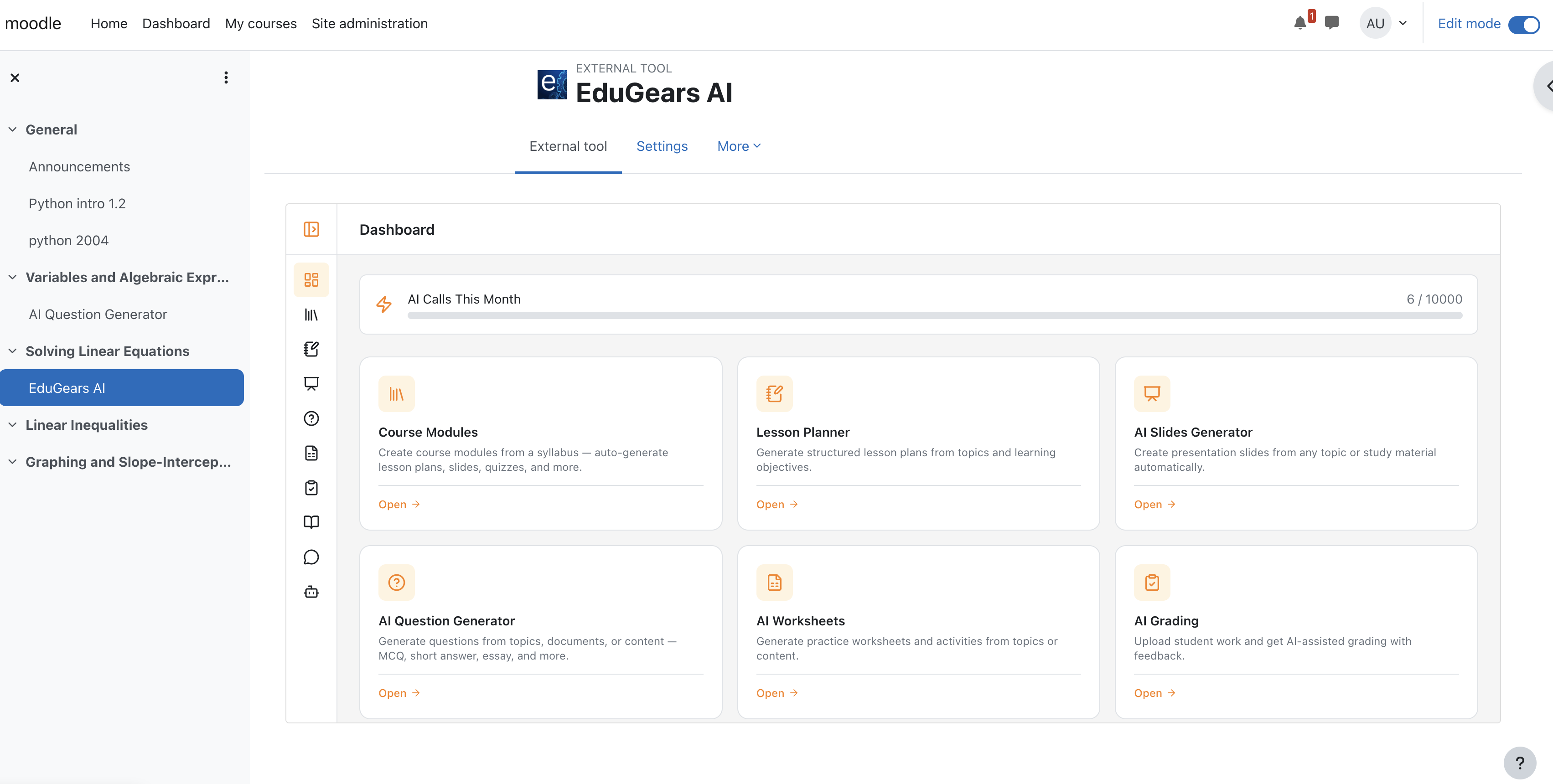
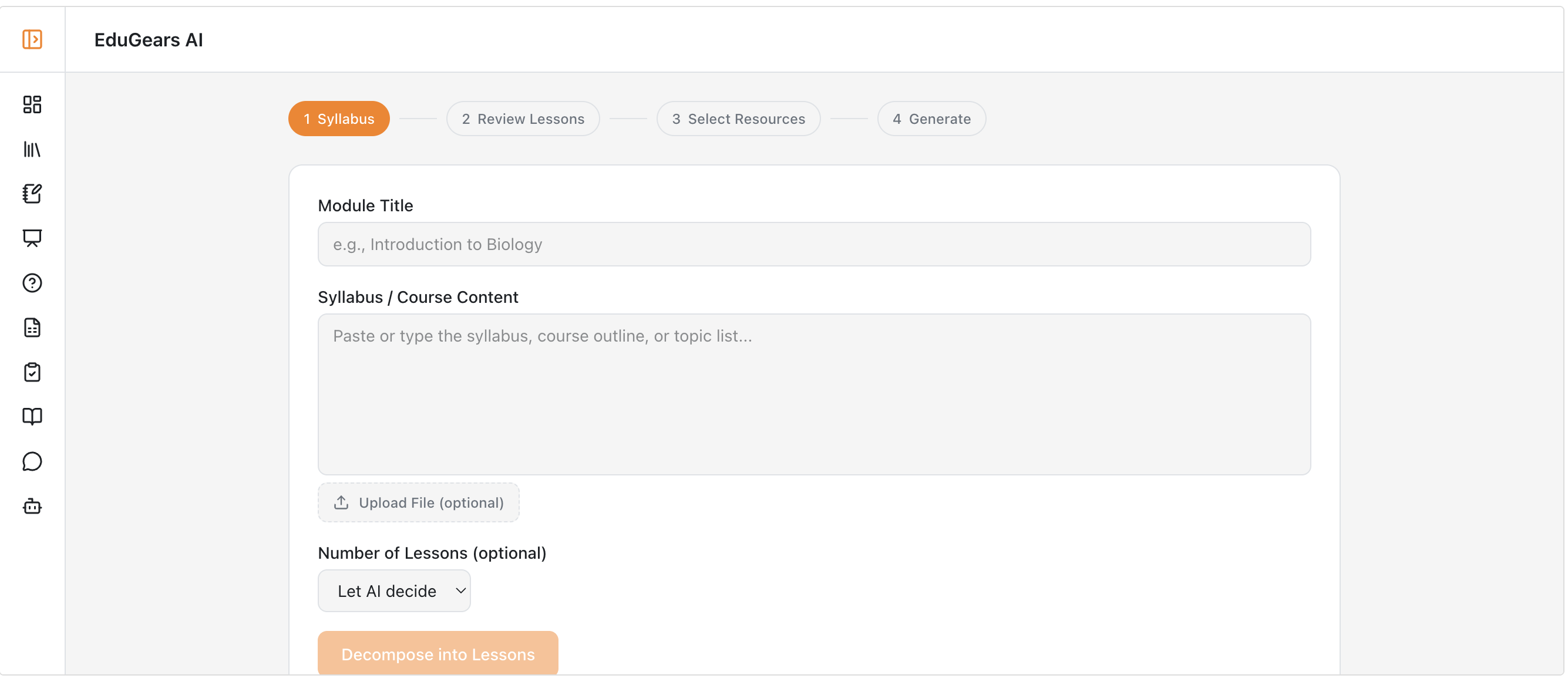
- AI Course Modules — Upload a syllabus and the AI decomposes it into structured lessons, generates all resources per lesson, and exports them as SCORM 1.2. When shared, students can view questions as a quiz, along with lessons, slides, study guides, and worksheets.
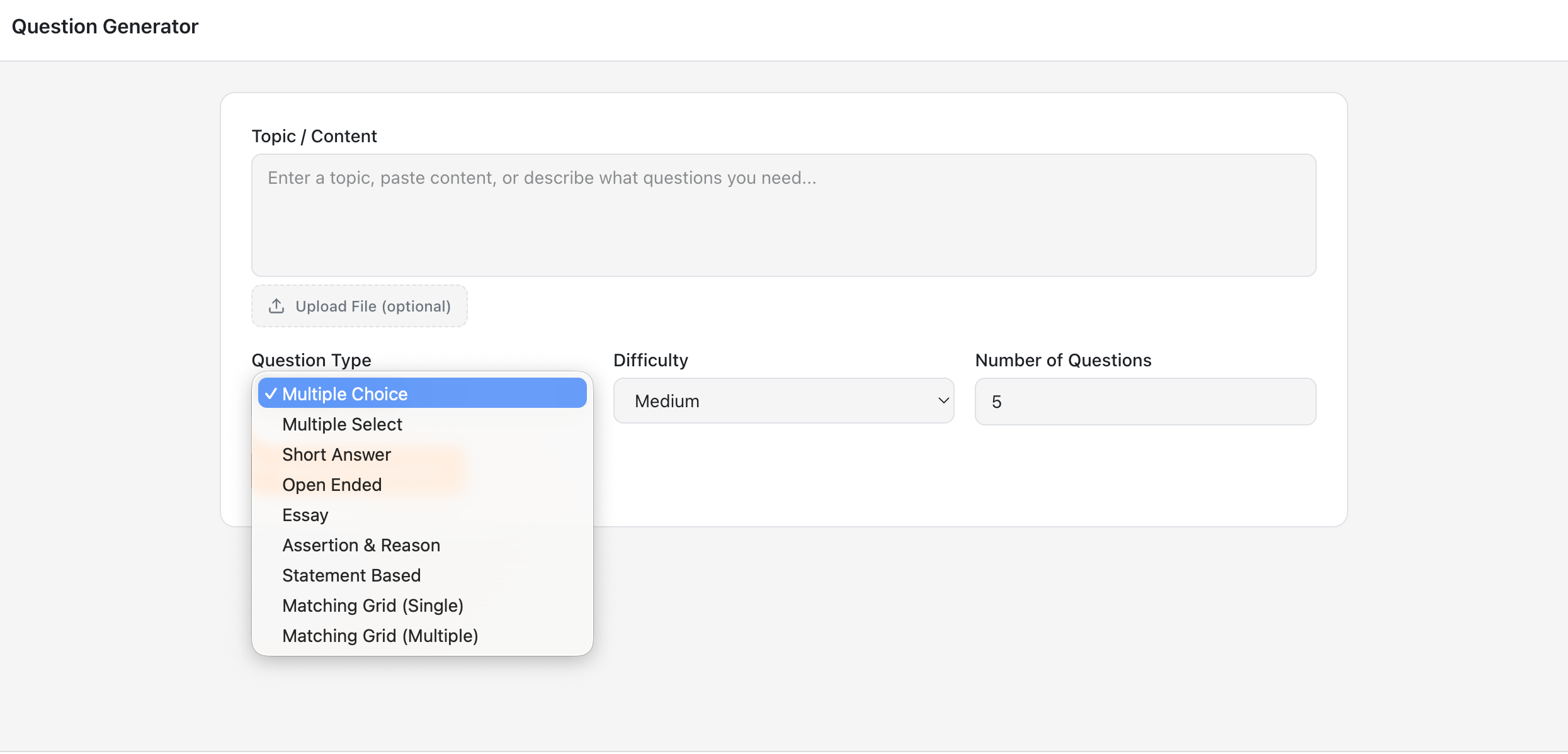
- AI Question Generator — Generate quiz questions from any topic with multiple question types (multiple choice, fill-in-the-blank, matching, and more). Instructors can share questions with students as a quiz or as practice questions. Practice mode shows hints and solutions and includes a flashcard view.
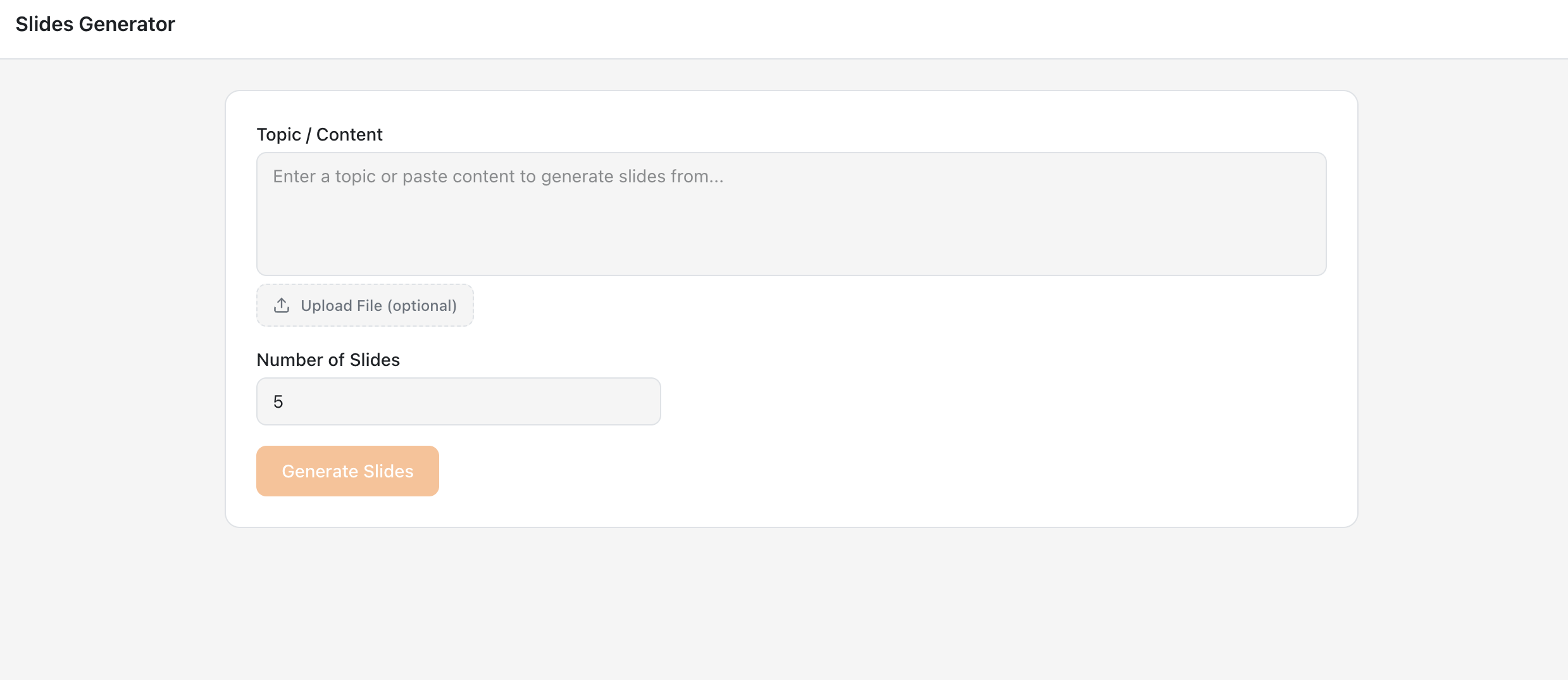
- AI Slides Generator — Create presentation slides from any topic instantly. When shared, students have view-only access to slides.
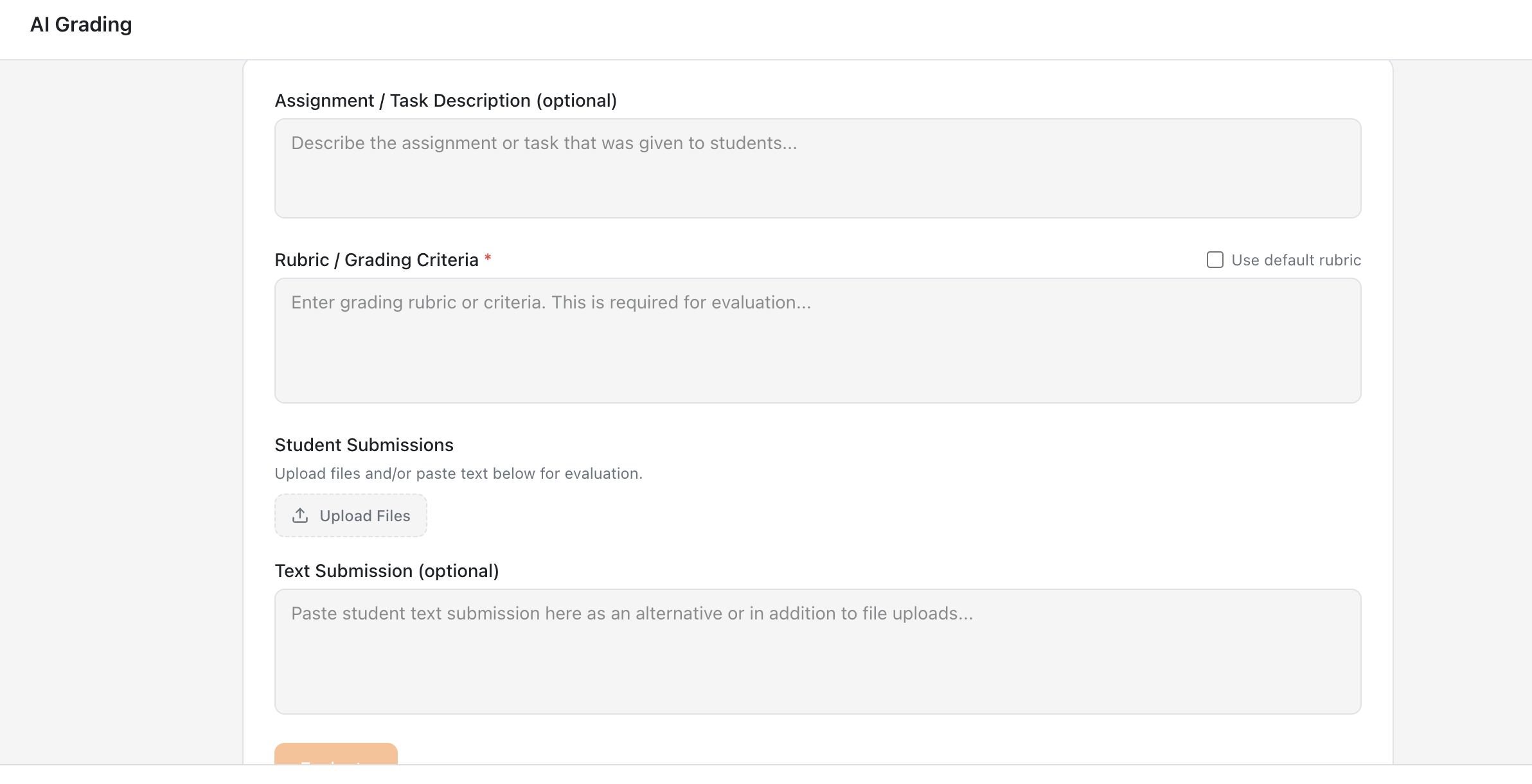
- AI Grading — Intelligent assessment with detailed feedback and automatic grade passback to your Moodle gradebook. Upload handwritten or typed answer sheets for AI grading based on your rubrics.
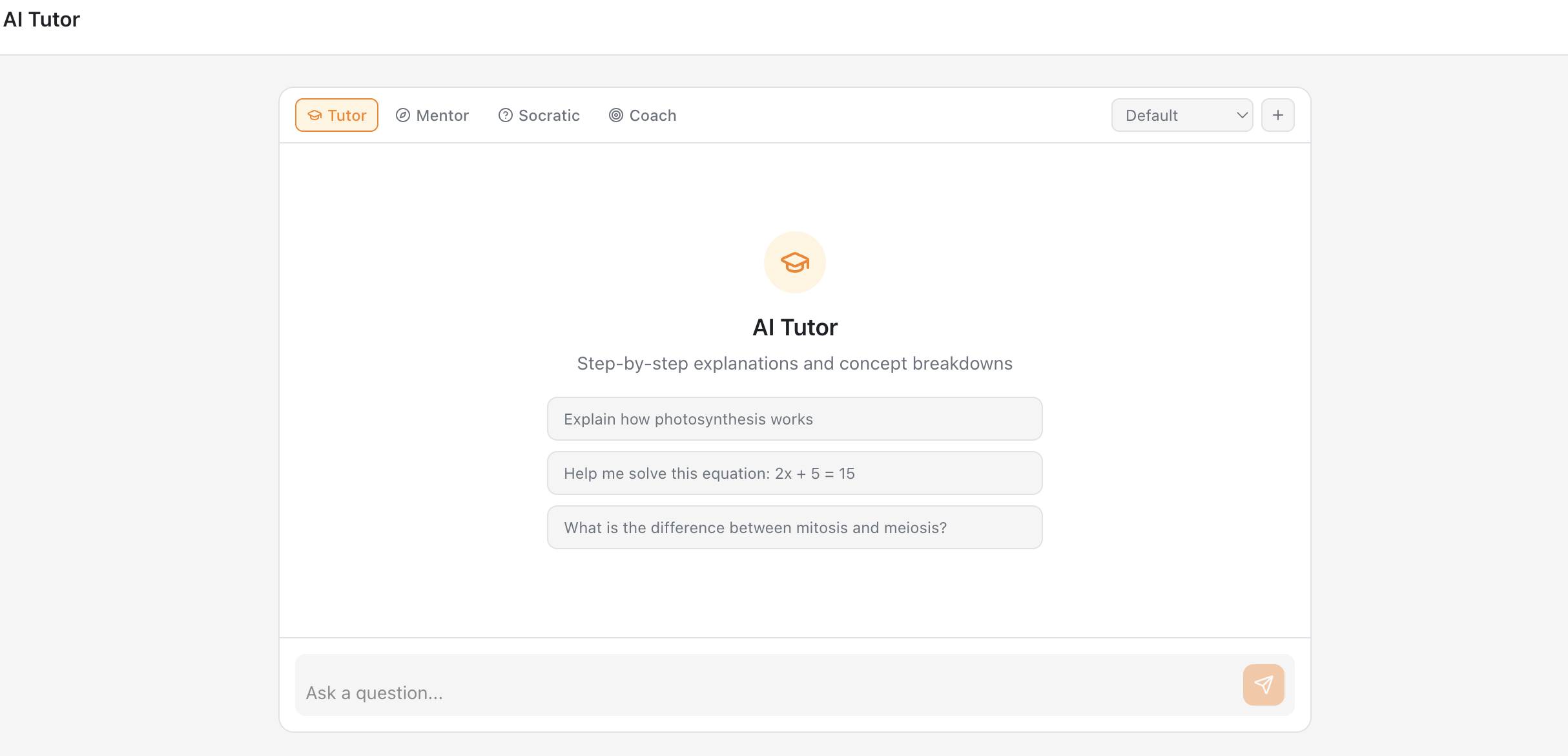
- AI Tutor — 24/7 personalized learning support for students with Socratic tutoring mode. Includes 4 teaching roles: Tutor, Mentor, Socrates, and Coach.
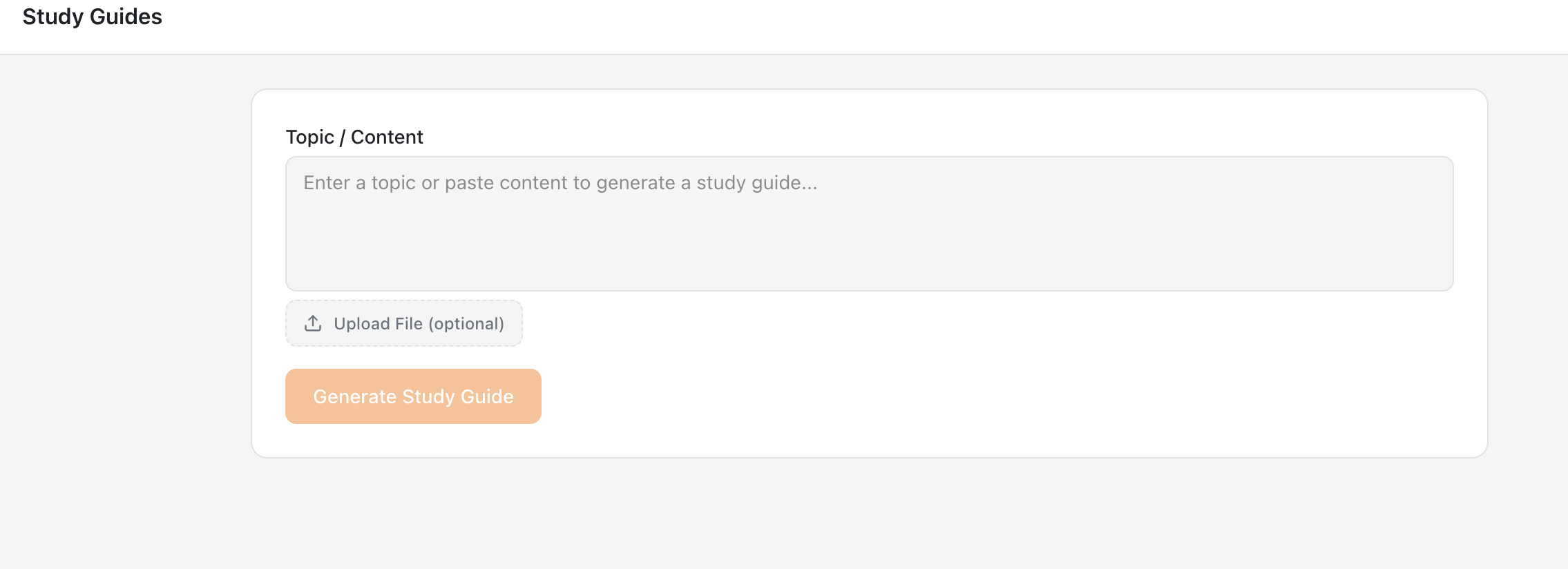
- AI Study Guide Generator — Comprehensive study materials and revision guides on demand.
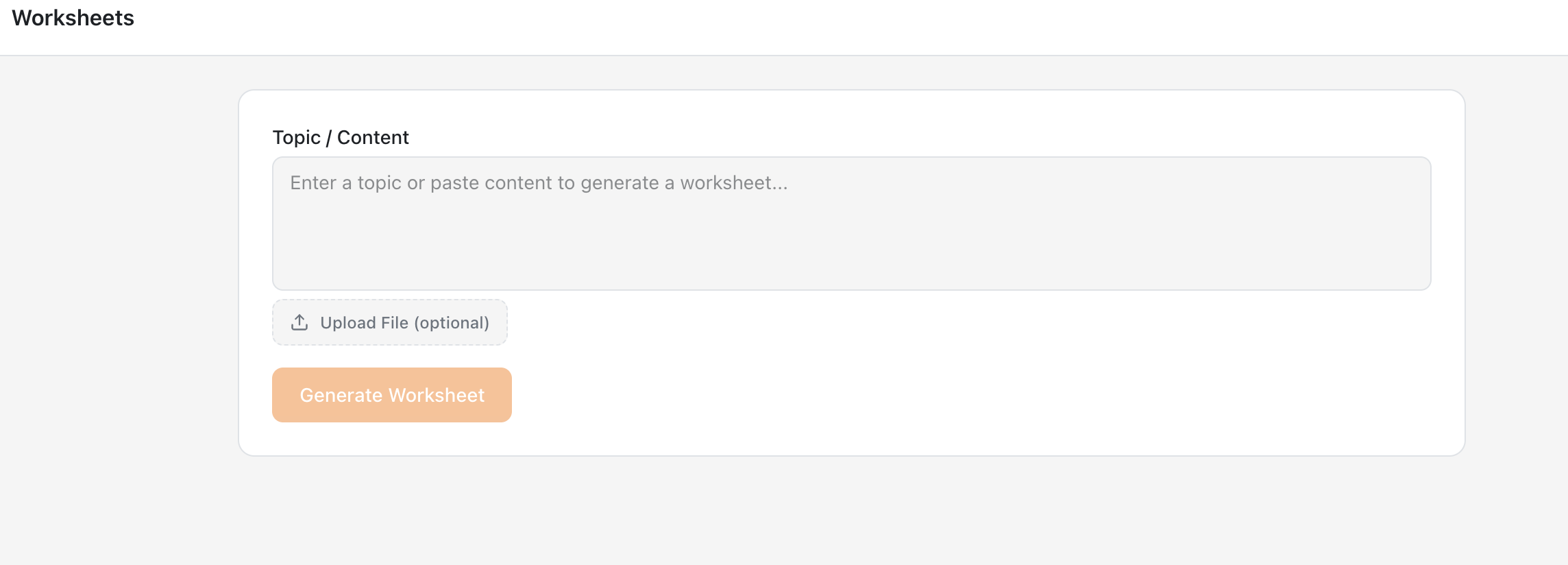
- AI Worksheet Generator — Practice worksheets and activities tailored to any topic or grade level. Share them with students directly. The student view does not show the answer key.
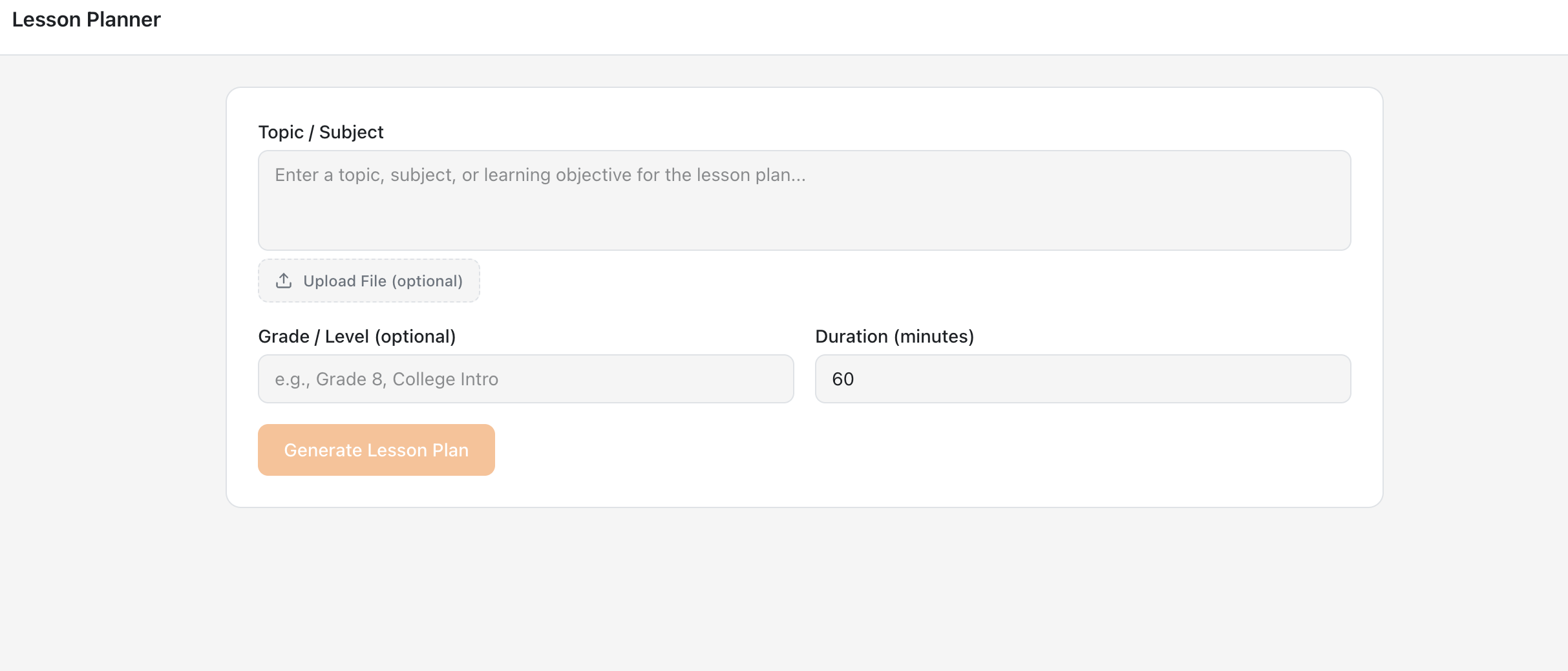
- AI Lesson Planner — Structured lesson plans from topics and learning objectives in seconds. When shared, the student view does not display lesson plans.
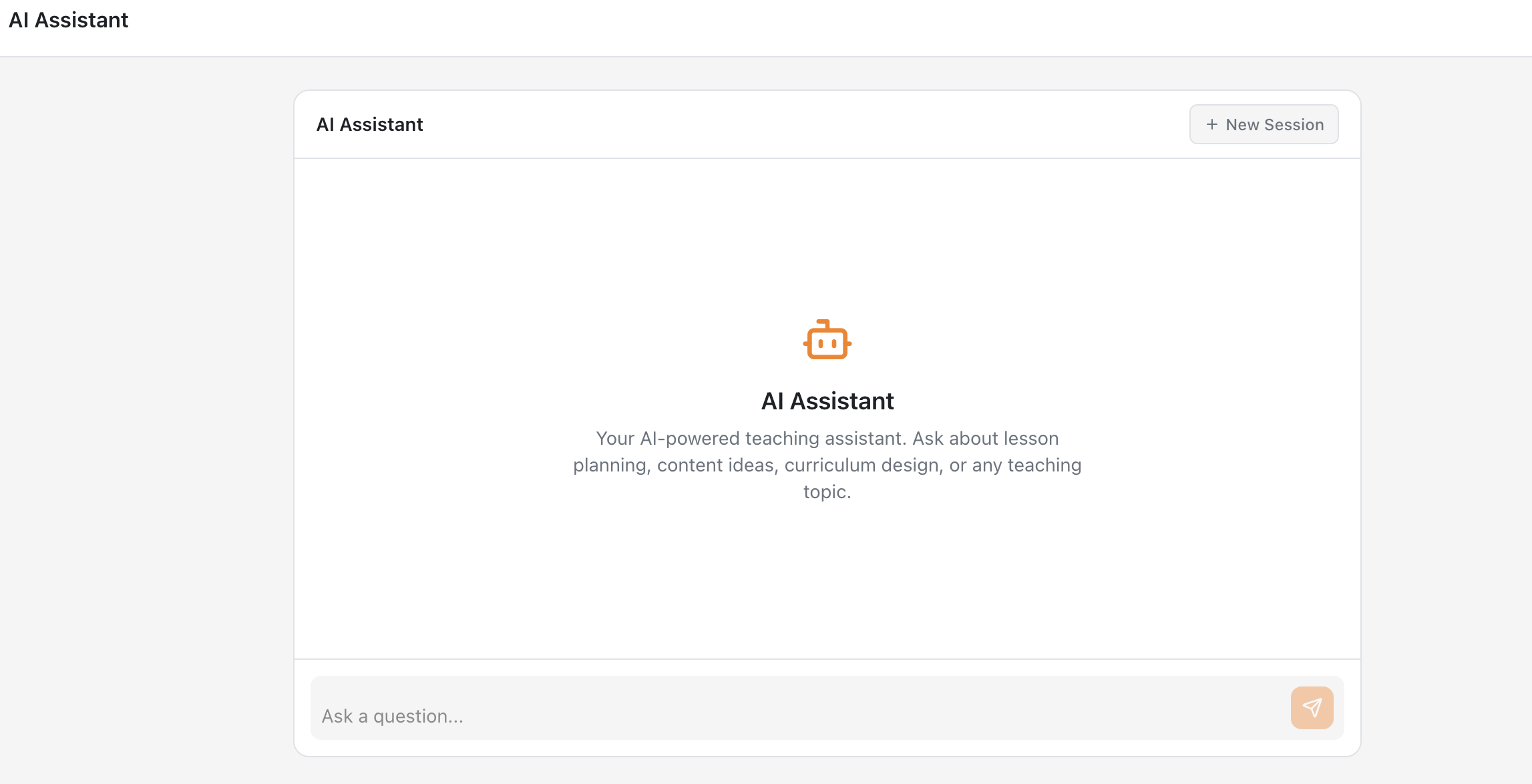
- AI Assistant — Your AI teaching co-pilot for instructors. This tool is available to instructors only.
- Curriculum Intelligence — Upload course materials (PDF, DOCX, PPTX) and every AI tool automatically uses them to generate more relevant, course-aligned content. This tool is intended for instructors only.
Requirements
- Moodle 3.10 or later for LTI 1.3 dynamic registration (Moodle 4.0+ for plugin installation)
- Site administrator access
- Your Moodle must be publicly accessible (i.e., reachable from the internet). Registration will not work if your Moodle is running on
localhostor a private network, because EduGears AI (a cloud service) needs to connect to your Moodle during setup.
Testing locally? You can use a tunneling tool like ngrok to temporarily expose your local Moodle to the internet. Run ngrok http 80 (or your Moodle port), then use the generated public URL as your Moodle site address before registering.
Plugin Installation (Optional)
If you prefer the convenience of a settings page:
- Install this plugin via the Moodle Plugins directory or by extracting the ZIP into
/local/edugears/ - Go to Site Administration ' Notifications to complete the installation
- The plugin settings page will guide you through the remaining setup
Note: The "Upgrade Moodle database" step during installation is Moodle's standard plugin registration process. This plugin does not create any database tables or modify existing ones.
After Setup
Instructors can add EduGears AI tools to any course:
- Open a course and enable Edit mode
- Click + Add an activity or resource
- Select EduGears AI from the activity chooser
- Pick an AI tool from the content picker
- Save — students can launch immediately with no separate login
Privacy & Security
- LTI 1.3 Advantage with OAuth 2.0 and signed JWTs
- FERPA and COPPA compliant
- No LMS credentials stored
- Student content is never used to train AI models
- Only minimal data (name, email, course context) is shared via standard LTI claims
Support
- Website: https://lti.edugears.ai
- YouTube Channel: https://youtube.com/@EduGearsAI_LTI
- Email: support@edugears.ai
- Setup Guide: https://lti.edugears.ai/setup
License
This plugin is licensed under the GNU GPL v3 or later.

1.2.0 (2026032600)
1.2.0
Plugin type: Local plugins
Frankenstyle component name: local_edugears
Version build number: 2026032600
Version release name: 1.2.0
Maturity: Stable
Supported Moodle versions: 4.0, 4.1, 4.2, 4.3, 4.4, 4.5, 5.0, 5.1
Repository URL (Git): https://github.com/srvanukuri/edugears-ai
Repository branch:
Repository tag: v1.2.0
Issue/bug tracker URL: https://github.com/srvanukuri/edugears-ai/issues
EduGears AI LTI for Moodle
Add AI-powered educational tools to your Moodle LMS via LTI 1.3 — no custom code required.
Setup Video
Watch the setup video for a step-by-step walkthrough: EduGears AI Moodle Setup
Quick Setup in Under 3 Minutes (No Plugin Required)
You do not need to install this plugin to use EduGears AI. Just use Moodle's built-in External tool settings — no plugin installation, no Moodle upgrades, no database changes:
- Go to Site Administration ' Plugins ' Activity modules ' External tool ' Manage tools
- Paste
https://lti-api.edugears.ai/lti/registerin the Tool URL field - Click Add LTI Advantage
- Click Activate on the EduGears AI tool
- Done! Instructors can now add EduGears AI to their courses
This method works on any Moodle version that supports LTI 1.3 (Moodle 3.10+) and requires zero changes to your Moodle site.
For detailed instructions with screenshots, visit: https://lti.edugears.ai/setup
What Does This Plugin Do?
This optional plugin adds a settings page under Site Administration ' Plugins ' Local plugins ' EduGears AI LTI that displays the registration URL and a direct link to Manage tools for convenience. It does not create any database tables or modify your Moodle database schema.
Features
- AI Course Modules — Upload a syllabus and AI decomposes it into structured lessons, generates all resources per lesson, and exports as SCORM 1.2
- AI Question Generator — Generate quiz questions from any topic with 9 question types
- AI Slides Generator — Create presentations instantly from any topic or document
- AI Grading — Intelligent assessment with detailed feedback and automatic grade passback
- AI Tutor — 24/7 personalized student support with multiple learning modes
- AI Study Guide Generator — Comprehensive study materials and revision guides on demand
- AI Worksheet Generator — Practice worksheets tailored to any topic or grade level
- AI Lesson Planner — Structured lesson plans with objectives, activities, and assessments
- AI Assistant — Your teaching co-pilot for lesson prep and content strategy
Requirements
- Moodle 3.10 or later for LTI 1.3 dynamic registration (Moodle 4.0+ for plugin installation)
- Site administrator access
Plugin Installation (Optional)
If you prefer the convenience of a settings page:
- Install this plugin via the Moodle Plugins directory or by extracting the ZIP into
/local/edugears/ - Go to Site Administration ' Notifications to complete the installation
- The plugin settings page will guide you through the remaining setup
Note: The "Upgrade Moodle database" step during installation is Moodle's standard plugin registration process. This plugin does not create any database tables or modify existing ones.
After Setup
Instructors can add EduGears AI tools to any course:
- Open a course and enable Edit mode
- Click + Add an activity or resource
- Select EduGears AI from the activity chooser
- Pick an AI tool from the content picker
- Save — students can launch immediately with no separate login
Privacy & Security
- LTI 1.3 Advantage with OAuth 2.0 and signed JWTs
- FERPA and COPPA compliant
- No LMS credentials stored
- Student content is never used to train AI models
- Only minimal data (name, email, course context) is shared via standard LTI claims
Support
- Website: https://lti.edugears.ai
- Email: support@edugears.ai
- Setup Guide: https://lti.edugears.ai/setup
License
This plugin is licensed under the GNU GPL v3 or later.
1.1.0 (2026032200)
1.1.0
Plugin type: Local plugins
Frankenstyle component name: local_edugears
Version build number: 2026032200
Version release name: 1.1.0
Maturity: Stable
Supported Moodle versions: 4.0, 4.1, 4.2, 4.3, 4.4, 4.5, 5.0, 5.1
Repository URL (Git): https://github.com/srvanukuri/edugears-ai
Repository branch:
Repository tag: v1.1.0
Issue/bug tracker URL: https://github.com/srvanukuri/edugears-ai/issues
EduGears AI LTI for Moodle
Add AI-powered educational tools to your Moodle LMS via LTI 1.3 — no custom code required.
Features
- AI Course Modules — Upload a syllabus and AI decomposes it into structured lessons, generates all resources per lesson, and exports as SCORM 1.2
- AI Question Generator — Generate quiz questions from any topic with 9 question types
- AI Slides Generator — Create presentations instantly from any topic or document
- AI Grading — Intelligent assessment with detailed feedback and automatic grade passback
- AI Tutor — 24/7 personalized student support with multiple learning modes
- AI Study Guide Generator — Comprehensive study materials and revision guides on demand
- AI Worksheet Generator — Practice worksheets tailored to any topic or grade level
- AI Lesson Planner — Structured lesson plans with objectives, activities, and assessments
- AI Assistant — Your teaching co-pilot for lesson prep and content strategy
Requirements
- Moodle 4.0 or later (Moodle 4.5+ recommended)
- Site administrator access
Installation
- Install this plugin via the Moodle Plugins directory or by extracting the ZIP into
/local/edugears/ - Go to Site Administration ' Notifications to complete the installation
- Navigate to Site Administration ' Plugins ' Activity modules ' External tool ' Manage tools
- Paste the registration URL shown in the plugin settings and click Add LTI Advantage
- Activate the tool and set it to appear in the activity chooser
The registration URL is: https://lti-api.edugears.ai/lti/register
After Installation
Instructors can add EduGears AI tools to any course:
- Open a course and enable Edit mode
- Click + Add an activity or resource
- Select EduGears AI from the activity chooser
- Pick an AI tool from the content picker
- Save — students can launch immediately with no separate login
Privacy & Security
- LTI 1.3 Advantage with OAuth 2.0 and signed JWTs
- FERPA and COPPA compliant
- No LMS credentials stored
- Student content is never used to train AI models
- Only minimal data (name, email, course context) is shared via standard LTI claims
Support
- Website: https://lti.edugears.ai
- Email: support@edugears.ai
- Setup Guide: https://lti.edugears.ai/setup
License
This plugin is licensed under the GNU GPL v3 or later.
1.0.1 (2026031800)
1.0.1
Plugin type: Local plugins
Frankenstyle component name: local_edugears
Version build number: 2026031800
Version release name: 1.0.1
Maturity: Stable
Supported Moodle versions: 4.0, 4.1, 4.2, 4.3, 4.4, 4.5, 5.0, 5.1
Repository URL (Git): https://github.com/srvanukuri/moodle-local_edugears
Repository branch: main
Repository tag: v1.0.1
Issue/bug tracker URL: https://github.com/srvanukuri/edugears-ai/issues
EduGears AI LTI for Moodle
Add AI-powered educational tools to your Moodle LMS via LTI 1.3 — no custom code required.
Features
- AI Question Generator — Generate quiz questions from any topic
- AI Slides Generator — Create presentations instantly
- AI Grading — Intelligent assessment with automatic grade passback
- AI Tutor — 24/7 personalized student support
- AI Study Guide Generator — Comprehensive study materials on demand
- AI Worksheet Generator — Practice worksheets in a click
- AI Lesson Planner — Structured lesson plans in seconds
- AI Assistant — Your teaching co-pilot
Requirements
- Moodle 4.0 or later (Moodle 4.5+ recommended)
- Site administrator access
Installation
- Install this plugin via the Moodle Plugins directory or by extracting the ZIP into
/local/edugears/ - Go to Site Administration ' Notifications to complete the installation
- Navigate to Site Administration ' Plugins ' Activity modules ' External tool ' Manage tools
- Paste the registration URL shown in the plugin settings and click Add LTI Advantage
- Activate the tool and set it to appear in the activity chooser
The registration URL is: https://lti-api.edugears.ai/lti/register
After Installation
Instructors can add EduGears AI tools to any course:
- Open a course and enable Edit mode
- Click + Add an activity or resource
- Select EduGears AI from the activity chooser
- Pick an AI tool from the content picker
- Save — students can launch immediately with no separate login
Privacy & Security
- LTI 1.3 Advantage with OAuth 2.0 and signed JWTs
- FERPA and COPPA compliant
- No LMS credentials stored
- Student content is never used to train AI models
- Only minimal data (name, email, course context) is shared via standard LTI claims
Support
- Website: https://lti.edugears.ai
- Email: support@edugears.ai
- Setup Guide: https://lti.edugears.ai/setup
License
This plugin is licensed under the GNU GPL v3 or later.
1.0.0 (2026030400)
1.0.0
Plugin type: Local plugins
Frankenstyle component name: local_edugears
Version build number: 2026030400
Version release name: 1.0.0
Maturity: Stable
Supported Moodle versions: 4.0, 4.1, 4.2, 4.3, 4.4, 4.5, 5.0, 5.1
Repository URL (Git):
Repository branch:
Repository tag:
Issue/bug tracker URL: https://github.com/srvanukuri/edugears-ai/issues
EduGears AI LTI for Moodle
Add AI-powered educational tools to your Moodle LMS via LTI 1.3 — no custom code required.
Features
- AI Question Generator — Generate quiz questions from any topic
- AI Slides Generator — Create presentations instantly
- AI Grading — Intelligent assessment with automatic grade passback
- AI Tutor — 24/7 personalized student support
- AI Study Guide Generator — Comprehensive study materials on demand
- AI Worksheet Generator — Practice worksheets in a click
- AI Lesson Planner — Structured lesson plans in seconds
- AI Assistant — Your teaching co-pilot
Requirements
- Moodle 4.0 or later (Moodle 4.5+ recommended)
- Site administrator access
Installation
- Install this plugin via the Moodle Plugins directory or by extracting the ZIP into
/local/edugears/ - Go to Site Administration ' Notifications to complete the installation
- Navigate to Site Administration ' Plugins ' Activity modules ' External tool ' Manage tools
- Paste the registration URL shown in the plugin settings and click Add LTI Advantage
- Activate the tool and set it to appear in the activity chooser
The registration URL is: https://lti-api.edugears.ai/lti/register
After Installation
Instructors can add EduGears AI tools to any course:
- Open a course and enable Edit mode
- Click + Add an activity or resource
- Select EduGears AI from the activity chooser
- Pick an AI tool from the content picker
- Save — students can launch immediately with no separate login
Privacy & Security
- LTI 1.3 Advantage with OAuth 2.0 and signed JWTs
- FERPA and COPPA compliant
- No LMS credentials stored
- Student content is never used to train AI models
- Only minimal data (name, email, course context) is shared via standard LTI claims
Support
- Website: https://lti.edugears.ai
- Email: support@edugears.ai
- Setup Guide: https://lti.edugears.ai/setup
License
This plugin is licensed under the GNU GPL v3 or later.